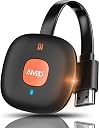
Desertcart purchases this item on your behalf and handles shipping, customs, and support to Colombia.
🚀 Elevate your screen game—wireless 4K streaming made effortless!
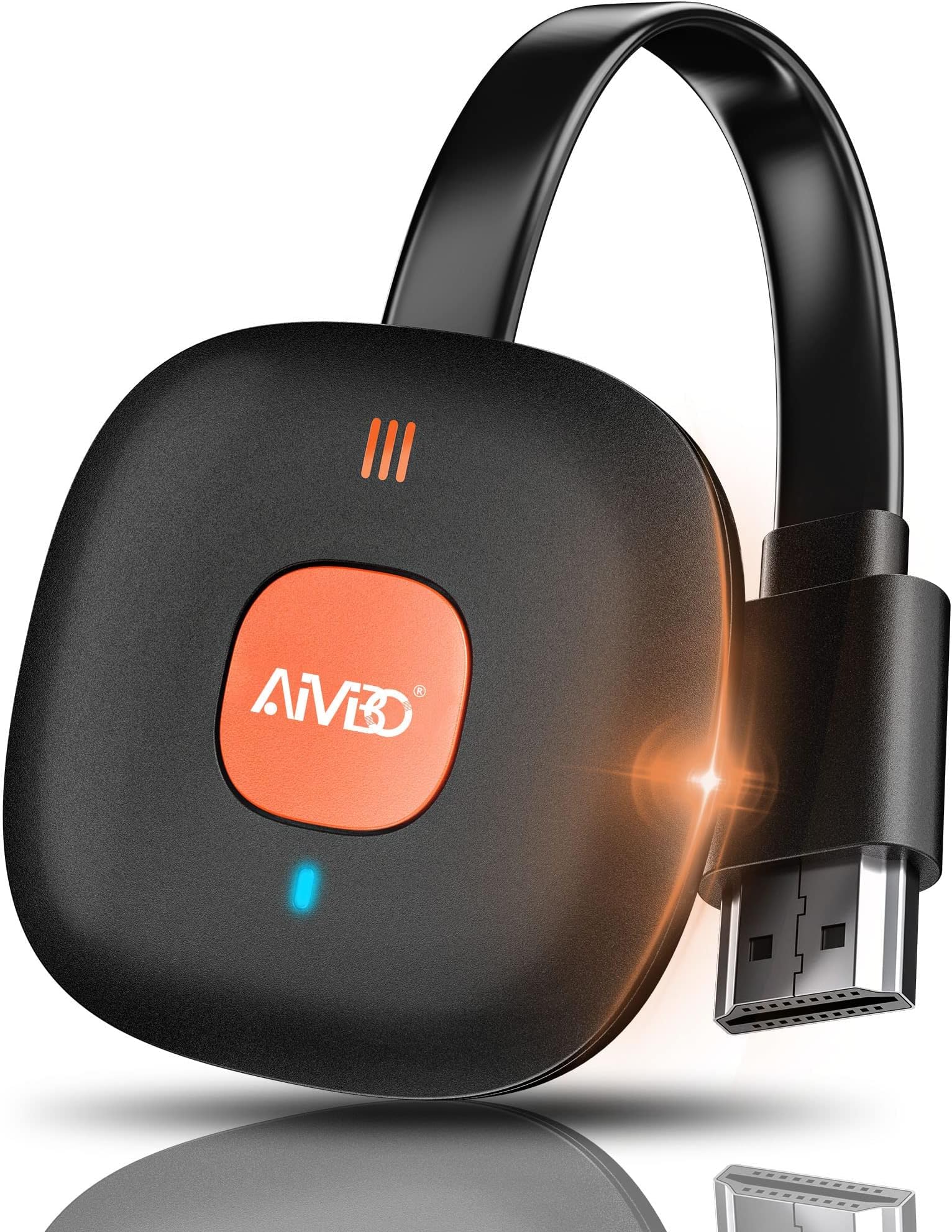
The AT-Mizhi Wireless HDMI Display Adapter delivers stunning 4K HDR video and high-quality audio streaming from smartphones, tablets, and laptops to TVs, monitors, or projectors. Supporting Miracast, AirPlay, and DLNA, it offers broad device compatibility and a stable 10-meter wireless range on 2.4G WiFi. With plug-and-play ease and no app installation required, it’s the perfect tool for seamless screen mirroring in business, entertainment, or education.


| Asin | B086JYHY6M |
| Best Sellers Rank | 5,718 in Electronics & Photo (See Top 100 in Electronics & Photo) 70 in Streaming Clients |
| Box Contents | 1x Dongle, 1x Instruction Manual, 1x USB Cable with Antenna |
| Brand Name | AT-Mizhi |
| Colour | Orange |
| Compatible Devices | Monitor, Projector, Smartphone, Tablet, Television |
| Connector Type | HDMI |
| Controller Type | Button Control |
| Country Of Origin | China |
| Customer Reviews | 3.5 3.5 out of 5 stars (3,680) 3.5 out of 5 stars |
| Form Factor | TV Stick |
| Item Dimensions L X W X H | 10L x 9W x 6H centimetres |
| Item Weight | 0.01 Kilograms |
| Manufacturer | AT-Mizhi |
| Manufacturer Part Number | AT-G18-01 |
| Memory Storage Capacity | 100 GB |
| Model Name | Adattatore per display HDMI wireless 4K |
| Model Number | wireless |
| Network Connectivity Technology | HDMI, Wi-Fi |
| Other Special Features Of The Product | Airplay, Browser, DLNA, HDMI Dongle, Miracast |
| Product Warranty | 5 Year Manufacturer |
| Resolution | 4k |
| Supported Internet Services | Netflix, Prime Video, HBO, YouTube, Hulu |
| Unit Count | 1.0 count |
| Upc | 743815842983 |
| Video Codec | H.264" or "VP9 |
| Video Output Resolution | 3840x2160 |
User
Easy to use.
Great bit of kit, easy to set up, easy to use. Which is great would recommend.
User
Avoid.
Unit uses a very short combined power/wifi antenna cable - which is fine if there's a USB port within 6 inches of the HDMI port, not so great if you want to power it from an external PSU. Need a USB-A male to female extension lead in that case.Initial setup was OK; attached to my network in the usual fashion (device behaves as an AP, connect, configure, switch back to normal network). However... Despite repeated attempts with several different Android devices (all up-to-date), the device connected once only and displayed nothing. Connecting from Windows sort-of worked, but gave a corrupted desktop that was unusable (although the cursor moved). Tried several device resets and reconfiguring to check, nothing changed in its behaviour.Might have been a faulty unit, or it may be that it's too cheap to be reliable. Either way, it's very slow to respond in operation (and all I really wanted it for was attaching to a projector for static images).
User
Good
Good
User
Simple Easy to use streaming Device
I wanted a device that could show my phone to the living room TV. This does exactly that. Would I recommend. Yes. Connect with IPhone. Laptop and NAS to 5 year old Sony TV without much issue.I used an IPhone 8 and cast my phone to the screen to show family videos / photos from Christmas. It was so simple to use.Plugged the device to an external USB PSU (which is not included) I used my iPad charger as it was close to hand. Upon power up on the HDMI input I was presented the screen shot shown. Using the phone I pointed the camera at the QR code and it guided me to download the application and with in a minute or 2 I was casting my phone to the screen.I tested with a Dell laptop and this also worked without any problems. I connected the laptop via the URL which was present on the screen. Only one device can Case at a time obviously but it shows in the top right hand corner how many devices are currently connected.I also have a home NAS, I connected the device to the home network, the device shows when the connection is made in the top right of the screen. I streamed from my NAS to the device again with no problem.I have not streamed 4K video but I have streamed HD and SD. I managed to cast youtube from my phone for some educational videos which was perfect.Issues - I found that if a device is connected via the URL for changing the settings and you don’t log this device off other devices will fail to connect. It doesn’t inform you that a user is already connected it just says failed to connect/cannot connect. This makes you think the device is not working but it is working fine, the error message is misleading.I found some video streamed from the phone was jerky in motion, I could not establish why this was the case, items streamed from the NAS was perfect so I can only assume it was an issue Possibly with the TV refresh rate for that particular video clip.
User
Unclear instructions!
The first thing to say is YOU MUST download the manual in pdf form as the minisule-sized manual is so small it's not tue. The font is one (yes 1) millimetre and even with a photo on my phone then enlarged is the size my optician despises, useless really as a guide. I also found the instructions provided a little lax in what they provide. I retired four years ago & could be said to be a little old to do this and it's an argument that has some truth but as someone who was here when Windows '95 launched and has two sets of IT certification, it would be impossible for a newbie to follow them. The video on the Amazon page is clearer but even then does not provide all the correct info needed to get this working straight out of the packet. I've used 5.25 inch & 3.5 inch floppy disks prior to mobile HDD & SDD drives not to mention software by the score and a manual should be complete and not omit certain important issues. as well as being legible.
User
Great Product.
Great Product.
User
Utter USELESS!!!
Trust me, i'm not someone who gives up that easily especially when it comes to gizmo!! However, this one is a pain simple as that!! Initially i bought this one in particular for my iPhone so i can finally have access to "Mirror Screening" which is a must for the kids to enjoy all their pics on the big screen but sadly no joy whatsoever with this crappy thing!! Besides for those who are unaware whenever connected to your phone your usual wifi broadband connection will be disconnected while using so therefore your mobile data will be in use automatically to get your phone going email, safari, imessage and so forth unless you set it not to!!! And for those who think they can watch Youtube, Netflix, Amazon, or simply Web surfing but guess what?! Like mentioned above your mobile data will be in use + your broadband is going tobe connected to the dongle itself at the same time, no brainer really!!! Unless you want it just to mirror your phone on the big screen for couple of minutes or so as you can't leave it on for ever otherwise no internet connection since every single time you have to go on Setting.. Wifi.. look for the Dongle then wait for connection!! Truly painful to be honest thus i sent it back the very next day!! Believe it or not i gave it the benefit of doubt, even during the night i gave it another chance but it was clearly a losing battle for me due to the connection take ages either on the Phone or through the App besides my Samsung TV for some reason couldn't connect with the dongle adapter on its own through the network which is certainly another minus for sure!! The youtube access and other services on the app is utter rubbish to me, just being honest!! By the way, the way i see it is that if you want to just mirror your phone and sit down enjoy some photos with loved ones (no internet while using unless data is ON) then probably you might give it a go otherwise pretty much useless really, mind you the "Picture Quality" is so so appalling as well, let alone 4K not even the usual High Definition by any means!!! In the end i went for the "Google Chromecast" and my Gawd what a relief, connected in no time, always on without interfering with my broadband connection, just 1 click that's all what it takes every time you want to connect with your TV simple as that ;) Only down side is there is no mirror screen on it but i've got BT cloud for pictures so. Basically every app which allows you casting you're good to go. Yep another disappointment on the google chromecast is and it's a big one, the picture quality is really bad a bit out of focus from my BT cloud apart from that the youtube, netflix, amazon.. is okayish, just want to make that clear so you know what you are really getting into!!
User
Easy to set up basics. But most features don't work at all.
Getting connected to the device is quite straight forward and it works for the 2.4ghz wifi connection and will mirror the screen off my phone and i can stream video etc. But so can a chomecast, which is a better device.Then the problems occurred. The 2.4ghz is not a fast enough connection to use samsung dex or mirroring my laptop wirelessly, which was the purpose this was bought for. You cannot change to the 5ghz connection, it won't let you change if connected via wifi, this tells you you need to use bluetooth. Bluetooth doesn't show, never mind connect. So the only way to connect is via wifi and you can't connect to the 5ghz.You cannot enable 5ghz as it is disabled in the application, I was only able to get this enabled by editting the software myself, this allowed me to select enable, but 5ghz never works. I can scan for network signals so know it's not producing the signal.The instructions aren't full and complete and doesn't provide a definition of what each option does or provide instructions on how to set these up.I asked the question on amazon and no one could prove that they have this working on 5ghz or bluetooth.Lastly I have paid for this device i should not have to be forced to see adverts to use the app as well. And i should not have adverts pushed via notification either.Returned for Refund.
User
Kullanışlı değil
Sunum amaçlı, projeksiyon cihazı ile bilgisayar bağlantısı için aldım. Ancak, sürekli kesinti oluyor. Tekrar bağlantı kurmak gerekiyor. Kullanışlı değil.
User
Not terrible, but not good either.
Not good enough for casting tv from laptop to tv. If you try to watch for example to watch a rugby match you are reminded of watching tv in the early 80s. The picture quality decreases at times. It also seems that 10-15 minutes of continuous action is too much for it too handle, but if you pause the playback it seems to recover.All in all, not terrible, but nowhere near as good as direct cable connection.
User
4K Miracast Wireless HDMI
Gute Qualität macht was es soll
User
Funziona!!
Se cercate un metodo veloce per mirroring da iPhone a tv funziona perfettamente! L’accoppiamento è un filo macchinoso ma seguendo le istruzioni e facile.Funziona al primo colpo e fa il suo lavoro, ottimo rapporto qualità/prezzo.La consiglio
User
Meh, not impressed
In my usecase, it really doesn't work with 1080p video. For presentations this might work.
Trustpilot
2 weeks ago
3 days ago