Buy anything from 5,000+ international stores. One checkout price. No surprise fees. Join 2M+ shoppers on Desertcart.
Desertcart purchases this item on your behalf and handles shipping, customs, and support to Colombia.
🎯 Elevate Your Creative Edge with ASUS ProArt Precision
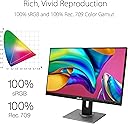
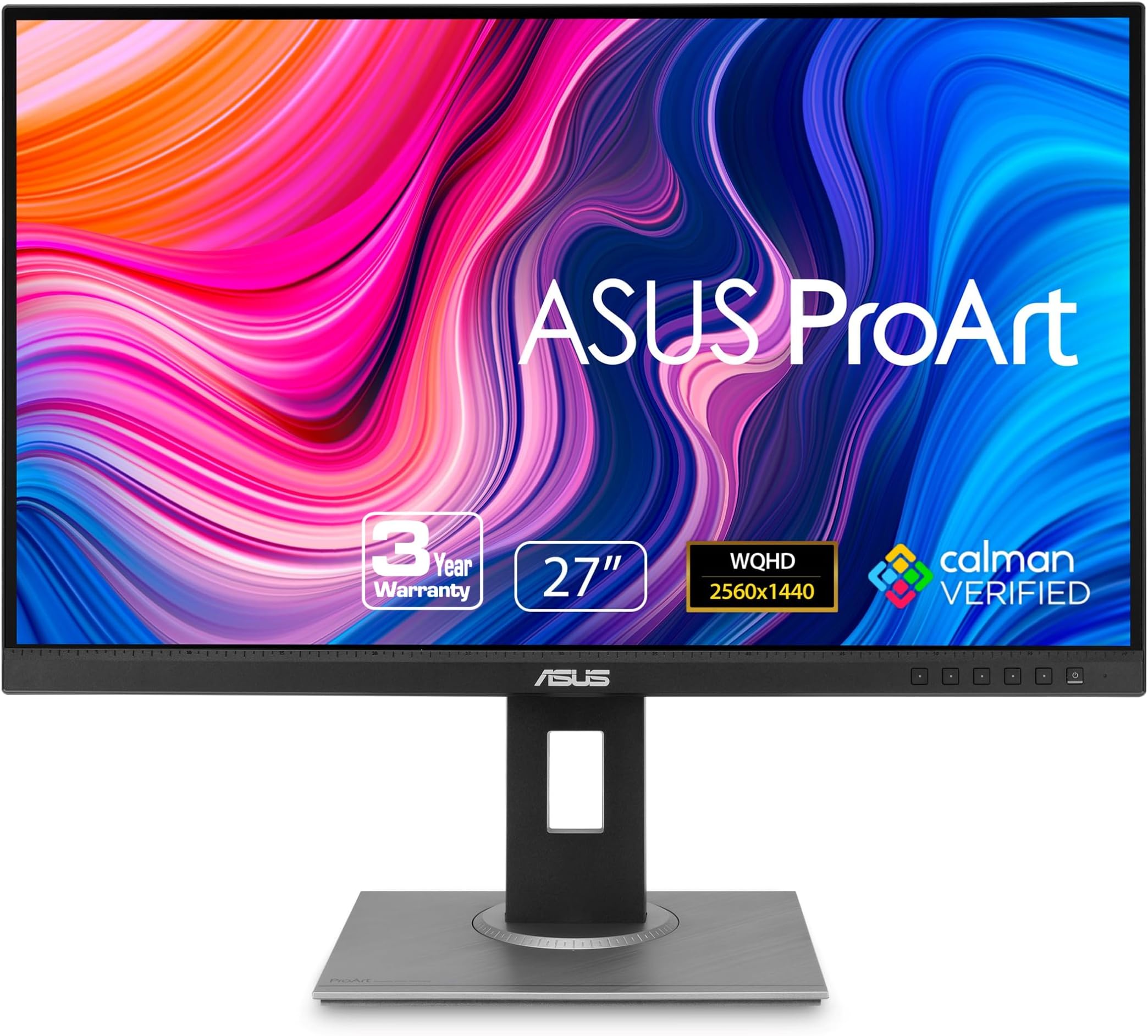
The ASUS ProArt PA278QV is a 27-inch WQHD (2560x1440) IPS monitor designed for professionals demanding color accuracy and ergonomic flexibility. It features 100% sRGB and Rec.709 color gamut with Calman Verified factory calibration (ΔE < 2), multiple connectivity options including HDMI, DisplayPort, and USB 3.0 ports, and advanced eye care technologies. Its fully adjustable stand and anti-glare screen make it ideal for long creative workflows, backed by a 3-year warranty and a complimentary 3-month Adobe Creative Cloud subscription.


| ASIN | B088BC5HMM |
| Adaptive Sync | FreeSync |
| Additional Features | Blue Light Filter, Built-In Speakers, Flicker-Free, Height Adjustment, Pivot Adjustment |
| Aspect Ratio | 16:9 |
| Best Sellers Rank | #2,654 in Electronics ( See Top 100 in Electronics ) #110 in Computer Monitors |
| Brand | ASUS |
| Brightness | 350 nits |
| Built-In Media | Audio cable, Color pre-calibration report, DisplayPort cable, DisplayPort-to-miniDP cable, HDMI cable |
| Color | BLACK |
| Color Gamut | 100 |
| Compatible Devices | Laptop |
| Connectivity Technology | HDMI, 4x USB 3.2 Gen 1 Type-A, display port |
| Contrast Ratio | 100,000,000:1 |
| Customer Reviews | 4.6 out of 5 stars 3,014 Reviews |
| Display Resolution Maximum | 2560 x 1440 Pixels |
| Display Technology | LCD, LED |
| Display Type | LCD |
| Hardware Connectivity | DisplayPort, HDMI, Mini-DisplayPort, USB 3.0 |
| Has Color Screen | Yes |
| Image Contrast Ratio | 100,000,000:1 |
| Item Dimensions D x W x H | 15.04"D x 24.21"W x 8.9"H |
| Item Type Name | ASUS ProArt Display PA278QV 27” WQHD (2560 x 1440) Monitor, 100% sRGB/Rec. 709 ΔE < 2, IPS, DisplayPort HDMI DVI-D Mini DP, Calman Verified, Eye Care, Anti-glare, Tilt Pivot Swivel Height Adjustable |
| Item Weight | 17 Pounds |
| Manufacturer | ASUS |
| Model Name | PA278QV |
| Model Number | PA278QV |
| Mounting Type | Wall Mount |
| Native Resolution | 2560x1440 |
| Number of Height Positions | 3 |
| Picture Quality Enhancement Technology | Yes |
| Pixel Pitch | 0.268 |
| Power Consumption | 12.5 Watts |
| Refresh Rate | 75 Hz |
| Resolution | QHD Wide 1440p |
| Response Time | 5 Milliseconds |
| Screen Finish | Matte |
| Screen Size | 27 Inches |
| Screen Surface Description | Matte |
| Shape | Rectangular |
| Specific Uses For Product | Business, Gaming, Personal |
| Total Number of HDMI Ports | 1 |
| Total USB 3.0 Ports | 4 |
| Total Usb Ports | 4 |
| UPC | 192876575260 |
| Viewing Angle | 178 Degrees |
| Voltage | 110 Volts |
| Warranty Description | 3 Year Warranty with ARR |
| Warranty Type | 3 Years Fixed Warranty |
T**1
A real computer monitor (not a cheap TV)
I liked the older, smaller TN computer monitors, that had good contrast at low brightness so you could comfortably read black text on a white background. I've tried IPS monitors before that were clearly just cheap glossy TV panels, way too much brightness and saturation, no contrast, and horrible smudges from backlight bleed covering half the screen. Computer monitors are supposed to be better than TVs. Also, once you get past 24" or so, 1080 is way too blurry up close. This one is excellent, exactly what I was looking for. It's still bright enough to be used as a TV if that's what you want, but with the brightness turned down it works as a real computer monitor with excellent color and good contrast, the kind you would use at a desk with a mouse and keyboard. The screen is very consistent, with no visible glow or bleeding from the edges, even when the screen is black. The stand is impressive, very simple to put together, very easy to adjust but also very stable. They're probably overselling this a little bit for high-end professional work, 100% sRGB (with the brightness turned all the way down) isn't actually that impressive, but I don't care what they call it as long as I can get a good quality, general purpose monitor at a decent price.
C**E
Vivid, high quality display
A review from over a year of owning this: I got this to do art and occasionally play games. Refresh rate is great, especially when gaming or editing 60fps videos. Screen is the perfect size for my desk and I love that I can extend it and use it when I’m standing. Color is excellent and I appreciate the ability to check real life dimensions from within the screen. I have no dead pixels and I’ve been using it for over a year with no issue. While the brightness is adjustable and can go pretty high, there’s a bit of screen burn-in (that fades given time) which is to be expected. I generally keep to the default sRGB and lower brightness to avoid this because it can mess with color appearances which isn’t ideal for art. The only major downside of this is that the speakers are really poor quality. I got some cheap, 20+ year old external speakers to plug in because it really was that bad and the cheap external speakers are significantly better. If you are editing videos with audio or like to listen to music while you work, you’ll need headphones or speakers. I’d almost rather this monitor didn’t come with built in speakers as it feels like such a waste for something so poor quality. But I suppose if you just need something to hear alerts or notification sounds, it could be just what you need. Overall, I’m a very happy digital artist with this monitor!
R**L
Reliable and honest - just what I need from my monitor
This is my second Asus PA278QV with the 6-axis OSD controls. And I love it. If you properly calibrate these things, you can't see pixels close up. They may just be 109PPI but they punch above their weight class. Yes, I also have one Asus PA278QGV and while that does not have the 6-axis control in the OSD, as this one, I think the QV can create better contrast. I can get up to 1467:1 on the second generation QGV, but this QV has a depth that the new models lack. I also tried the Asus PA278CGRV and it was okay, but had a red tint that no Gains/Offset adjustments would take out and my paper white was not white. Tinted. So I sent that one back and ordered this one. I have a Mac Studio M1 and heavily use DxO as my main app, along with Pixelmator and other apps. The other QV is on my Mac Tower, and don't judge me. I have full use of LR4.2 and PS7.1 and don't have to pay monthly nor by the year. Mine Adobe apps are paid for. I wanted to get this on sale and have seen them around the $200 mark and for that price, a true WQHD is amazing. I would recommend this as a second monitor to anyone on a Mac system.
L**R
Worth the money.
First things first. The tilt and height adjustments are wonderful. I've been using a dual monitor stand for over 10 years because that was the way. These monitors allow me to get rid of the stand and just have monitors that I can adjust independently. The color is nice but most of my day is spent working on documents. Setup for two monitors took five minutes from opening each box to up and running on my desk.
J**F
Nice monitor with front panel buttons for ease of adjustment.
The best feature of this monitor is that it has separate buttons to adjust settings on the front and not a nub joystick on the back or bottom. I bought it for my dad to replace an old dell equivalent and this is much brighter, more even and the antiglare coating is very good so text is very clear where on the old dell it was very grainy. We aren't doing any design on it I just wanted to get a nice monitor with a good stand.
A**D
Great display for every day use.
I'm a book and magazine designer, and I needed a monitor for the Mac mini I just got to replace my iMac. I have a secondary display that I've been using, but its highest resolution is 1920x1080, so it doesn't give me much screen space when I work. I should say that I mostly work in InDesign, and don't do a lot of photo adjustment (typically any imagery has been touched up before it gets to me), and I do no video work, aside from watching videos online, and I'm not a gamer. The picture quality, color, brightness are great for me, and the price is right for a display with this level of resolution. Youtube, Hulu, Amazon, and Netflix, all look great. Love it. My only complaint is the speakers, oddly enough. I like to listen to podcasts and radio shows as I work, but don't always want to have headphones in (my wife tends to come up behind me and scare me half to death when I wear them). My old iMac had great speakers, the mini has one little speaker thats okay, but a bit tinny. The speakers on the display are almost painful to listen to. It's like a 1950's AM transistor radio. Plus, once you move over to the speakers, you lose all ability to control the volume with your keyboard. This is typical, but getting to the point where you can adjust the volume on the display takes working through the menu - 8 button clicks, that aren't very intuitive, before you can even turn the thing down or up. Otherwise a great display. If you're using it with a Mac mini, do yourself a favor and find a good quality USB-C to HDMI cable. I tried it first with Apple products (Thunderbolt 3 (USB-C) to Thunderbolt 2 adapter, then a Thunderbolt 2 cord to the mini-DVI on the back of the display). Didn't work - could have been a defective adapter, but the cord I ended up with was $11.99, as compared to about $70 for the Apple stuff, and works fine. Aside from the speakers - 5 stars.
R**.
Sweet spot between quality and affordability (paired with Mac mini)
I purchased this for a Mac mini M2 I had just purchased, based on it appearing on several reviews that listed this monitor as existing in the sweet spot between affordability and quality. Of course, I'm sure it's not as sharp or takes as full advantage of the mini's picture quality like Apple's recommended Mac Studio Display, but the Mac Studio's $1599 price tag would've made irrelevant the reason I bought the Mac mini in the first place vs. an iMac, which was my previous computer of choice since 2009. So accepting that, I am very satisfied with this monitor. However, having only owned all-in-one packages like the iMac in the past, it was a bit of a learning curve in adapting to a separate computer monitor. I'm still playing with the picture quality/resolution, brightness and blue light levels to find the right balance—I will say that the monitor is certainly plenty bright. I keep brightness nearly at the lowest level! The adjustment in height and tilt (let alone vertical rotation) are terrific features. I also purchased this for the additional USB ports, so it acts as a USB hub too for peripherals. Note that in order for the USB hubs to work, you have to plug the USB 3.0 square connector cable into the monitor and the regular USB connector on the other end into the mini! At first I thought it was just an additional cable as an alternative to the HDMI cable (also provided!), but it turns out that this cable is what powers the USB hubs/ports on the monitor, so be sure to use and connect it! The paper instructions are all visual, no words, so it wasn't clear to me that this cable was essential, but after about 10 minutes of fiddling and googling to see why the ports might not be working, I figured it out. Hopefully, this observation will save some people a bit of grief lol. Fortunately, my existing hub for my peripherals (scanner, external drives) worked fine, but it's nice having these additional ports to charge/connect my iPhone and other occasional peripherals I use. It's saved me for now from having to buy a USB hub I was contemplating for the mini to give me more ports. I should add that I read that connecting the mini purely via HDMI didn't take full advantage of the mini's graphics card, so in advance of the delivery of both the mini and the monitor, I purchased a USB C to HDMI adaptor. The only "drawback" (which is not on ASUS, more on the user if you opt for the Mac mini) is that it doesn't have a built in video camera. Who knew that I'd need one so soon after purchasing the new system lol? So I have just purchased a cheap one off Amazon that should solve that problem. Anyway, very pleased with this product.
M**A
Perfect monitor for Photography editing.
Asus quality at their best, bought this to offer my wife, she is photographer and she love the spec on this one, nothing wrong to say about.
V**O
Excelente monitor, super indico!
excelente monitor.
K**N
Great monitor!
I just want to start of by saying that I owned 2 of these monitors. Bought 1 from the Amazon Warehouse and the other New from Amazon. I'm an amateur photographer and was looking for a monitor that could provide accurate colours and also be used for occasional gaming. I do occasionally game but I'm very casual at best so I didn't need a high refresh rate monitor, just needed a good in between monitor. Monitor 1 - Used from Amazon Warehouse: I decided to take a gamble and buy a used monitor from Amazon Warehouse. The monitor worked fine, however, I was a little worried about the packaging and the condition that the monitor came in. First off, many of the contents in the box came scrunched up or were not packaged properly (see photo). Does this mean that Amazon doesn't check the quality of the products before shipping it back out? Secondly, the monitor itself had water stains on it. This was a huge concern for me since there might have been water damage (see photo). Lastly, the previous owner of the monitor completely messed up the factory calibration. For some reason there was a strong blue hue. It was as if the previous owner took the blue slider and maxed it out. After spending hours on calibrating the monitor, I finally got the colours that I was happy with, however, the condition that this monitor came in was concerning and not worth the price I paid. Especially since the description mentioned it would be Calman Calibrated, which it doesn't get recalibrated before getting shipped out again. I decided to return it and since I received some giftcards for my birthday, I decided to buy the monitor again but this time in brand new condition. Monitor 2 - Brand new from Amazon: Colours look fantastic right out of the box and everything was packaged correctly. There was also no damage to the box. This is a great monitor for an amateur or professional photographer. There is also a ton of calibration settings that you could use to ensure that you're getting the colours that you want. Final thoughts: Would I have bought this monitor if I didn't have giftcards? Probably not. It's a bit too expensive for me since I'm not at the professional level yet, but since I basically got it for half off, I have to say, that this is a beautiful monitor. 27 inches is the perfect size for editing, gaming or even office work. I didn't think there would be a huge difference in quality between 1080p and 1440p but I was wrong! I don't think I'd go back to 1080p after experiencing 1440p. The 75Hz refresh rate is also a nice touch.
A**A
Excelente monitor, sonido aceptable:)
Este monitor me pareció una muy buena opción ya que me dedico a la fotografía y al diseño gráfico, por ende, necesitaba una pantalla lo suficientemente grande y con buenos colores al momento de trabajar. Puntos a favor: * Tiene una fácil instalación realmente, no tiene mucha complicación el acomodar el monitor ni se requieren herramientas especiales. *En cuanto al diseño es un tamaño que aún puede utilizarse siendo un monitor plano ya que un poco más grande quizá sería buena idea optar por un monitor más bien curvo. Tiene una regla en la parte de abajo del marco de la pantalla lo cual se me hizo excelente para comparar tamaños, es práctico. Los materiales usados para recubrir la base y el monitor son de plástico pero no se sienten de baja calidad, por dentro de la base tiene una estructura metálica lo cual le da más firmeza y estabilidad. Que el monitor se pueda girar en vertical está excelente, no había tenido un monitor así. *Por el lado de los colores son un poco opacos comparados con un monitor BenQ BL2420PT, el cual también tiene un porcentaje al 100% de sRGB, pero cabe recalcar que el precio del ProArt es más bajo con más pulgadas de diferencia entonces creo que se compensa. También puedes recalibrarlo, aunque no lo recomiendo, es mejor optar por alguna de las configuraciones de color que vienen por defecto. *No refleja mucho las luces, atrás de mi silla tengo una luz intensa que se percibe poco, solo en situaciones en las que las escenas son muy oscuras en la pantalla. Puntos negativos: *El sonido claramente no es excelente, es aceptable, pero si quieres tener buen contraste en sonido es mejor buscar unas bocinas, yo trabajo con audífonos, pero veo videos y juego con las bocinas integradas, a veces cuando se sube el volumen a tope suena como si estuviera algo saturado, si eso te incomoda mucho y de verdad quieres un monitor que sea más para gaming con altavoces y no para trabajo te sugiero buscar otra opción ya que también está el punto de que este monitor es de 75 Hz, prácticamente poco apto para juegos shooter, pero funcional si así lo requieres. *Venía con un detalle en la parte de la base, como si lo hubieran picado con algo, no es seguro que todos los monitores vengan con algún defecto de este estilo, pero al leer varias reseñas es algo común, aunque no afecta en su funcionalidad para nada. Detalles sobre multimedia: Video: Ese es el volumen máximo y se aprecia un poco de lo que mencioné anteriormente del audio saturado. Foto 1: Tamaño de monitor en relación con un teclado Razer Blackwidow Elite e iluminación con luz alta. Foto 2: Ilustrativo a la regla que posee. Foto 3: El detalle que tiene la base del monitor. Foto 4: Tomada directamente a la pantalla. Gracias por su atención!:)
M**I
The best LED monitor ever!
In short, if I didn't read the "LED" on the box, I would believe straight this is an OLED screen! Yeah it's that good as everyone said, the colors are rich and has a good range, feels natural at the same time (not that over saturated). Build quality is top (we're talking about ASUS) it's easy to setup and no need to tune its colors (but you can though). Worthy👌🏻
S**N
What a masterpiece for people in creative field and for occassional gaming.
I never thought I will be spending so much on a monitor. But I took the leap of faith and it has turned out to be one of the best decisions. My preference for this monitor was mainly due to the color accuracy because I am professionally a Digital Product Designer. Color accurate monitors are usually on the costlier side and this model is one of the cheapest and best in this requirement. 1) The monitor is huge with thin bezels. You get physical grid lines below as well as stand rotator grid lines too. Pretty unique. 2) It is extremely flexible physically. You can - adjust the height between 0 ~ 150 mm - swivel sideways between +90° ~ -90° - pivot into vertical or horizontal view between +90° ~ -90° - tilt front and back between +35° ~ -5° 3) Color accuracy is perfect, and so is brightness. 4) Getting a 75 Hz refresh rate in an IPS panel is a boon for occasional gaming. 5) Video clarity is phenomenal with 4K & 2K. Viewing angles are damn good too. 6) Only ignorable factor is the monitor's inbuilt sound which is decent but who depends on this for sound when the majority of the people have an external sound system. 7) They provide a variety of cables and power cords. I got 3 cables and 3 power cords whichever suits your purpose. Nut only installation manual was missing. Installation is pretty easy and self-explanatory so didn't need it but you can check youtube videos if yours is missing too. Having used it for the past 4 days and it is a top-class buy for creators also all-around it's pretty good. If you have the requirement and can splash some extra bucks, then it is a fantastic investment. Go for it.
Trustpilot
2 days ago
1 month ago