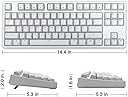
Product description Universal Compatibility Velocifire TKL02WS 87 keys wireless Mechanical keyboard meets the need of office workers, typists, programmers, writers, etc. Compatible with Win10, Win8/8.1, Win7, WinXP, Windows Vista and Linux. Ergonomics Slightly curved keys, the arc and slope fit your hands easily ergonomics keyboard design, remitting typing fatigue and carpal tunnel pain. Great for long time Typing. Velocifire has been designed to be a superb typing tool for office work. Youโll love the feel and keystroke accuracy, which leads to fewer errors and typos. Double modes--WIred & Wireles Equipped with ultra-fast 2.4G wireless transmission technology, this keyboard is more stable and reliable, the transmission distance is up to 8 meters(approx 26ft). Also, comes with a detachable USB cable, you can easily charge the keyboard and typing at the same time. Review: If you are looking for a keyboard look no further you found it. - This is the best budget keyboard you'll find on the market and with the constant 15% off deals it makes it very hard to want to try anything else. [FIRST IMPRESSIONS] The unboxing is simple and well protected with foam corners. In the box you will receive a 6ft usb type c charging cable, usb wireless receiver, keycap puller and a user manual. when you first take the keyboard out you'll notice it has a good heft to it and doesn't feel cheap or light it feels very premium. Setting it up was super easy and quick all you have to do is plug in the wireless usb receiver and turn on the switch on the bottom of the keyboard then press Fn + p to pair and your done. [FEATURES] some of my favorite features of this keyboard is the charging system because when its about to go dead the space bar will flash red and while using it wirelessly it allows me to use the charging cable to charge it while simultaneously using it and it doesn't take long thanks to the usb type c connection. this keyboards battery life is amazing because of its energy saving feature which auto shuts off when the keyboard is inactive for one minute and 25 seconds extending the battery life, I use it everyday and barely have to charge it. this keyboard also features white backlit lighting that is plenty bright with the white keyboard color at night it can also be turned on and off. [OVERALL] This is a very solid keyboard and in my 4 months of use I haven't had a single problem and for the those that worry about input lag to be honest whether you use it wired or wireless you won't be able to tell the difference I personally always use it wirelessly. I mainly use this keyboard to play games and its super comfortable you wont be disappointed with the Ergonomics of this keyboard I currently own 2 TKL02WS so far and I plan to buy 2 VM02WS and try the TKL61WS. Review: Awesome Mechanical Keyboard for the Price! - I mostly got this keyboard because I'm in the process of designing a custom mechanical keyboard and I wanted to give the brown switches a try before committing to brown or blue switches. I have attached a video of the typing sound for anyone who was interested in comparing the sound of the brown switches to blue switches. I have to say, for less than $50, this is a great mechanical keyboard. To start with the Pros: It has nice, sturdy construction with a really clean-looking design, especially with the white backlighting, as well as a type c charging port and what appear to be genuine cherry mx brown switches (which make it really easy to buy/use custom keycaps for modding). So far, I have only been using it for a week, but in that time, I have only had to plug it in twice: once the day it arrived (a week ago) and then once today, so the battery life seems really good and the battery life indicator light on the spacebar is a pretty nice touch. As for any cons, I really wish that there was a place on the keyboard to keep the wireless dongle and the fact that the on/off switch is on the bottom is quite counter-intuitive. Aside from that, though, I'm really pleased with this purchase! I would highly recommend it to anyone looking for a first, economy mechanical keyboard. Update nearly three years later: this keyboard is still going strong. I have since upgraded to a custom keyboard for my setup, but my girlfriend uses this keyboard every day in her home office. She loves it. Still incredibly responsive and sounds/feels great! Canโt believe how good this was for the price.


| ASIN | B0829VJB92 |
| Additional Features | Lighting, Wireless |
| Antenna Location | Gaming |
| Best Sellers Rank | #132,642 in Video Games ( See Top 100 in Video Games ) #5,117 in PC Gaming Keyboards |
| Brand | VELOCIFIRE |
| Built-In Media | USB Cable |
| Button Quantity | 87 |
| Color | White TKL02WS Brown Switch |
| Compatible Devices | PC |
| Compatible Operating System Family | Linux, MacOS, Windows |
| Connectivity Technology | USB |
| Customer Reviews | 4.3 out of 5 stars 1,089 Reviews |
| Enclosure Material | Plastic |
| Hand Orientation | Ambidextrous |
| Item Dimensions L x W x H | 14"L x 7"W x 2"H |
| Item Weight | 1.14 Pounds |
| Keyboard Backlighting Color Support | Single Color |
| Keyboard Description | Ergonomic |
| Keyboard Layout | QWERTY |
| Manufacturer | VELOCIFIRE |
| Mechanical Keyboard Switch Model | Cherry MX Brown |
| Mfr Part Number | 825029 |
| Model Name | TKL02WSW |
| Model Number | 825029 |
| Number of Batteries Required | 1 |
| Number of Keys | 87 |
| Power Source | Battery Powered |
| Recommended Uses For Product | Gaming |
| Special Feature | Lighting, Wireless |
| Style Name | Contemporary |
| Switch Type | Linear |
K**9
If you are looking for a keyboard look no further you found it.
This is the best budget keyboard you'll find on the market and with the constant 15% off deals it makes it very hard to want to try anything else. [FIRST IMPRESSIONS] The unboxing is simple and well protected with foam corners. In the box you will receive a 6ft usb type c charging cable, usb wireless receiver, keycap puller and a user manual. when you first take the keyboard out you'll notice it has a good heft to it and doesn't feel cheap or light it feels very premium. Setting it up was super easy and quick all you have to do is plug in the wireless usb receiver and turn on the switch on the bottom of the keyboard then press Fn + p to pair and your done. [FEATURES] some of my favorite features of this keyboard is the charging system because when its about to go dead the space bar will flash red and while using it wirelessly it allows me to use the charging cable to charge it while simultaneously using it and it doesn't take long thanks to the usb type c connection. this keyboards battery life is amazing because of its energy saving feature which auto shuts off when the keyboard is inactive for one minute and 25 seconds extending the battery life, I use it everyday and barely have to charge it. this keyboard also features white backlit lighting that is plenty bright with the white keyboard color at night it can also be turned on and off. [OVERALL] This is a very solid keyboard and in my 4 months of use I haven't had a single problem and for the those that worry about input lag to be honest whether you use it wired or wireless you won't be able to tell the difference I personally always use it wirelessly. I mainly use this keyboard to play games and its super comfortable you wont be disappointed with the Ergonomics of this keyboard I currently own 2 TKL02WS so far and I plan to buy 2 VM02WS and try the TKL61WS.
R**N
Awesome Mechanical Keyboard for the Price!
I mostly got this keyboard because I'm in the process of designing a custom mechanical keyboard and I wanted to give the brown switches a try before committing to brown or blue switches. I have attached a video of the typing sound for anyone who was interested in comparing the sound of the brown switches to blue switches. I have to say, for less than $50, this is a great mechanical keyboard. To start with the Pros: It has nice, sturdy construction with a really clean-looking design, especially with the white backlighting, as well as a type c charging port and what appear to be genuine cherry mx brown switches (which make it really easy to buy/use custom keycaps for modding). So far, I have only been using it for a week, but in that time, I have only had to plug it in twice: once the day it arrived (a week ago) and then once today, so the battery life seems really good and the battery life indicator light on the spacebar is a pretty nice touch. As for any cons, I really wish that there was a place on the keyboard to keep the wireless dongle and the fact that the on/off switch is on the bottom is quite counter-intuitive. Aside from that, though, I'm really pleased with this purchase! I would highly recommend it to anyone looking for a first, economy mechanical keyboard. Update nearly three years later: this keyboard is still going strong. I have since upgraded to a custom keyboard for my setup, but my girlfriend uses this keyboard every day in her home office. She loves it. Still incredibly responsive and sounds/feels great! Canโt believe how good this was for the price.
N**N
Solid performer, sometimes does have issues with games that require constant key clicking.
The keyboard is really nice, and wireless+mechanical for such a great price it was worth it. Tactile feedback is amazing. Build quality and weight is well within something at it's price point. Battery life has been wonderful, and if it does get low charges very quick. Connection wise with the dongle haven't had any major issues except the one listed below. As a general use keyboard it's been great. The only issue I've had is occasional on games that are more demanding on keyboard (basically any fps), the keys would act like it's stuttering occasionally. Like if you hold W to move forward your character would stutter step instead of smoothly step. This happened with the same keyboard on multiple computers, where the issue would go away if you either directly connected the keyboard via usb or if I used another keyboard. There is an option to change what I believe is the polling rate of the keyboard, and it fixed it a little, but occasionally it does stutter once in a while. I haven't been able to find a way to fully correct it, nor does it happen all the time. Since the keyboard is on a machine that uses a controller for gaming, it hasn't bothered me as much. There is a lot of wireless devices at my home office though, so that could potentially be the cause. For the price I highly recommend this keyboard. Despite the stutter issue mentioned above, will be ordering a few more for the living room and bedroom pcs.
K**R
Near-perfect TKL keyboard for programmers that is a joy to use
I'm an engineer who programs a lot. I was looking for a wireless TKL keyboard that can help me reduce my right shoulder pain as I don't need to stretch my arm out to use the mouse, and I almost never use the num pad keys. I still require dedicated "Home", "End", "Page Up", "Page Down", "Del", and direction arrow keys as I use them a lot to navigate within the code. I also would like the keyboard to be low profile so I don't need to use a wrist rest while I rest my write on the desk and type away. It turns out low profile keyboards are almost all membrane ones, but TKL membrane keyboards with dedicated "Home" and arrow etc. keys are hard to find. I finally purchased "Perixx Periduo-707 Wireless Mini Keyboard and Mouse Set" which has great reviews. The low profile and small size is perfect, while the keyboard layout meets my need. However, the typing experience was so-so, and after several weeks' of use some keys started to feel "sticky" or "mushy" and the keyboard started missing key strikes once in a while. Worse, for a couple times one strike was registered as many. So my search was on again. Finally I gave up the low profile requirement and bought this TKL02WS (the wireless version). Now I wonder why I haven't tried mechanical switches long ago. * This keyboard is a joy to type on! The brown switch gave the "tactile" feedback as many users described. It's louder than a membrane keyboard but not to the point of being too annoying (e.g. like what I heard from Youtube videos about the blue switch). I work from home though so noise is not a big concern. * All the keys are where they should be in a full-size keyboard except the num pad keys which are useless to me anyway. For a programmer that's important as you can get productive right away and won't be trained into a weird keyboard layout so another "normal" full-size keyboard would be unfamiliar when e.g. you have to type on a library computer or a colleague's computer once in a while. * Again, with the num pad gone I don't need to open my arm too much to use the mouse, which helps a lot in alleviating shoulder pain. * The white LED is nice looking while not screaming "gamer" at the same time. The look of this keyboard can fit comfortably in a professional setting. However, I usually turn off the back light in order to conserve battery power. * Did I say it's a joy to type on this keyboard? My typing skill was trained on an old-school typewriter when I was in middle school. With several previous membrane keyboards, TypingTest.com's one-minute test shows I'm at around 55 WPM. Well, this keyboard immediately enabled me to type at 70 WPM. More importantly, I'm having much fewer mistakes! That's actually not insignificant when you are typing away code that reflects your flow of thoughts and you don't want to stop frequently to correct typing mistakes. * The freedom provided by wireless connection and rechargeable battery is a nice plus. I do switch between two computers frequently so being able to move around and switch quickly along with my preferred mouse using a KVM switch is great. Though I heard bluetooth keyboard can be switched among devices, too, I actually suspect that won't work as flawlessly with only one button push as USB dongles. * This keyboard will be truly perfect in my book if the profile is lower, and the width is a bit narrower. (I don't travel with this keyboard so the heavy weight doesn't bother me.) However, I guess it's hard to make mechanical keyboards low profile. With a comfortable wrist rest this is not an issue for me. I read online that mechanical switches can last many years. Well, I do wish this one will be my work horse for years to come!
M**N
Solidly Built with Great Service
If you are looking for a compact, real-key keyboard, this model is a great choice. Pro's: * It is compact, as long as you don't need a numeric keypad. * It is solidly built. The keyboard has internal weight, which keeps it in place on the desk and does not bend or flex when typing. * It has full back-light. Which makes it great to type at night. * It can be used in wired, or wireless mode with the included cable. (Which also serves as the charging cord) Con's: * The keys are loud, everyone will know you are typing. I have not tried the rubber o-rings as a possible solution. * When in wireless mode, there is no low-battery warning (the board just stops working until it is plugged in). There is a visual indication when the batteries are fully charged, however. * The manual is very sparse, and I did find some of the features such as the macros hard to implement from just the manual without a bit of trial and error. The keys have good travel and action. When in wired mode, the keyboard works flawlessly and the backlight remains on (unless you turn it off). You don't need to plug in the USB receiver to use wired mode. There is no place on the keyboard to store the receiver when not in use. When in wireless mode, the keyboard works well. I was able to use it for about 10-12 hours of typing before the batteries needed to be recharged. In this mode the backlight turns off (and the keyboard goes to sleep) after a few seconds to save power. There was no problem with responsiveness coming out of sleep. Update: After about a month of moderate use, one of the keys became intermittent. I emailed Velocifire support and they were very responsive. After going through a few troubleshooting steps which didn't help, they sent a new keyboard. I call that prompt, courteous, and fantastic service. So they really do warranty the product. The replacement board works flawlessly. Update 2: The replacement has been in service for 7 months, used about 8 hours daily. It has held up well and continues to work. I did have a slight problem with a different key on the keyboard. Someone suggested spraying WD-40 after removing the key-cap and then pushing the key stem. That solution worked well to correct the issue for me. I did invest in a can of genuine contact cleaner from a hardware store, but I have not had to use it. (Go figure) So at the 9 month mark I would heartily recommend the Velocifire keyboard. I am using it full-time in wired mode.
A**R
You get what you pay for (Update: Battery dead?)
UPDATE: So after 2 months of mainly using it connected to my desktop, I tried to use its wireless mode to give it another go. It just doesn't work anymore? I plugged it into both front and rear I/O ports, neither of which gave me any success. Since I use Linux (Pop OS 20.04), I figured maybe Windows would give me better success, so I tried it on an older desktop with the same results. I plug in the receiver, turn on the keyboard, and nothing happens. I tried a cheap Logitech that I used before this and it worked without any issues. It's sad to see that the wireless connectivity is already rendered useless within the first 2 months for me, as I was a little hopeful that I could go through the day with it and then charge at night for a cleaner desk, but I guess this really is only good for wired use only. Unfortunate too, since I've come to really like the feel of the key strokes compared to my Kailh Heavy Blue switches on my other mechanical keyboard. The weight and build quality are still very nice, although the height makes it difficult to use without a wrist rest. I still stand by my original conclusion, decent keyboard with decent brown clones at the price point of ~$50., but definitely not for anyone on the go frequently as the weight is quite high for a 10 key-less and the battery for me was abysmal. Spend a bit extra for a cheap or decent, if price permits, wrist rest, as it will go a long way. The Velocifire TKL02WS (annoying name btw, I'll just refer to them as the Velocifires) is pretty decent. Although, one thing I didn't appreciate is that it didn't come with a wrist rest despite the height. That being said, I do like the height of the board once I got my wrist rest. The weight is quite nice, as it keeps the board from shifting at all when typing, even if you're a prolific heavy key stroker. That weight was put to good use, as there is basically no deck flex. I did have an adjustment period of like 2-3 days coming off my MK Retro with Kailh blues, but I got back to my regular typing speed pretty comfortably as the keycaps are quite comfortable for me. The brown clones in the Velocifire are kind of off-putting. They feel good for typing and coding in my few weeks of using them. The consistency has been fairly good for the price point on the regular character keys. One big complaint though is there is an audible metallic twang sound that comes off many of my keys, especially my left arrow key. It's pretty annoying but I guess you get what you pay for a mechanical keyboard on the lower end of the spectrum. The battery life and charging time are pretty terrible though, at least with backlight on. The mentioned backlight also only has on and off, no in between or special animation features. It isn't tremendously bright, but when it's off, it's very difficult to read anything on the keys in inadequate lighting conditions. I just use it connected 90% of the time, so it's not a big deal keeping it on, but it hardly lasts 48 hours on a single charge (including standby time). It sounds like others have a similar battery life, so I'm glad that I don't need it for that feature and if you're looking for decent battery life, look elsewhere. All in all, it's not bad if you're just going to type and you want a decent experience with a non-membrane keyboard for the first time. I highly recommend a wrist rest though, a cheap one will do the trick just fine.
H**L
Excellent keyboard at an awesome price.
First things first, I always consider the price in terms of what I am paying for a given product in relation to the overall value/rating. At the current price of $48.99, this is probably the best keyboard you will get in this price range. The only thing that it doesnโt have is RGB lighting so this may not suit everyone. For me, the basic white LED lighting is perfect. The RK987 and Velocifire TKL02WS are essentially the same keyboard except the RK987 uses Blue-Tooth vs 2.4GHZ wireless for the TKL02WS. Please Note: I specifically purchased this keyboard with the intent of modding and lubing it so with that being said letโs get to it. 1. The build quality is excellent. It has a very solid dense feel to the keyboard. 2. The wireless connection on this keyboard is rock solid with absolutely no lag or disconnections. 3. The White LED lighting has only 2 settings on or off. I like it is simple to use without all the unnecessary disco lighting effects. 4. The stock keycaps that come with the keyboard are really nice. They have a nice classy font and the secondary legends are nice and clear as well. Better keycaps than the RK987 which has a gaming font. 5. The brown Outemu switches on this keyboard feel really good. Surprisingly, I prefer the Outemu brown switches on this keyboard over the Gateron browns in my Keychron K6. 6. The stabilizers are really good with no play in terms of being attached to the keyboard. On a side note the RK987, Durgod K320, and Keychron K6 had loose stabilizers which contributes to the rattling noise when typing. This is easy to remedy but with the TKL02WS it is not necessary so this is one less step when it comes to modding ;-) 7. The height on the front of this keyboard is perfect. As a reference, the keycaps are at the same height of the Durgod K320 which is pretty low for a mechanical keyboard. The Keychron K6 is actually higher and requires wrist rest for me to type comfortably. In Summary: Once modded this turns an already good keyboard into an excellent keyboard. Mods: Changed the keycaps Added o-rings Lubed the switches/stabilizers Added sound dampening material to the case Links are listed below to purchase the items that I used to mod this keyboard. VELOCIFIRE TKL02WS 87 Key Tenkeyless Ergonomic with Brown Switches, and White LED Backlit. https://www.amazon.com/dp/B0829VJB92/ref=cm_sw_em_r_mt_dp_-TXjFbF4EVHH9 YMDK 108 104 PBT Double Shot Non Shine Through ANSI OEM Profile KEYCAP for MX Mechanical Keyboard (Only Keycap)(White Gray Mixed) https://www.amazon.com/dp/B07FNL6MP8/ref=cm_sw_em_r_mt_dp_ZOZjFbW7K9Q26 Keycap Puller with 200 PCS Rubber O-Ring Switch Dampeners https://www.amazon.com/dp/B07Z58855B/... Super Lube 21030 Synthetic Grease https://www.amazon.com/dp/B06WLQ251B/... Super Lube 51004 Synthetic Oil with PTFE, High Viscosity, 4 oz Bottle https://www.amazon.com/dp/B000UKUHXK/... Sponge Neoprene W/Adhesive 12in Wide X 1/16in Thick X 54in Long https://www.amazon.com/dp/B07PHW6QS9/ref=cm_sw_em_r_mt_dp_DLZjFb7ZP2NCH Sandpaper Sponge For Wet Dry Sanding, 60 80 120 180 220 320 https://www.amazon.com/dp/B082798F1D/...
R**O
Great! When It Works (Will Update When I receive Replacement July 3rd/4th)
As soon as I received it I was impressed. The keyboard is very solid (has some sort of metal plate in it to keep the casing and keyboard in general solid and flex-free... its not as easy to break as flimsy plastic only keyboards. The switches are very comfortable to type with and I was starting to like gaming with it too.... Here is where the issues begin. So the manual isnt too informative on how to get your keyboard paired and connected so I went the simple route; plugged the wireless receiver into my PC, made sure the keyboard was charged, and was ready to game on!!!!! Hard nope chief. I am not sure why but I believe my keyboard is not holding a charge. It only works when I have the keyboard connected to a usb-c cable to provide power and keep it on. I tried different variables such as cables, different computers, you name it , I more than likely trIed it. It just sucks that such a nice mech keyboard (especially at the price I'd dare to say its quieter and gaming/typing feels much better than either of my friends duucky keyboards). DOnt get me wrong, I love Ducky but I love Logitech quite a bit more in the keyboard department. My G810's Romer-G Brown switches are by far the quietest Ive ever used (quieter than both aforementioned ducky's that both have Brown switches) and have been using the g810 for the past 4 years or so but my only gripe is the fact that the actuation point for this keyboard is so low I tend to misclick sometimes. I've got heavy fingers so I tend to click things or type something on accident (especially when my carpal tunnel flares up my wrist gets very shaky) TLDR: I really like this keyboard, buy it for around $50 it wont hurt to try and if you dott like it return it! lol. I wasnt going in with high hopes since Id never heard of Velocifire (wasnt a deterrent to me purchasing since there's a new tech company everyday) so i expected it to be cheaply made, no-name switches, poor backlighting and outright basic so to speak. I was very much wrong. If I hadnt just dropped off the keyboard for Amazon to pick up and get my replacement in Id honestly use the Veloci over my G810. I really only use the number pad as scene transition shorTcuts in OBS when streaming but with the TKL I used different bindings but rather than my hotkey to mute mic is numpad 3 I simply changed the key binding to SHIFT + 3. Plus with Fn key I dont miss my volume scroll. Using a laptop for work has gotten me accustomed to using the "Fn + X" key inputs. When the replacement unit comes in and when I really put it to the test , and it passes, I'll more than likely sell my two g810s. If youre wondering, one is an extra (Spilled beer all over it and my desk and never threw it away, now it works fine lmao) and replace them with a Ducky TKL or specifically the DROP CTRL TKL.
V**A
50$ dayum
pretty good for 50 tbh. I find I have to press a little further down than my cherry MX Brown but it still feels good. Don't like the FN key and tab key placement and +audio and -Audio should be switched imo.
J**N
Good Budget Wireless Mechanical Keyboard
Pros: - Wireless (via dongle) - Mechanical - Cheap - Backlit - Type C charger port on keyboard - Long battery life Cons: - Requires USB A port; no bluetooth fallback - Backlight turns off quickly on inactivity - Backlight level is either on or off; not adjustable in-between - Keycaps feel cheap; secondary function labels are not also backlit (i.e. the volume icons on F9-F11 etc) I feel ambivalent about the white finish. It so far has not accrued any grime marks (I clean it weekly). I have the brown switches; the feel of the keys is cheap but consistent (obviously inferior to outemu/cherry). As for battery life: I use it 4-6 hours at least every day (mostly with backlight off) and have charged it twice in the past month.
T**K
Best Ever Keyboard
I love this keyboard! Every key typed is accompanied with a click, reducing mis-spelling big time. There is no numeric keypad, allowing me to use my favorite numeric key pad. I can light up the keyboard easily for my early morning starts. Very important! Quality construction!!!! And... as I lunch at my desk, any spills are easy to clean up as the key covers are easily removed for cleanup. I now have an excellent keyboard, my wonderful numeric key pad (separate) and my favorite mouse (separate). Love it all!
V**G
Nice and affordable
This medium size keyboard is fine :D The key clicks are lovely and the response is ok. With such an affordable price, what else can you ask for.
J**A
Nice one
Quality corresponds to the price. Its heavy but you can hear the metallic thump when typing. I dont game with this, well very seldom. I use it for work. I just wish it tells you when it needs to be charged, it actually does but its hard to tell. I work 6hrs a day and this runs out of batteries after 2 nights. Not great, not bad either.
Trustpilot
1 week ago
2 months ago