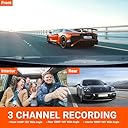
🚗 Triple Vision, Zero Compromise: See All, Miss Nothing!
The VANTRUE N4 is a premium 3-channel dash cam system offering simultaneous front (4K), inside (1440P), and rear (1080P) recording with ultra-wide lenses. Equipped with IR night vision and a heat-resistant super capacitor, it delivers crystal-clear footage day and night, in any weather. Its 24-hour parking mode with motion and collision detection ensures continuous protection, making it an essential smart security upgrade for modern drivers and rideshare professionals.


| ASIN | B083V6K8RH |
| Auto Part Orientation | Front and Rear and Inside |
| Auto Part Position | Front Inside, Rear |
| Best Sellers Rank | #29,256 in Electronics ( See Top 100 in Electronics ) #444 in Car On-Dash Mounted Cameras |
| Brand | VANTRUE |
| Built-In Media | Car Charger, Dash Cam with Suction Cup Mount, Installation Tool, USB Data Cable, User Manual |
| Color | Black |
| Compatible Devices | Personal Computer |
| Compatible with Vehicle Type | Bus, Car, Minivan, RV, Truck |
| Connectivity Technology | Cigarette Lighter Connected |
| Customer Reviews | 4.1 out of 5 stars 6,867 Reviews |
| Display Type | LED |
| Field Of View | 160 degrees |
| Flash Memory Supported Size Maximum | 512 GB |
| Flash Memory Type | SD |
| Frame Rate | 30 Frames Per Second |
| Item Dimensions D x W x H | 4.1"D x 1.57"W x 5"H |
| Item Weight | 800 g |
| Manufacturer | VANTRUE |
| Maximum Aperture | 1.4 f_stop |
| Memory Slots Available | 1 |
| Mfr Part Number | N4 |
| Model Name | ONDASH N4 |
| Model Number | N4 |
| Mounting Type | Suction Mount |
| Optical Sensor Technology | CMOS |
| Other Special Features of the Product | Built-In Microphone |
| Photo Sensor Size | 1/2.3'' or 1/2.5'' |
| Real Angle of View | 155 degrees |
| Screen Size | 2.45 |
| Special Feature | Built-In Microphone |
| Supported Standards | MP4 |
| UPC | 193368000710 |
| Unit Count | 1 Count |
| Vehicle Service Type | Bus, Car, Minivan, RV, Truck |
| Video Capture Resolution | 4K |
| Warranty Description | 18 months warranty after register on Vantrue Official Website |
A**E
Works great and great price
I purchased this 2 years ago after reviewing independent sites to find a high-quality, affordable dashcam. As with all dashcams, you do need to read the directions, and it took about an hour to get everything set up, including running the wire along the headliner from the rear windshield camera to the front rearview-mounted main unit. Once done, everything worked great. I haven't had the problem others have with connecting the rearview camera or issues with recording. It does not offer an on-phone viewing option, so get a 512 GB SD card when you order so you have everything you need. Thankfully, I have never had to use it as evidence, but it's great peace of mind.
S**A
A Great Investment for Safety and Peace of Mind
I’ve been using this dash camera system for a while now, and I absolutely love it. It gives me peace of mind every time I’m on the road because I know my drives are being recorded. The video quality is clear, it’s easy to use, and it has been very reliable. I also like knowing that if something unexpected ever happens, I’ll have footage that could be helpful when explaining what occurred. For me, it’s one of those accessories that every vehicle should have. I would definitely recommend it.
R**Y
REVIEW OF VANTRUE N4 DASH CAM
A couple of years ago I decided to purchase a dash cam however I did not know much about them. After researching them and deciding on what features were a necessity, I made a purchase. Actually, I made several purchases and bought the dash cams that I had narrowed my search down to. I tested each of them and decided that the Vantrue N2 Pro was the best dash cam for me and I have been happy ever since. When I recently found out that Vantrue had released the N4 I decided to upgrade. The new N4 is similar to the N2 and has a lot of the same great features along with several new features. Here is my review of my personal PRO’s and CON’s of the new Vantrue N4. PROS: The N4 has three cameras which provide me with a lot more options. The N2 has two cameras (a front-facing camera and an interior camera) but the new design of the N4 received an upgrade of a third camera (a front-facing camera, an interior camera, and an external corded rearview camera). The quality of the cameras and the recorded video is great just like all of Vantrue’s dash cams. The LCD screen on the new N4 is almost twice the size of the screen of the N2. This is great because it makes viewing the menu as well as recorded footage a lot easier. The new N4 accepts a larger memory card. Both the N2 and the N4 use micro SD cards to save recorded footage but the N2 has a max of 64G whereas the new N4 has a max of 256G which allows a lot more recorded footage to be saved. The N4 is designed to make the micro SD card more accessible. The N2 has a rubber-like cover that has to be lifted in order to reach the micro SD card slot but Vantrue got rid of that on the N4 and now the micro SD card slot is a lot easier to access. CONS: The menu is on the top of the N4 unlike the buttons of the N2 which are on the bottom. At first, the top-mounted buttons might look and/or feel normal but I prefer the bottom-mounted buttons. This is because I mount my dash cam directly under my rearview mirror in an attempt to make it less noticeable. This also makes the space between the bottom of the rearview mirror and the top of the dash cam less accessible. This affects me mainly while driving if I need to press the emergency lock/record button, pause the recording, or pause the audio because I have a slightly harder time reaching the top-mounted N4 buttons. This is a minor issue and bottom buttons are just something that I personally prefer to have. The N2 has a feature that allows me to press a button and quickly turn off the LCD screen if I do not want to wait for it to auto-shutoff. So far, I have not found a way to do this with the N4. Again, this is just something that I would prefer to have. The N4 is currently not fully compatible with the Vantrue mirror mount which will only affect a very small percentage of people. Vantrue makes three mounts: a suction-cup mount, an adhesive mount, and a mirror mount. The mirror mount is the only mount that does not have a power port. Since it does not have a power port the dual-purpose port on the side of the N4 which is normally used for the rearview camera needs to instead be used for powering the unit. I have been in contact with Vantrue and I am hoping that they make some type of adapter. I am currently using the Vantrue adhesive mount which seems to be working fine. In conclusion, the Vantrue N4 is a great dash cam and regardless of what I consider to be CONS, I would still consider it my top dash cam pick. For people who only want two cameras, I would still suggest purchasing the N4 and just not use the third camera. This way you will always have that option if you choose to take advantage of it in the future. As a side note for Vantrue, I hope to see the company design a dash cam that connects to your phone via WIFI and saves the footage by uploading it to the cloud. Doing this for all footage would probably be too much but being able to do this for emergency lock/record footage would be great. Maybe even a feature with extended WiFI (similar to what DJI drones use) to access live footage when using parking mode for shock or motion alarms. I can see this being beneficial if someone breaks into the vehicle and takes the dash cam or if a person is away from the car and the alarm goes off. A person would be able to almost instantly access and view the footage of the event. Hopefully, this is a feature that Vantrue can develop for future dash cams.
D**E
Horrible Customer Service - A warning
Avoid. This POS keeps failing as before. It would be a better thing if it did not fail and keep failing all the time. My dash cam failed last fall. After three months or use, it started continual rebooting on initialization. On initial power the unit started it's initialization and immediately beeped and rebooted. It failed to start working. I've been communicating with vantrue for -months- with a never ending series of requests to try this or change that. Whomever is making up the inane list of demands to investigate should be removed from that job. I think they are trying to wearout me and others that have bad dashcams rather than replacing f*ing units. Dear Vantrue engineer: It's likely on first power to the processor the start up sequence recognizes a critical failure such that the unit decides to beep a critical warning and reboot itself. Intermittent (not consistent) critical failures in complex devices like this almost always have a root cause of bad solder joint (lead free dross) or bad connection on some very small internal connector. Look at your connectors (you did not use quality connectors with gold plating) and some connector built up resistance from microfracture or no longer has a good connection. Since it -never- happens while running after startup the fault is due to initialization checks from the processor asking other smart device if the other device is ok (camera) and receiving a garbled reply or no reply in time. In the bad solder case, the board house probably already has a record of what connections it has a problem soldering (I always knew all marginal quality processes when I ran a circuit board assembly plant) and your board house lies to you about everything is ok and does not take the time to fix their failure. You should be able to find the problem with a good microscope and access to suspect boards quickly. In the case of connector look at all possible failures on initialization that causes a reboot (there will be only one or two things like processor to camera or camera asic chip or internal power rail) and then the connectors between the processor and those components. Anything cheap or not gold plated is suspect. Finally, you could fix this problem by removing the code that requires a reboot if critical fault is discovered and to go ahead and boot. Since this is not used for driver vision there is no functional safety requirement for guarantied operation while driving. Still your failure. In any case, vantrue, any fault this can possibly be is your fault and you need to honor the warranty and not F* with your customers.. I contacted amazon and went through the history of trying to work with this company. Amazon is replacing the unit. F* you, vantrue for running me around. A review of the unit when it works: If you ever look back at video you will find glare on night recordings for any camera. The button to press to tell save recording is hard to find when as a driver you see things getting weird and want a record. I want to turn off sound in the cab. On the plus side, the price is right, you do get a front, rear and cab record. The image quality is poor when you have all three cameras recording. One of the worst issues: The parking mode does not work. See the first question on that thing that points out the car battery will be drained in a couple days by this camera and the cutoff does not work. Vantrue lies about parking mode protecting the car. I would have liked that work and counted on it.
R**Y
Good Dashcam but.....
So to start off with, this is my second VanTrue dash cam, my first is the N2 Pro 3 1/2 year ago. First 2 years work flawlessly then about 1 year ago quit recording from time to time. After researching other brands, I went back to VanTrue because I felt I got good value for the dollar. 3 Grips of the N2 I hoped they fixed on the N4...1. Off color on the video of the n2 had a purple hue to it, an update fixed that. Updated and it was gone. 2. While the n2 supported GPS, you had to buy a second mount that supported GPS. That to me was a ripoff. Many would pay extra on the original purchase to have a GPS mount come with the camera. A deceptive practice to get an additional 20-25 dollars from customers. 3. The Battery was defective right out of the box. Since I didn't need it to be on for 5 minutes after turning off my car, it was a non issue, but it should have worked. Reviews at the time of purchase mentioned battery issues a lot. So now on the the N4. Easy to install, easy to set up, easy to run the wires from the from of the car to the back and hide them. since I had the N2 everything was quite the same, some differences but with the manual everything was familiar so setting it up was a breeze. Mounting the rear camera was effortless and the system accepted it with no issues. All cables long enough to get the job done in my Kia Soul, with lots extra. Plugged it in, set the date and time and off on a test run. video screen on system much larger then on the N2 and even with my crappy eye site I was able to see what was going on in all 3 video windows. Much nicer without being way too large to block view through the front windshield. Old issues gone: 1. No more battery now there is a capacitor in its place and I don't see an option to record for anytime after you kill the power. 2. Color is good right out of the box and 3. Still ripping off customers by sending out a non GPS mount expecting customers to buy one at 21 dollars. The old N2 mount wont fit....Really.....what was so wrong with the old n2 mount it could not be compatible with he new N4 mount. Ok, there is some more money above the 259.00 dollars I paid. Received the NEW GPS mount 2 days later hooked it up and wham I got GPS. The old N2 Saved me several times when I was accused of speeding when I proved I wasn't, its a must. Remember while you wont see the GPS info and speed on the screen, it is visible when you view the video files on your computer. So while VanTrue still needs to apparently nickel and dime us after our purchase with the need to buy a GPS mount, I would still recommend this unit if you are looking for a GPS compatible Dash Cam. Had VanTrue included a GPS mount in with the Dash Cam, I would have given it a 5 star. I didn't use it yet in the dark so I can not give a rating on how it looks. I also heard that it's not truly 4K video. its digitally upscaled. I can't prove that I'm not versed in video but it might be something to look into if that's a deal breaker. My first dash cam was listed a 1080P and yet it was obviously 480p upscaled. It went from mailbox, to car, to garbage in less than an hour. I hope this helps
R**E
Can take a while to install, set up and learn, but definitely worth the effort
EDIT [much later): South Florida's strong sun / heat / humidity can be brutal - for example, car batteries die sooner due to heat-induced chemical exhaustion. That said, had purchased the GPS suction base as an add-on to the N4. Well worth it. The GPS unit died after 14 months on a minivan windshield, which really did not surprise me [see previous paragraph] What DID pleasantly surprise me is that Vantrue's Customer Service people replaced the GPS base - out of warranty - at no charge. And so, in my case, quite happy with main N4+GPS combo, and even happier with their support of their product. KUDOS. Original review: Used in a full-size Chrysler minivan. A tougher install than (say) a sedan. Added the GPS mount - major improvement in usefulness, adding accurate location and speed to results. Main pain points are running the power cable to cigarette outlet, and rear camera cable, the latter requiring some thinking/planning to run to rear of van, through the roof liner, using existing flexible rubber conduit [hose?] that connects body of van to rear hatch and mounting rear camera very high on rear hatch glass, inside. (The rear of a minivan gets dirty quickly - I did not want to have to clean camera lens repeatedly and/or drill hole[s] to get to an outside mount location... just sayin') TIPS: 1) pay attention to where the wipers sweep - you want to pick install location[s] that stay reasonably clear with weather. 2) Figure where you'll install rear camera first, figure out what you need, length-wise, at rear of your vehicle [leave a bit of slack] and then work your way forward to front. Odds are good that you'll end up with extra cable at front, which allows you to change your mind about main unit's location... Main unit itself was finally installed so that base hides behind rear view mirror, main unit visible just below mirror, keeping install neat [important for domestic tranquility] and minimizing view obstruction. Already had a multi-outlet cigarette lighter power supply, so I don't use their supplied P/S. And am using my own SanDisk 128GB microSD (Amazon SKU B07NY23WBG], with no issues. Image quality in default 4K Front/1080 interior & rear is great, with the excellent Sony CCD. Realize that the video is shot at 30 frames per second, so there WILL be some loss of image sharpness at 60 mph and above. This is a compromise of clarity vs. file sizes, as 60fps would mean much bigger files, less available useful storage on microSD, etc. Small screen on unit makes it really only useful for quick recording review... BUT using laptop with larger external monitor, tradeoff is acceptable. Final point: this is a fairly complex device - do not expect to figure out the manual content, controls and settings right away, until you've lived with unit for a while, reviewed recordings, etc.... Overall rating: Excellent, with warning that there's a learning curve...
N**N
One of the best cam I have experienced and is the perfect 3 channel cam
I have spent a great deal of time looking at reviews and videos of the numerous dash cams available on the market. In general, several out there offer amazing quality videos at a diverse range of prices ($100-$500). In short, having any dashcam is way better than having NONE! Vantrue’s N4 3 channel cam is, in opinion, an amazing cam with very easy to use buttons and features. The video quality is incredibly clear, and although I was hesitant about getting the N4 that has the cabin cam (since I am not an uber/lyft driver), I think the interior is gradually becoming my favorite of the 3 cams! I already had a great dash cam (2 channel) which I was very pleased with, and to be honest the only reason I bought the N4 was because of its ability to rotate around its dash mount suction cup, so I can point the front cam toward the left window and the interior cabin toward the right window (or vice versa). Therefore, between both cams, I am effectively capturing every side in my car (front with my other cam), rear with both rear cams (old cam on the outside while N4 is on the inside) and the side windows with the N4. Now that I have both cams, I realized that the N4 does not freely rotate since there are wires on the inside of the dash suction cup mount. However, it can almost rotate 70-80 degrees so you can still point it sideways if you so desire. But once I used it (as intended – that is facing forward), I realized that the interior cam is simply fantastic! It not only captures crystal clear images of me driving the car, but it also truly captures all action visible from the side windows (without needing to rotate the cam!). It does this during driving as well as while parked! I would say the N4 offers the absolute best Parking Mode options!! It has G-sensor detection, motion senor, a combination of the two, and even low resolution continuous recording, as well as time lapse with two options 1 FPS and 5 FPS! I have not read about, seen, or experienced any other cam like that! You can actually connect it to an external power bank if you are worried about draining your battery – I did not experience any issues and since my cig lighter socket is hot – always on – I can use parking mode easily. But I truly want to hardwire it for a better look and for battery protection (since it has a unit that stops power if the battery level is too low). To summarize: This cam is amazing, and I highly recommend it. Pros: (features I love the best!) - Amazing video quality – (even smaller file sizes than others) - The microphone quality is honestly superior - The menu is so intuitive and very easy to navigate - The LCD is large enough to be comfortable to see (without obstructing your windshield much) - The Parking mode is the best of any cam I have read about or seen reviews of - Parking mode (when G sensor is on) will turn on the cam, even if it were off, to record 5 min if an impact is detected. This is fantastic. If you are worried about battery drainage, just turn it off, and it will only turn on if there is a rattle, shake and/or impact! But motion in this case will not turn it on (unless after it had turn on due to impact). - the motion detection is a real blessing. Both front and interior cams are sensitive to motion (but not the rear cam – and that’s ok since the interior cam captures motions of people walking behind your car – at which point all 3 cams record!) - It is seamless to switch between Parking mode and Normal driving. Actually you do not need to do anything! It is that smart! If action is minimal within 5 min, it will switch to P mode, if there is vibration and/or driving, it will switch to Normal mode. You can also push the OK button for that or long hold the leftmost button and it will switch to P mode (but you must be stopped). - The videos can actually be scrolled through easily on the LCD screen - The file name is the best feature in my opinion: besides having the labels of A, B, and C (Front, interior, rear cam, respectively), they added a P for when recording is during parking mode, and an N when driving normally. This I found to be the most helpful when reviewing the videos. Not all other cams do this. - There are so many great settings including exposures for the cam and sensitivity levels - so easy to remove the cam (and just unplug one cable – for the rear cam) since the power cable plugs into the dash mount - the manual is thorough and well written Cons (things I wish were a bit different) - If you are wearing polarized sunglasses, you cannot see the screen at all. That’s not the case with my other dash cam. The angle of the LCD design is off 90 degrees. With this cam if I tilt my head 90 degrees I could see the screen whereas with my other cam if I tilt my head I cannot see the screen (but I can see it normally when my head is straight – the way it is supposed to be). The design of the LCD needs to be rotated 90 degrees. -I wish it had an option of a lower resolution with 60 FPS (like their N2 Pro) -The mount is NOT GPS – but they have one available – but there is no package to buy it with N4 - I wish the hardwire kit was included (I do not care about including the microSD since those are easily available on amazon, but not so much that hardwire kit) - I wish there was a way to select a view without the two little mini views (i.e. one with three cams showing, then an option to cycle through each cam alone, and then an option to manually turn off the screen – it has 30 sec, 1 min, 3 min screen savers (off), and auto, but it would have been nice to have the manual option to shut off the screen and show single cam views. (my other cam does that). Other considerations that some may not like (but did not affect me): - It has No WIFI or ability to connect to your phone. I thought this would be an issue, but when I tried this features on my other cam, it was slow and my least favorite – and honestly the best was to view footage is on your computer. If you must view it on the cam, make sure you lock it and then go to events and it will be easy to find (it will have the letter E on it). - If you are parked and it is very hot/sunny outside, and there are lots of activity around your car (e.g. people walking, cars driving by), your cam may be recording nearly non-stop and will therefore get too hot and automatically shut off. I believe this is by design to protect both the cam from heat damage as well as your battery from draining. So Ideally If you are parked for too long (more than 2 hours) in the sun, consider hiding the cam in your glovebox and/or unplugging it. I tried to leave it on in my garage, and since it was not recording all the time, and it stayed on motion detection in the morning (so it stayed on). - It is hard for me to make the rear cam useful since it is supposed to be on the inside, but my car has a convertible soft top, and so if I place it on the rear seats, it will only capture the clouds (and not the electronic clouds – just the traditional ones in the sky).
H**Y
Iffy quality but worth it when it works
I really, really wanted this dash cam to work. It had good reviews online, over 2,700 Amazon reviews when I bought it, with a 4.5 star rating. I also have several stalkers actively harassing me, and so far their minimally invasive measures have been enough to keep the police from arresting them. I've bought dash cams in the past, but they only showed the straight ahead vantage point, and I was lucky if I could get a single license tag number off of the footage, much less a face to prove anything. This dash cam seemed to be exactly what I've wanted for the past 20 years, but then the first one I ordered had issues, then the replacement had issues. The first unit's rear view camera didn't work, and neither did parking mode unless the camera was physically moved to wake it up. And yes, that's with motion detection on, which means it's supposed to record when it sees motion. I called Amazon support to see how to get the rear camera to work, but there wasn't anything else I could try -- it's just the one cable. And so Amazon ordered a replacement which came quickly. Meanwhile I'd asked a question of the Amazon community about how to get the rear camera to work, and someone said that the one cable sort of snaps into place. Well, I tried that and was actually able to get the rear camera to work, although the original unit's cables didn't snap together and you had to moosh them together pretty hard to get it working, which didn't seem right. The new unit did work with the rear camera, and the cable did snap in. There were little plastic notches in both cable ends to sort of guide you as to the orientation, and you had to be sure that they fit together to fit it in right. But then... after I set the resolution to the highest setting, the new unit stopped recording. I had footage of me putting the new dash cam in the window and changing its settings, but nothing after that when I got home. This was disappointing, as there was something happening along the road that night that the police would have appreciated seeing. And so I wondered whether it was because I hadn't connected the rear camera yet, or if the thing just doesn't record on the higher resolutions. And so I went about testing the camera after the rear camera was hooked up at different resolutions. I was able to get some footage, but the kicker is, the camera apparently lost my time setting, and so the 1st and 2nd round of tests are hard to figure out and I have to redo them. I can't say yet whether this 2nd dash cam is going back to Amazon or not. However, the parking mode does work better on the newer unit, though probably not well enough to prove it if a stalker is driving past my house 10 times a day. And I noticed something about the night vision in the new unit -- it seems to work via infrared, because you could see a part of my bra's outline in one of the interior videos I reviewed. I was wearing a dark blue shirt at the time with a printed image on it that made it impossible to see my bra under regular light. However with this dash cam's night vision, you could see the straps and upper part of the bra well enough to know it was there. That's if you turn on the cabin footage, which unfortunately I need to do because sometimes one of my stalkers breaks into the van and spends a lot of time there. Though he'd probably take the chip out and erase it, knowing his past history. (That's an issue mentioned by another reviewer -- the footage stays on a chip in the dash cam until you remove/replace it, it isn't uploaded to the cloud, though it generates so much footage that an upload wouldn't be practical. That means if someone smashes your windows to steal something, if they notice the dash cam and steal that, too, then you've lost your footage of the break-in.) I also ended up buying the VanTrue brand chips because it had a high capacity and is fast enough to handle video. Overall, I'd say that the quality of the electronics is iffy, but if you can get the features to work, it's great. I'm looking forward to hooking up my laptop to the big screen TV to see how many license tags I can read that way. I also saw a man who looked like one of my stalkers while the thing was running, and I want to find that footage to see if I can prove he was there. This thing just might help me get a restraining order and scare those guys off! If it can do that, it'll be worth all the money and trouble to get it to work, and then some.
L**E
Nice video quality!
I recently purchased the Vantrue N4 dash cam for my Chevrolet Trax, and I'm impressed. The installation was straightforward, taking less than an hour. Despite lacking GPS and Wi-Fi, this dash cam delivers impressive video quality, especially at night. The loop recording feature ensures continuous recording without missing any crucial moments. Overall, the Vantrue N4 is a solid option for Chevrolet Trax owners looking for a reliable and easy-to-install dash cam.
G**L
Excelente producto. Recomendable.
Hasta ahora excelente. Buena calidad. Funcionan los tres canales sin problema y con buena definición. Esta cámara NO se conecta al WiFi, así que para descargar videos estando dentro del vehículo (en tiempo real), se recomienda tener a la mano un pequeño lector de tarjetas microSD con adaptador de USB C. Ya con este aditamento (no incluido por Vantrue), se pueden descargar sin problema videos al celular desde la tarjeta de la cámara... Yo traigo uno en el llavero. La garantía es proporcionada directamente por Vantrue en su portal, así que es importante dar de alta el producto. Ya sea que se desee realizar la instalación por cuenta propia o encargarsela a algún proveedor de servicios, se recomienda ampliamente adquirir el Kit de cables de Vantrue (hardwire) para tener una instalación limpia... Claro, a menos que no le importe tener el cable de alimentación atravesado en el tablero y conectado a la entrada del mechero. Yo detesto los cables atravesados, siempre causan accidentes... Saludos.
S**R
Amazing Dashcam
I’ve watched a lot of videos comparing dashcams and read quite a lot of reviews as well and decided to purchase this Vantrue N4. I must say I am very pleased with my purchase. The delivery is prompt, packaging looks great and the dashcams (front and rear) are very easy to mount. The only thing I had a hard time was when I’m putting the memory card. It is kinda tricky. If the memory card is not fully inside the dashcam, most probably you put in the wrong direction. The wire for the rear camera is long enough for my SUV that is impressive and the quality of the videos are clear too. I’m excited to watch my video recordings. I totally recommend this dashcam.
B**B
خردة
تاخذ حيز كبير و التعامل معها صعب داخل مقصورة القياده توقفت عن العمل بعد ٥ اسابيع ولا يوجد لها ضمان داخل المملكه تجربة سيئه يوجد منتجات بثلث سعرها واجود منها
R**A
muy buena cámara
llevo poco usandola, pero al momento si es lo que esperaba. me costo un poco de trabajo instalarla pero fue por el auto.
Trustpilot
3 days ago
1 month ago