We remain fully operational. Our teams are working around the clock to ensure your deliveries continue safely.

DOWNLOAD THE APP


Customer Services
Copyright © 2025 Desertcart Holdings Limited
DOWNLOAD THE APP




🌐 Stay connected everywhere, anytime — your pocket-sized global Wi-Fi hub!
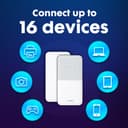
The Huawei E5586 is a compact, portable 4G hotspot designed for global travelers and remote professionals. It delivers up to 150 Mbps download speeds, supports up to 16 simultaneous device connections, and features a rechargeable 1500mAh battery lasting up to 6 hours. Equipped with parental controls and a guest network, it ensures secure, easy management of connected devices. Included is a FREE SMARTY SIM for immediate, low-cost internet access worldwide, backed by a genuine UK warranty.


| ASIN | B081S5KRZ7 |
| Antenna Location | Gaming |
| Antenna Type | Internal |
| Best Sellers Rank | 14,726 in Computers & Accessories ( See Top 100 in Computers & Accessories ) 39 in Mobile Broadband Devices |
| Box Contents | 1 x FREE SMARTY DATA SIM, 1 x Huawei E5586-326 (White), 1 x USB Charging Cable, 1 x User Manual, 1x Removable Battery |
| Brand Name | HUAWEI |
| Colour | White |
| Compatible Devices | Laptop, Personal Computer, Smartphone, Tablet |
| Connectivity Protocol | Wi-Fi |
| Connectivity Technology | USB |
| Control Method | Touch |
| Controller Type | Touch |
| Country of Origin | China |
| Coverage | Worldwide |
| Customer Reviews | 4.0 4.0 out of 5 stars (3,996) |
| Data Transfer Rate | 150 Megabits Per Second |
| Frequency | 2.4 GHz |
| Frequency Band Class | Single-Band |
| Global Trade Identification Number | 05060508600442 |
| Has Internet Connectivity | Yes |
| Has Security Updates | Yes |
| Is Modem Compatible | No |
| Item Dimensions L x W x H | 10L x 5.8W x 0.7H centimetres |
| Item Type Name | 4G Low Cost Travel Wifi Hotspot |
| Item Weight | 90 Grams |
| LAN Port Bandwidth | 150 |
| Manufacturer | Livewire Telecom Limited |
| Manufacturer Part Number | E5576 |
| Maximum Upstream Data Transfer Rate | 50 Megabits Per Second |
| Model Name | E5586-326 |
| Model Number | E5586-326 |
| Number of Ports | 5 |
| Operating System | Versatile Routing Platform |
| Other Special Features of the Product | Portable; Connect 16 Devices; 6 Hour Battery; 4G; |
| Product Warranty | 2 Year Manufacturer |
| Router Firewall Security Level | basic |
| Router Network Type | 4G |
| Security Protocol | WPA2-PSK, WPA3 |
| Voltage | 240 Volts |
| Wi-Fi Generation | 4. generation (802.11n) |
| Wireless Compability | 802.11b, 802.11g, 802.11n |
M**N
A Brilliant piece of kit
I really like this huawei router It’s a great little device and if combined with the smarty mobile Who I also recommend it’s happy days. ive had no problems using there unlimited data sim on a £20 plan with a £2 discount for the first 12 months & also I received a £20 Amazon gift card with the offer at time of purchasing which was a incentive for me to use there sim. . It’s kinda like a mobile internet router and using a similar password like a home router so everyone can connect up to 16 devices Although I’ve had more?. Some people have said what’s the point why not just hotspot. This is why it’s just simpler & better . Once you have the huawei & install the sim & with some great deals on data plans now you can have this all set up for under £20 per month even cheaper . Then it’s a home router we’re all who enters & given the password connect to the huawei hub . Then it also can be portable with a great many hrs of battery life . All the family travelling together on say trains etc can watch there ipads /tablets & can all connect to this device/& able to browse internet watch movies as it obviously remembers the password once your device as connected in the past. It saves on families with different data plans at great cost . Why have loads of different plans when you can have just the one. Great for holiday Lets so you can provide your guests with WiFi or when camping. Also for others who I am out with I give them my small router password for them to use if I feel kind . It’s easy to set up & connect & if you wish to use as a main home router in its own right would perform well . it’s a great alternative to paying line rental . The battery when out lasts 12 hrs plus & if you have a car charger it will charge via usb or left plugged in on Mains home power. If your a family are always together then use this to save on your mobile data as paying individually at different plans & usage then just buy this and all connect to this one unit. When the cost of living is going up so much it makes sense to cut back on individual mobile plans and the like without you feeling it. The Smarty sim plan if you decide to use this company are true to there word and there data isn’t capped with a fair use policy which means unlimited data is exactly that unlimited and as many as you like 16 users can connect or home devices like cameras or smart plugs & Alexa devices . You won’t get any surprises but as we have left the eu it’s capped at 12GB when overseas but even then you cannot exceed this as they won’t add data unknowingly and get a bumper bill when back home spoiling your holiday. It’s a great small palm of your hand device & pair it with the smarty sim HAPPY DAYs. I’ve had this now over 12 mth & it’s still not crashed or caused me problems. My sister whom as a terrible home broadband router who’s now being forced onto a more expensive fibre plan as now ditched it completely & on my recommendation as now purchased this huawei router & she’s super satisfied & doing everything she previously did browsing internet streaming . Her grandson gaming as she did with her line rental provider but now much cheaper & wished she’d known about these sooner. As you can guess I recommend this product & also combined with smarty mobile.
A**S
Good value MiFi
This was bought to 1) substitute as home WiFi between house moves. 2) Use as WifI in a Motorhome. It succeeded in doing both things. The unit is surprisingly small. It boots up out the box, but needed a full charge. Remove the back gently as the clips are not sturdy looking. Take a photo of the data box printed under the battery pack as you will need this info. I didn't use the supplied Smarty sim as the network coverage is v poor in my area. The MiFi will probably require the APN code for the sim of your choice. All this is, is some instructions to tell the Mifi which network the sim card works on. This is not as difficult as it sounds. Download HUAWEI HLINK app onto a smart phone. Select the Huawei Wifi on that smartphone. Open the App after you are logged onto the WiFi. Follow the instructions from a youtube video (i used an eFones video). The password to use to get the app to link to your mifi is admin, not the Wifi password. Pop in the APN setting for your Network (google will find them easily) save and away u go. It would have been nicer if the Huawei had the apn settings pre populated for the main networks in the UK as this step must put a few people off, but it is pretty straightforward. Re-boot the device and it found service straight away. I live in an area of medium coverage and achieved download speeds of about 8mbps. In a full coverage area this improved to 14mbps. With a single device in use, both speeds were ok to stream video from YT and BBC Iplayer on my phone. I have not used this device yet as the main WiFi hub for the whole home with multiple devices, but will report back when I do. Battery life with a single device streaming seems to be about 4 hours. Overall, great value.
D**Y
Good performance for the price
Purchased so that in-laws could watch SkySports golf coverage of the Open in their St Andrews holiday home (via Now TV). Out of the box, I was surprised how tiny it was and had initial concerns it would provide coverage across a usable area in a Victorian property. Set up was pretty easy and it was connecting to 4G signal in minutes. Tested it briefly in my home with various Apple devices and it provided decent internet connectivity and video streaming with YouTube/Amazon Prime/Now TV (on Apple TV box). NB: The Power button is almost invisible and you need to remember to press this to start connecting to a mobile network (lots of lights will flash, but nothing will actually happen till you do so). Once installed in St Andrews and used daily, I had a chance to properly evaluate its performance. The router was placed in the hall (connected to mains power) and accessed by devices in the adjoining ground floor rooms and bedrooms upstairs. Signal strength in these rooms was a solid 2/3 bars, so fine through one Victorian wall/ceiling and up to about 4-5 metres. Beyond that it was usable through 2 walls or out to 6-7 metres for internet browsing/Spotify, but not great for video streaming. For its primary purpose of running SkySports on Now TV it worked pretty well, but the picture quality was very dependent on the mobile network signal. I purchased the router with the ‘free’ Smarty PAYG SIM, so was using the 3 network. This normally provides a decent signal in St Andrews, but it was noticeable that the video quality degraded when the network was stressed by tens of thousands of people trying to use their phones at the same time in a few square miles. The issue wasn’t buffering or loss of picture, more just very grainy/pixellated images for long periods of time. Amazon Prime and YouTube were noticeably less affected, so think it was just the nature of the NowTV transmission that made it susceptible to interference. The video quality was great in the days after the Open ended, so I would think that it will be fine for most users under ‘normal’ operating conditions. It was also problem free for normal internet browsing with up to 4 devices at once. Useful tip 1: You need to download the Huawei app to finish setting up the router with IDs/passwords. When I viewed the operating stats I noticed it was often operating on 3G rather than 4G. In the advanced section there is an option to select network type. This was set to ‘automatic’ for me and so was sometimes selecting 3G instead of 4G as the default network. I changed this setting to 4G only and the Internet signal quality improved. Useful tip 2: Get the Smarty SIM to access a mobile network. The 4G access was decent and the data only PAYG packages are very competitive (£20 unlimited over 1 month and we used over 100 GB in 2 weeks). Even if you only intend to use it a few times a year, you can let the PAYG lapse for up to 6 months between uses and buy a minimum data package (£6) to renew service. The app is also pretty good. If you need something that provides a more permanent mobile Wi-Fi solution or stronger signal for a fixed location then I’d probably investigate one of the more ‘heavy duty’ Huawei routers. But if you need a portable router for occasional use in multiple locations then I can recommend this one.
P**L
Un petit boîtier qui rentre facilement dans la poche qui permet de partager une connexion 4G en wifi. L'autonomie est suffisante en revanche il manquerait un petit bip sonore pour annoncer les 15-20% de batterie restante.
B**O
Este enrutador tiene una buena duración de la batería y logra buenas velocidades de navegación en videoconferencia, descarga y transmisión
P**.
J'ai eu du mal à le mettre en route (parce que je n'ai pas trop cherché) alors que finalement c'est très simple. Très pratique aussi chez soit lors d'une panne internet quand on a quelques Giga octet.
E**E
Poca velocidad de conexión. No mantiene la conexión.
M**G
Utilisé en multi sim pour notre domicile. Pour ne pas perdre la connexion il faut le laisser en charge. Un peu cher tout de même.
Trustpilot
4 days ago
3 weeks ago