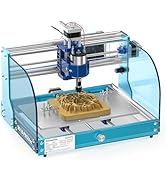
Desertcart purchases this item on your behalf and handles shipping, customs, and support to Colombia.
⚡️ Elevate your maker game with the ultimate beginner-friendly CNC powerhouse!
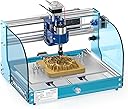
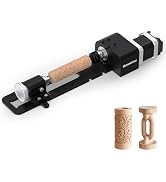
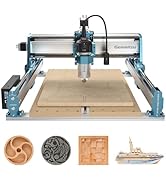
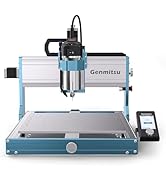
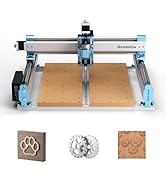
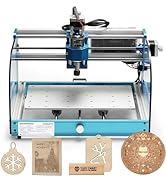
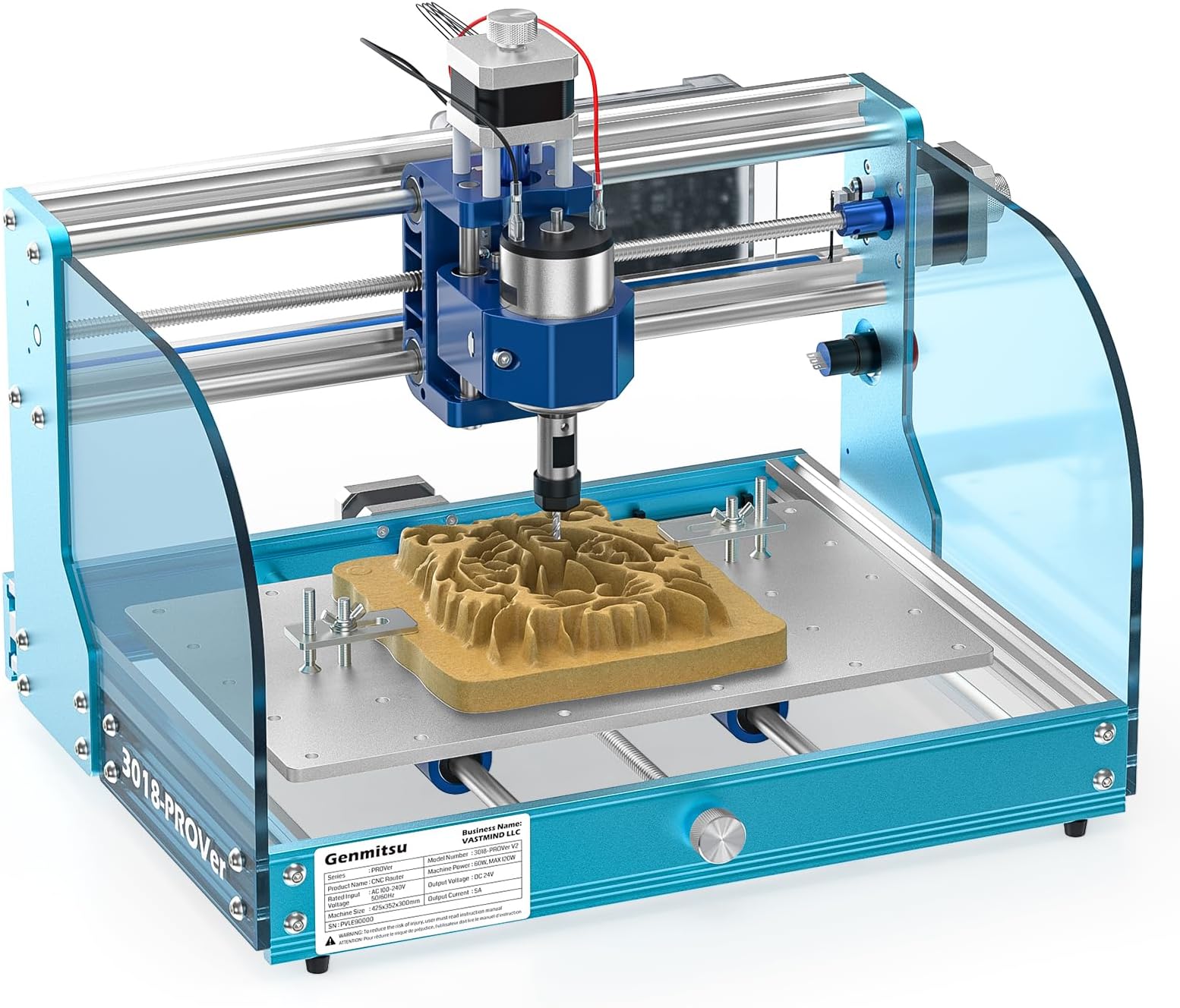
The SainSmart Genmitsu 3018-PROVer V2 is a beginner-focused desktop CNC router featuring a robust aluminum frame, 10000 RPM spindle speed, and pre-assembled components for quick setup. It supports a wide range of materials including wood, acrylic, and soft metals, and offers extensive upgrade options like Y-axis extensions and powerful spindles. Compatible with popular CAD/CAM software, it empowers hobbyists and small business owners to create professional-grade projects with ease, backed by comprehensive support and a vibrant maker community.


| Amperage | 1.03 Amps |
| Asin | B07ZFD6SKP |
| Base Type | Fixed |
| Battery Description | Corded electric |
| Best Sellers Rank | #204,772 in Tools & Home Improvement (See Top 100 in Tools & Home Improvement) #14 in Power Milling Machines |
| Brand Name | SainSmart |
| Customer Reviews | 4.2 4.2 out of 5 stars (1,285) 4.2 out of 5 stars |
| Horsepower | 96 |
| Included Components | CNC Router Machine |
| Item Dimensions W X H | 16.54"W x 11.42"H |
| Item Type Name | CNC Router Machine with Full Aluminum Structure for Beginner |
| Manufacturer | SainSmart |
| Manufacturer Part Number | 3018-PROVer |
| Material Type | Aluminum |
| Maximum Rotational Speed | 10000 RPM |
| Model Number | 3018-PROVer V2 |
| Power Source | Corded Electric |
| Unit Count | 342.4 Ounce |
| Upc | 816550022917 |
| Voltage | 24 Volts |
User
This is a great machine. Prepare for an education.
Cutting to the chase, this machine is great. It's built like a tank, assembly instructions were fine, and there are a ton of resourced available online. I got my machine on Sunday, and on the following Saturday was able to cut the piece in my attached picture with no issues.In fact, the only issues that any of my cuts have had were of my own making. The machine works very well. That said, prepare to do some learning, some troubleshooting, and some problem solving. This is my first CNC, but I have extensive experience with 3D printers, and they're the same way. This machine isn't there to hold your hand while carving out intricate masterpieces. It's a tool that you need to learn to use.Another reviewer said something like "8 hours of failure was too much." (I had the same problem that he did. It was solved by changing the "Safe Retracts" setting in Fusion360.) If 8 hours of failure is too much for you, then this isn't the machine you want. To make this (or really any CNC machine) "work", you will need some basic understanding of G Code, 3D modelling, woodworking, and electronics. You don't need to be a master at any of this stuff, but you're going to touch all of it. It will take time. You will screw things up. You will get sawdust in your hair. That's what makes these things fun.Now, more specific to this machine itself, I was very, very impressed. There are many very similar units on Amazon, and I selected this one because of the included upgrades, and the known brand name. I found the machine to be extremely well built, and straightforward to assemble. The inclusion of limit switches is important. While limit switches can be a bit frustrating, they are there to make sure you don't accidentally send the machine a command that will damage it, and the work perfectly for that. I find the offline controller to be wonderful. There seems to be a lot of hate for this part, but I like that I can run he machine "headless" and not have to leave a laptop in my dust shop. I actually had a much smoother experience using the offline controller than I did using the PC-based Candle, but they both do the same job. My motor doesn't wobble, isn't loud, and hasn't had any issue cutting through various woods at 300mm/min. I did several calibration tests on the machine as soon as I got it built, and didn't have to adjust anything.The only bad things about the machine are the hold-down clamps that are included (they work, but are the definition of "fiddly"), the included Vee bits (again, they work as they should, but why give me a bunch of Vee bits and no end mill?) and the size of the workspace. The 3018 is actually a great size for a small workspace like mine, where it will need to be moved and worked around, but just like everyone else, I'd love to be able to make bigger stuff.I've probably said enough glowing stuff about this device, but I'll sum it up, here. When I spend ~$350 on a piece of Chinese technology that's based on open source designs, I expect to get a pretty low-end product that I can usually upgrade to make it useful. In this case, I got a solid, well-deigned, functioning piece of gear. I haven't been this amazed at how well a cheap gadget works since the Elegoo Mars Pro.If you're looking for a cool tool with a steep, but fun learning curve, look no further. If you want to easily and quickly cut wood (or metal) parts with the push of a button, maybe wait a few years.Software That I Used:-Candle (included) for machine control-Easel (very limited free use) for design and GCode Creation-F Engrave (free) for GCode creation-Carbide Create (free) for design and GCode Creation-Fusion360* (free) for design and GCode creation-Inkscape (free) for image design*Fusion360 is the real workhorse, here. It has by far the most features, but also the steepest learning curve. If you're familiar with Fusion360, you'll have no trouble. Otherwise start with Carbide Create.
User
This CNC Router is great but the software Candle for custom projects is very difficult
Hi guysI bought this router in January and would like to say a few words about my first experience.Ease of assemblyYou will have no problem. It's really simple. There is a manual and there is a YouTube video. I spent about an hour and it was stress-free.Ease of first useIt's fine.Before buying, I was worried about how well it worked. In vain. This is a truly wonderful invention. Thanks to the engineers.And I didn’t expect this complex machine to be so easy to control.Within one hour I learned to work with this router and again had no problems.Problems start with the software "Candle"It is assumed that we all buy a CNC router to create something especial. And this is where the problems begin. If you want to do something that has more than four corners, be prepared to grapple with obstacles.The seller offers software that turns your idea into machine codes. This is Candle. I have not been able to figure out how to use this software. Please note that in the YouTube video someone is using Easel, and not the supplied Candle, which is part of the kit of this router.The complexity of the proposed Candle is high. There is no technical documentation for Candle. Moreover, the supplied Candle does not perform the operations shown in the YouTube video. Try uploading your image or picture from your file...Now I use Easel which is easy to create images. This Easel was created for another router. I spend a lot of time creating any image all the time.Easel often loses the rotation speed of the router and I have to create new files. Easel often does not recognize the text as a whole object and I have to start over an old project every time. But Easel at least creates files for carving.Excuse me sellers, but if you offer software like Candle then this should have a manual. Without a detailed technical description for the software, this router often becomes not a smart machine but a piece of iron.I gave 5 scores to this router. Without a doubt, this CNC router is the best in its class of small routers.I can't give 2 scores to the supplied software just because it is free according to the seller. No problems.I hope my opinion will be useful for people who is decides to buy or no this router.
User
Very solid machine for the price
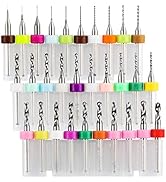
Let's face it, you're probably a bit skeptical. It's inexpensive, it's small, it's mass produced. How good can it possibly be?Well, the answer is...this thing is unexpectedly good.Pros :* Great for beginners/newbs! This thing's a fantastic entry level learn-as-you-go starting point.* Easy assembly and setup. You'll be cutting within just a couple of hours. The instructions are, for the most part, clear, easy to follow, and complete.* It's surprisingly accurate! Honestly, I expected maybe 1mm accuracy, but I can reliably cut to .3mm or less with no special effort.* It works and plays well with others. Any commonly available CAM software and GCode sender will run it just fine.* Repeatability is many times better than I expected. I've been doing stuff with 5 or more tool paths, and it reliably lays each one down right where it should.Cons* Great googly moogly this thing is noisy, especially when cutting hardwood.* The Z-Travel is extremely small. This shows up when you're trying to cut, say, 3/4" or 18-20mm stock. You think it's well within the z-travel limits, but add a spoil board and then an end mill sticking out, and you rapidly run out of available travel. This is especially annoying when your software/settings want to move the bit to 10mm above the work surface for travel, and there just ain't room.* The external controller leaves a fair bit to be desired. Documentation is poor, the UI is clunky, and the buttons just aren't very reliable/consistent. Go slow and be careful!Things to know :* There's more to CNC than "upload GCode press play". Lots to learn about materials and toolpath settings and workholding, etc. Be patient and thorough.* Buy more bits! You won't get beyond carving your kid's/pet's/spouse's names with the included ones.* SLOW AND EASY is the name of the game. This thing has a small, not very powerful motor. That's not a con, it just is what it is. *In its limits*, it's fantastic...but feeds and speeds must be *much* lower/slower than "common recommendations" for any given bit/material. Yes, that means things take time. If you're expecting to duplicate what YouTubers do with machines costing 10-100 times as much, that's your fault, not the machine's.-------Stars for ease of setup, unexpectedly good performance, value as a teaching tool.Deductions for z-travel hinderances and noise.
User
Good solid machine, quality components and reasonable price
This machine is my first foray into CNC machining and so far this machine has worked very effectively.Being an electrical engineer and software developer did not hurt while learning to use this device. I will admit that it was still a challenge to get all the dots to line up, (i.e. there are a lot of factors to consider when choosing software tools, bits, feed rates, etc.). This required a lot of determination and focus for an old guy like me. But if I can do it you can too. Just don't expect it to be a piece of cake and give up prematurely.Having said that, the machine itself has performed very well. The accuracy is good and I like that it is self contained and compact for the kind of stuff I do. Aside from a small problem with the emergency stop button sticking, everything has worked well.I recently purchased their dust collection shoe that has an excellent design and is reasonable priced. I had a minor issue with it, (that was largely self inflicted), and they were extremely helpful and immediately sent me a replacement.All in all I love the machine and I am pleased with SainSmart support as well.
User
Product was damaged, support contacted updates to follow
Although I have not had a chance to use the product yet my initial review will be on it's unpacking, setup and condition on arrival.Was packed securely and when it was received the box was undamaged. Lots of stuff neatly packed in the box.Installation manual was clear with some included videos on the thumb drive.Setup will take awhile but just follow the directions and work carefully and you will have no issues.Everything looked great and went together seamlessly.I stared to set the Z Probe and as the Spindle moved over to the home position and I started to set the Z probe Kit onto the table I noticed a big ding on the top left corner of the table, see the attached pics.Further inspection of the top shows some scratches and scuffs in other areas too. During installation I used the thin flat Styrofoam packing to put the top of the table on to prevent such scratches so I'm 100% sure this is not user induced.Things like this happen and although unfortunate and time consuming (replacements) it's just part of the deal if you are the unlucky one. I don't feel that a used machine was shipped to me but looking at the top and the scuffs and this damage on the corner, it was probably damaged during installation or packing.Either way, I have contacted the seller and requested a replacement bed. I'm ok with that as long as I get a new bed back.I have left a 3 rating for the time being once I get the sellers response and actions I will report back here. Anything less than a "Sorry sir we will get one out to you right away will not bode well".Not asking for a full machine, I'm ok with a replacement bed as long as it's a "New" one.Stay tuned!UPDATE: 17 Jan 2021,So the seller contacted me right away and sent me a bed from China. It was on backorder and is enroute. Unfortunately I had issues with the machine. There is a Z Probe Calibration so each time you place a piece of work on the bed you calibrate the Z Axis with the probe so the machine knows where the surface of your material is. This worked once after that can't get it to work. Sometimes commands are not executed from the machine just when jogging with Candle the software that comes with it.Thought maybe it was a COMMS issue so I tried the offline controller. Same problems.I emailed the company many times, but took forever to get a response, I thought I had fixed the issues by uninstalling the driver and re-installing but eventually the Z Probe Calibration stopped working again.You can calibrate the Z Axis without the probe but why? If it's there I want to use it.Boxed it up and it's on the way back with a new unit to arrive Tuesday.BTW you can't disassemble the machine in 15 minutes let alone assemble it so this is a marketing gimmick about 15 minute install. If you assemble them daily yes you can but as a new buyer you will want to read through the manual and take your time. Think 45-90 minutes to assemble especially if your first CNC.Update 28 Jan, 21.Little bit of a delay in my update but I did receive a new unit. I returned the previous one through Amazon and a new CNC arrived a few days later. This one shipped from a different location. This router appeared to be brand new. Assembled it and everything tested and ran perfectly.I did order a bed extension kit and you guessed it, received it damaged and used. In the process of getting that replaced.So in conclusion, as far as operation, well all I've done for the last 2 weeks is deal with replacing used items purchased as new so really haven't had time to use it. I did mill the top of my spoil board to make sure it's flat.As far as dealing with the company, be warned you have a high probability of receiving used items when you purchase new. Look them over carefully. Not sure if this is Amazon or Sainsmart. If it's Amazon, it's easy to return and just inconvenient. If you purchase anything through Sainsmart, not so convenient and it takes a while but they did replace the bed and the bed extension so I have to give them credit there.I'll leave this at 3 stars due to the headache of multiple returns.EDIT: 8 Feb 2021.So I will make my final review here. I did receive a new unit which works great. I had also ordered a Y Axis bed extension from Sainsmart which arrived used and damaged. Of course I contacted them with pictures and they sent me out a replacement unit that arrived in satisfactory condition.So all in all I have had some bad luck with damaged units and replacement CNC however the customer support has been top notch. So if you do get a unit that is not up to par the Company will for sure make it right.So I will adjust my rating to 4 Stars and have to say that you can purchase with confidence that if you get a bad or damaged unit it will be replaced by the manufacturer.CNC router is together and I'm engraving. Keep in mind, no documentation on how to use a CNC router. For that you will have to go to the Facebook Group, search, read and experiment. Happy Engraving.EDIT: Bonus Content 2/14/2021I have decided to rate this a 1 star.After I purchased the original CNC router I went to their company website and purchased their laser 159.00 USD.I just now go around to opening it up and installing it and guess what?????You guessed it, there was something missing. The power supply was missing. They sent the power cord which goes from the wall and to the power supply but no power supply. So I have a laser and no way to power it.I Do NOT recommend purchasing from this company. If you decide to sear TUMS you will need them.
User
Excellent entry-level CNC router for wood, PCBs.
I have never owned or operated a CNC router before or even seen one in operation. I bought this to learn how they work and hopefully make some PCBs (small ones). This machine has all I needed to begin etching planar surfaces, including milling PCBs. I first tried to cut some MDF wood and found myself making little circular pine Christmas tree ornaments for all of my family members, setting the PCB project aside by the end of the second day. All of the software needed to CADCAM PCBs and the wood ornaments can be found for free. I settled on Fusion 360 (personal hobbyist license - free), which works well for the wood ornaments and designing the PCBs. I found, after a few attempts, that Candle / GRBLControl (also free) works better for milling the PCBs as it has a height mapping feature. I can’t say enough how much fun I have had this past week learning the ins and outs of the software and manufacturing process. I’ve already ordered the motor upgrade, laser upgrade, and a few sets of milling bits just based on the quality and value of everything I’ve encountered related to this machine and Sainsmart. This will probably be the first and last CNC machine I buy simply because it does everything I could ever imagine doing with one. It may not have the power of production-level machines used in the industry, but it is accurate down to sub-millimeters. I was able to pocket a holder for PCBs of 102x79mm and it did exactly that, without any calibration of the router after I had assembled it. There is a steep learning curve at first, mostly related to the many options of software and parameters related to manufacturing parts. But, if you have used CAD programs before and are familiar with the design process you will pick it up quickly. Looking forward to the 3040 upgrade kit getting back in stock - although I read that there may be problems with compatibility of the laser module, due to the MDF+aluminum bed combo putting it outside of a usable height.
User
Well, It got better...
I think its defective and support is really slow to get back to me. The prober function does nothing and I've gone through all the documentation for setting the Gcode and positioning. I bought this specifically for PCB milling and thus it is useless to me without the prober and heightmap feature. So far I'm not impressed with support, it's been a couple days and no information. They acknowledged my question and said it would be 2 or 3 days to get back to me. I'm close to packing this up and sending it back. It's either a bad controller or some stupid simple undocumented setting....I reserve the right to update this review if they eventually get back to me and can resolve this. I'd really like it to be something simple so I can use it. I have a big 4' x 4' CnC router for wood working so I am not a newbe with CnC.Unhappy TomUpdate 6/30/21:So it was a stupid setting. Turns out the soft limits were interfering. This YouTube tutorial, https://www.youtube.com/watch?v=u4Mcjz7IP10 while otherwise very good had me turn on Soft Limits; $20. This seems to be the root of the problem. I can't say if Soft Limit's would have worked with different travel settings as I've not investigated that. I also had a problem with the $90 setting and ended up using $91 instead. I also have not yet tested to see if I can go back to using $90 now with Soft Limits disabled. These are the settings I used:G91G21G38.2Z-20 F100G92 Z00.00G0Z2M02Note that I have 0 offset for the prober because I am only working with copper PCB and thus I have removed the prober puck and am probing right to the PCB copper layer.The Soft Limit's issue was not SainSmarts problem, I do recognize that, but I do wish they had some better documentation on the the setup and calibration, it might have saved me several days of trouble shooting.At any rate I had success and isolated my first PCB. The heightmap function in Candle was critical to this. I actually like USG better than Candle but USG does not have a working Heightmap function. That's not SainSmarts problem. I have more tuning and testing to improve my PCB work but that all me.The SainSmart 3018 PROVer seems to be a decent little CnC, perfect for what I want to do with it. It's not got a lot of power or working area but that's not needed for the PCB's I'm working with. It's about $100 more expensive than other 3018's but it comes with the emergency stop switch, the hard limit switches and the probe. More importantly the probe connection on the controller. All of which I felt are important. It was pretty easy to assemble and to calibrate. The YouTube video I mention above is a really good tutorial for setting up and calibrating minus the SoftLimit setting. All in all I am now much happier with it and look forward to more PCB projects.I do wood working with a larger CnC machine, I don't know how this little machine would do anything other than engraving, but PCB isolation seems pretty reasonable.Now about support; They are there, I.e., they do have support. They were slow to respond and ask questions but they never actually helped resolve the issue, perhaps they would have eventually but the the help I received was from a member of a GitHub CnC forum. Thanks to ondras12345!I would have given this more stars but for support. I thank them, but they didn't seem to be very interested in helping until I posted the negative review and even now they are more interested in getting me to edit the review to positive. That cost them a star.The product is adequate for the job, seems solid, easy to assemble. Had I not had this issue and/or a better result with support they would ahve probably got 4 or 5 stars.....just sayin.Tom, no longer unhappy
User
Great quality for the price.
I was surprised by the quality of the unit for the price paid. Yeah it’s small and not perfect but for around $350 or whatever, I was expecting something that felt like it would break it a few months but this feels like it will last at least a year or two without any major issues(I could be wrong on this, only had it for about three months).Assembly wasn’t difficult however more tweaking and hard to do adjustments are needed to get the gantry properly level to the bed. I wish it had some sort of fine adjustment screws or something to assist with this. The wiring was easy enough. I mostly use mine for engraving plastics and it works well enough for that.The plastic holder for the spindle works but I’ll be upgrading mine before too long.I taught myself CAD(YouTube videos) and such before getting this and did not find the controls for this machine to be difficult to learn.Every once in a while I do notice that it seems to maybe skip a few steps and my engraving is a little odd(same code ran multiple times on identical stock and occasionally it looks different).Don’t buy this thinking you will be able to machine metal well. It’s not for that. But it works great for me.
User
Fantastische machine en eenvoudig in elkaar te zetten en eenvoudig in gebruik.
Ik ben zeer tevreden met de 3018-PROVer V2. Het product was goed verpakt en de handleiding is gemakkelijk te begrijpen.De meegeleverde software is eenvoudig te installeren en gemakkelijk in het gebruik.
User
Fast shipping and great support
Il pacco è arrivato con qualche giorno di anticipo, che mi ha lasciato molto contento.Il prodotto è ben impacchettato, tutto è tenuto ben fermo da spessi strati di polistirolo. Unico difetto, nella mia scatola dei bulloni ne mancavano 2 M6, ho contattato il supporto SainSmart che me li ha recapitati in meno di 4 giorni.Il montaggio è semplificato rispetto ad altri prodotti ma richiede comunque un certo tempo, io ci ho messo circa 1 ora e mezza a completare tutto, e non ho messo il proteggi cavo in nylon perché mi riusciva male. Sono comunque molto soddisfatto perché le risorse fornite (sul sito sono presenti anche video tutorial) aiutano moltissimo e non c'è nulla da fare di veramente complicato.Una volta montata la CNC si presenta esteticamente molto bene, solida e con un colore azzurro che mi piace molto.Io la vorrei utilizzare principlamente per produrre circuiti stampati di progetti DIY, le prime prove mi hanno dato molta soddisfazione anche se ho ancora molto da imparare!Nel complesso la consiglio a chi ha tempo e voglia di imparare e studiare le varie tecniche/tecnologie per la fresatura con la CNC, lo sconsiglio a chi invece preferisce avere una soluzione "plug&play" che faccia subito tutto bene senza bisogno di metterci le mani.Allego qualche foto, scusate per la mia scrivania super disordinata :)==== Automactic tranlsation in English ====The package arrived a few days in advance, which left me very happy.The product is well packed, everything is held firmly by thick layers of foam. One defect, in my bolt box there were 2 M6 missing, I contacted SainSmart support which delivered them to me in less than 4 days.The assembly is simplified compared to other products but still requires some time, it took me about 1 and a half hours to complete everything, and I did not put the nylon cable protector because it was bad for me. I am however very satisfied because the resources provided (there are also video tutorials on the site) help a lot and there is nothing really complicated to do.Once mounted, the CNC looks aesthetically very well, solid and with a blue color that I really like.I would like to use it mainly to produce printed circuit boards for DIY projects, the first tests have given me a lot of satisfaction even though I still have a lot to learn!Overall, I recommend it to those who have the time and desire to learn and study the various techniques / technologies for CNC milling, I do not recommend it to those who prefer to have a "plug & play" solution that does everything right away without having to get their hands on it.I attach some photos, sorry for my super messy desk :)
User
Excellent value for money!
Excellent value for money, this was my first CNC machine so started out opening the box with no knowledge but instructions made set up easy and I was running my first cut within a couple of hours. Whilst the size of the cutting area can restrict some projects/ideas it is big enough and strong enough to handle any smaller jobs you may have. The motor is strong enough to handle acrylic, auto ABS, PVC, hardwood and even bone. Any issues I had with this machine were due to user error (wrong cut speed for type of material, wrong depth per pass etc) so it’s worth reviewing and learning the basic physics of how these parameters can change your cut. It would also be worth picking up a set of different sized collets when ordering as you’ll likely need these as you get further into CNC cutting.
User
コンパクト&イージー +ナイス・フォロー
21年4月購入。殆どプリアッセンブリされた状態で、部品もコンパクトにしっかりまとまった梱包となっている。メカ組立は容易で、電気配線もリミット他モジュール盤を指定の場所に取り付け配線するだけで、線の長さもピッタリになっておりつけられた線番タグ通り接続するのみ。ビギナーとして始めるにあたり馴染みやすい。まだcandleを使って多少の彫刻加工しかしておらず、まだそれほど使ってないですが、木材で簡単な加工がすぐに始められました。装置ガントリ部固定ナットのうち1個に不良がありましたが、サポート(日本語)により、追加のナットを送付してもらえました。欲を言うならば、Z軸ストロークがあと10~20mmあれば、使える工具幅も増えて使い勝手が向上するかと。同様に付属のプローブ厚みがもう5mmほど薄いほうがよいかもしれない。そしてアンチバックラッシュのバネは、もっと強いほうがいいと思います。2022.6追記) 突然、Z軸動作不良でワークにエンドミルが喰い込み干渉のトラブル。調べた結果、z軸モーターケーブルの断線と判明。本件、製造&販売者のカスタマー・サービスへ連絡したら、素晴らしいサポート(日本語)対応で問題が解決。その他にも問合わせに丁寧な対応があり、購入後のフォローもなかなかしっかりしていると思います。
User
Funciona de maravilla
Al inicio estaba preocupada por que el paquete no habia salido, pero logró llegar a tiempo y el producto llegó bien y funciona perfecto, estoy muy contenta!
Trustpilot
1 week ago
3 days ago