❄️ Cool, Compact, and Ready to Conquer Your Next Build!
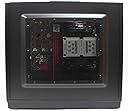
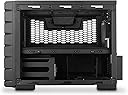
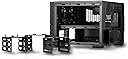
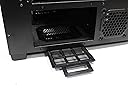
The Cooler Master HAF XB EVO is a high-airflow mid-tower case designed for serious enthusiasts and overclockers. Featuring a mesh front panel with dual 120mm fans and 240mm radiator support, it ensures superior cooling. Its removable horizontal motherboard tray supports ATX, MicroATX, and Mini ITX boards, allowing easy component swaps and upgrades. The case accommodates tall CPU coolers (up to 180mm) and long GPUs (up to 334mm), with versatile storage options for up to 4 drives. Built with a sturdy steel chassis and equipped with dual USB 3.0 ports and rugged carry handles, it’s perfect for LAN events and high-performance builds, all at an exceptional value.
| ASIN | B00FFJ0H3Q |
| Antenna Location | Gaming |
| Best Sellers Rank | #2,381 in Computer Cases |
| Brand | Cooler Master |
| Built-In Media | Computer Case |
| Case Type | Mini-Tower |
| Color | Black |
| Compatible Devices | Mini-ITX, MicroATX, and ATX motherboards, standard ATX power supply units, 3.5' and 2.5' hard drives and SSDs, graphics cards up to 334mm long, and air cooling systems |
| Cooling Method | Air |
| Customer Reviews | 4.7 out of 5 stars 1,783 Reviews |
| Enclosure Material | Alloy Steel |
| Fan Size | 12 centimeters |
| Global Trade Identification Number | 00884102025242 |
| Hard Disk Form Factor | 3.5 inches |
| Internal Bays Quantity | 4 |
| Item Dimensions D x W x H | 17.4"D x 13"W x 16.7"H |
| Item Type Name | grocery |
| Item Weight | 16 ounces |
| Manufacturer | Cooler Master USA, Inc. |
| Material | Alloy Steel |
| Mfr Part Number | RC-902XB-KKN2 |
| Model Name | HAF XB EVO |
| Model Number | RC-902XB-KKN2 |
| Motherboard Compatability | Micro ATX |
| Number of Fans | 7 |
| Number of Items | 1 |
| Number of Packs | 1 |
| Other Special Features of the Product | Test Bench Transformation, High Airflow Design, Accommodates Tall CPU Coolers and Long VGA Cards, Removable HDD Cages, Removable Motherboard Tray, Fast Plug-n-Play I/O, Rigid Carry Handles |
| Power Supply Mounting Type | Bottom Mount |
| Recommended Uses For Product | Gaming |
| Supported Motherboard | Micro ATX |
| Total Expansion Slots Quantity | 7 |
| Total Usb Ports | 2 |
| UPC | 884102025242 012304976714 |
| Unit Count | 1 Count |
| Warranty Description | 1 Year |
W**1
FANTASTIC Case! One of the most fun and stylish cases I've ever built.
Taking a sharp detour from the traditional tower cases (of which I've built more than 100 over the years, from big to mini's - I used to be an Intel OEM Builder/dealer many many years go), this is a "BOX", literally. It's a fantastic BOX! It has a lot more vented panels than I was expecting - yes, the Amazon Item page has very accurate pictures so it shouldn't have been a surprise, but once we opened it all up, it's very clear this can get air in/out of everywhere. The removable side & top panels, and front panel openings make peripheral & MB placement makes installation and cable mgmt. easy. Everything seems to be well thought out, including openings from the upper section (MB area) to HDD/CD/DVD/SSD bays and PS area in the lower section. Components installed in this case: MSI Pro Series Intel Z270 DDR4 HDMI USB 3 SLI ATX Motherboard (Z270 SLI PLUS) , Intel i5-7600 CPU (for now), Noctua CPU Cooler [NH-U12S , MyDigitalSSD BPX 80mm (2280) M.2 PCI Express 3.0 x4 (PCIe Gen3 x4) NVMe MLC SSD (240GB) , Thermaltake Smart 700W 80+ White Continuous Power ATX 12V V2.3/EPS 12V Active PFC Power Supply PS-SPD-0700NPCWUS-W . Case is multi-graphic card & liquid-cooling ready, but we didn't install one at this time. Case has been in use on & off for almost one year and we have not have any issues with use, ventilation, adding/modifying/removing peripherals and devices. It comes with two fans which are installed in the front panel. The Noctua CPU Cooler [NH-U12S came with one fan, but we installed a Noctua fan to get both forced and inducted air cooling on the CPU. After all this, cooling was thought to be a concern, but it turned out all fine. The CPU runs cool, with a little tweaking of the fan rpms (via MSI's MB mgmt app), and the overall system temps run cool (ambient temperatures) even at high CPU usage rates - in other words, cooling anything in this case isn't going to be an issue as long as you have the fans tweaked to the right RPM's. If the case/CPU fans can't exhaust enough hot air, it's very easy to add another one, although I'd probably consider a big 240mm fan to install in the overhead panel by then. There is more than enough space in this case to add many more drives, especially if you're going with 2.5" SSD's, or some sort of drive bay unit. Looks of great looks from this case and will certainly consider another one. FYI: INSPECT YOUR CASE WHEN IT ARRIVES. BECAUSE THIS IS A SQUARE BOX, IT IS MORE PRONE TO MISALINGMENT - AND [AMAZON] SHIPPING PRACTICES CAN CAUSE DAMAGE. Our case appeared to have been dropped ever-so-slightly onto one corner (Top Rear Left corner when facing the front of the case). This caused everything on that corner to misalign. We noticed that the side panel and top panel didn't align at that corner. But once the tool-less screws are in place (for the side/top panels) and the case/panels/screws tightened down a bit, everything aligns "good-enuf-for-govt-work" IMHO. I'm fine with it because first of all, NONE of the drive bays had alignment issues with installing drives. Secondly, PS had no installation issue, so no misalignment there. And most importantly, the MB tray, which separates from the case itself for MB installation (A GREAT FEATURE BTW), didn't have any misalignment issues with the MB holes or with installation back in the case. But for those of you ordering on Amazon (or anywhere else online), watch out for damage on the box, especially on a corner. If it was dropped hard on a corner, chances are your case panels won't line up right, and could become an issue. (Frankly, Amazon and its shipping/packaging practices is the ONLY thing that could case this great company to come crashing down in stock price and profits one of these days. I've had to return an item 4 times, and a dozen others 3 times because it was very stupidly packaged (by Amazon) and/or poorly handled in transit (by UPS/FedEx/USPS). And frankly, anything you can get at Home Depot, I get from Home Depot from now on because Amazon will just destroy it on its way here.)
C**N
Probably won't need to buy another case ever again - my take on pros and cons
The primary advantage of this case is the accessibility and roominess. It was so easy to install everything. And the roominess helps with ventilation and cooling. The temperature of my primary hard drive has dropped 8° C just by changing cases. Four hard-drive bays total, two on the front (hot-swappable) plus two inside. No screws required to add 3.5" drives. Two 5.25" bays on front. No screws required. ------------------------ Pros: ------------------------ - All screws are thumbscrews with the option to use a screwdriver. - Many peripherals (cards, drives, etc.) can be securely installed without using screws - Spacious. Incredibly spacious. - Airflow is not an issue. Two large, quiet fans in the front (pre-installed) with room in the back for two 80mm and one 120mm fan. Also the optional super-large top fan. - The 5.25" drives and two front hard drives can be installed without opening the case, although cable connections may require doing so. - Removable motherboard tray is super-convenient. - Can run it with the top open, no problem, if you need to view/access the motherboard. Not like normal tower cases where you don't really want to run it with the main panel open. ------------------------ Cons: ------------------------ - The documentation is weak and poorly laid out. For instance, I was unable to determine which hot swap drive belonged to which SATA connector. There's nothing in the documentation about them, and I even looked closely at the actual connectors with a flashlight. Had to experiment until I got the right one. Also, every line of text is repeated in multiple languages, to the point where it can be hard to find the line of text that's in your language. New sections aren't clearly delineated, so you pretty much have to go to the table of contents to find anything. - The front-panel audio output jacks are directly above the 5.25" drive bays. I have headphones plugged into the jacks, and the DVD drive tray hits the cables every time I open it. - For the internal 3.5" drive bays, the clearance from the drive's SATA connector to the edge of the case is a bit tight at times for straight connectors. Could probably use another half inch or so. Can't use an angled connector on the top drive because it covers the connector for the bottom drive. Hard to use an angled connector for the bottom drive because it's close to the case bottom. So I have several sharply-curved SATA cables for those two drives. - Only two USB ports on the front panel. Would like a couple more. - The motherboard tray was not flat and had significant curvature (it flexed between two different stable positions). Once I attached the motherboard, that forced it flat, but I was a bit concerned there might be some stress put on the MB due to the curvature of the metal tray. Note that once it's in the case, the curvature is not an issue because the case screws force it flat. - The case has a large footprint and takes up significantly more horizontal space than towers. This is, of course, a core feature of the product and a big part of the reason why I purchased it. But I was a bit surprised at just how much desk space it requires. - The front-panel power light is incredibly bright—it's literally blinding when viewed at the right angle, even from a distance of 10ft or so. I put a piece of black electrical tape over it, which dimmed the light to an appropriate brightness. Also, the light is red, which isn't my color of choice. Couldn't find any way to change the color. ------------------------ Conclusion: ------------------------ I love this case and wholeheartedly recommend it for anyone who builds computers. It was designed with people like us in mind. I doubt I'll ever have to purchase another case.
C**S
Before you buy, READ THIS. This case is ABSOLUTE PERFECTION.
Words cannot simply express how happy I am with this... this... thing of sheer beauty. If I could give six stars, I would give it 7 out of 5. Cooler Master, you have OUTDONE YOURSELF! This case is by far better than the one I had purchased from another company for $120. Even the box it ships in is perfect! The case is compact enough to fit in a large suitcase, yet spacious enough to fit a water cooling unit and hoses with room to spare. I absolutely love the removable motherboard mount. It made transferring my hardware an absolute joy! Please allow me to list more things I adore about this case: 1. There are TWO removable hot swap docks for memory storage which can accommodate HDD's and SDD's, as well as hidden permanent storage space. 2. There are so many cable tie mounts that cable management is a breeze! 3. Compact yet spacious design. Perfect for travelling 4. INSANE airflow. 5. a space for a giant fan on top for heavy venting 6. Spaces on the bottom for small fans to increase airflow 7. Detachable Power Supply mount. Screw the mount on to the power supply, and screw the mount on to the case. 8. EXTREMELY STURDY! You can really feel the quality. Especially in the expansion port protectors. 9. Carry Handles. Heavy Duty Carry Handles 10. Very linear design for airflow from front to back. And sides have vents as well, allowing better heat dispersion. 11. Included zip ties. Thank you for including zip ties for cable management! My ONLY lament is perhaps include 20 more per unit so people can mount more in the future 12. VERY low price of $90. Final Verdict: This case isn't just the best case for the money. It's the best. Period. You get full ATX capability in a small form factor, and features that usually are only included on a case that is three times the cost. If you are to buy one computer case, BUY THIS ONE. It feels like it can survive a nuclear blast. It doesn't look like an alien's phallic member like most gaming computer cases, but if you do add lights, it will appear to radiate power, rather than just seem like it has LED's. This truly is a Cadillac with the space of a Tahoe, with the value of a Lamborghini, the cooling power of a Bugatti Veyron, but the price of an old Honda Civic. I would buy this case even if it was twice the price. Thank you once again, Cooler Master, for sheer, absolute perfection
J**Z
The Road Warrior, Rebooted.
Pro's * Lots of airflow for the top half * Easy to carry * Sturdy case design * Includes most necessary accessories like drive holders for hot swap bays and such * Deceptively roomy * Comes with 2 fans * Not completely tool-less, but close! 90% of all fasteners are thumbscrews. Cons * Cabal management is not beginner friendly, not a starter case at all * Very little ventilation for the hot swap hard drive bays. * Fan cables that come with the pre-installed fans go around the world. twice. * Side panels are not 100% flush with the cage. * Not as much airflow for the bottom half Overall This case is fantastic for a low-mid to high-mid gaming system, and maybe a little bit beyond. because of the way the case is laid out, a full blown custom water cooling solution would be difficult for this setup. that's OK, because this case gets tons of airflow if you have all the fans equipped. speaking of fans, the included front fans are quiet and effective, no need to replace those anytime soon. get a 200 mm fan and have it expel out of the top. get a 140mm fan and have it expel out the back on the top half of the case. get 2 80mm fans and have them expel out the back on the bottom half of the case. because airflow is stifled near the hot swap bays in the front with cables and limited openings, you should be careful about using them for your OS disk. if you have the 2 80mm fans, airflow will greatly improve, but since the hot swap bay has no active cooling nearby, it is a risk to put anything mission critical there. my recommendation is backup drives only, and have your main drives on the side HDD enclosure next to the two 80mm fans that you should definitely buy. Both the side panels and the top come out with thumbscrews, giving you all the room in the world to fiddle with the components on the top half of the case. the side panels on the case i received had a small portion on the top front corner sticking out slightly on both sides. the panels are simply not flush with the case, and stick out about a 32nd to a 16th of an inch. not a game breaker, but slightly disappointing. the panels are not sharp, nor a hazard. They are an aesthetic gripe, one that is easy to overlook unless you put a microscope to the case. The ability to take out the motherboard tray is HUGE, especially for new builds. what better test bench to use for your computer than the one that comes with the case? that said, without the ability to take the motherboard tray out, this case would be a nightmare. do yourself a favor, and imagine, and plan out every single wire that will be at the bottom, route them, and THEN put your motherboard tray on. even when you do that, you will probably take the tray out and put it in a few times no matter what to get the wires "just so". tedious, but worth it. This case is great for carting around a good PC. it wont make lugging 15 - 40 pounds any more fun, but the rock solid handles will make the job much easier, especially up stairs. That ugly feeling of carting 2.5k on your shoulder and it could tip any minute? gone. This case is not delicate, nor does it seem prone to falling apart easy. the handles are good quality and if you put this on carpet, its elevated enough to give your power supply enough air to not starve. The rubber feet on the bottom are super grippy, to the point where you cannot slide this box on a counter. at all. solid structural design overall. Overall this case is a keeper. The good points outweigh the bad, the form factor is nice, and the portability is amazing. good airflow for the most part, and as long as you populate the fans on this case, you'll be doing just fine even if you overclock a little. for just over 100$, you may not have lots of bling, but you have a solid, safe foundation for your LAN party lag killer. this case is truly an example of function over form. I Purchased this case for myself, my review is unbiased. if you have other questions, let me know.
A**P
Best Desktop Case Ever
I've probably built upwards of 150 computers and opened up/stripped down/worked on as many as 1000 over the last 25 years. I have never, with NEVER in all caps/bold/italic, seen a case (or even a so-called "test box case") this good. I've been a CoolerMaster case customer since 2010, even though a lot of their cases have less-than-great engineering features. HDD slots are way too close together in the Elite and in other HAF cases. 5.25" disk mounting slots are way too high/far away from the standard SATA connector location on any mainboard (lower right corner), which gets worse the bigger you get away from mini/micro-ATX form factor mobos. In my current desktop case, the HDD mounting bays have so little space behind them that the SATA cables have to be folded/twisted to even get to the drives, can't be disconnected til ALL the drives are pulled halfway out (even if you only need to disconnect 1 drive), and mounting cages are riveted or welded together. Again: That's all the other CoolerMaster cases I've used. I keep coming back to this case manufacturer because they are hands-down the best engineers of air cooling cases/pathways/fan placements, whether it's a gaming case like the HAF or a business/classy-looking box like the Elite. This HAF XB Evo has all the benefits with none of the drawbacks. There's a good space between HDDs mounted in the cage. Every mount point is well within just a few short inches of the mobo connectors. As with all HAF models, there's plenty of space to mount a mammoth 1000w power supply. All the mounting cages are screwed in place - meaning they're totally modular and can be removed entirely, turned sideways, swapped in position, etc. The mobo mounting plate is similarly removable with just 4 thumbscrews positioned handily on the outside of the interior mounting/stability struts. The front-facing 5.25" mounting cage is particularly sweet. It's mounted using 4 front-facing screws (the front cover comes off very very easily with just a little pressure on 3 clips per side, with 1 additional stability clip at the top center) and 4 more that face down against the desk. About halfway into removing the bottom screws I realized I'd done something stupid - I removed the front-facing screws first, so now the cage was going to take a tumble when I took out the last bottom-screw (the case had to be tipped up to do this). I tried to hang onto the cage while removing the last bottom screw, but fumbled it while trying to catch/control that screw as it fell away. The cage tumbled toward the back... but some brilliant and extremely courteous engineer at CoolerMaster was thoughtful enough to bind the top of that cage to the front-panel connector cables with a little loop of ziptie, so the tumble amounted to just a little bit of rattle. I literally teared up at the awesomeness. Once removed, anal retentive techs like me have access to the screw holes on the other side of that 5.25" bay, so if the DVD drive gets pushed it won't sink into the case or strain the screwless mounting lock on the outside. One other thing that's been a long-time burr in my saddle blanket is the way CoolerMaster designed their side-mounted rails for HDDs. These little plastic rails are surely awesome - easy to pop on and off a drive, easy to slip in and out of the cage - but the pins securing them have historically been mounted with a rubbery ring that tends to slip off the pin head and then it binds up in the HDD mounting track... but the ones that came with this new HAF model simply don't have that problem. The pins are just bare metal that clip right onto the drive and then it slips into the HDD rack, with the surprisingly secure clip-in feature that I know and love from CoolerMaster cases. So yeah. Can't say enough nice things about this item. I'm glad I bought it. I'm sure if/when I start delivering desktop workstations to clients in these squat, wire-boxy cases I'm going to get strange looks from end-users who are more used to tall/narrow towers, but it's going to happen. Guaranteed!
S**Y
A great classic PC case that still supports most modern components!
This PC case is probably one of the best PC cases I've ever had. Not only is it lighter than most cases (mostly due to it not having that heavy tempered glass), but it also comes with handles on the sides of it so that you can move this case around with ease. This case is very high quality and was pretty easy to build in. Just be aware of a few things: 1. Be sure to get a PSU that will fit into the slot. I had an ASUS Rog 1200W PSU that I was going to use with this case, however, it wasn't able to fit into the slot, so I instead used a Corsair 1000W PSU and that fit perfectly with enough room for the cables to bend with ease. 2. Be sure to use an ATX board or smaller. I already had an E-ATX motherboard from my previous build and I didn't want to have to buy a new one. The motherboard tray has a piece of metal that comes up on the right side of it, so installing any motherboard bigger than an ATX motherboard would sit on that piece of metal and wouldn't be able to reach the standoffs. To get around this, I ordered a motherboard standoff kit and used slightly taller standoffs, which ended up working great. Just a little caveat to this, is that your motherboard will be slightly misaligned with the motherboard hole and any PCIe card will be slightly raised off of the screw holes. This isn't that big of an issue though, since the motherboard lays flat and I was able to screw in my GPU with the screws this case came with and I didn't tighten them all the way, but just enough to where the GPU wasn't able to move or wobble. Just a heads up for E-ATX mobo users. If you don't have a motherboard already and plan on getting this awesome case, then save yourself the trouble and get an ATX or smaller motherboard. Another solution to this would be to cut that metal piece off of the motherboard tray, but I didn't want to damage the motherboard tray nor do I really have the proper tools to do that without potentially destroying the motherboard tray anyways. Other than these little annoyances I had while assembling my PC, this is a great PC case. Some things to NOTE: The two 120mm fans that this case comes with though uses molex connectors and are quite old. I believe my PC case may have a little negative pressure since my 1 outtake fan seems to be outputting more air than those 2 front fans intake, so those may need to be replaced with fans of greater intake capacity. The front panel doesn't just simply pull off, so don't force it! There are 6 tabs in total, 3 on each side, in the case that you need to unclip in order to pull the front panel off. I do like this feature a lot, because it secures the front panel into place and makes the front panel arguably easier to remove than most other PC cases out there. I also do recommend to get 2 outtake 80mm fans for the bottom portion of the case to help keep your drives cooled. I ordered some 80mm Arctic fans and they work great and spin regularly from 2500 to 3100 RPM, while being fairly quiet. All in all, this PC case is excellent and I hope that it will last me for a long time. I really do wish there were more quirky PC cases like this, because that is, after all, where the spirit of custom PC building comes from. Too many PC cases nowadays all look too much the same and most appear to be a copy of each other. It's a shame that many modern PC cases are getting rid of the expansion slots because there is a lot of potential to be had there. I am glad Cooler Master is still around and even to this day, they make excellent PC cases, including this one. This case may be old, but it is still a fantastic option if you are looking for a portable PC case that can hold beefy components, all while maintaining a light weight.
S**S
Absolutely incredible computer case!
Absolutely incredible computer case! I have purchased and used a number of these Cooler Master HAF XB EVO cases. I have built and worked on computers for over 25 years. I have lost track of how many custom gaming computers I have built over the years. I have used some of the best cases on the planet but this Cooler Master HAF XB EVO is my favorite for a number of reasons... 1. Built like a tank! 2. Incredible high air flow possibilities keeps my systems cool, cool, cool! 3. Super easy to work on! 4. Works well as a test bench! 5. Works well as a LAN box! 6. Lots of room on the inside [I hate cramped cases]! 7. PSU with it's heat is separated from your sensitive components! 8. Motherboard tray is removable for installation peace of mind and safety! 9. Allows for super tall air CPU coolers if you are in to that [I only use water cooled]! 10. It is the easiest and safest ATX computer case to carry [rugged handles that are impossible to break]! I could go on an on, but I am out of time! Just buy one and find out for yourself! Cons: 1. Possible destruction of components by liquid! If you are gonna keep this baby on the ground and you drink coffee, tea, soda, etc. nearby, then you gotta put some type of shield on top of the case to avoid accidently spilling liquid through the large top vent which could lead to your curly hair becoming super straight! Most of these Cooler Master HAF XB EVO's I place under a desk or far away from people that would drink liquids above and nearby this case. If you insist upon drinking liquids nearby and above the case, simply install an horizontal shield over the top vent, leaving at least an inch under the shield for air flow. 2. Weight If you are a total wimp with super skinny arms and no muscle, then this monster is not for you...especially if you plan on taking it to LAN parties! So either purchase a lightweight case or start working out at the gym! 3. Appearances If you are drawn to and attracted to the super elegant, super delicate looking rigs then look elsewhere! This sucker is made more for soldiers and brutes! Hope this helps! Up, up, and away! Soar
J**4
Very modular and spacious
Pros: +++ Very spacious and can fit pretty much any card/CPU heat sink. +++ Still has 5.25 bays which most modern cases lack. ++Ton of fan placement options. ++ Great price compared to other similar cases ($100-$120 vs $200+) Cons: -- Faceplate uses a very cheap “pop out” method that wears the faceplate and is fairly difficult to remove. - The hot swap removable bays use these rubber bits to hold the HDD which fall out sometimes causing the drive to not connect. - The right case fan it came with was noisy out of box, at least for me. - only comes with one 2.5 to 3.5 adapter. Review: I love this case as it provides better cooling options than my previous one and can hold larger computer parts. It’s very modular in the sense you can remove the motherboard tray from the case and the top panel along with the side panels. It’s shape and handles make this case very easy to carry. You can fan cool the back two hard drives which is a plus for those of us with high capacity HDD’s. The top 200mm fan spot may not fit if your heat sink is giant. The hot swap spots are good but they have these rubber bit’s that for some reason can be removed, which causes them to accidentally remove themselves the first time I used them. The front fans are really cheap with one being mildly noisy out of box but this may not be an issue for everyone. Still would suggest at least planning on replacing them. My biggest and only real gripe with this case is the front faceplate. It uses 7 clips (3 each side, one on top) that have to be pulled out before removing. They feel like they will permanently bend over time or even snap and it’s just a cheap way to keep the front face plate attached. Not a huge issue compared to all the good things about this case. Again would recommend to anyone who wants a cube PC case!
G**O
Case eccellente
Il case ha una qualità costruttiva davvero eccellente, è quasi tutto in metallo inoltre è perfettemente modulabile. All'interno ha una struttura a due piani che consente di installare sul primo piano la scheda madre e tutti i componenti mentre nel piano sottostante buttare tutti i cablaggi in modo da avere un interno sempre ordinato e facile da pulire. Molto comodi i cassetti per gli HD da 3,5 (ne entrano 2) inoltre sono presenti 4 alloggiamenti per HD da 2,5. Presenta gia due ventole sul frontale da 120mm inoltre potete montarne altre 2 dietro da 120mm,altre due da 80mm sotto per raffreddare gli HD e una sul coperchio da 200mm.Unica nota le porte USB frontali sono 3.0 quindi la vostra scheda madre deve avere il connettore per porte 3.0 oppure dovrete procurarvi un adattatore da 3.0 a 2.0
T**Q
Great case
small but big inside
N**U
Most versatile cabinet from Cooler Master
Excellent quality, adaptable and good enough to accommodate all types of ATX motherboards. However, occupies big space but the design is innovative and worth for PC builders.
C**S
Excelente caja
Grandísima caja en todos los sentidos. Buena ventilación, poco ruido, muy muy espaciosa, y eso de no tener que desmontar completamente la caja para añadir un disco duro o lector de CD es una gozada. Pocos tornillos (los discos duros van con clips con gomas para evitar vibraciones), buena estética y un acabado genial. Totalmente recomendable.
L**.
Es una compra inteligente
Excelente modelo, mucho espacio y orden, es para trabajo duro! lo recomiendo al 100% Cooler Master es Garantia!
Trustpilot
2 months ago
2 weeks ago