Buy anything from 5,000+ international stores. One checkout price. No surprise fees. Join 2M+ shoppers on Desertcart.
Desertcart purchases this item on your behalf and handles shipping, customs, and support to Colombia.
๐ Elevate Your Connectivity Game!
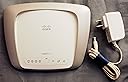
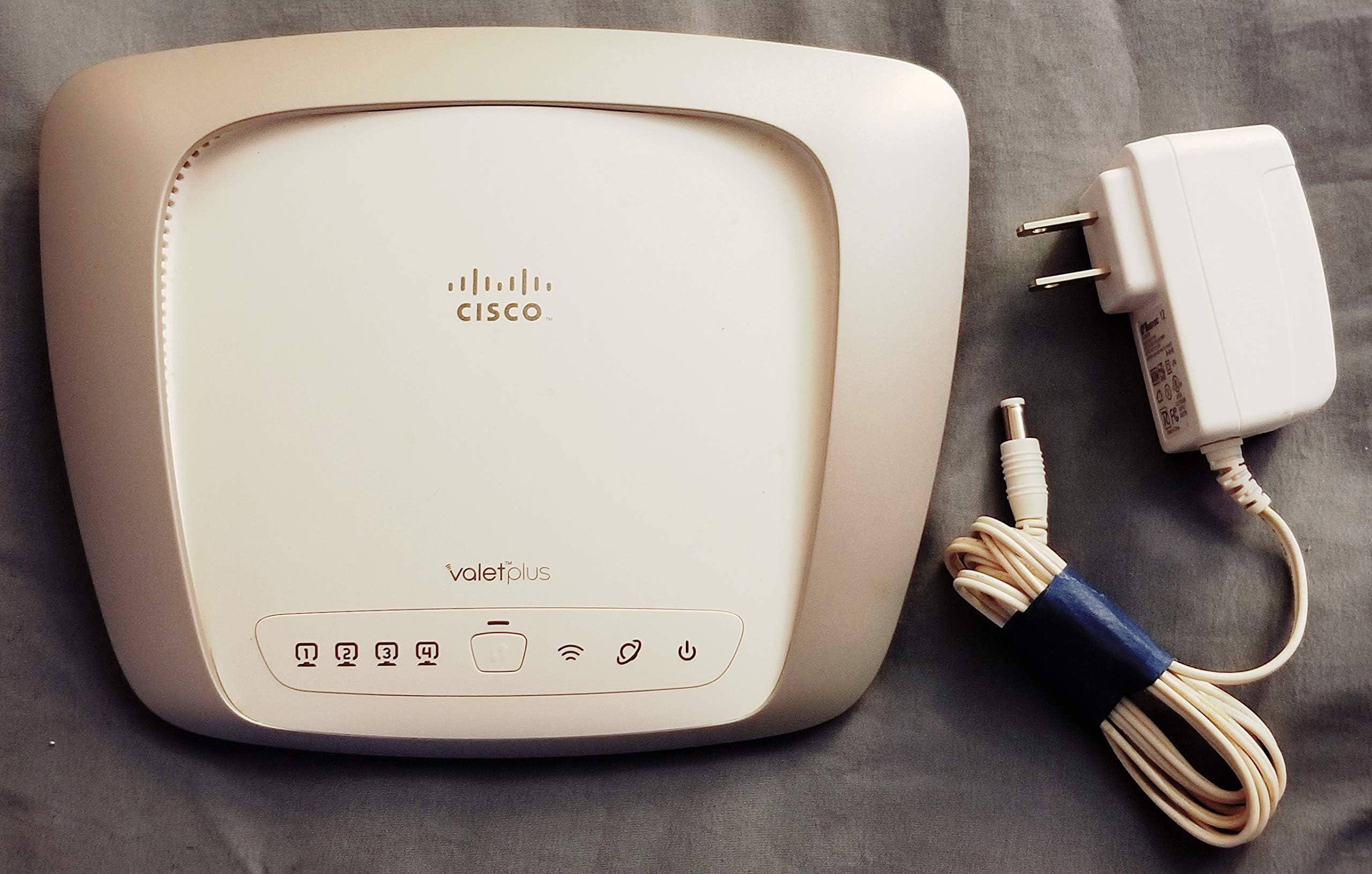
The Cisco-Valet Plus Wireless Router is a high-performance networking solution designed for both home and office use, featuring advanced security protocols, multi-platform compatibility, and lightning-fast gigabit connectivity.
| ASIN | B003B4AVSS |
| Antenna Location | Security |
| Brand | Linksys |
| Compatible Devices | Gaming Console, Laptop, Personal Computer, Smartphone |
| Connectivity Technology | wan |
| Control Method | App |
| Controller Type | Switch |
| Customer Reviews | 3.9 3.9 out of 5 stars (571) |
| Data Transfer Rate | 300 Megabits Per Second |
| Frequency | 2.4 GHz |
| Frequency Band Class | Dual-Band |
| Is Modem Compatible | No |
| Item Weight | 0.68 Pounds |
| LAN Port Bandwidth | 10/100/1000 megabits per second |
| Manufacturer | Cisco |
| Maximum Upstream Data Transfer Rate | 300 Megabits Per Second |
| Mfr Part Number | M20 |
| Model Name | M20 |
| Model Number | M20 |
| Number of Ports | 4 |
| Operating System | Mac,Windows |
| Other Special Features of the Product | WPS |
| Security Protocol | WEP, WPA2-PSK |
| UPC | 074588358938 045883589389 719926001328 745883589388 |
| Voltage | 12 Volts |
| Wireless Compability | 802.11bgn |
T**W
Wow - Buy this even if you do know what you are doing. Great router.
I bought this for my parents because of the easy set-up. Basically, you plug it in and there is software on an included thumb drive that guides you through the set up process. Given what a pain in the you-know-what setting up a wifi network can be, this simplified process is like a breath of fresh air, even to people who do know what they are doing. After you set it up with one computer, you carry the little thumb drive from computer to computer to add that computer to your network. The thumb drive has all the software and after the first install, it also gets all of the network IDs and so forth. You still have to add phones and tablets and stuff manually, but you can get every computer onto the same network in almost no time, and the software has a screen with all the info you need to add additional devices in one place, so they really do a good job of making it as easy as it can be. What surprised me is that the benefits extend beyond just the set up. This is a really excellent router. The range on this thing is outstanding. My parents home is one of those rambling New England farm houses that spreads out everywhere. I was sure I would need to get repeaters and such to cover the whole house, but I had a good signal throughout the house with just this thing. I was shocked how far the signal traveled effectively without a significant speed degradation. Obviously, your mileage may vary, but I think this is about as good as you are going to get, at least from this version of the technology. You can set up a private network where everybody shares files - and then a separate, public network to let guests have access to the internet without any corresponding access to your computers and files. Very nice to do this at the level of the router rather than worrying about all the weird sharing settings on every computer in the network. Very clever. The beautiful thing about this is that it is now not the latest and greatest generation of wifi, so it comes quite cheap. But for almost everyone out there, there is no real benefit to the later versions of wifi. Your connection to the internet runs more slowly than this thing does for most people. So unless you are constantly transferring huge files between computers on your network wirelessly, or you are a hardcore gamer who is paying big bucks for a super-fast connection, there is really no reason to pay more to get more speed that you can't take advantage of anyway. I would recommend this router to any mainstream user who needs one, not just people who are scared to set up a wifi network themselves.
R**B
If It Works, Don't Fix it!
Installing this wireless router to two computers (1 Mac, 1 PC), a Samsung BD-C6500 1080p Blu-ray Disc Player and a wireless printer worked fine with the default settings that came with the little CISCO USB installer that is included with the Valet plus. Download speeds are every bit as fast as my broadband connection, which exceeds 10MBS ++. Having read numerous reviews about tweaking this and that on various kinds of routers, I just took a gamble that this thing would not be too much trouble to set up. And I was lucky for a change. It was a complete no-brainer. Which is good, because sometimes I seem to have no brain. The only thing that took a tad of synaptic activity was to change one setting on the Dell Wireless Manager on the XP computer I first installed the Cisco Connect device to. I had to uncheck the box saying "allow this program to manage wireless settings" in that Dell interface, which works on top of the Windows XP internet connect program. I did not disable any of the wireless software on the computer, just unchecked that box. Otherwise complete simplicity. We are watching streaming HD Internet video as i write this review. It streams 1080p with Dolby 7.1 very well. It gave my network a dumb name. So what! For the first time, all of my computers are networked, file share behind the CISCO firewall, and talk to the same printer. Default settings, Hoo Rah! Don't mess with the port, DNS, IP or ANYTHING. If it works, don't fix it. Thank You CISCO. This works effortlessly. Easy to set up and hecka fast data transfer. What else would I need for home & home/business use? OK, some of you security experts will probably tell me the defaults leave my network open to hacking. That my be true, and I may change my tune. But getting it up and running with default settings was easy, and I am happy with it for now. I am also impressed with the wireless "80211N" capability. I don't really need it. But, as long as this keeps working, I will be ready if i ever need anything with that kind of throughput. If you post a question, I will be glad to give it my best answer. I jotted down a few notes I as went through the setup. I do not think you will have any trouble with this router unless you are the kind of geek who likes to customize everything. Then, you are on your own. If you are into gaming with HD graphics, I can not say if this will work equally well with that. My guess is that it will.
Trustpilot
2 months ago
1 week ago