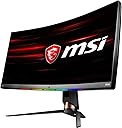
🔥 Dominate your game with MSI’s ultra-wide speed and clarity!
The MSI OPTIX MPG341CQR is a 34-inch curved gaming monitor featuring a 3440x1440 UWQHD resolution, 144Hz refresh rate, and 1ms response time. Designed for competitive gamers and multitaskers, it offers immersive 1800R curvature, HDR 400 visuals, and RGB GameSense lighting for real-time alerts. With USB 2.0 and 3.0 ports, low input lag, and easy window management, it’s a premium choice for professionals seeking both performance and style.


| ASIN | B07V4H1FLF |
| Adaptive Sync | FreeSync |
| Additional Features | Height Adjustment |
| Aspect Ratio | 21:9 |
| Best Sellers Rank | #286,813 in Electronics ( See Top 100 in Electronics ) #5,886 in Computer Monitors |
| Brand | msi |
| Brightness | 400 lux |
| Built-In Media | HDMI 2.0b x 2 DisplayPort 1.4 x 1 3x USB 3.2 Gen1 Type A 1x USB 3.2 Gen1 Type B (PC to Monitor) 1x Earphone out 1x Mic in 1x Combo Jack (PC to Monitor) |
| Color | Black |
| Color Gamut | 1.00 |
| Compatible Devices | Gaming Consoles, Speakers, Laptops, Desktops, Smartphones, Tablets |
| Connectivity Technology | HDMI 2.0b USB 3.2 Gen1 Type A |
| Contrast Ratio | 3000:1 |
| Customer Reviews | 4.5 out of 5 stars 838 Reviews |
| Display Resolution Maximum | 3440 x 1440 |
| Display Technology | LED |
| Display Type | LED |
| Global Trade Identification Number | 00824142179468 |
| Hardware Connectivity | HDMI |
| Has Color Screen | Yes |
| Image Contrast Ratio | 3000:1 |
| Is Electric | No |
| Item Dimensions D x W x H | 18"D x 32"W x 10.25"H |
| Item Type Name | MSI Non-Glare Ultra Wide 21: 9 Aspect Ratio 3440 X 1440 (Uwqhd) 144Hz Refresh Rate 1ms HDR 400 3K Resolution 34" Freesync Curved Gaming Monitor (OPTIX MPG341CQR) |
| Item Weight | 29.76 Pounds |
| Manufacturer | MSI |
| Model Name | OPTIXMPG341CQR |
| Model Number | OPTIX MPG341CQR |
| Mounting Type | Wall Mount |
| Native Resolution | 3440x1440 |
| Number of Component Outputs | 3 |
| Picture Quality Enhancement Technology | HDR 400, True Color |
| Pixel Pitch | 0.11 |
| Refresh Rate | 144 Hz |
| Resolution | QHD Ultra Wide 1440p |
| Response Time | 1 Milliseconds |
| Screen Finish | Glossy |
| Screen Size | 34 Inches |
| Screen Surface Description | Glossy |
| Shape | Rectangular |
| Specific Uses For Product | Business, Gaming, Personal |
| Total Number of HDMI Ports | 1 |
| Total USB 2.0 Ports | 1 |
| Total USB 3.0 Ports | 1 |
| Total Usb Ports | 3 |
| UPC | 824142179468 |
| Viewing Angle | 178 Degrees |
| Warranty Description | 3 Years |
| Warranty Type | 3 Years Manufacturer Warranty |
A**.
Great monitor for Xbox Series X/S
I'm coming from the MSI Optix G271 (FHD, 144hz, 1ms response time, IPS panel), and this is a major upgrade. The colors are vibrant, the high refresh rate is extremely smooth, and 1440p really is the sweet spot at 27 inches. Some users complain about colors being oversaturated before calibration, but they look just fine to me with no calibration. It looks great out of the box and the several built in game mode settings offer plenty of variation for me. I use the "user" setting when I plug in my laptop and use it as an external display for school/work and I use the "racing" setting for gaming because I think the color balance looks the best. I turned down the brightness in both settings by about half or more because I think the monitor is pretty bright as it is. I play mostly COD MW and Rocket League on Xbox Series S. Both look amazing on this monitor in terms of colors and smoothness of gameplay. Xbox Series S can handle 1440p, 120hz, HDR, and VRR at the same with this monitor, but I believe you do need an HDMI 2.1 cable. The monitor has 2.0 inputs, but the Xbox has a 2.1 output. This monitor can read the Xbox output as a 4K signal, then downscale it to 1440p, allowing you play at 120hz with HDR on as well. Downscaled 1080p at 120hz with HDR on also looks great. The build quality is above average, but nothing special. The base and supporting arm are very sturdy and all the adjustments to raise/lower, tilt, or swivel the monitor feel sturdy and supportive as well. The base takes up minimal space on the desk and the vertical support has a cutout near the base for better cable management. In researching this monitor, I read a lot of user complaints about IPS glow, backlight bleed, dead pixels, etc. You may have to play a little monitor lottery in some cases it seems. However, at least in my case maybe I got lucky, this one came with basically no IPS glow that I can tell, backlight bleed is hardly noticeable or there at all, and no dead pixels to the best of my eyes. As far as I can tell, no issues whatsoever with this monitor. Do keep in mind, if you're coming to an IPS monitor from a different panel type, you will likely need to give it some time for your eyes to adjust. My last monitor was my first IPS monitor, and my eyes hurt a little at first use and it gave me mild headaches for a few days, but that all went away as I got used to the monitor and tweaked the image and brightness settings for my preferences. If you're looking at monitors with similar specs in the same price range, I highly recommend this monitor. I will update this review if anything changes.
A**T
Worthwhile gaming upgrade
I'm coming from a Mag240vc (1080p, 24", 144hz). I'm currently using this monitor for two days of this review, and so far it's great! I used an ultrawide 1080p monitor earlier this year, and moving up to 1440p is more crisp to look at and easier to multitask. I could fit 4 tabs on each corner and have no problem using each one. The 144hz refresh rate makes anything look smoother compared to the usual 100hz found on most monitors of this resolution. It comes with a price premium due to this resolution and refresh rate combo being relatively new, so if you're contempt with one at 100hz, I'd hold on to that. Comparing this to the 34gk950f, you get a VA panel instead of IPS. Mine has minor BLB on the edges, due to the unbalanced light uniformity (Kitguru has a good picture on their review), but is unnoticeable unless you really look at it. Mine came with one dead pixel as of this review. Smearing is present, though not awfully bad to warp colors around it, but you can see small trails if you focus on it. When I was playing LoTRO, dark horseback showed some smearing, especially when moving opposite directions at fast speeds, but not bad enough to lose my focus on the rest of the environment. I tested the fast and faster response time in the OSD, and didn't find any differences in-game and web browsing. On the monitor itself, you get rgb lighting on the bottom bezel and behind the monitor. I turned mine off to save power, since I have no use of it currently. You can turn it off in the OSD used by the joystick behind the monitor, but initially it'll display a moving rainbow. You can use SteelSeries Gamesense to use the lights as indicators for something in-game like current ammo. The backside has a gamer design to it with their golden logo. The top has vents that releases the heat nicely. Compared to the Mag240vc, the power supply is internal instead of on the power cable, which is a plus for cable management and space saving. The monitor has its own power button on the bottom right, rather than integrated with the joystick, so it's easier to use. You get a camera mount (not tested yet), and a mouse bungee that prevents the wire from taking up your mouse's space, but it falls off easily so tape on the side will always keep it in place. I haven't found use of the camera since I only use this monitor, and unfortunately doesn't work with windows hello. The stand is metal and very sturdy with no flex if I press on it. Note: this monitor turns 60 degrees and tilts 20 degrees in total. Overall, this is a solid monitor that brings 144hz headroom for this resolution at a msrp 2/3 of LG's similar offering (though LG's price has hit the same as MSI's). If you're upgrading from 1080p and want to experience ultrawide yourself right now, this is something to look into. If you can wait, see what price this drops to in the upcoming months. More monitors of this caliber will be designed in the next few years and competing with better hardware and lower prices. As graphic cards are improving (if you'll be mainly gaming), it'll be some time to get a full 144hz experience from newer games at high or higher settings. I'll update this review if I find anything else. 9/10/19 edit: Actual length of the monitor is 32 inches horizontal and 15 5/6 inches vertical. I've attached some shots of the front, back, and ports, along with the dead pixel. I turned the lights off via the OSD.
G**3
Monitor for 2021 and beyond? YES
I received this monitor few weeks ago so waited a bit to do this review. It's an ultrawide 34 inch panel with 1440p resolution and up to 144hz frame rate(maybe 165hz if overclocked, I haven't done it) and a VA one at that. This is an upgrade from my previous IPS 34in ultrawide LG (1080p at 75hz). The differences are there which I will list in my pros and cons to sum it up. Would I recommend this monitor? Yes depending on your use. Pros - For Pc gaming and use, it is more than worth it. The 1440p resolution and 144hz are best for gaming if you have the setup for it. It can also do 2160p at 60hz for games and video content which is a plus if you care for 4k content otherwise 1440p(2K) is the sweetspot. So media it is excellent. The contrast is amazing as from a VA panel as well the color. The On screen display settings are good especially the ones you can access through the pc which can control the rgb lighting. Movies and TV viewing are excellent to watch and the curve is subtle so it can be viewed further from the recommended moving distance and still looks good. Cons - not for console gaming unless your console has the specs for it otherwise it will be stuck at 1080p at 60hz which while not terrible looking, my old monitor was better at. But Xbox one x is capable and the Series X is likely as well (60, 120, and 144hz for 1080p and 1440p | 60hz for 2160p) the original ps4 is not. I do not have a ps4 pro or a ps5 to try so whether they are capable I don't know. Also the so called motion blur or ghosting that is common with these panels is not noticeable unless on fast paced games with low framerates. The colors while not as good as ips is still good. I'd tweak the settings a bit for brightness as default was too high and bright for my liking and the reader mode also needs some tweaking.
R**H
Quick Review Regarding HDR/Adaptive Sync
Edit: 10-17-19 So after extensive testing I decided to return this monitor. I just couldn't handle the "black smearing" as I see it being called. I do not know if it is technically black smear or not, but I notice severe issues in darker scenes or darker areas of the screen in gaming, hdr or otherwise. I would notice these dull darker areas devoid of detail. Sometimes, incredibly, I would be able to make out some detail if I moved my head to various positions left or right of center. But it was never great. It became more and more noticeable once I picked up on it. I instead picked up a LG 34GK950F and once I saw the difference, I can never go back to this monitor. Sorry MSI, the monitor is really good, it is just that there is a similarly priced competitor that is closer to fantastic. ----Prior review--- So I just got my monitor yesterday and was impressed by the build quality and included extras. I am only writing a short review regarding one specific feature that I have seen asked about and also mentioned in another review, then will update later as I have time with it. HDR and Adaptive Sync - I have seen questions on the internet asking if g-sync compatibility adaptive sync mode and HDR can be run at the same time like the LG model. I was searching for the same question, and when many reviews from reputable sites mention that this monitor's adaptive sync is Freesync 2, I was confident in that Freesync guarantees the two can work together. However right after I placed my order, since units were limited, I saw a review from another person here on Amazon that says adaptive sync will cancel out HDR, so you cant use both. I only really care about HDR for the color profile, I know the issues with brightness and local dimming that this set can't push. Anyway, i commented on the other review to ask if that person actually tried both, but did not see a reply. I can say that in my testing, however, the two work fine together. Since Win 10 HDR is so bad it was hard to really test it there, but I did test it with Destiny 2. While it is hard sometimes to know exactly how the g-sync compatibility works under the hood, I enabled HDR and played with many different frame rates and noticed tear-free visuals from 48-144hz. I enabled the MSI on-screen FPS/Hi display and the D2 FPS counter, enabling a 142 FPS limit in the game. What i observed was that in the 48-144(142) range the monitors hz display exactly matched the output of D2s FPS counter. Then i went to ultra quality and increased the resolution quality slider in order to get a low-end FPS. I noticed that every time the FPS dipped below 48 then the monitor hertz display would spike high back towards 100-144. A sure sign that adaptive sync was disengaged due to an out of range signal. All of this was while HDR was engaged. With it off, same results. My only other observation is that while lag/input delay seemed identical with HDR on or off, there was a 5-10 FPS cost for enabling HDR when testing with settings that produced FPS in the 120-144 range. Note: Unlike HDR, enabling the anti-motion blur setting does in fact disable adaptive sync. Anyhow, that is my finding from specifically testing the HDR and adaptive sync together through a G-Sync video card.
S**.
Quality IPS Monitor for under $400
Assuming you're looking for a 1440p165hz 27in. monitor, and you already know that any IPS HDR is worse than a TV, and that you know about IPSvsVAvsTNvsOLED. Here's my thoughts on this model (non-QD) after not owning a monitor (other than a laptop): Likes: - Good size - 2 USB ports allow for easy switching from laptop to desktop (just need to reroute the one USB Type B rather than the mouse+keyboard+others - Bright enough for me - What I think is minimal backlight bleed - RGB doesn't seem to affect price (AKA no RGB tax) - Blue light filter is nice - Ergonomics are awesome if you're not buying an arm - Updatable firmware can add new features (newest one adds sRGB mode) - Freesync Cons: - Some blacklight bleed (only notice in dark room and dark screen). Some people may have returned it for this, but I only care if I notice it on a normal (non-black) screen so I'm keeping it - RGB could be brighter (I'd like it to help light the back more to help with night time viewing) - Missing KVM switch that m27q has - DisplayPort 1.2a (not 1.4 so 165hz mode limits to 8bit color depth, 10bit only gets 120hz max) - As of yet, my "Macro" key doesn't work (key on left side meant to provide a shortcut). Don't know if it's a setting thing or a hardware issue. I don't really need it, so I'm not worried, but a little disappointing that either it's broken or just hard to setup. Not worth an RMA in my opinion Overall, I've had the monitor for 2 days and I'm loving it. I came from using a living room setup on a Samsung 4k60hz TV. The TV had better HDR and of course 4k is crisper, but I really enjoy having 165hz and having smaller screen to use at a desk (especially for FPS's). I've not used the Gigabyte m27q, but this seems comparable for about $50 (USD) more. You're paying for better ergonomics, a slightly faster response time, and (from the reviews I see on both products) better quality control. I'll also say I was able to get this with one day shipping where as the m27q was going to take 8 days on Amazon.
A**R
The best gaming monitor i've ever used so far! You can even play ultrawide on consoles too!
So far on my first impressions, i'm simply just very happy and overall impressed by the monitor. Coming from a 31 inch 16:9 1440p monitor from Acer Predator, but monitor is simply just an amazing experience to play with. BUT.... it has some downfalls... The biggest downfall for me, which luckily we can fix simply in Nvidia control panel, is the colors. At first, I wasn't too happy with the stock colors the monitor had. It looked... washed out.. or "grayish" I should say. It took me a few hours to tweak several color options in the control panel, monitor settings, and games too. But in the end, I've found the sweetspot on the colors and now my games look amazing. HDR... yea.... not too happy with the current HDR it has... the setting basically BRIGHTENS up the colors which personally, it looks ugly... like.. really ugly for me. I had to change the setting in Nvidia control panel and eventually found the right colors for my monitor and games. So basically, i had to disable HDR entirely due to finding the right colors on Nvidia control panel. As for consoles which no one has mentioned, i'm legit surprised that this monitor is capable of playing PS4/Xbox games or even the Switch on 21:9 ultrawide. BUT.... there's another downfall. The monitor simply stretches the image. So in other words, the UI on both PS4/Xbox looks silly because the screen is stretched. This also happens in the games too. BUT... If the game has "field of depth" or FOV settings, you can simply set it to the lowest and the game will look like a true ultrawide game. I found this in Battlefield 1/Skyrim on Xbox and it looked AWESOME! As for Spiderman on PS4, it looked awesome, but Spiderman look a bit buffer hahaha. Some games looks great, some are meant for 16:9. The other pro is you can also play both PS4 Pro and Xbox One X on full 4K resolution but it's 16:9. And YES... you can set the screen to ulrawide and monitor will stretch it. So basically you can play your consoles games on a stretched 4K, 30 FPS. PS, HDR also looks good on the consoles too. TLDR: Awesome monitor and best one so far. Gsync works well. HDR is BAD (imo). Tons of settings to customize your monitor. Works well on consoles.
J**Y
Great premium monitor!
This monitor is like a swiss army knife. It has so many different unique features like the rgb lighting that uses gamesense to the built in webcam rail. I have enjoyed this monitor for 4+ years now as my main! Great display, great features!
M**Z
Will last for 18 months and die on you.
Bought this monitor in January of 2021 to build out my WFH setup in addition to the light gaming I do as well. Pros: -There is a built-in webcam that you can use for Zoom/Teams/etc. -I guess the RGB lights are cool. -The refresh rate is pretty good even on HDMI. -I "won" the panel lottery and didn't have any dead pixels. -USB-C was great for my Mac Mini. Cons: -The HDR setting isn't very bright at all. -The RGB lighting randomly stops working at times. -This monitor was barely compatible with my 2019 Surface Laptop 2. When I would connect my Surface to this monitor, the monitor incorrectly interprets the Surface's native resolution resulting in vertical and horizontal black bars. Fortunately, I run a dual monitor setup with a Dell monitor that requires a Mini Display Port splitter which corrected the problem. -The monitor felt very buggy at times. e.g. wouldn't turn off without being unplugged. -Questionable build quality. There was a gab between the bezel and screen on the left hand side that got progressively worse as time went on. -Worst of all: the monitor died after 18 months of use. Do you research on MSI product reviews and support. They are well-spec'd products but experience a lot of durability issues. I wanted to love this monitor but I'll be purchasing an ASUS ultrawide to replace this one after it died.
A**N
Your Second Girlfriend
This high end MSI MAG274QRF monitor rocks. 1. Pro grade IPS panel looks fantastic and has minimal motion blur while gaming (and I kept response boost to normal/off). 1440p is great for gaming and productivity (perfect for side by side work due to added screen real estate over 1080p). 2. Colours look superb. I lowered brightness significantly to improve accuracy and switched to warm tone which looks great. I did do 'level 1' for dark boost which looked the most accurate to me. Little bit dark by default. I increased sharpness to 1 from 0 which seemed most accurate to me. 3. Extemely low input lag. Very responsive (and that's with Xbox controller plugged into PC while gaming). 4. Solid stand (though not tool free, you need to put packaged screws into the back plate). 5. Easy to use and versatile menu for settings Definitely feels like I got what I paid for. A high-end WQHD IPS experience. G-sync registered automatically as compatible through displayport and turned on immediately. Perfect experience in COD WZ and Metro. DLSS quality mode at 1440p looked great on WZ and Metro Enhanced Edition. Explain to the woman in your life that this is an essential piece of technology and a great value. In fact, you may need this monitor just to give your partner a seminar on ray tracing and variable refresh rate. This classy monitor will do the lesson justice.
D**R
Un producto excelente
Al principio dudaba entre este monitor o la versión QD; Por temas de stock no pude comprar la QD y NO me arrepiento. Excelente calidad de imagen y video, colores brillantes, perfecto para jugar y el tamaño justo, ergonómico ya que se puede ajustar el monitor a distintas alturas, cuenta con un acomodo vertical y horizontal que me resulto bastante útil. Si tiene un poco de fuga de color en fondos negros cuando ves una película o video, pero no es algo grave, igual te reflejas un poco en la pantalla, pero no es problema en un cuarto oscuro.
C**R
Fantastic monitor I have been using for 3 years
This monitor is really amazing! Firstly ultrawide is AMAZING especially for sim racing which is the primary use for me. The response time is good, colours look great and has vesa support as well. All around great monitor for gaming!
R**S
Excelente Calidad y Diseño
Su diseño y calidad son muy buena, no he tenido problemas al momento, facil de configurar y una gama muy buena de opciones tanto desde el panel de control del propio monitor como desde la aplicación de MSI. El unico contra que le veo, es que la camara no es compatible con el Desbloqueo de Windows 11, que a mi en lo particular no me afecta tanto. El Panel es VA, sin embargo, es buenisimo, lo compare con un IPS y es muy poca (casi nula) la diferencia de colores una vez bien configurado. Lo tengo con una tarjeta NVIDIA y funciona perfecto el Free Sync. El RGB es configurable bajando una App del MSI.
D**D
Excelente monitor, solo quisiera que la aplicación MSI Gaming OSD estuviera disponible para Mac
Excelente monitor, solo quisiera que la aplicación MSI Gaming OSD estuviera disponible para Mac para no tener que usar el joystick en la parte trasera.
Trustpilot
1 month ago
3 weeks ago