🌈 Elevate Your Game with Style!
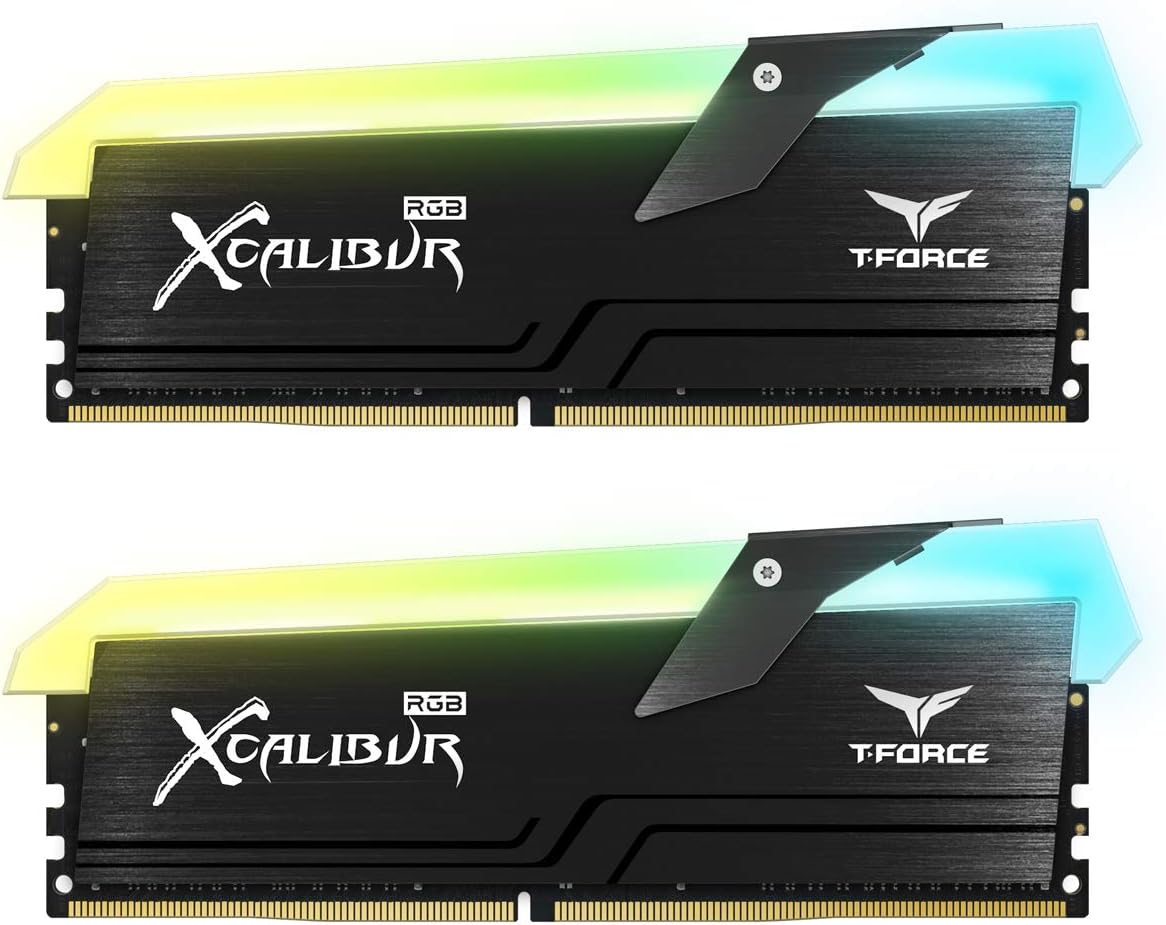
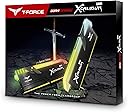
The TEAMGROUP T-Force Xcalibur RGB 16GB Kit (2x8GB) DDR4 DRAM offers a high-performance solution for gamers and professionals alike, featuring a blazing speed of 4000MHz and a vibrant RGB lighting system. With a total capacity of 32GB, this memory module ensures smooth multitasking and exceptional gaming experiences, all backed by TEAMGROUP's commitment to quality.



| ASIN | B07H2CG85V |
| Additional Features | Led Lights, Lightweight |
| Brand | TEAMGROUP |
| Column Address Strobe Latency | 18 |
| Compatible Devices | compatible with both Intel and AMD based systems |
| Customer Reviews | 4.6 4.6 out of 5 stars (49) |
| Data Transfer Rate | 4000 MHz |
| Form Factor | DIMM |
| Global Trade Identification Number | 00765441641631 |
| Item Type Name | Newcomer in the range, Team Group T-Force Xcalibur RGB, DDR4-4000, CL18 - 16 GB Dual-Ki will satisfy a lot. Mainly aimed at demanding players, this material will meet your expectations. |
| Manufacturer | Team Group |
| Memory Speed | 4000 MHz |
| Number of Pins | 288 |
| RAM Memory Technology | DDR4 |
| RAM Size | 32 GB |
| UPC | 765441641631 |
| Voltage | 1.35 Volts |
B**L
Best affordable Samsung B-die rgb memory kit
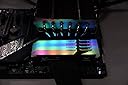
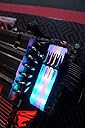
Pros: No hassle XMP profile at ddr4-4000 cl 18. Far more stable than a patriot Viper B-die kit that I returned (ddr4-4133 cl19 at same price, no rgb) RGB has 5 addressable zones on each dimm that are compatible with Asus aura sync. The RGB looks great, and the gunmetal accent perfectly matches the Z390 maximus lineup by Asus. Hands down the best price to performance Samsung B-die memory kit with rgb on the market. Cons: Availability can be a little tricky with these, sometimes they're hard to find for a good price. I lucked out and got my 16gb kit for $99 on black friday. None otherwise so far. Overall the best memory I've ever personally used. Will definitely be buying memory from team group again in the future.
B**.
Works Just Fine!
I now get 30 FPS more in my game of choice thanks to going from 16gb of 3200mhz to 4000 mhz while in combat (I play OverWatch which uses a lot of RAM in combat.) I have seen some reviews of people complaining about it not working, but that is most likely because they don't have a motherboard that supports this RAM speed. Make sure your motherboard is capable of supporting 4000mhz memory before purchasing because otherwise you will have to "under clock" it to whatever you motherboard can actually handle. Personally, I use the ROG STRIX B450-F GAMING motherboard and it supports up to 4400mhz O.C (meaning you must set it to that value in the BIOS settings in order to get it to work properly.
A**R
Worth the price
If you want cheap DDR4 with 4000mhz this is the way to go. When I first put them in they would only read 2600mhz but after I played for a little opened the bios back up it was at 4000mhz, so maybe it has to think a little first. The appearance in my PC brings it together with the rgb, super bright and colorful. Although they do stick out more than I want having a dual water cooler mounted on top might not fit. Hope this helps someone.
L**E
XMP works well with MSI B450 Mortar MAX!
There is no 'Mortar Max' at QVL list for 4000Mhz XMP. So I worried before order. But it works well. And I recommend you using 3733Mhz or 3800Mhz with ryzen process for 1:1 Infinity Farbric.
C**S
Don’t hesitate!
This ram works and looks amazing. XMP profile recognized and applied the 4000 MHz recommended settings. What a value this ram is.
T**.
Superb memory
Unfortunately not compatible with my pc but still a super good ram!
D**N
NIce memory!
Really nice looking memory, great speed, installed flawlessly on my ASUS ROG Strix Z390 e MOBO.
J**A
Stay away. Rgb is cool but thats all thats left working.
Ram Failed after weeks of owning but only days after using. Ram clock states 4000mhz. Came out of the box set at 2400mhz. Clocked the ram to 3800mhz along with ryzen 7 5800x & the rest is history. Computer won't boot to windows or bios after just a few days.
F**O
Sono bellissime e molto performanti ma occhio alla disponibilità di spazio nel case. Soni molto grandi. Montate in un case cooler master 530 non ho potuto mettere un dissipatore a liquido da 240 con radiatore.
Trustpilot
1 day ago
5 days ago