Buy anything from 5,000+ international stores. One checkout price. No surprise fees. Join 2M+ shoppers on Desertcart.
Desertcart purchases this item on your behalf and handles shipping, customs, and support to Colombia.
๐ฅ Own Your Stream, Command Your Audience
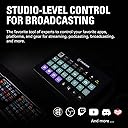
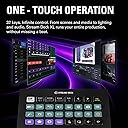
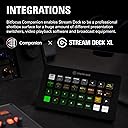
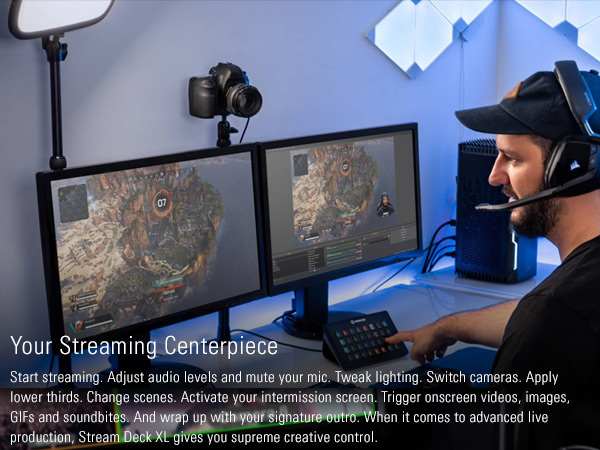
The Elgato Stream Deck XL is a professional-grade live production controller featuring 32 customizable LCD keys, USB 3.0 connectivity, and extensive software integrations. Compatible with both Mac and PC, it empowers content creators to streamline workflows, trigger complex actions instantly, and visually confirm commands, making it the ultimate tool for next-level streaming and content production.


| ASIN | B07RL8H55Z |
| Additional Features | 32 customizable LCD keys |
| Best Sellers Rank | #757 in Video Games ( See Top 100 in Video Games ) #77 in PC Gaming Keyboards |
| Brand | Elgato |
| Brand Name | Elgato |
| Color | 32 Keys |
| Compatible Devices | Windows 10, macOS 10.13 |
| Connectivity Technology | USB |
| Connector Type | USB |
| Control Method | Touch |
| Control Type | Keyboard Controller |
| Customer Reviews | 4.8 out of 5 stars 8,407 Reviews |
| EU Spare Part Availability Duration | 2 Years |
| Global Trade Identification Number | 00840006610373 |
| Hardware Interface | USB |
| Hardware Platform | pc |
| Human Interface Input | Buttons |
| Included Components | Stream Deck XL, USB-C to USB-C Cable, Magnetic Stand, Quick Start Guide |
| Instrument | Multiple instruments or MIDI-compatible software |
| Item Type Name | Stream Deck |
| Item Weight | 410 Grams |
| Keyboard Description | USB |
| Manufacturer | Elgato |
| Manufacturer Part Number | 10GAT9901 |
| Material Type | Plastic |
| Model Name | Elgato Stream Deck XL-Advanced Stream Control, 32 customizable LCD keys |
| Model Number | 10GAT9901 |
| Model Year | 2019 |
| Number of Keys | 32 |
| Platform | Windows |
| Product Style | 32 Keys |
| Size | 32 Keys |
| Special Feature | 32 customizable LCD keys |
| UPC | 840006610373 |
| Unit Count | 1.0 Count |
| Warranty Description | 2 year manufacturer. |
E**Y
Very comfortable and easy to use.
Perfect for streaming. Easy to set up, highly customizable, and boosts workflow instantly. Excellent quality and performance.
S**W
Most Useful PC Peripheral Ever?
If you haven't already decided to purchase a Stream Deck you're probably balking at the price and/or saying "I can do that with a programmable keyboard and some stickers!" And you'd be right... if you weren't also completely wrong. Each key is a mini screen that can display just about whatever you want and even change conditionally based on what you have active or pressed last. You can rearrange and re-label those keys and their graphics at will by just dragging them around in the software. Try that with stickers and a key pad! If you want macros the software again makes it much easier than most other devices or scripts do, and you don't have to assign and remember a keyboard combo to activate it or worry about key conflicts - it's all contained to that one Stream Deck key. While it can do nearly anything you can dream up, the Stream Deck's focus is, of course, streaming. Where it's just plain nifty in general usage it becomes absolutely indispensable if you're a streamer. It supports all major streaming software either right out of the box (OBS, Xsplit, etc) or with easily downloaded add-ons (GeForce Experience controls). Just drag and drop the actions to a button and configure what source, scene, etc it points to. Naturally it integrates with other Elgato products seamlessly. I have one page of my XL dedicated to volume control of my Wave Link sources as well as toggles to change speaker/headphone outputs. If you have Elgato's keylights it can control those, too. You can even control your Stream Deck with another Stream Deck! (Insert meme here...) The software is continuously being developed and updated - with the most recent update adding a plethora of sound effects and royalty free music to download and use at will. The open SDK allows third parties to make add-ons, too. I have added controls for Nvidia and TeamSpeak 3 to mine and they work seamlessly, once again eliminating the need to assign and remember keyboard macros. For gaming, there's still plenty of uses. While you wouldn't use it for critical functions like motion or firing, you can still get plenty of uses out of it for things like menu shortcuts, dropping position markers, chat macros, etc. I use my mini to access my most used commands while racing so I don't have to hunt and peck at my keyboard at 200 mph, for example. The main con is the price. The standard and the XL will make you pause at first, but I've found them to be worth every penny and I'm continuously evolving the way I use them. The mini... is overpriced. Not gonna lie. I got mine on sale at about half price, and I only really recommend it at around that price. The standard and XL pretty much never go on sale, so don't hold your breath on those two of that's what you're after. The other cons, minor ones at that, are the lack of removable USB cable for the standard and mini, and the flimsy stand that I constantly flatten accidentally when I move the standard 15 key Stream Deck around. So to make a long story longer - if you are a streamer, content creator, or use a lot of macros in your workflow then you will not regret getting a Stream Deck. If you're looking at it for game purposes, make sure it's not for fast-paced stuff like movement in an FPS. For flight and racing sims it's pretty much the perfect "button box" replacement.
C**S
Amazingly useful - you don't know what you're missing until you use it
I have not been paid for this review, nobody solicited me to write it, I have no relationship with the manufacturer, and I purchased this at full price after reading about it online. This is one of those products you have never heard of, but when you use it, you immediately wished you'd found it a long time ago. As someone who has multiple monitors in front of my eyeballs all day long, I have dozens of windows/apps open across multiple screens and virtual desktops. I have many productivity and utility apps to help me manage all this information that's always screaming for my attention. The Stream Deck gives me a whole new way to interact with my data. In addition to the myriad of keyboard shortcuts, app launchers, menu bar customizers, trackpad gestures and more that I use all day, this thing lets me access some of my most important workflows (and create new ones) by simply pressing a single key. This isn't just a glorified app launcher (although it's a really good at that too). You can chain together a limitless set of actions across your entire system. The dynamic keys mean I can also re-arrange them, create folders for less used actions, and much more. There are also a few 'plugins' that run right on the keys themselves. A have a digital clock and my current WAN IP address always ticking away right in front of me, at a glance. I've only had this for a day, and already I'm starting to experiment with how best it can work for me. Right now I'm finding the volume controls most immediately useful. I can swap between headset, system audio, mute audio, mute microphone, and more all with a simple press of a button. This is way faster than even some of the best third-party audio management apps I use. Example: on video callsโฆ mute! While I can certainly use the app's mute/unmute feature, I always find that I am switching between apps and windows during calls, and the audio controls are not always immediately available. The built-in keyboard audio-controls for Mac/Windows systems are not always reliable. But now I know exactly how to mute/unmute myself regardless of which virtual desktop, full-screen app, screenshare, etc. that I am using. I can quickly put my headset on and press a button to make it active right away. No more having to hope that the OS does the right thing with my audio, while I have a room full of people watching me explain something for 20 seconds before someone is able to remind me โyouโre on muteโ โฆ NICE! There are some more cool features, like profiles that are activated when a certain app is being used. That means I can dig down into specific applications and create super-efficient workflows on a per-app basis. I'm hardly an expert with this after just a day, but I see a ton of potential here. It's a bit expensive, but it's also a niche product that will easily justify its cost for certain people... me included.
M**S
The perfect streaming tool!
The Elgato Stream Deck XL is a game-changer for content creators, streamers, and anyone looking to streamline their workflow on both Mac and PC platforms. With 32 customizable macro keys and the ability to trigger actions in a wide range of applications, this advanced studio controller has become an integral part of my content creation setup. Here's why I'm so impressed with the Elgato Stream Deck XL: 1. Unparalleled Customization: The 32 macro keys on the Stream Deck XL are fully customizable, allowing me to create and assign a wide range of actions and shortcuts. Whether I'm streaming on Twitch, recording a YouTube video, or working on a creative project, I can tailor the keys to my specific needs. 2. Streamlined Workflow: This controller significantly streamlines my workflow. With a single press of a button, I can launch applications, switch scenes in OBS, control audio levels, trigger transitions, and much more. It's like having a personal production assistant at my fingertips. 3. Wide Application Compatibility: The Stream Deck XL is compatible with a plethora of applications and software, including OBS Studio, Twitch, YouTube, Photoshop, Premiere Pro, and many others. It adapts seamlessly to various creative and streaming tasks. 4. Easy-to-Use Software: Elgato's companion software, the Stream Deck app, is user-friendly and intuitive. Creating and organizing macros is a breeze, thanks to the drag-and-drop interface. The software also provides regular updates and improvements. 5. Dynamic and Versatile: In addition to static icons, the Stream Deck XL supports dynamic actions. You can display real-time information, such as current viewer counts, system performance metrics, or chat messages, directly on the keys. It's an invaluable tool for staying connected and informed while streaming. 6. Premium Build Quality: The Stream Deck XL boasts a premium build quality. The keys are responsive and have a satisfying tactile feel, ensuring that every press is precise and reliable. The device feels solid and durable, designed to withstand heavy usage. 7. Comprehensive Integration: I appreciate how well the Stream Deck XL integrates with popular streaming platforms like Twitch and YouTube. It simplifies tasks like going live, managing chat, and engaging with viewers, making the streaming experience more enjoyable. 8. Endless Creativity: The only limit to what you can do with the Stream Deck XL is your imagination. Whether you're creating complex macros or simple shortcuts, it's a versatile tool that adapts to your creative needs. 9. Great for Multi-Tasking: If you juggle multiple applications and tasks during your streams or content creation sessions, the Stream Deck XL becomes your command center. It reduces the need to alt-tab or navigate through menus, saving time and effort. 10. Enhances Professionalism: The Stream Deck XL enhances the professionalism of your streams and content. It allows you to execute actions seamlessly, creating a polished and engaging viewer experience. In conclusion, the Elgato Stream Deck XL is a powerhouse for content creators and streamers, delivering an unmatched level of customization and efficiency. Its intuitive interface, wide software compatibility, dynamic capabilities, and premium build quality make it a standout studio controller. Whether you're a seasoned streamer or just starting your content creation journey, the Stream Deck XL is a valuable investment that elevates your productivity and creativity to new heights. It's become an integral part of my setup, and I can't imagine my workflow without it.
E**O
Accompanying software makes the deal worthwhile!
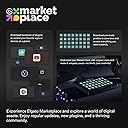
This turned out to be MUCH more useful than I expected. Initially it seemed a bit pricey, but the software is extremely slick and makes the keypad worth the extra $$$! I was able to start making my own button shortcuts (and icons) in just a few minutes. It's also very easy to modify or add functions, mostly just drag and drop. Also I like the fact that you can set up the Stream Deck without signing up for yet another account requiring an email address. There is a "marketplace" but it's optional and not required to use and customize the product.
K**S
Quality Piece of Equipment
I myself am a cinematographer and editor (Blah blah blah cameras and movies and stuff) and I purchased this Stream Deck (XL) to improve my productivity while I do my editing. This beats any Macro keyboard or custom keybind kind of thing you could get out there. You can label the LCD buttons with text in the program, as well as put a background image (You can upload your own, or there is an open plugin hub where you can get other people's custom stuff) to each key. The keyboard usually links to most of my software and I can use the macro buttons, but if it doesn't, I can set it to press a custom keybind (it also has Function keys as an option all the way from F1 - F24) to do specific tasks like saving a file. PLUGINS Plugins are usually tailored to specific programs. I have a plugin for DaVinci Resolve Studio, VoiceMod, StreamLabs OBS, and a couple of the other things I like to tinker with. The keyboard can have more than one saved layout. I have twenty something versions of the board (Some for sound effects for discord, some for editing and working). There are different plugins for different things. Some plugins are just so you can have more pictures to use on your keys, some plugins are made to work with commonly used software like VoiceMod. So far, There is NOT a plugin made yet to work with Discord, but like I said before, you can always set custom keybinds to toggle mute, push to talk, deafen, and even share screen. FUNCTION The Stream Deck functions in a similar fashion to your PC. If your PC is off, so is your Deck. If your PC is on sleep, so is your Deck. It applies for pretty much anything. LCD keys are bright and combat my extremely heavy studio lighting. I have no trouble seeing each button clearly. HARDWARE This is sturdy in build (It looks cheap in the picture but it is quite heavy and rugged) and works nicely on the desk. The USB to USB-C cord is a thick braided cable, and will last a very long time if handled appropriately. The back end of the stand is detachable so you can lay the Stream Deck flat. There is traction pads both on the back of the tablet and on the bottom of the stand to stick on your desk nicely. You WILL have to rout the wire through the stand which is a hassle for me personally because of my horrendous lack of cable management, but ultimately It's worth the money. SOFTWARE The software is easy to install but can be hard to navigate to new users. YouTube is a reliable resource for tutorials if you've never used a Stream Deck, and If I'm right, I think El Gato has their own set of tutorials, but I may be wrong so take that with a grain of salt. It is easy to learn, and fun to mess with. CONCLUSION Great product. Design is outstanding, and it's mostly user friendly. I would recommend using this only for a PC or a Mac, as I don't think this would be beneficial on other devices. My user experience has been great, and I would recommend this to any editor, gamer, or PC enthusiast as an investment in your capabilities while you work / play.
V**S
Good for streaming
Really good, it exceeded all my expectations
A**W
Useful for Marcos and other functions
I bought this specifically for Helldivers 2. That being said, I have found it very useful in creating app shortcuts to launch from other programs, or a macro for multiple functions. I don't really stream so I do not set it up for that reason. I do find that it doesn't always register an application, and therefore doesn't bring up specific profiles tied to applications. I also find it a bit pricey for what has amounted to "just" a macro pad for me, but I don't stream and it is still probably the best around software/function wise.
A**J
Excellent
This thing isn't cheap - at all - but is super versatile and useful if you're willing to shell out. I am not a streamer. I bought it for gaming, and to generally set up shortcuts for everything I regularly use on my PC. If you're willing to put in the time and have some patience, this thing will reward. I have 4 profiles set up, multiple folders, and everything is available at a touch of a button. Works flawlessly, and very pretty to compliment - especially once you get some wallpapers up and running. In the games I use it with (Flight Simulator, Elite Dangerous), this has become a key piece of kit, eliminating the need to use the keyboard or remember elaborate joystick buttons. Highly recommend.
P**.
Just works
The ease of programming the keys and adding icons is great. The second great feature is the folders - so you can essentially have hundreds of buttons programmed. That said I use for iRacing so 1 deck is enough!
J**K
Fijn apparaat!
Geweldig apparaat. Kan precies doen wat je wil, meerdere commando's en status computer weergeven!
C**E
Produto bom
Muito bem
J**S
Stream deck - a wealth of new options at a press of a button.
I should state from the outset that I'm not a "streamer", so won't be using this product to its fullest. That said, as a PC user & gamer, the amount of options this device opens up is amazing. Every type of volume / video / music option, folder options, opening games, not needing to tab out of things, macros, hot keys, temperature, weather, notifications et al.... are catered for. You can customise every single part of the look of the deck - gifs, screensavers, icons, text, colour etc - or just download icon packs. Extremely easy to change and edit. Having separate volume controls for discord users was a Godsend! Extremely well made. Heavy item. The magnetic dock holds the main deck if you choose not to lie it flat. The USB braided cable is a decent length. You will spend days just testing out the customisation and layouts. Plug and play with a simple Elgato download alongside it. Had a quick play with controlling a smart plug and light - works on my deck with a press of a button. The streamer options are even more thorough. If you use OBS and have multiple audio/video sources, this tool will give you complete control over all of it. On a side note, I opted for the XL instead of the Plus as the dials looked cool, but all of it can be done on the XL with presses and the screen saver looks great over all the buttons. Try the phone app version of the stream deck if you are hesitating buying this. Once you get the overall idea, you'll be glad you bought this. My first Elgato product - more than happy with it.
Trustpilot
4 days ago
1 month ago