⌨️ Elevate your desk game with sleek, smart, and seamless typing!
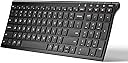
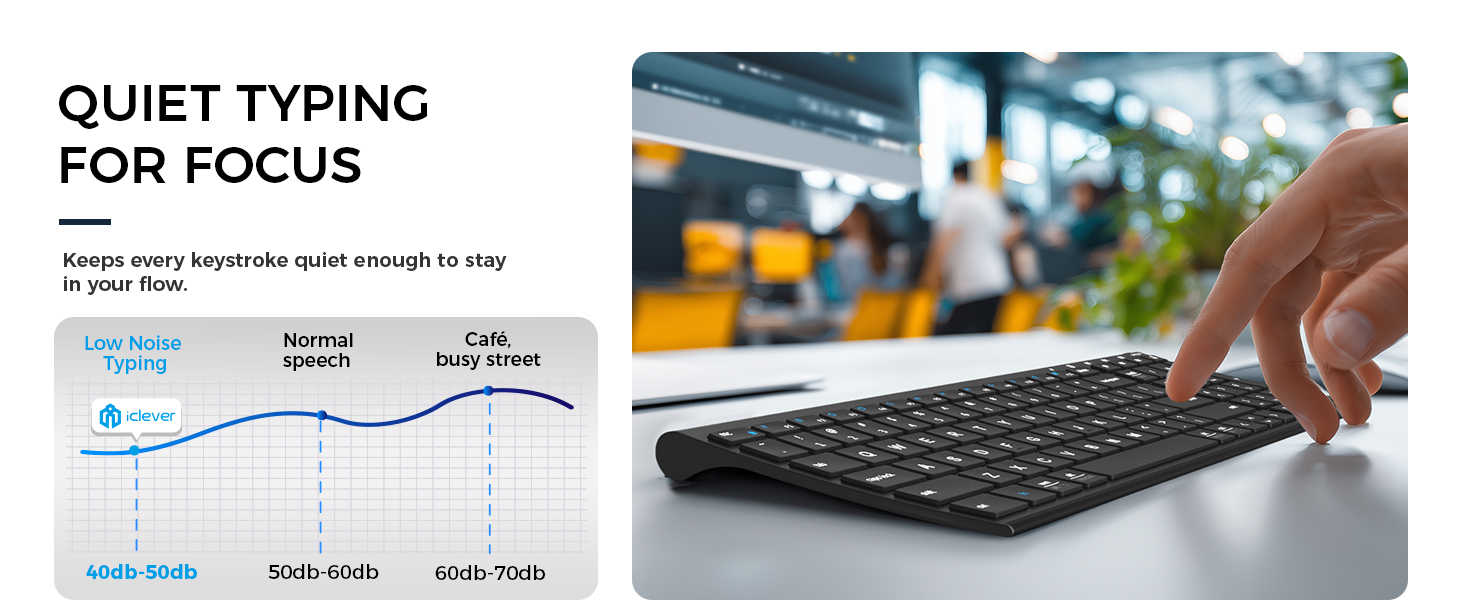
The iClever BK10 is a universal Bluetooth 5.1 wireless keyboard designed for professionals who demand multi-device versatility and ergonomic comfort. Featuring a durable stainless steel and ABS build with a 10° tilt, it supports Windows, Mac, iOS, and Android systems. Its scissor-switch low-profile keys deliver quiet, precise typing, complemented by a full numeric keypad and productivity hotkeys. With a fast 2-hour USB-C recharge providing up to 45 days of use and intelligent power-saving features, the BK10 keeps you connected and efficient across all your devices.


| ASIN | B07PV6NDB2 |
| Batteries | 1 Lithium Ion batteries required. (included) |
| Best Sellers Rank | #225 in Computer Keyboards |
| Customer Reviews | 4.2 4.2 out of 5 stars (6,607) |
| Date First Available | April 11, 2019 |
| Is Discontinued By Manufacturer | No |
| Item Weight | 13.1 ounces |
| Item model number | BK10 |
| Language | English |
| Manufacturer | iClever |
| Product Dimensions | 14.37 x 4.92 x 0.71 inches |
C**D
Bluetooth Setup Was Glitchy, Keyboard Action Lacking. iClever Support is Awesome
Update: Nov. 17th, 2020 I've had this keyboard for more than 30 days and struggled with it quite a bit. The lack of tactile feedback was difficult to get used to. To "correct" that I installed a keyboard clicking app for my Ubuntu Linux 20.04 workstation that this keyboard is connected to. Hearing the "clicking" feedback from my speakers helped more than I thought it would and I actually began enjoying using this keyboard. My fingers "stopped tripping over themselves" and all in all, I'd say it's been a pleasant experience with this keyboard. And then ... the battery stopped charging. No matter what I did, the battery refused to charge. I'd plug it in for a few hours, the battery meter would read 100% and then drop to 10% when I unplugged the keyboard. I was three days past the return date of the keyboard when it happened, so I contacted iClever support. They responded in less than 12 hours and successfully remediated the issue to make me happy. I have to say, their response and support in my case was world-class. I'm disappointed that the keyboard failed as I was finally beginning to enjoy using it and with that said --- I'm going to give it another try and purchase another. I very much appreciate their Customer Service and am happy to give their product another chance as a result. I like to support companies with excellent customer service and iClever's support is awesome. Nice job!! Original Review: I bought this keyboard to replace an Apple Magic Keyboard (Aluminum, bluetooth model) because a few keys broke on it due to wear and tear and finding replacement keys was very problematic. Placed multiple orders with multiple vendors only to be told after the fact parts were backordered because of the tarrif's and such with China. So I opted to buy this keyboard instead and hey why not, it was actually cheaper than replacing the keys on my Apple Bluetooth keyboard. Aesthetically, this is a very pleasing keyboard. It matches my blacked out workstation and I like the fact it's laid out like a 101k keyboard with the number pad off to the right. It's a sturdy keyboard, there is no "flex" when I type on it and it appears to be very well thought through and constructed. 10/10 for that. Getting it to connect to my Bluetooth 4.x on my Ubuntu Linux workstation presented a few issues to overcome. First was that it wasn't visible to my bluetooth. It seemed to take a very long time to be discoverable. Minutes and minutes long. Once found, I connected they keyboard via the first channel. Nothing happened until after another lengthy delay it started repeating the "d" character despite my not touching the keyboard. I had to turn the keyboard off to make it stop repeating "d" and then removed the keyboard from the list of bluetooth devices in Ubuntu. I repeated the setup instructions documented and the same thing happened. Examining the keyboard the "d" key appeared fine and didn't appear stuck, so I tried pairing the keyboard with my Ubuntu workstation again, this time on the second channel. It worked. No repeating "d" character, the keyboard functioned as normal. For giggles I removed the keyboard from my bluetooth devices and again followed the instructions to connect on the first channel, only to see the "d" key repeating itself again. Dropped the bluetooth connection to the keyboard, re-setup on channel 2 and it's working like a champ. Not sure what's wrong with the first channel, it's definitely kaput. That doesn't matter to me, I'm only connecting this keyboard to one device so that's a non-issue for me and not something I'd return the keyboard for. My last comments are specific to the action in the keys and the feedback they provide while typing. I typically clock anywhere from 95 - 110 wpm on every keyboard I own, whether it's an old IBM CLICKY keyboard (my favorite) an old Logitech K570 and my beloved Apple Wireless bluetooth keyboard. I'm used to the response action on all these keyboards and can switch pretty seamlessly. On this keyboard the action is lacking. The response from the time I press a key to it reverting back to it's resting state seems lacking to me. I expected the action to be similar to that of my Apple wireless bluetooth keyboard. It's not. If that's what you're expecting with this keyboard, do not buy it. The last thing I want to say is that the lack of keyboard "action" for me inhibits how quickly I can type on it. I've found my fingers "tripping over themselves" trying to type on it. That means more mistakes and backing up to correct. As I typed this review, I switched back and forth between my Apple bluetooth keyboard and this one. The difference in the keyboard action and my ability to type so much faster on my Apple keyboard vs. this one is absolutely noticeable. I'm going to give myself a little more time to get used to this keyboard and if that doesn't do the trick then I'll be sending it back. The "dealbreaker" for me isn't the bad bluetooth channel it has, it's the keyboard action and not being able to go as fast as I can on my Apple bluetooth keyboard which has a similar layout and key spacing (I measured the gaps between the keys on both keyboards, they're identical.) About me: I've been in the Information Technology field for 35 years. Yep, I'm an old fart. I write reviews for products I buy because I like to share what I find, both good and bad. I also read others reviews before I purchase a product and rely on the truthfulness of those reviews. If you found my review helpful, please indicate such. Thanks for reading.
E**N
Worth the purchase
I have thoroughly enjoyed this keyboard. Very easy to type quickly on, pleasant sound while you type... It looks professional and works great. It connects easily to my tablet whenever I need to use it. The only thing I wish I could find was those cute keyboard replacement keys that would work with this model.
E**S
Quiet, Slim, and Surprisingly Premium for a Budget Keyboard
Quiet, Slim, and Surprisingly Premium for a Budget Keyboard The iClever BK10 Bluetooth keyboard punches above its price class. It has the look and feel of a much more expensive keyboard — brushed metal base, low-profile scissor keys, and an impressively solid weight that keeps it from sliding around. Setup took seconds: hold Fn + one of the Bluetooth keys, pair on your device, and you’re done. I tested it with a Windows desktop, an iPad, and an Android phone — all switched seamlessly using the three quick-select buttons. Typing is smooth and quiet, with short key travel and just enough feedback for comfortable long sessions. The scissor-switch mechanism feels laptop-like, not mushy, and the spacing is generous even with the compact layout. The built-in number pad is a nice bonus for a keyboard this size. Battery life is excellent — I charged it once via USB-C and haven’t had to recharge in over a month of daily use. The auto-sleep mode kicks in appropriately, and it wakes instantly with a keypress. The silicone dust cover is a thoughtful extra for keeping crumbs and dust out if you work at a shared desk. It’s not backlit, and there’s no adjustable tilt stand, but that’s about all it’s missing. For an affordable multi-device Bluetooth keyboard that works reliably and feels premium on the desk, this one nails it. Bottom line: A quiet, well-built, full-function keyboard perfect for multitaskers switching between PC, tablet, and phone. Great battery life, smooth typing feel, and strong Bluetooth stability — a clear winner for the price.
J**R
Bluetooth keyboard that does it all pretty well - with NO Bluetooth Dongle!
I purchased this so I could put my laptop on a stand at eye level and then push if back a bit away from me. The main keyboard (excliding the number keys) is the same size as my 14" Dell laptop keyboard, so my figers don't notice the difference much. This comes with no extra dongle to plug in to a USB port. So if you have regular USB or USB-C, it won't matter. This connects - more like you would connect a headset. You start the B.T. scan, find the keyboard, and add it. I've had it for a couple of months now, and have yet to have to replace any batteries. Lastly - it does lay a little too flat for me. So I bought a little stick on that allows me to adjust the keyboard angle at 3 different levels. That caused the keyboard to 'rattle' on my glass desk top - but great news! They send a little keyboard over-lay (like a spill-proof cover) that you can use, or not. I cover my keyboard with it while I'm away, but use it as a cushion - when I'm typing - to get rid of the keyboard on glass vibrations. So - no problem! It's a great keyboard and very cool to have the number keys. I trade the stock market - and number key's are important for data entry. And the cool thing is in addition to my computer - I can pair the keyboard to 2 OTHER devices, walk across the house and talk to other things - all from the same keyboard, by picking Bluetooth #2 or #3. They pretty much though of everything. Looking forward to using this keyboard for years to come!
J**S
Primero no tiene la n con tilde ya que es americano y segundo mis teclas numericas fallan y no se porque, me arrepiento de haberlo comprado
K**E
Does exactly as described. Love that I can contact 3 different devices to the keyboard.
S**E
Pros: > Has full keys, yet portable since avoiding keys between alphabets and numpad > Looks beautiful, sturdy, and is lightweight. Will not move while typing. > No delay between typing and appearing in screen. Since 2.4 Ghz adpter, it will outperform bluetooth keyboards. > Provided a protection sheet, which protects from dirt and water. It will not move even we type very fast > Has function lock (Fn + Esc). This will help to switch between shortcut keys and function keys. This is a life saver if we use for work from home and debugging code. This is not available in most of the portable keyboards. > Working perfectly fine with Android phone & tablet. Use the given type A to C adaptor for connecting wireless receiver to phone. > Has all enough indicator lights - capslock, numlock, Fn lock, and charging Cons: Nothing found as a drawback. One thing noticed is, if we use protection sheet (rubber) and typing very fast (80+ wpm), we feel some restriction to move fingers. But that is absolutely fine & expected and can't list as a drawback! Also, the charging port is micro USB, not type C. That is also can't be listed as a drawback since micro USB cable is given and we can connect it to our existing charger. This keyboard will be best if you need a portable, yet full keyboard for working and for general purpose. Use with Android devices, but quick switching is not needed. Need to use function keys without constantly pressing down 'Fn' keys (this is the case for most quick-switch blootooth keyboards). In brief - light weight, beautiful, full functioning, perfect keyboard!
C**A
o produto ao chegar no brasil eu tive que pagar taxa de importação...nao gostei disso pois nao fui avisar ao vendedor na hora da compra
A**R
Great product. Value for money. The keyboard is very compact on the table and convenient to use. The charge holds up good. The package also comes with a silicone cover as dust protection.
Trustpilot
3 days ago
2 weeks ago