We remain fully operational. Our teams are working around the clock to ensure your deliveries continue safely.

Descargar la aplicación


Servicios al cliente
Sobre nosotros
Copyright © 2025 Desertcart Holdings Limited
Descargar la aplicación
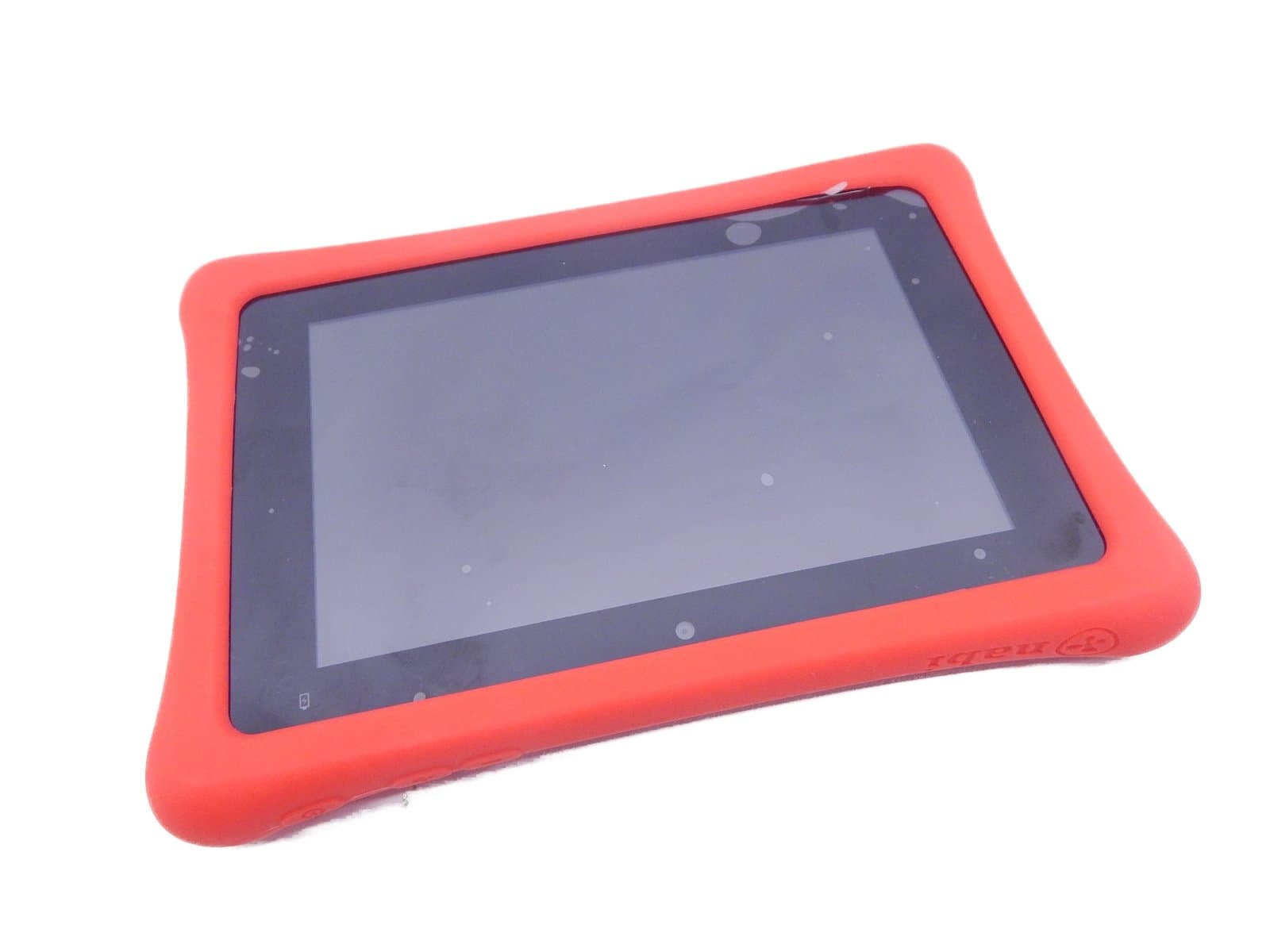


🚀 Empower your kid’s digital journey with nabi 2S — where learning meets next-level fun!
The nabi 2S Tablet is a 7-inch Android 4.4 device designed specifically for kids, featuring a sharp 1280x800 HD touchscreen, NVIDIA Tegra 3 quad-core processor with a battery-saving core, 16GB storage expandable via MicroSD, and a 2MP front camera. It comes preloaded with Wings™ Explorer, an adaptive learning system for Pre-K to 3rd grade, and a unique reward system using nabi Coins™ to encourage learning and responsibility through curated apps and games.
| ASIN | B00Q9U7XDW |
| Age Range Description | Kid |
| Aspect Ratio | 16:10 |
| Battery Cell Type | Lithium Ion |
| Brand | nabi |
| Camera Description | Front |
| Cellular Technology | 3G |
| Color | Red |
| Connectivity Technology | Bluetooth, NFC, Wi-Fi |
| Customer Reviews | 3.8 3.8 out of 5 stars (662) |
| Display Resolution Maximum | 1280 x 800 |
| Front Photo Sensor Resolution | 2 MP |
| Global Trade Identification Number | 00840135101049 |
| Hardware Interface | Bluetooth 4.0, MicroSD |
| Human-Interface Input | Touchscreen |
| Item Weight | 1.31 Pounds |
| Lithium-Battery Energy Content | 4350 Milliamp Hours (mAh) |
| Manufacturer | Fuhu |
| Memory Storage Capacity | 16 GB |
| Model Number | SN02NV07AWH |
| Model Year | 2014 |
| Native Resolution | 1280 x 800 |
| Operating System | Android 4.4 KitKat |
| Photo Sensor Resolution | 2 MP |
| Processor Brand | NVIDIA |
| Processor Description | NVIDIA Quad Core |
| RAM Memory Installed | 1 GB |
| Screen Size | 7 Inches |
| Total Usb Ports | 1 |
| UPC | 840135101049 |
| Wireless Compability | 802.11a, 802.11b, 802.11g, 802.11n |
| Wireless Technology | Wi-Fi |
S**Y
Read if you are having battery issues.
I purchased 2 tablets for my children after one was sadly lost in a shopping mall. while the other succumbed to my 2YO's wrath. One tablet no issue with charging but the other seemed like it was not charging. The light remained at orange would not turn on after 6 hours on the charger. I did a forced startup by pressing the volume button and start that powered it on. Then the battery said 0% it showed the charging symbol but nothing else. At this point I was about to return it when it suddenly changed to green??? I pressed the power button it showed the battery as full????So far it is working fine. Will update to status of tablets in a week.
B**E
Good software, cheap hardware
Bought this sometime between Aug & Sept last year. My kids loved it. The Nabi software that comes pre-installed wasn't too bad. You still get access to the Google play Store & Amazon, hence you can add more apps. However the hardware isn't good quality especially considering its made for kids. My 3 year old has cracked the screen in less than 5 months despite having the nabi bumper & screen protector. I bought 2 nabis for my kids and both had their charging adapters crap out in a few months also. Now it appears the charging port on the nabi itself has packed up. Decided to toss it out. Not worth all this hassle.
C**O
A tablet that makes learning fun!!
I bought this for my 4 year old daughter back in February, I was looking for a tablet that would help her continuously learn without her getting bored easily. She has learned so much from this tablet because not only does it have it's own learning app (similar to ABC mouse, which we also downloaded) that tracks her progress and keeps me updated on it as well but it also has a play store where you can download kid friendly games and learning apps, so they have several things to do to keep them learning and occupied. It also came with a bunch of pre downloaded books, games, movies and music (all kid friendly and catchy!!) This tablet was a little more expensive than others I have researched but I have to say, it's amazing!!! My daughter is starting kindergarten in just a couple weeks and I know that she is more than ready with the help of this tablet!!
M**O
Nice quality, pretty heavy duty
Nice quality, pretty heavy duty, great parental options, But the only thing that bothers me, and it bothers me a lot, is that it is made for a child, but the home button is on the bottom of the screen where the child constantly bumps it and closes out the app he is in. So I thought I would be smart and turn the tablet over, so it would be at the top, but it is a virtual button that flips with the tablet, so I put tape over it, then the baby plays with the tape and puts pressure on it anyway and closes out the app. .... VERY FRUSTRATING ... I spend the whole time turning the app back on that my child is trying to play with. It because more frustrating than enjoyable and entertaining. I have a young child just learning, it may be better with an older child that knows to avoid the bottom left corner of the tablet
B**W
Poor software, poor hardware - just buy a vanilla google tablet.
Bought 2, one arrived with faulty screen so was sent back to be replaced. Now 9 months later this same tablet wont charge and is worthless. The Operating system is rubbish, half the time the apps screen comes up blank and we often have to reboot it to clear it. All of the Fuhu software is rubbish as well. It looks promising to start with but you pretty soon realize that you need to buy credits from Fuhu to get the full utility. Same with the chores app, the only rewards you can give your child are Fuhu coins to buy more stuff at the Fuhu store. I really don't know how this product gets 4 stars on Amazon, it's garbage. Steer clear. Updated 4/19 - the other tablet now won't charge. I could send these back to Fuhu as they are under warranty, however there is a catch. Fuhu send advance replacements, you then return the faulty one in the packaging the new one arrived in. The catch is that for each RMA they want to put a hold on your credit card for the value of the tablet in case the warranty is denied or the faulty unit not returned. So to get these replaced I basically have to pay for them AGAIN and hope that Fuhu honors the warranty - not going to happen. These are going in the bin and I'm cutting my loses. Wish I could give this zero stars, what a rip off.
C**E
In my opionion, it is not very user friendly
I bought the Nabi as a birthday gift for my 5 year old daughter. We had a leapfrog tablet prior and I felt that she was ready for an upgrade. The sound the quality and the graphics are great. Far better than that of the leappad where the content is very very grainy and pixilated. The screen of the Nabi is like any other tablet out there. It is a touch screen, which makes it very easy to navigate and also comes with the protective bumper shown which is a great asset for a tablet handled by children. Other than the quality of the graphics and the usability of the touchscreen, that's where my favoring of it ends. My daughter can easily navigate around and use the apps that are on it. The rest of the process is very confusing. There are absolutely no instructions on how to use the Nabi. You are able to lock it into parent mode so that the child is unable to make purchases or buy apps. You as a parent can buy coins and release them to your child to buy an app. I consider myself to be pretty tech savy but both my husband and myself have had a very hard time understanding how to add additional games and applications to it. I have paid to have one of the demo apps released to be the full game and it still will not allow you to play past the demo. Like I said previously, there are zero instructions on how to do this or any sort of trouble shooting guide. Overall, I wouldn't but it again. I'm not sure what I would buy in replace of it, I just don't think that the value is there in the product if its too complicated to use.
Trustpilot
Hace 2 semanas
Hace 3 semanas