We remain fully operational. Our teams are working around the clock to ensure your deliveries continue safely.

Descargar la aplicación


Servicios al cliente
Sobre nosotros
Copyright © 2025 Desertcart Holdings Limited
Descargar la aplicación


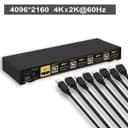


🔗 Connect Smarter, Work Faster — The Ultimate 4K KVM Hub for Power Users
The CKLau 4x1 HDMI 2.0 KVM Switch empowers professionals to seamlessly control up to four computers with a single keyboard, mouse, and 4K UHD monitor. Featuring certified HDMI 2.0 support for smooth 4K@60Hz video, versatile switching methods including hotkeys and remote control, and broad OS compatibility, it’s built with a sturdy metal frame and IP54 protection for reliable, long-term use in dynamic work environments.


| ASIN | B07HRBBLWN |
| Actuator Type | Push Button |
| Best Sellers Rank | #420 in KVM Switches |
| Brand Name | CKLau |
| Circuit Type | 4-way |
| Color | 4 Port USB 2.0 HDMI |
| Connectivity Protocol | Hdmi |
| Connector Type | Plug In |
| Contact Material | Metal |
| Contact Type | Normally Open |
| Control Method | Remote |
| Controller Type | Android, Push Button |
| Current Rating | 2 Amps |
| Customer Reviews | 3.8 3.8 out of 5 stars (905) |
| Global Trade Identification Number | 06957737960715 |
| International Protection Rating | IP54 |
| Item Dimensions | 8.07 x 2.95 x 0.98 inches |
| Item Weight | 1 Pounds |
| Manufacturer | CKLAU TECHNOLOGIES INC. |
| Material Type | Metal |
| Model | CKLau-64Hua |
| Mounting Type | Surface Mount, wall mount |
| Number of Items | 1 |
| Number of Positions | 4 |
| Operating Voltage | 5 Volts |
| Operation Mode | ON-OFF-ON |
| Specification Met | Ip54 |
| Switch Type | Kvm Switch |
| Terminal | Usb + Hdmi |
| Unit Count | 1.0 Count |
S**N
Four years of service, cut short by my wolf hybrid
This was a great KVM. The hotkeys worked, the remote was responsive, and the cables were pretty well managed. Unfortunately, the mini-usb connector is not wolf-proof. I'm sad to report that its demise came last week, when my 100lb wolf hybrid was sniffing around underneath my desk. She thought about trying to push through some wires, among which was the wire for the remote on the KVM. She decided against it, and then backed up... causing her tail to knock something off my desk. The noise startled her and she jumped forward, which yanked all the wires around and broke off the USB port where the remote connects to the KVM. Naturally, the destruction caused even MORE noise and she went into a full on freak-out, charging out of the room to hide downstairs. I do note that I couldn't stop laughing while this was going on - she kept making things worse every step along the way, like an old Charlie Chaplin film. She still visits my office, but eyes my desk with suspicion. Sadly, once the remote's jack was broken, the KVM stopped doing USB switching for the devices connected to it. So while it's still a decent HDMI switch, it is no longer a KVM. I mourn its loss - this really was a great KVM.
D**D
Just installed it. Overall, it's working well and I'm very pleased.
The price of the unit is more than reasonable, and I was quite impressed with its quality. It has a sturdy metal case that is built to last. Installation was okay. I have three computers on it. I had to do some trial and error to figure out that some of my USB devices wouldn't work on the USB 3.0 connections, which is alright with me. Getting the monitor set up was the biggest problem. I have a 43" UHD tv I use as a monitor. In my first attempt on my main Windows box, I didn't get any video at all. After some more trial and error, I brought up the Display Settings and found the refresh rate was too high. Originally, it was set to 30Hz but it had been changed to 60Hz. That fixed that problem. The biggest problem I had was with my other Windows box. No matter what I tried with refresh rates, nothing would be displayed on the screen. The problem turned out to be that the HDMI cable included with the switch was bad. I'm going to contact CKlau support and see how responsive they are.
S**J
Pure joy to use
====Update April, 2022==== I now had it for over 1 1/2 years. It continue to work well with many devices: Windows, Ubuntu, NVIDIA Jetson, Raspberry Pi. Recently two of the switch's LED lights went out recently. But I really don't need that. Since both Windows and Ubuntu can be configured to send audio via HDMI cable the audio plugs are useless. So I cut them off to reduce clutter. It is still a good buy and I still recommend it to anyone who works with multiple computers. ====Original review======== I have an environment with 4 devices under development/test in addition to my main computer. I don't have enough space to keep 5 kbd/mouse/monitor setups. I have 2 setups: 1 for the main computer and the other for the development devices. I've set up development devices for headerless mode and remote into them. But when I need to interact with a device directly, I switch cables. That gets old pretty quickly. With this device, I need to setup additional cables initially, but that is so much less than if I had to setup each device separately. When I need to control a different device, I just press a button to switch over to that device. For me, this is a cable mess saver, a desktop space saver and real time save. The price is quite reasonable. In fact, I think it is a real bargain. Initial setup is really easy and working fine. If there is any longer term operational issues, I'll update with that.
G**O
Continually crashes USB & PC when switching between computers.
I just bought and installed this KVM. Worked great in the beginning, but when I switched away from one PC to another, then returned to the original, the mouse and keyboard were dead. Within a few minutes the computer locked up and crashed. I thought it might be an anomaly, but then it continued this behavior time and again over the next few days. Finally I contacted the mfr. and received a stunningly lame reply. Their solution is to shut down all the computers & the KVM, unplug and re-plug the cables, and restart it all again. Here is their response: Thank you for choosing CKLau. The KVM switch need identify USB device again after switching back previous computer. Frankly, i suggest you reset the KVM switch, step as follows; step 1. turn off KVM switch and all of your computers/laptops, then unplug all the cables; step 2. plug the DC5V 2A power adapter into KVM switch and AC socket, turn on KVM switch(there is a o/f button on the back); step 3. plug keyboard into keyboard slot of KVM switch; step 4. click right [CTRL] on the keyboard 2 times, then click [ESC] 3 times, at last click [ENTER]. (whole operate time should not over 2s, after you hear a beep sound, that shows operate successfully); step 5. plug KVM cables into KVM switch and computers, plug HDMI cable into KVM switch and your monitor; plug mouse into mouse slot of KVM switch; plug other USB deivces into USB 2.0 Hub of KVM switch if needed; step 6. turn on your computers. Please try and share the result with us. Thank you. ...and my reply: Contrary to this suggestion, why don't you fix your KVM. It is outrageous that you think customers will go through this process almost every time we switch between computers. I will return the product.
M**S
Since installation: So far has worked flawlessly. Nice solid construction too. I like the fact it is powered by its included powerpack. The previous KVM I tried would not work with just one computer on and also would drop out occasionally. Very annoying. That KVM was by another company. I was pleasantly surprised at the reasonable price too. Only con is the leads could be a bit longer. But I like the fact that all the connections are via one HDMI lead into the back of the KVM and then video, USB audio. Microphone are all behind the computer. Using with a Logitech wireless keyboard and trackball combinations and installed with no problem. I've just ordered a second one for my setup in my upstairs computer room So here's hoping the KVM remains reliable. Would like to know if longer leads are available.
C**F
The KVM Switch worked very well in my setup which consists of: 1. Mac Mini M1 2. Windows PC 3. Macbook Pro i7 4. Nintendo Switch 2 Things to Note: Audio is provided via the 3mm input jack to the 3mm output via their custom HDMI cables. Because of this I had to connect my Nintendo's Switch via a normal HDMI cable to route sound from the Monitor's audio bypass to my speakers. The USB hub that consolidate the Mouse, Keyboard and the additional USB input into a single USB input (via their custom cable) masks my Steel Series mouse from the Steel Series driver app. Any mouse and keyboard connected via the hub will end up as a "Generic" device. They work as mouse and keyboard, but you will not be able to get your manufacturer's drivers to see the devices. Other than that the setup is great. I have had 2 KVM Switches in the past and this one beats them in terms of quality and ease of use. There is no dropped HDMI signals.
J**S
Der CKLau 4 Port HDMI KVM hat eine sehr gute Qualität und ein Metallgehäuse. Die mitgelieferten Kabel sind ebenfalls von guter Qualität und nicht billig. Es sieht insgesamt sehr robust aus und ich hoffe, dass es lange hält.
ポ**。
ケーブルが一部不良でしたが、交換部品も送って貰えました。 USBの認識等、無線キーボード・マウスとも反応に問題ありません。
S**Y
Works perfectly to tie my NAS and software server together with room to grow for two more systems. All cables came for the full compliment of four. KISS and just works.
Trustpilot
Hace 2 semanas
Hace 1 mes