
Descargar la aplicación


Servicios al cliente
Sobre nosotros
Copyright © 2025 Desertcart Holdings Limited
Descargar la aplicación

⚡ Elevate your network game—because buffering is so last decade!
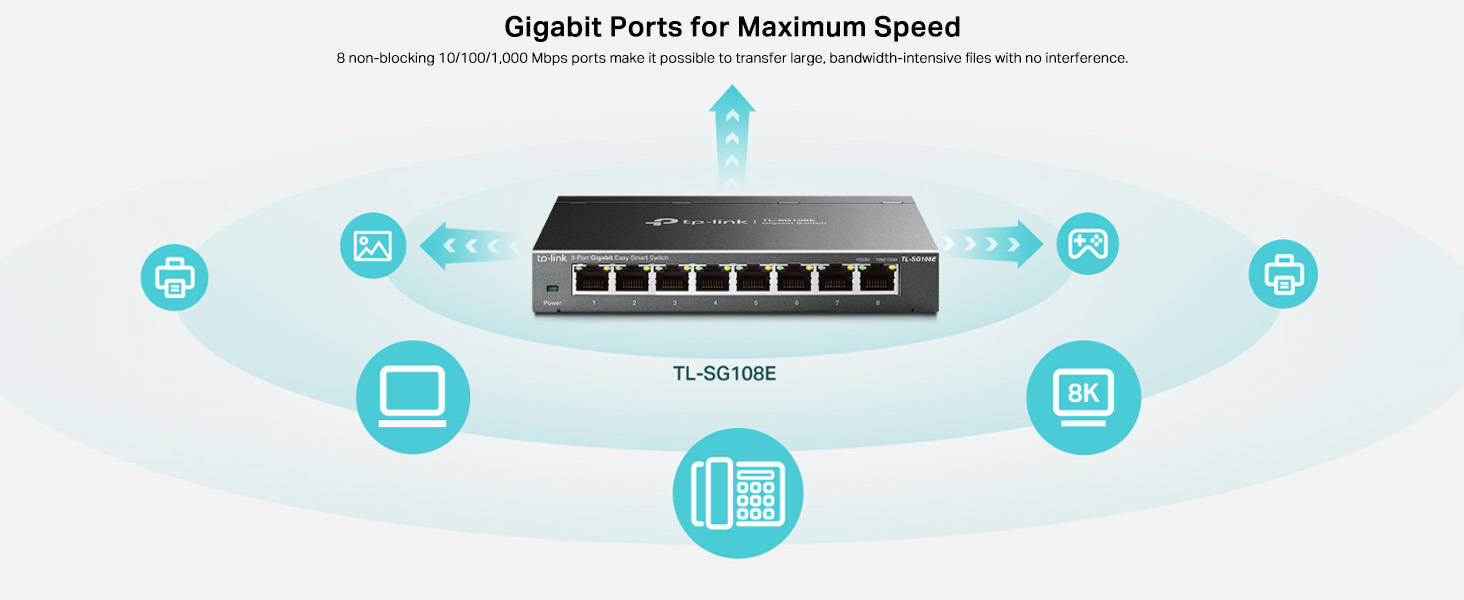
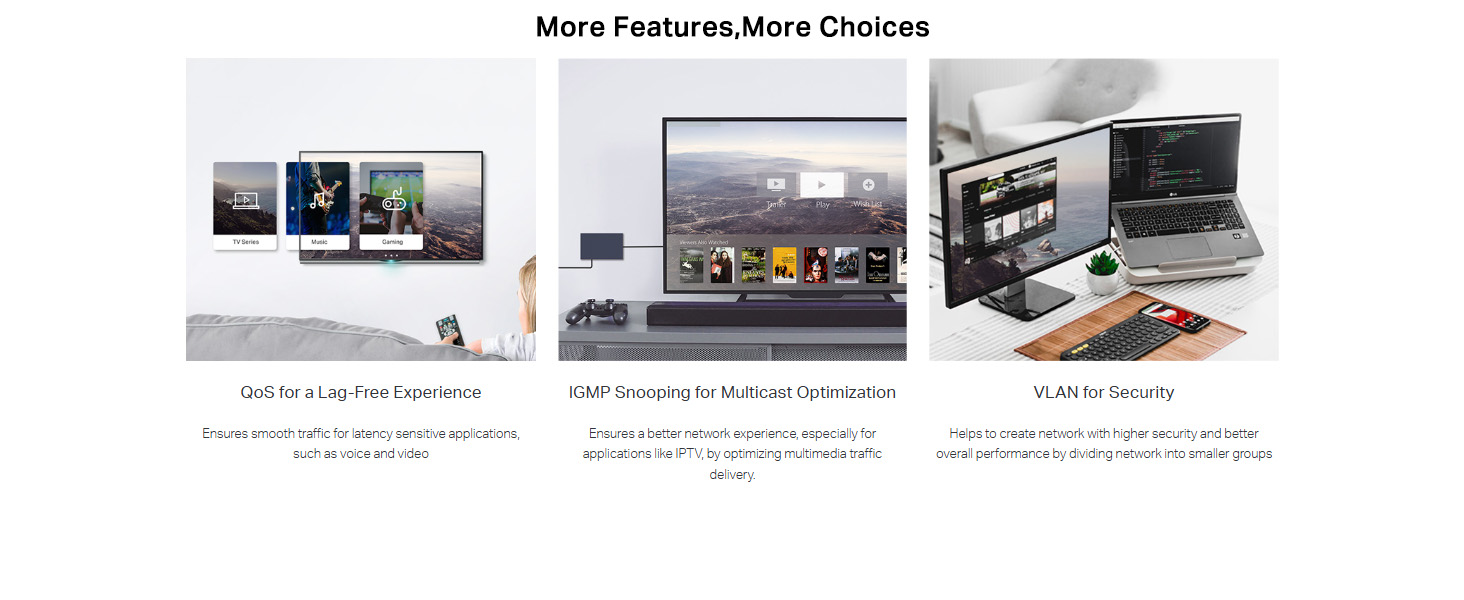
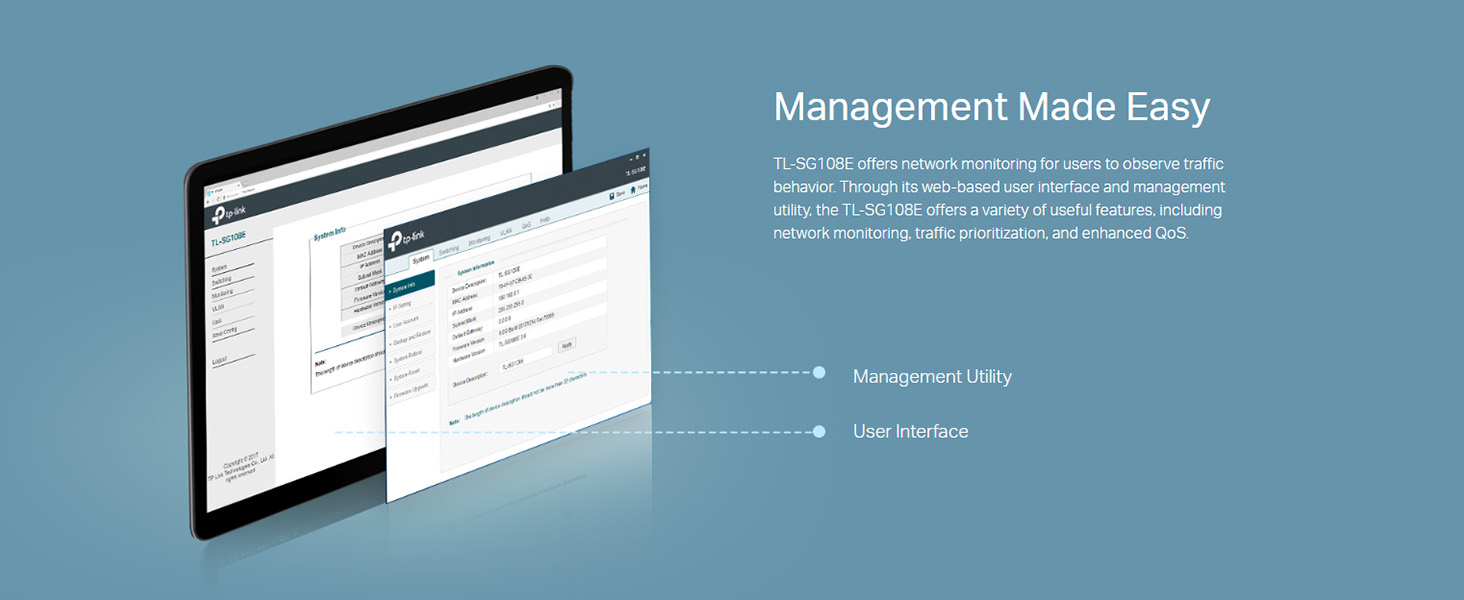
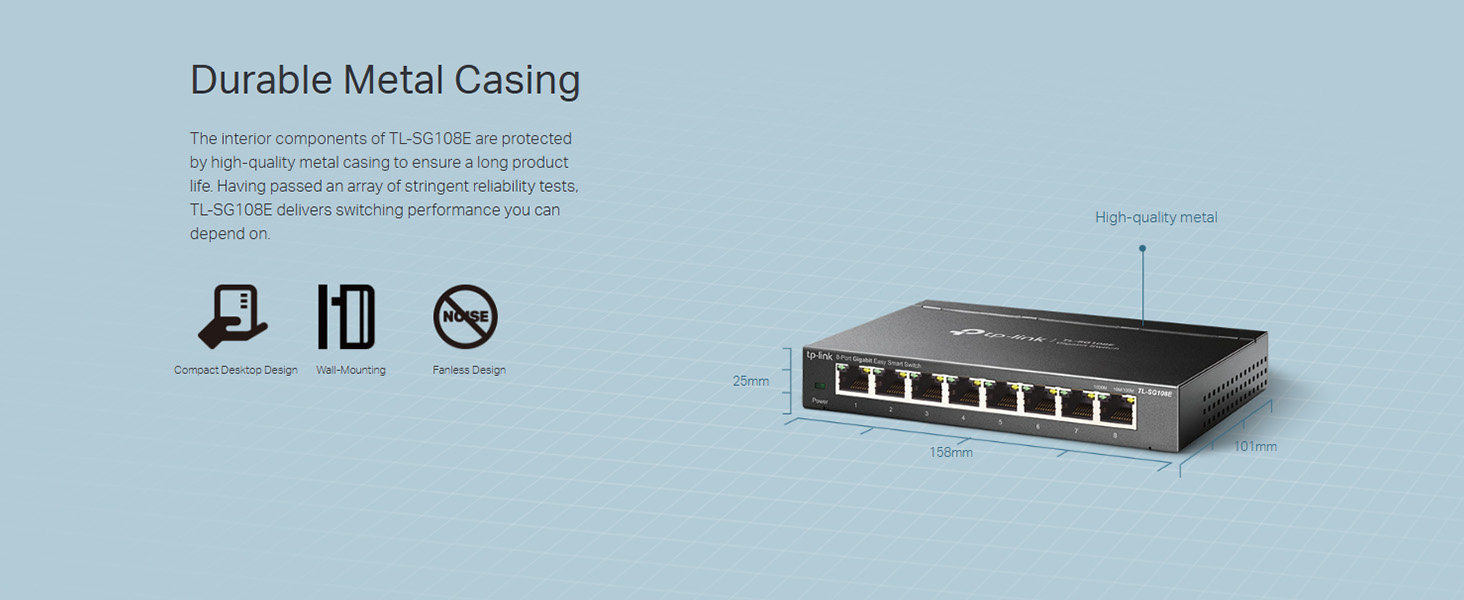
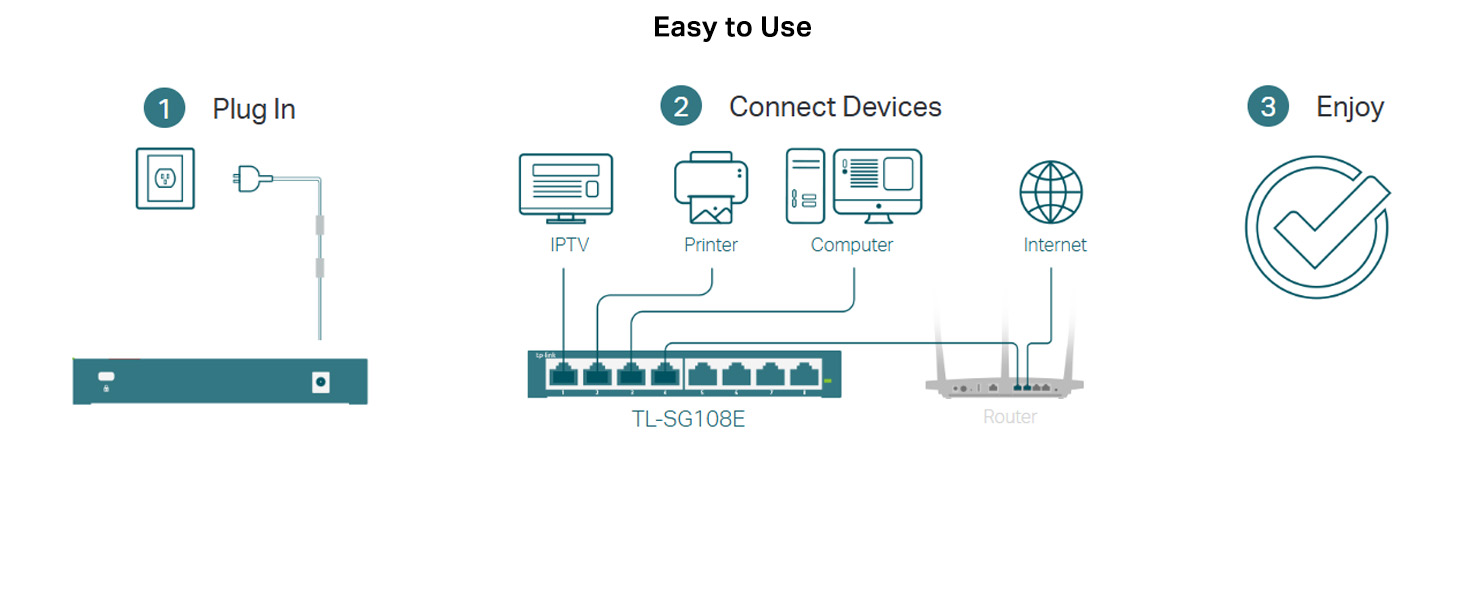
The TP-Link TL-SG108E is an 8-port gigabit Ethernet switch featuring plug-and-play ease, a robust metal chassis, and advanced smart management tools including QoS, VLAN, IGMP, and LAG. Designed for professionals and tech-savvy millennials, it delivers reliable, high-speed connectivity with flexible mounting options and energy-efficient operation, making it the ultimate no-fuss upgrade for home or office networks.








| ASIN | B00JKB63D8 |
| Are Batteries Included | No |
| Batteries | 1 Lithium Ion batteries required. |
| Best Sellers Rank | #428 in Computers & Accessories ( See Top 100 in Computers & Accessories ) #2 in Network Hubs |
| Case Material Type | Metal |
| Country of Origin | India |
| Customer Reviews | 4.5 4.5 out of 5 stars (60,425) |
| Data Transfer Rate | 1000 Megabytes Per Second |
| Date First Available | 24 April 2014 |
| Generic Name | Switch |
| Global Trade Identification Number | 06935364021856 |
| Importer | TP-Link India Private Limited Office No.1, Tower 2, Level 2, Raiaskaran Tech Park, Andheri Kurla Road, M.V Road, Andheri East-400072 Contact: Toll Free 1800-209-4168, [email protected] |
| Interface Type | RJ45 |
| Item Weight | 379 g |
| Item model number | TL-SG108E(EU) |
| Lithium Battery Energy Content | 2 Kilowatt Hours |
| Lithium Battery Voltage | 1 Volts |
| Manufacturer | TP-Link |
| Net Quantity | 1 Count |
| Number of Lithium Ion Cells | 5 |
| Number of Lithium Metal Cells | 5 |
| Packer | Pacific Technology Private Limited Survey No, 57/3/55, 57/2/56, 57/1/57, Silver Industrial Estate, village Bhimpore, Nani Daman, daman Dadra and Nagar Haveli and Damn and Diu, India 396210 |
| Product Dimensions | 15.8L x 10.1W x 2.5H Centimeters |
| UPC | 809394432196 013201167052 803983008359 722550185517 797045620460 767531853030 846829883628 863190005978 |
| Voltage | 220 Volts |
| Wattage | 5.46 Watts |
| Wireless Type | 802.11n |
H**U
Best Ethernet Switch!
5/5 Stars: A Game-Changing Gigabit Switch! I'm blown away by the TP-Link 5-port gigabit switch! Setting it up was a breeze - literally 10 seconds flat. The signal strength is rock-solid, and connectivity is flawless. The compact metal design is perfect for tucking away behind my setup! I've connected my Main router to my Tp link Decco through which my Tp link switch which further branches out to my main Google TV (TCL), Apple TV box, and PS5, and everything works seamlessly! Streaming is fluid, and gaming is lag-free. The durability is top-notch, thanks to the all-metal case. If you're looking for a hassle-free, high-performance switch, look no further. TP-Link has nailed it with this one! Highly recommended!
B**S
TP-Link Gigabit Network Switch – Reliable Plug-and-Play Performance
I have been using TP-Link products for over a decade, and they have consistently proven to be reliable. This network switch is no exception—its effortless plug-and-play functionality ensures a seamless setup with no complications. Right out of the box, I connected all the cables, and it worked instantly without requiring any manual configurations. The design is clean and minimalist, free from excessive branding or unnecessary embellishments. It includes a power adapter, and the device can be switched on using the adapter’s on/off switch. However, there are no additional buttons on the unit for power control. One standout feature is its durable all-metal chassis, which enhances heat dissipation and ensures long-term reliability. The gigabit ports deliver speeds of up to 1000 Mb/s, providing fast and stable connectivity for multiple devices. Whether for home or office use, this product offers a hassle-free networking experience. If you're looking for a sturdy, reliable, and straightforward Gigabit Ethernet switch, TP-Link continues to deliver quality and ease of use. Highly recommended for anyone needing a no-fuss, efficient networking solution.
A**R
Good quality product but no new firmware
Excellent on build and network throughput, silent and does not heat at all. Only problem most vendors are selling v6 of this hardware and the last firmware release was in 2023. V6.6 does not seem to be available on Amazon, which has more recent firmware releases.
H**R
Easy to use and plug n play device
Product is reliable and good to use
U**M
A Big Gamble with Poor Info on Web. Steel Grey Colour - Performed Perfectly. Update on 02 Jan 2022
I connected this switch to BSNL FTTH Optilink Modem on its Giga Port. The limitation of Optilink modem (single Giga Port and single MB port), one could not optimally use it and it was practically impossible to change the Modem. I have taken one Giga port of the switch to Archer C6 via a CAT6 cable across 50m distance. No perceptible drop in LAN speed and a encouraging 5GHz speed on wifi. Even the 2.4 GHz delivers 180-200 to about 10 at a distance of 100 ft or across three walls at a distance (straight line 25ft and running distance with 180 degrees turn to 65ft. The second Giga port of the switch was connected to a Archer C64 via a Cat7 cable (60ft). Simultaneous operation of both Routers in use demonstrated NO perceptible drop in LAN speed and wifi speeds. I have not experimented connecting C64 to the Giga port of C6 to check performance when routed through the switch. This switch accomplished the mission. It would deliver easily upwards of 970 to 990 mbps on a 1 GBPS connection and makes a potent solution across the house with a CAT7 cable and an AC1300+ router for a 1 GBPS connection. Update today on 02 Jan 2022 I have experimented by connecting Archer C6 to one of the LAN Ports of C6 with a CAT6 cable (65 ft) and found the delivery did not get affected in any way with C64 LAN ports, WiFi 5 GHz or 2.5GHz. As i have a 5 LAN Port Desktop Switch, which says "Ideal for Basic Network", it is indeed True to its Strengths. Simple Plug & Play Desktop Switch. What I was grappling with all these days and had been asking various forums and Blogs as well as experts on Amazon and Flipkart, was not answered. Hence my heading stated about the "Risk"of buying it. One Question here on the product page from Oct 2021 @Vaibhav....whether it could do away the need for investing in a Router. My anser: 1. Router may be used to extend the WiFi availability in various Bands (2.4 GHz or 5 GHz and where we now have TRI-BAND also) beyond your Main Internet entry point in the house (I dont mean the copper wire or Fiber entering, but where the Modem cum Router OR only Modem without WiFi, i.e. just LAN Ports only) are located. 2. Adding Desktop Switch to any one LAN Port of the Modem, preferably to the Giga Port if the modem has one, would get your Desktop Switch Ready for delivery of the same Giga speeds (lets not split hair on a couple of percent drop across 50ft from the Switch via a simple LAN cable with RJ45). For e.g. On a 300MBPS BSNL Fiber (FTTH connection) giving internet and phone connection in a facility through Optilink Modem, which has One MB Port and One GIGA Port and a WiFi (Single Band) on 2.4 GHz, The LAN speed direct from Optilink LAN1 Port (MB Port) isDownload-95mbps and Upload-37mbps. The MB port is capable of delivery upto 100mbps but possibly with a low MHz, it is unable to show anything better than 98mbps, which has been the random result. I did see more than 100, but that is not as a rule. NOW once we connect to the GIGA Port of the Optilink, or via the Desktop Switch LAN Port, the Download Speed is 338 and Upload Speed is 173. I had taken some LAN speeds from ther LAN Port of C6 and C64 connected across Desktop Switch and the LAN speeds were continuing in the range of 330 mbps Down and 180mbps Up with PING about 7 to 9 . The 5GHz speed of C6 and C64 at a distance of about 10ft is also indicated in one historical table. One reading of 16.96 MBPS was at a distance of about 20-25ft line of sight. The Routers were kept fixed on the wall. There could be a better delivery with relocation of Router and position of Antenna. 3. Finally, in theory, A Desktop switch could be used to extend location of devices away from the modem IF THE Device would be connected via LAN Cable only and the Router could be done away with. You will need a Router IF you must also get WiFi, especially if you do not have % GHz available on your Modem Router. I needed the sun, the moon, The Mars and venus and all those fascinating worlds away from ours and I couldn't be the only one looking for it and not find. With a little bit of luck from the study I made, I believed it was a RISK to invest into a switch and archer C6 as my service provider told me he had made several connections based on the customers demand but he never got anything better than MB speed from Giga Ports. THAT HAS TO HAVE SOME FAULT in the Configuration. Now I had worked my way up to setup the network (little did I know this was called setting up Network) after I had assembled my desktop and planned for 2.5gbps network adaptor and NOT 10Gbps as the option was available for a small price. 10GHz would be some time away and the decision was right to plan for 2.5Gbps because the hardware needed to be compatible to 10Gbps is expensive and hugely out of context if one is not in any applications needed those speeds and harware. The Routers I have purchased are for 10/100/1000 and these are AC1200, good for 1Gbps or at best or worse, upto 1.5GBPS connections. Affordability in the 2.5Gbps with baby steps make decision simpler but difficult to explore relevant hardware and the cost associated with time. This is one of the reason I began with CAT6 cable instead of CAT5* and moved ahead with CAT7 for short distances as shorter cables are expensive, but because CAT7 or CAT6A are 600MHz and 550MHz (CAT 6A is said to be for 500MHz in some places), the data flow is superior to the CAT5* flow at barely 200MHz and at best about 300MHz. With an increase increase in appliances and gadgets, interference is expected to rise, therefore this small increase in price for some higher grade hardware helps protect other investments and prevent losses. End of the day, abinitio DIY or Explore Yourself kinds like me, may be throwing in same information available here on the net with language the professionals understand better, but not ones like me who were perhaps searching where blinds search blinds, and explain the short and the long of it, if it helps. see What One Desktop Switch could do with reviews given here. As for my service provider running down the possibilities of getting good speed and compatibility across the board, I feel he is putting all Asses and Horses in one line asking them to run the duty cycle.
S**P
Great product if you are looking to share internet connection over ethernet.
Great product if you are looking to share internet connection over ethernet. Initially I was looking for model TLSG105 (Unmanaged switch) but could not find its availability. So went for this model. It is kind of Plug and Play. I just connected an ethernet cable from my internet router to this switch and then connected my laptop, desktop ethernet cables to this switch and it started working without any setup. Remember that you are sharing one ethernet port of your router to 4 devices via this switch so theoretically 1Gbps speed will be divided among 4 devices if all 4 are operating at once.
U**I
Nice product 1 gbps port
Nice product. Easy to use just plug and play.
R**B
Very useful for connecting mutilple mesh node using ethernet
I have a mesh system with 3 nodes but i had only one port to connect. Due to this i needs to connect one node always using wireless and speed is limited to 50Mbps due to this. I used this switch and connected all the nodes using ethernet..am am getting 300Mbps everywhere.. super cool. Worth the money...very compact too.
L**N
Bom switch, fácil de instalar, gerenciado por interface web. Seria ainda melhor se tivesse acesso SSH, mas pelo preço já oferece uma boa gama de customizações dos switches mais caros como gerenciamento de VLAN.
T**F
Good product 👌
M**0
Produkt zgodny ze specyfikacją producenta. Lokalnie osiąga granice 1 Gb up/down. Internet wyciąga max przewidzane przez umowę dostawcy (600/125).
V**R
Good quality splitter
C**N
muito top
Trustpilot
Hace 2 semanas
Hace 2 semanas