We remain fully operational. Our teams are working around the clock to ensure your deliveries continue safely.

Descargar la aplicación


Servicios al cliente
Sobre nosotros
Copyright © 2025 Desertcart Holdings Limited
Descargar la aplicación
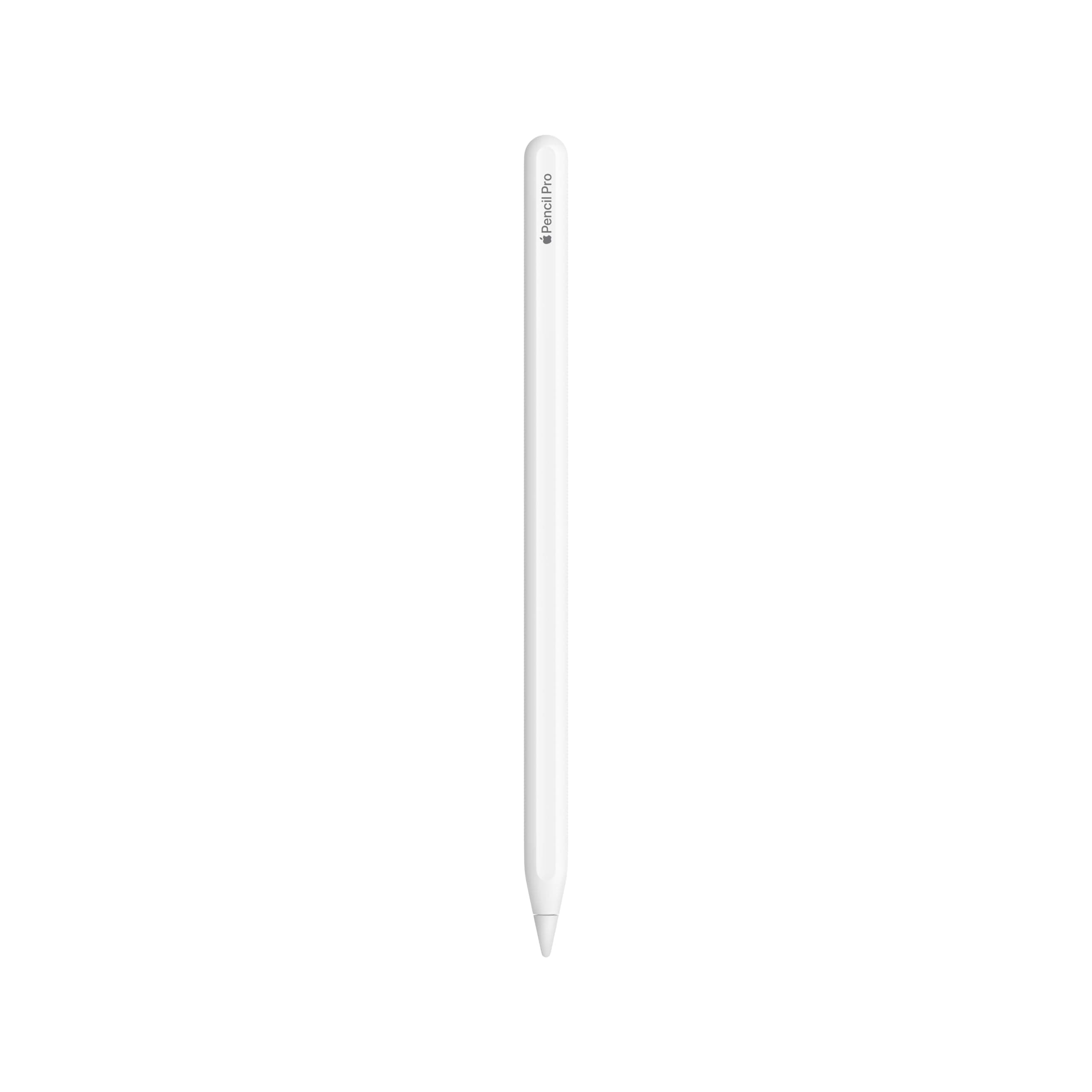


✍️ Elevate your digital canvas with the Apple Pencil Pro—where precision meets perfection.
The Apple Pencil Pro is a premium stylus designed exclusively for newer iPad models, delivering instant magnetic charging, ultra-low latency, and advanced tilt sensitivity. Its intuitive squeeze gesture enhances workflow efficiency, while its balanced, solid build ensures comfort during extended use. With a 4.6-star rating from over 7,000 users, it’s the definitive tool for professionals and creatives seeking seamless iPad integration and reliable performance.


| ASIN | B0D3J71RM7 |
| Batteries | 1 Lithium Ion batteries required. (included) |
| Customer reviews | 4.6 4.6 out of 5 stars (8,394) |
| Item model number | MX2D3AM/A |
| Manufacturer | JOHNBOLIN |
| Product Dimensions | 20.96 x 5.72 x 1.91 cm; 19.28 g |
E**Z
Está bien, funciona bien y tiene un buen tacto. Solo que tienen unos pequeños puntitos negros, supongo que viene de fabrica, pero es puramente estético y no me gusta. Fuera de eso, está todo perfecto!
J**L
I’m not a visual artist by any stretch, but I also hate not having every option at my disposal, so I bought this item used on here. The best $70 bucks I’ve ever saved. It didn’t come in an Apple box but it came in an Amazon box that was the size of an Apple box and it was padded and secure. The quality was as new as it would be coming from the Apple Store. It’s a pretty good device. It works well. I enjoy using it to make slight adjustments in my attempts to draw things and I do enjoy writing with it. Great weight and the haptics are on point when you use the options like squeezing it to change tools. It fits nicely on the top of the iPad with the magnet. Battery life has yet to drop below 95 even when I had it off the pad for a few days. I’m very happy with my purchase and I love the fact that I saved a few bucks by purchasing used.
P**M
This pen is really good. It’s comfortable to hold, easy to use, and connects quickly without any issues. I’ve been using it for several months now, and overall, it has worked great. One small issue I’ve noticed is that sometimes, while writing a word, it randomly creates tiny extra lines. I’m not sure if this is because of the iPad or the pen itself. It happens even when the pen is fully charged, and it has occurred more than once. Aside from that, it’s very practical. It charges wirelessly by attaching to the side of the iPad, which is super convenient. It charges quickly and the battery lasts a long time. The magnet is strong too, it sticks firmly to the iPad and doesn’t fall off easily.
U**1
Great
M**N
Let’s get this out of the way first: if you’re buying the Apple Pencil Pro just to “take notes” or occasionally doodle, you are overpaying. This thing is not meant for casual use. It’s meant for people who actually work on their iPad. I’ve used previous Apple Pencils. I liked them. I didn’t think Apple could justify another upgrade. I was wrong. The Pencil Pro is the first time Apple crossed the line from “nice stylus” into “this actually changes how you use the iPad.” ⸻ First Impressions: Immediately Different The moment you pick it up, it feels more deliberate. Same clean Apple design, but more balanced. More intentional. It doesn’t feel like an accessory you might misplace—it feels like a tool you keep track of. Then you squeeze it. That squeeze gesture alone tells you exactly who this product is for. It’s not a gimmick. It’s muscle memory waiting to happen. Switching tools, opening menus, adjusting settings without lifting your hand or breaking flow—this is the kind of thing you don’t appreciate until you go back to not having it. Once you do, everything else feels clunky. ⸻ The Gyro Roll: Subtle, But Huge The barrel roll feature is one of those upgrades that sounds unnecessary until you use it for five minutes. Rotating brushes by simply rolling the Pencil feels natural in a way software shortcuts never do. It mirrors how real tools work. If you sketch, design, annotate diagrams, or do any kind of visual work, this alone justifies the upgrade. It’s not flashy. It’s smart. ⸻ Haptics: Finally Done Right Apple nailed the haptic feedback. It’s restrained, precise, and actually informative. You feel confirmation without distraction. No buzzing. No nonsense. Just enough feedback to reinforce actions without pulling you out of focus. This is the difference between a product built for productivity and one built for demos. ⸻ Find My Support: Underrated, But Critical If you’ve ever lost an Apple Pencil, you know the pain. It’s not “oh well” money. It’s “I’m annoyed for three days” money. Find My support should’ve existed years ago. Now that it’s here, it’s non-negotiable. This alone makes the Pencil Pro the default choice moving forward. ⸻ Precision and Performance Latency is nonexistent. Palm rejection is flawless. Pressure sensitivity is consistent across apps. It feels exactly like it should: invisible. And that’s the point. When a tool is good enough, you stop thinking about it entirely. The Pencil Pro disappears in your hand and lets you focus on the work. That’s the highest compliment you can give hardware. ⸻ Who This Is Actually For Buy this if: • You draw, design, or illustrate regularly • You annotate PDFs, diagrams, or technical documents • You use your iPad as a serious work device • You care about efficiency and workflow, not just aesthetics Do not buy this if: • You just want handwritten notes occasionally • You rarely use your iPad beyond media consumption • You’re upgrading just because it’s “the new one” This is not a casual purchase. It’s a professional one. ⸻ Pros • Squeeze gesture dramatically improves workflow • Barrel roll feels natural and intuitive • Excellent haptic feedback • Find My support is a game changer • Best Apple Pencil Apple has ever made, no debate Cons • Expensive, and unapologetically so • Overkill for casual users • Limited value if apps you use don’t support new features yet ⸻ Final Verdict The Apple Pencil Pro isn’t trying to convince everyone. It’s built for people who already live on their iPad and want fewer interruptions between thought and execution. If that’s you, this is absolutely worth the money. If it’s not, save your cash. This is Apple doing what it does best: refining something until it disappears, then charging you for the privilege—and, for once, actually earning it.
Trustpilot
Hace 2 meses
Hace 3 semanas