We remain fully operational. Our teams are working around the clock to ensure your deliveries continue safely.

Descargar la aplicación


Servicios al cliente
Sobre nosotros
Copyright © 2025 Desertcart Holdings Limited
Descargar la aplicación


🚀 Print Fast, Print Smart, Print in Color — Join the 3D Printing Revolution!
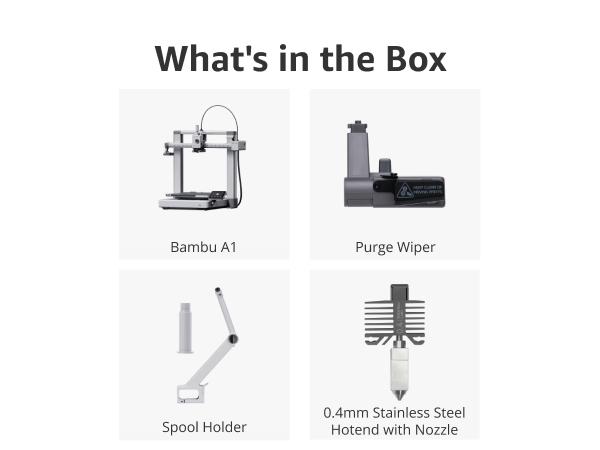
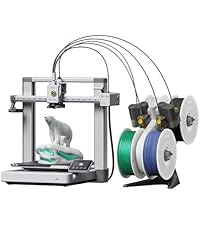
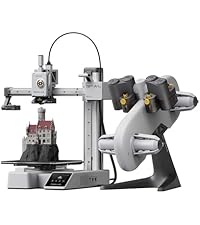
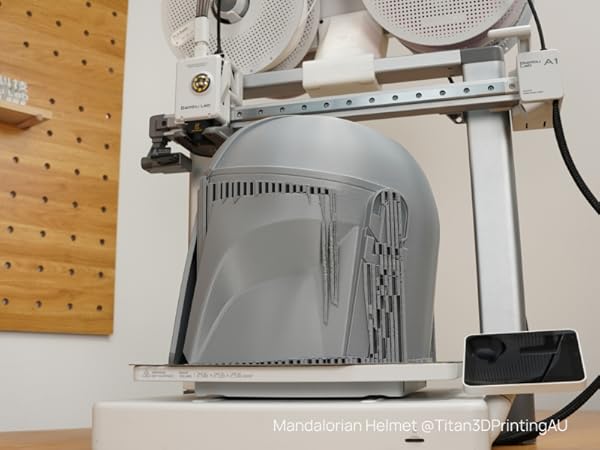
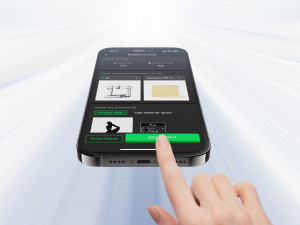
The Bambu Lab A1 Combo is a cutting-edge FDM 3D printer featuring ultra-high acceleration (10,000 mm/s²) for rapid, precise prints, multi-color capabilities via the AMS lite system, and fully automated calibration for hassle-free setup. Its active flow rate compensation ensures consistent extrusion quality, while operating quietly at ≤48 dB, making it ideal for professional and home office environments. Designed for both beginners and pros, it supports seamless wireless slicing and a vibrant community-backed ecosystem.










| Best Sellers Rank | #1,241 in Industrial & Scientific ( See Top 100 in Industrial & Scientific ) #3 in 3D Printers |
| Brand | BAMBULAB |
| Color | Silver |
| Compatible Devices | Laptop, Personal Computer, Smartphone |
| Customer Reviews | 4.4 out of 5 stars 485 Reviews |
| Item Weight | 28.5 Pounds |
| Material | Metal |
| Product Dimensions | 23.01"D x 21.06"W x 16.77"H |
M**E
Good first printer
Super impressed. This model has had some safety upgrades since its been reviewed by some of the big youtube 3d print folks. The set up took about 30 minutes and was relatively easy. Remove some screws, plug in some wires and set up the filament. The AMS section is huge and not listed in the dimensions of the printer. Sounds obvious, but I bought a table based on the listed dimensions and obviously they dont both fit. This also doesnt come with filament and the printer is kind of picky about what it would prefer to interact with. I bought some filament that would come quickly and it just didnt work right - the filament had a knot in it, it broke inside the tube and it took about an hour of fiddling to clear everything. This has been the only problem so far. here is what I like - bear in mind I had a creatly CR10s that was a lot more difficult to set up and I am still not sure that it properly leveled. I cant say that the CR10 had one good print out of it that I really loved. The leveling is done automatically - takes about 20 minutes on the first boot then is an optional thing for every print at the beginning. The printer has four modes of printing - stealth, standard, sport and ludacrous. Standard is fine, but I will say that I run most of my prints on stealth mode as it reduces the amount of wobble and vibration put out by the machine. Another recommendation here is to find a surface that you can secure to a wall. The 3d printer table I have was not stable enough to provide a good base for this and prints can lose quality with the amount of movement this printer is capable of. Lets talk about finding things to print. Normally I would scour the internet, download somethings, pay for some items and figure out how to create the settings. Not so here. The bambu community has made some great files and found the best settings for things you might want to print. There is a lot there and most of those things are coming out looking premium. The community has things they recommend printing as essential add ons, which I will describe next. I did the get AMS combo, but ended up not using it yet because of space and the previously mentioned jam. One of the essential add ons is a top mounted system for this which I will be printing shortly. Also the machine likes to fling filament across the room as part of its constant cleaning process. I recommend making a waste catcher as the very second thing you print after the benchy. The slicer this uses is really cool. I havent gone deep into the settings fully but one of the problems I used to come across was printing a file that had multiple parts that didnt fit on the plate. In this slicer, you can set up multiple plates, choose which one to slice first, send that to the printer - this all works wirelessly and seamlessly - and watch it go. For some items i have printed, I first tried to print something with multiple pieces, decided not to try and run the machine for 16 hours and opted instead to add a new plate, clone one of the items and go one at a time. The plate is also cool. On the CR10, it was a glass plate that never felt like it was as clean as the first time it came out of the box. Here we have a metal, textured plate that has enough bend in it to pop off a print and has great adhesion. It magnetises to the machine and is easy to pop off and then requires a bit of lining up to get back on. The build plate is a little small, but so far everythign i have found on the app has been for my printer. I will start looking into bigger cosplay prints soon and am thrilled to see that the slicer also has a feature for cutting prints into smaller pieces. no 3rd party apps required. There is nothing beginner about this hobby, but if you are looking for a first printer and am budget conscious this is a good option. The CR10s made me 3d printer engineer and repair guy... the A1 combo has allowed me to print and enjoy making.
J**L
Easy to use, reliable, great first 3D printer
Great 3D printer for someone starting out or just a hobbyist. Easy to use and quiet. My wife set it up herself and used it first. I bought this for my wife for Christmas and we've printed gifts for people, containers for fruits and vegetables, and light switches. I've also printed shelves and holders for the network gear and hubs on the office desk. It's compatible with many filament types - you can even print your own shoes similar Crocs. Recommend any first timer for any 3D printer watch a few videos about protecting filament from moisture in the air and you'll have great success with print jobs. I've found the Bambu filaments the most reliable and easiest to use - especially since their spools are tagged so the printer automatically knows what kind and color filament is on the roll. The AMS lets you keep four different spools loaded which is great for multi-color prints
E**O
Great starter printer
I am not new to 3D printing my first was an Ender3 and it was on sale for 100 bucks, but I will say compared to this Bambu very night and day. Bambu is extremely user friendly, set up takes away the annoying manual Z offset feature Ender has. The app shows the progress of your builds. I may reprint all my failed ones from ender. Like the saying goes you get what you paid for. This is worth the investment
J**X
Wow ... Just wow
I was given a 5 year old printer as the owner wasn't using it. I really struggled trying to get it to work, and then it just wouldn't print right. Not so with this, it's about as plug and play as you can get. It did help to be a little familiar with CNC terminology, but I had it assembled and running in less than an hour without any issues. Over only had one model fail and I'm pretty sure it was a design flaw and not a printer issue. I love getting notifications on my phone and being able to monitor the builds. I had one issue with a tangle in a spool but the printer detected it, paused the print, sent me a notification, and I was able to correct and restart without any problems. I love the AMS and being able to print in multiple colors. It can generate a lot of waste of one isn't careful, but I tend to create functional parts where colors can be done in layers, it's not that bad if one understands the process and uses colors wisely. I've already designed my own builds, specifically a vent adapter and a dust collector adapter. I saved over 20 dollars just for the dust adapter, and there were no vent adapters that I could find. I will probably save the cost of the machine in a year or less creating my own parts instead of buying them. Plus the adapters were spot on with the accuracy of the dimensions I specified. Prototyping is important though, I created partial pices for testing before building the full sized finished products to avoid eating time and material. There are some areas I would like to see improved. The first is lighting for the camera, it's terrible. I had to keep the overhead lights on until I found an LED accessory. Another is a basic maintenance manual, what to clean, when to lubricate and with what, and other general routine maintenance. It would also have been nice to include some information on how the AMS and manual feed work. Overall, I love this machine and think it was money well spent.
T**R
Lite system doesn't work well
The printer itself is great but the lite system doesn't want to work half the time and doesn't want to feed on 2 and 4 mainly and have to use the single feed most of the time.
W**N
Great product!
I love this machine! It does all the calibration for you. Hassle free! I’ve printed more in this machine in 2 weeks than I ever did on my other machine that I had for 2 years!
R**H
Great Entry Level 3D Printer
The Bambu Lab ecosystem is beginner friendly compared to other brands. The A1 is easy to set up and hassle free. The AMS lite enables easy multicolor prints but beware of the filament waste aka "poop" due to the purging required when it switches filament colors.
P**.
Awesome easy to use comprehensive printer!
This thing rocks! I’ve used a bunch of other printers and this one is the most comprehensive set it and forget printer I’ve had! What a great value for beginners and pros!
Trustpilot
Hace 1 mes
Hace 1 mes