Some deliveries may take a little longer than usual due to regional shipping conditions.

Descargar la aplicación


Servicios al cliente
Sobre nosotros
Copyright © 2025 Desertcart Holdings Limited
Descargar la aplicación

🚀 Elevate your workspace with secure, silent, and scalable wireless power!
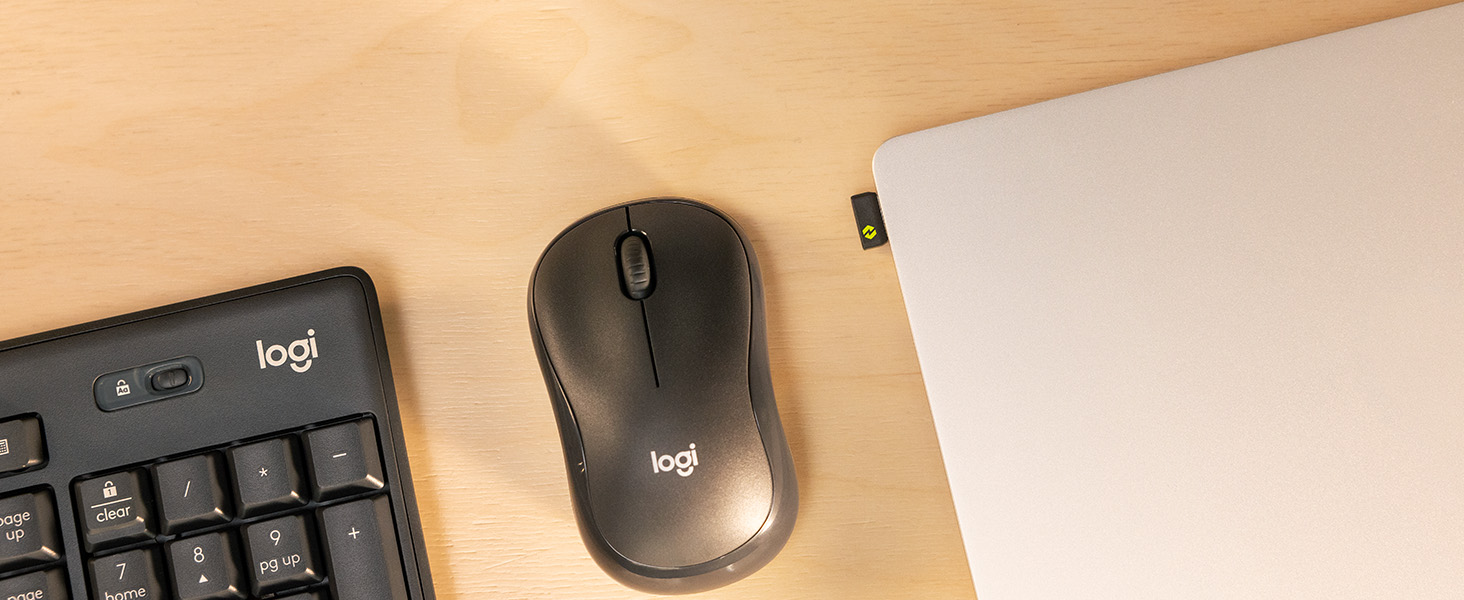
The Logitech MK370 Combo for Business is a full-size wireless keyboard and mouse set engineered for enterprise environments. Featuring Logi Bolt’s encrypted wireless security, spill-resistant keyboard design, and a silent mouse, it supports seamless multi-OS compatibility and centralized IT management across 100+ countries. Ready out-of-the-box with a pre-paired USB receiver and Bluetooth flexibility, it’s built to boost productivity while minimizing distractions.




| ASIN | B0C13XFBFJ |
| Best Sellers Rank | #53 in Computer Keyboard & Mouse Combos |
| Brand | Logitech |
| Color | Graphite |
| Customer Reviews | 4.4 4.4 out of 5 stars (266) |
| Date First Available | June 6, 2023 |
| Hardware Platform | Linux, Mac, PC |
| Item Dimensions LxWxH | 0.71 x 17.36 x 5.87 inches |
| Item Weight | 1.1 pounds |
| Item model number | 920-011887 |
| Manufacturer | Logitech |
| Operating System | Windows 10, 11 or later, macOS 10.15 or later |
| Power Source | Battery Powered |
| Product Dimensions | 0.71 x 17.36 x 5.87 inches |
| Series | MK370 |
R**I
Decent Keyboard and mouse combo
I think the keyboard is well sized and good quality. Noise is not too quiet nor loud but more on the quiet side. Haven’t had to change any batteries after a month (5/7days for 4 - 5 hours) so battery was good, i just tried to remove the batteries to check (AA batteries) it’s not turning on anymore but I’m pretty sure it’s no biggie. I’ve been having some lag from the mouse but I blame that on outdated drivers. It looks good and works ok. Sub 40$ good deal for mouse and keyboard, sub 50$ is not too bad but full price nuh uh. Good luck on your spree y’all 🤠
S**U
Sweet
Great value, comes with batteries with charge and connects very effortlessly over bluetooth (as I recall I just paired it with my phone after turning the keyboard on, so it must default to bluetooth pairing mode while on, as indicated by the power light flashing). I didn't experience any lag, and the keyboard itself felt like great quality -- that classic Logitech K120 feel (my fav wired keyboard ever) with the same button shape and tactile feel you'd expect from it. Not too heavy to be portable but not so light it'd get pushed around accidentally. It's awesome to have a full-sized wireless keyboard instead of a mini one as is popular these days. I got this to travel, as I spend a lot of time in hospitals for work, and would need it to connect to my phone/tablet. It comes with a mouse -- it's a little smaller than the MK120 combo's mouse. This mouse's clicks make a gentle sound instead of a traditional click sound, kind of like a textbook being gently pressed onto a table, if the textbook were made of rubber, if that makes sense.
S**.
Worth every penny
The keyboard works with out much of a touch, it's bigger size is great the keys are not crammed together and you are less likely to hit the wrong key. Not only are the keys quiet when you use them they feel good. They work terrific and that mouse is tuff, I have dropped it over 2 dozen times onto a hard plastic floor protector and it keeps on ticking. The set was well worth the cost and to be honest that little mouse is well worth the cost alone.
M**I
Does this keyboard work with multiple devices (computers, laptops, tablets, etc.)?
The keyboard and mouse function fine, but the mouse expects the buttons to be pressed a little harder than my old mouse. I couldn't get a straight answer on whether this keyboard and mouse will work with multiple devices. I was looking for something that would work with USB on my home computer and have a way to work with my work laptop without moving the USB Logi-Bolt device. This keyboard/mouse combo does work, but it isn't straight forward and doesn't seem designed for it. First I connected them to the work laptop via bluetooth and they worked just fine. Then I powered off the laptop, put the USB Logi-Bolt receiver in my home computer, powered up the home computer, and the keyboard/mouse worked just fine. What I've found is as long as both devices are powered off along with the keyboard and mouse, when I power on the keyboard and mouse, and then either the laptop or computer (not both), then the keyboard works with that device. However, on the laptop with the bluetooth connection it makes me enter a numeric code on the keyboard once Windows boots, so I must use the laptop's keyboard to log into Windows since I bluetooth isn't activated yet. Since I have the laptop's keyboard to login, I haven't tried to get around this. Therefore, the short answer is this keyboard will work with two devices (probably more on bluetooth) as long as you don't want to swap between them on-the-fly. The first device the keyboard recognizes seems to be the device it stays connected to.If you want to use a keyboard/mouse combo that swaps on the fly, then I recommend a keyboard with easy-switch buttons, like the Logitech MK955. I imagine other brands have easy switch buttons too. Also, remember that in my case I must enter a Windows password, and after that I had to enter a code on the Logitech keyboard for the bluetooth connection to work. Since is this a work laptop that I do not have administrator access, I didn't bother to see if there was a way around this. Also, a ding against Logitech in general is I cannot find a user's guide specifically for my keyboard. It does have a connect button that I seem to have to press sometimes, and it has an LED that goes solid and blinks, and it doesn't seem to relate to connecting or not. Logitech does have online support for their keyboards, but I cannot find specifically how to use this button.
S**0
Wireless and Wonderful!
I have one at work and its fantastic...and quiet! I had to get one for my home office!
A**R
Logitech is the best!
Logitech are the best keyboards and mice. I love the "silent touch" of the keyboard and mouse, and works great Bluetooth with my laptop, and I never have to plug anything in like a USB dongle, or reconnect or re-pair anything
C**M
Great for office!
Easily connects and works great for my home office! Highly Recommend
C**R
Not plug and play. Not for USB hubs, switches, or KVM.
I bought this as a replacement for the MK270. The product description checked more boxes than I needed. Upon connection, entertainment ensued. Boot screen showed 1 mouse. On the desktop, no mouse pointer. Blutooth lights flashing. Pressed Func and P per instructions to tell it I am using Windows. 6 seconds pass. "USB device not recognized" on Windows 10 while connected to a USB switch since boot up. I tried it twice. Seems to work only if the dongle is plugged directly into the PC. This makes no sense to me. On the desktop, I still had to press keys Func and P or else it continues to seek Blutooth. By this point, I did not even bother to see what it would do in Linux. No mention of Linux in the instructions. My logical conclusion is the MK370 will not integrate into a setup involving hubs, switches, or KVM. If, by some bit of luck this does work for you, then you might recognize this glitch at some point in time. My advice for Logitech would be to compartmentalize the Blutooth function and isolate it with a mechanical switch. Otherwise it is going to act as a gatekeeper. When it goes bonkers, the whole keyboard will be useless.
A**N
good and will recommend it.
Trustpilot
Hace 3 semanas
Hace 1 mes