
Descargar la aplicación


Servicios al cliente
Sobre nosotros
Copyright © 2025 Desertcart Holdings Limited
Descargar la aplicación
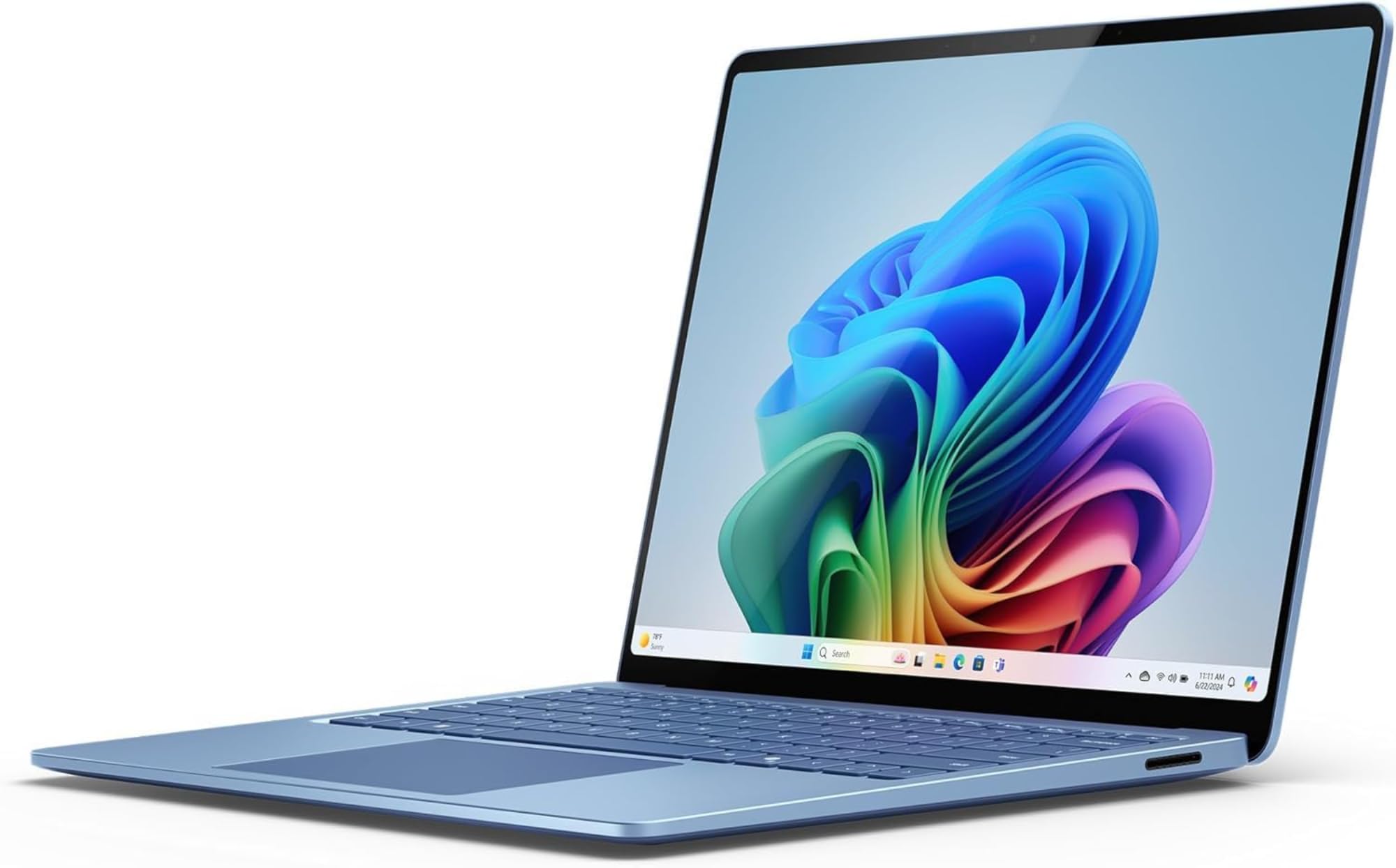
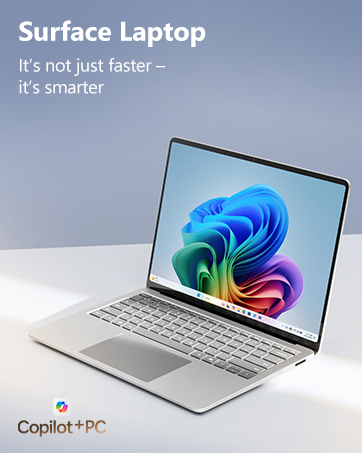
🚀 Elevate your edge with the AI-powered Surface Laptop — where speed meets style and smarts.
The 2024 Microsoft Surface Laptop 7th Edition features a powerful Snapdragon X Elite 12-core processor, 16GB LPDDR5x memory, and a 1TB SSD, all wrapped in a sleek 13.8” HDR touchscreen chassis. Designed for professionals craving cutting-edge AI integration via Copilot+, it delivers superior performance, exceptional battery life, and whisper-quiet operation in a lightweight, sustainable build.






| ASIN | B0D1YQX5HT |
| Are Batteries Included | Yes |
| Audio Details | internal |
| Batteries | 1 Lithium Ion batteries required. (included) |
| Best Sellers Rank | 3,046 in Computers & Accessories ( See Top 100 in Computers & Accessories ) 22 in Traditional Laptops 3,151 in Climate Pledge Friendly: Shop All |
| Brand | Microsoft |
| Colour | Blue |
| Computer Memory Type | DDR4 SDRAM |
| Connectivity Type | Wi-Fi |
| Customer Reviews | 4.2 4.2 out of 5 stars (142) |
| Date First Available | 20 May 2024 |
| Delivery information | We cannot deliver certain products outside mainland UK ( Details ). We will only be able to confirm if this product can be delivered to your chosen address when you enter your delivery address at checkout. |
| Form Factor | Clamshell |
| Front Webcam Resolution | 2 MP |
| Graphics Card Description | Integrated |
| Graphics Card Interface | Integrated |
| Graphics Chipset Brand | Qualcomm |
| Graphics Coprocessor | Snapdragon X Elite |
| Graphics RAM Type | DDR4 SDRAM |
| Guaranteed software updates until | unknown |
| Hard Disk Description | SSD |
| Hard Drive Size | 1 TB |
| Item Weight | 1.22 g |
| Item model number | ZXX-00064 |
| Lithium Battery Energy Content | 4755 Milliampere Hour (mAh) |
| Lithium Battery Packaging | Batteries contained in equipment |
| Manufacturer | Microsoft |
| Maximum Memory Supported | 16 GB |
| Memory Technology | LPDDR5x |
| Number Of Lithium Ion Cells | 6 |
| Operating System | Windows 11 Home |
| Processor Brand | Qualcomm |
| Processor Count | 1 |
| Processor Speed | 1 |
| Processor Type | Snapdragon |
| Product Dimensions | 30.1 x 22 x 1.75 cm; 1.22 g |
| RAM Size | 16 |
| Resolution | 2304x1440 Pixels |
| Screen Resolution | 2256 x 1504 pixels |
| Series | Surface Laptop |
| Standing screen display size | 13.8 Inches |
| Voltage | 230 Volts |
| Wireless Type | Bluetooth |
R**W
Light, compact, cool and fast
The seller despatched promptly and it arrived as expected. Bought this laptop to replace my 10 year old MacBook Pro, on which I was running bootcamp Windows. Similar spec, 32Gb RAM and 1TB hard drive. As an aside, the MacBook cost the same in 2015 as this one in 2025, cumulative inflation, according to government figures, has been 41% in that time, so you can pretty much guarantee the real figure is more like 80%. So this tech equipment is much cheaper in real terms than it used to be. Although the screen size is the same, 15", this Windows Surface laptop is in a far more compact package and much, much lighter. The MacBook ran hot, touching the area around the keyboard was very hot to touch and the fans were constantly running and quite loudly. With this machine, I've only heard the fan come on once, and quietly at that - and I'm probably what would be described as a power user, I use it as a development machine so it's working hard all the time. The keyboard and trackpad are as good, if not better than the Mac - I've got my Delete key back(!) as well as Home, End, Page Up and Page Down keys which the Mac annoyingly lacked. I was a little dubious about the Snapdragon ARM processor, but the advantages are clear, cool running and superior battery life. There are a few apps that are built for the processor, but standard x64 apps run perfectly well in emulation mode. You wouldn't know that they aren't running natively. So, all in all, really pleased with the machine, it's exceeded my expectations, very happy with it.
P**R
Good laptop
Selected this laptop to replace an intel 155h metor lake Lenovo as I was becoming tired of hearing the fans continually spin up even when doing basic web browsing. This Microsoft surface is better built, much much quieter and has great battery life. This laptop is mostly used to edit photos and make YouTube shorts whilst being a general word processing/web browsing machine. There was a concern that the X Elite chip would be a hindrance with compatibility, however I have found that every application/program that I use works and is native to the ARM architecture. It is a proper zippy machine where lag and waiting for things to load are not really noticed and the efficiency of the chip out matches the previous intel chip. A couple of examples, all of which are unplugged, zoom call with my photography club for 2 hours - Intel 40% battery drain - X Elite 20%. When using affinity photo 2 there was a significant difference in battery usage where intel would lose 35-40% editing multiple photos for HDR merge, focus merging, colour grading and moving the photos from multiple folders on my external hard drive. This would be over a 1-1.5 hour session roughly processing 100 images. The X Elite again is about twice as efficient in managing a similar workload using around 20-25% of battery. It is astonishing, plus is quiet, near silent. The screen is great but a bit more reflective than I'd like. I don't use the touch screen very often so will not comment on it on than to say it works. The build is exceptional, feeling very solid in the hand. Overall really pleased with this laptop and am actually thinking that this will still be relevant, in terms of performance, for my usage for a good few years.
A**X
It’s ok but….
Brilliant device, keyboard and screen are very good. Battery life is ok, got around 8hours of use, but nowhere near what the manufacturer states. The only issue I had is that some software isn’t compatible and for some reason it didn’t sync with my works Microsoft account
R**Y
Overpriced poor design and compatiblity issues
After loads of research i decided to give windows machine a go after being on mac for the last 17 years. Out of the box the machine pinched my finger on the back of the hinge ouch!. I went about setting it up and getting it to how i thought i might like it. MANY hours later after updates after updates after updates then optimisation i could finally see how far microsoft has come since i last looked at windows 8. What a horror show, no logical layout, and how many pop ups can one OS have, upgrade to this, pay for that do this do that, it was like living with a nagging partner. Then i thought i would load up my steam library and instal some of my xbox games. NOPE hardly any work because of the CPU architecture. I bought and am using a M1 mac book pro as i type this, compatibility was hardly an issue when they changed over to ARM even for lots of third party applications. But on Windows even microsoft games wont run on the machine they designed. I think i may have been spoiled with the JUST WORKS mac environment, every time i went to use the machine it nagged me and took what seemed a age to open up with that what i call the hatefull microsoft logo. I tried to ease myself into the machine which overall had a nice build quality barring pinching my finger and no back light keyboard in 2025! I kept hold of it for a few weeks to see if it would fit but i couldn't get it to work as i desired. The machine sat on the side unloved - actually loathed next to my old M1 mac. Every time i tried to use the machine i always gave up and got back on the ever reliable mac. Microsoft need for me to learn that an operating system is just an operating system, i know that they all upsell but in the mac os environment you send it away and it wont nag you any more. If the nagging wasn't so persistant, the os better thought of with better compatibility, design of the machine with a little more care - and how much extra would it have costed you to backlight the keyboard i may have come back to windows. Missed opportunity overall - i am sticking with mac The machine got returned to amazon for a refund.
N**.
Snapdragon chipset is not designed for windows and windows apps. It is struggling even with simple tasks. Co pilot button also nothing special. Windows button was much more practical.
Trustpilot
Hace 1 mes
Hace 2 meses