We remain fully operational. Our teams are working around the clock to ensure your deliveries continue safely.

Descargar la aplicación


Servicios al cliente
Sobre nosotros
Copyright © 2025 Desertcart Holdings Limited
Descargar la aplicación


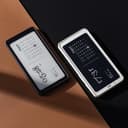

📚 Elevate your reading game—where ePaper meets smartphone sleekness!
The BOOX Palma is a cutting-edge 6.13-inch mobile ePaper device combining a high-resolution E Ink Carta 1200 display with an octa-core CPU, 6GB RAM, and 128GB storage. Designed for professionals on the go, it offers seamless Android app compatibility, customizable controls, and eye-friendly front lighting, all packed into a sleek, pocketable form factor.


| ASIN | B0CQ7VRNFS |
| Aspect Ratio | 4:3 |
| Battery Average Life | 1 days |
| Battery Cell Type | Lithium Ion |
| Battery Power | 3950 Amp Hours |
| Best Sellers Rank | #104,975 in Electronics ( See Top 100 in Electronics ) #137 in eBook Readers |
| Brand | BOOX |
| Built-In Media | Quick Start Guide, Warranty Card |
| Camera Description | 16MP Rear Camera |
| Cellular Technology | 4G |
| Color | White |
| Compatible Devices | Keyboard, Stylus Pen, External Display |
| Connectivity Technology | Bluetooth, Wi-Fi |
| Customer Reviews | 4.2 out of 5 stars 252 Reviews |
| Display Refresh Rate in Hertz | 60 |
| Display Resolution Maximum | 824x1648 |
| Display Type | EINK |
| Generation | 1st Generation |
| Graphics Description | Integrated |
| Hardware Interface | 802.11 b/g/n, Bluetooth, USB |
| Human-Interface Input | Touchscreen |
| Item Dimensions L x W x Thickness | 6"L x 3"W x 0.3"Th |
| Item Weight | 360 Grams |
| Lithium-Battery Energy Content | 15.17 Watt Hours |
| Manufacturer | BOOX |
| Memory Storage Capacity | 128 GB |
| Model Name | Palma |
| Model Number | Palma |
| Native Resolution | 824*1648 (300 ppi) |
| Operating System | Android |
| Other Special Features of the Product | Phone-sized Design, Rear Camera, G-Sensor, Third-party App Support, Custom Widgets, Customizable Buttons |
| Processor Brand | ARM |
| Processor Description | Octa-core 1.5 GHz |
| Processor Speed | 1.5E+3 MHz |
| RAM Memory Installed | 6 GB |
| Rear Facing Camera Photo Sensor Resolution | 16 MP |
| Screen Size | 6.13 Inches |
| Specific Uses For Product | Reading |
| Unit Count | 1.0 Count |
| Video Capture Resolution | 1672 x 1448 pixels |
| Warranty Description | 1 year warranty |
| Warranty Type | Limited |
| Wireless Compability | 802.11b, 802.11g, 802.11n |
| Wireless Technology | Bluetooth, Wi-Fi |
S**.
Portable, perfect, pricey
Super lightweight and portable because it's the size of a smartphone. Great resolution and detail for reading when using regal or HD display settings, or fast refreshing for browsing or video. Display has a light that the brightness and color temp can be automatic or manual. Android OS allows for using your favorite apps, like Libby and Kindle (and I also use an app to control my home devices like my wifi lights). Device has a back camera, but one drop and the camera glass is already shattered on mine. I like having this little device with me to allow me to read with little distraction and save my phone battery. It's wonderful for reading outside in the sun! If it wasn't exactly what I was wanting, the price would be too much. I hope it lasts!
A**E
The best on-the-go ereader there is
I use it every day. It’s so small and great to take on hiking and camping trips. In case you want a case to fit, the brand Baggu makes eyeglasses sleeves that fit the Palma perfectly. If they ever made a color version of this device, it would be the absolute perfect ereader. One con is there is no dark mode on the device. However, if you use the kindle app, there is a dark mode feature within the app. (Pictured is the Boox GoColor7 and the Boox Palma)
H**N
Possible alternative
UPDATE: I have more & more come to value the ability of the Boox line of ebook readers to access multiple sources of reading material. So I eventually acquired a Boox Poke5, which is a 6 inch ebook reader with the same form factor as the basic Kindle, but the Poke5 is a smidgen smaller. If you are interested in the Palma, you might check out the Poke5, which is unfortunately not available on Amazon but can be found at other retailers. The Poke5 does everything the Palma does, and is not materially larger. YMMV of course, but the Poke5 is about $100 cheaper, and almost as portable. EARLIER REVIEW: When I first started using the Palma, I didn't think I'd much like it. I have a Kobo Sage, and a couple of Kindles, including a 6 inch which is the portable option to the Palma. The 6 inch Kindle is better to read on, and portable to some extent, but since I don't normally use any kind of briefcase or manbag, the Kindle is only portable if I'm wearing cargo pants or a jacket, and even that can be a little clunky. The Palma fits easily into any pants pocket, front or back. I mainly use the Palma for short form reading on the go, and the ability to link to my iPhone hotspot makes it easy to retrieve articles from all of the the apps I use for short form reading: Instapaper, Omnivore, Readwise Reader, Feedly and Substack, and some but not all of the magazine apps I use. At this point the only book reading I do I use is on my Kindle or iPad, but the Palma, while not quite as good seems adequate - in addition to the Kindle and Kobo apps, I've found a couple of reading apps that work nicely for anything you've loaded onto the Palma: PocketBook, ReadEra, and the little File Folder app that is on the homepage of the Palma contains a Documents folder that turns out to invoke the Boox Neo Reader when you tap on one of the documents. (You can separately get the Neo Reader from the Play Store - it seems to be a little different app, though...) I have not engaged with the internet directly, and don't use the Palma for music or audiobooks since my iPhone is greatly superior for those purposes. PRO: 1. I can combine all my reading on one e-ink device without worrying about dealing with DRM or sideloading - because it's all done via apps you've loaded from the Play Store. Of course, you can side load books sans DRM that you don't access through Kindle, Kobo, etc., and use the other ebook reader apps to read them. Pretty easy to import them into such apps. 2. e-Ink visual comfort beats reading on a phone, and there's more reading space. 3. I can link the Palma to my iPhone hotspot, so I can download items without having to find & join a public wifi. 4. The NaviBall is great. Check it out. 5. The experienced reading space is about 25% greater than on my iPhone 14 Pro (see below). And it seems only about 90% less than on my Kindle. 6. Helps me avoid distracted attention to non-reading apps like email, texting etc. 7. As far as I can tell, you can annotate within book apps, but not magazine apps. But this may be a function of the particular app rather than of the Palma. OTOH, it appears that the Share Sheet function operates in all of the apps. CON: 1, The Palma interface is a bit complicated, although - or because - it can be optimized in several ways. The Palma relies on sideswipes to move back & forth between home pages, and about half the time I had to do multiple swipes. Fortunately, there are other options for page changing involving the function key (left side button) or the NaviBall. 2. When reading within apps, the refresh is obvious but tolerable, but there are levels of refresh that you have some control over. 3. The Palma allows you to set different pagination/scrolling for different apps. This is great when it works, but some apps don't play well so it's kind of hit or miss. Sometimes you can set up what you want from within the particular app. 4. You will not be surprised to be told that there's not much point in trying to deal with pdfs on this device. OTHER: 1. The Palma is about 2/3 the weight of my iPhone 14 Pro, and has more actual reading space. I bought the white Palma, which gives me an illusion of even more reading space since the white border appears as a normal page border in a book does. 2. The key to the Palma for me was to do a deep dive into the interface options. All in all, this is a device that I don't really need. I thought about keeping because it's fun and convenient. Kind of reminds me of how neat the original Macintosh computers were. But reader, I returned it.
S**J
So convenient. Very snappy.
I love this device purely because of the size. It’s apart of my daily carry and I’ve started to read so much more because I bring this wherever I go. There have been many times that I’ve been waiting on something or someone and instead of scrolling on social media I can just whip this out to read for a few minutes. I have the Boox nova 3 and it’s super light in comparison which also makes it easier to read comfortable in bed. Another benefit is that I can download useful apps since I don’t have a smart phone. If it was a phone it would literally be perfect. The OS is also faster than other e ink devices that I’ve used and the reading experience on kindle (the app I use the most) is very pleasant and fast.
S**F
Was working great until Screen just died after 6 months
This is a great device and I would have gladly continued using it had the screen not malfunctioned. Screen broke after 6 months of use - no drops or anything. Used this device for 5 months, then it sat on my desk for a few weeks and then I tried using it and saw lines horizontal and vertical blocking most of the screen. Support claims that external force is the cause which is not covered under warranty. As a number of reviewers have mentioned, the issue here is the screen is either faulty or is much more fragile than your average phone/kindle screens. The device was barely used, it was always in one place, unlike say my phone or Kindle and somehow the screen broke. This defect is not covered by warranty as per support and would require half the price of the device to fix.
G**.
Love this thing
Great e-ink fablet thing. Love it so much. I use it all the time and I definitely can't recommend this product enough. Got it after my Kindle spontaneously combusted shortly after turning it on. I love this, with or without a case. It feels great in the hands and I like the backlighting and temperature control feature. The camera is almost worthless because it is b+w so idk why they included it. After a few months of use, it started to ghost really badly but after a recent update it seemed to help ghost less than it did. Great for use with the Aurora store and any Google Play apps. Love that it can do games and such. It has limited functionality when restricting app permissions and doesn't allow access to developer options (at least not that I've found). But for what it does I would recommend. When and if this thing goes I will buy the next version. Many people had issues charging it and screen problems. I charge it to 100% and travel with it all the time so idk what they are talking about. I have a case and screen protector for it and haven't dropped it significantly so maybe that plays a part? I haven't experienced screen glitches or problems other than heavy ghosting. I think you should baby it a little since it is a e-ink device but YMMV.
T**P
It could use some improvement
There are good and not so good things about this item. Good: It is portable. About the size of a modern cell phone. The screen is glare free and easy to read. The intensity and color temperature of the back light can be changed The e-ink display again makes for easy reading. There are various fonts you can choose. The sizes of fonts can be changed. The case seems well made. The case,on the back, is textured. Making it easy to handle. Improvements that could be made. The item uses Android OS #11. Somewhat dated OS. Since the most recent is #13. Having tried to update it through the settings page, it remains at #11. So it maybe stuck on #11. There is a camera. However: nowhere in the OS is the camera mentioned. You need to access the "document scanner " ap. It has a port for a micro SD card. Nowhere is the reference to capacity limit of the SD card. I inserted a 1TB card. This card appears to not be recognized by the item. No place is it mentioned as too large or not formatted correctly. So, I don't know the problem. Every other eReader I have or have had, has a dark mode. This one does not. At least that in can find. BTW the included quick start guide is worthless. I pretty much consists of one page of each available language. Even then the text is too small to easily read. So, all in all, I give this eReader a 3. I would certainly like to hear from the manufacturer, of this item, if any of my criticisms are just because I can't find the correct settings.
J**S
Boox vs Kindle basic 2024
BOOX VS KINDLE BASIC I bought the Boox Palma 1 alongside a 2024 Kindle Basic (a bit cheaper model to be fair) to compare them—and I keep reaching for the Palma. firstly, note that this device is not a phone. It doesn't have a SIM card. It's not a fast enough screen for browsing the Internet, and you won't enjoy it for anything other than reading. However, it is absolutely the best way to read in my opinion. Battery life: boox: maybe 2 weeks of heavy reading between charges Kindle basic: 50+ days! Both are USB -C which is good. Both accept third party loaded books via free Calibre software etc. It’s honestly brought me so much joy and got me back into reading regularly. phone form factor is nice for throwing into my back pocket and the level of customization vastly exceeds the Kindle, especially since you can install third-party reading apps with extra settings. I run a balance of the stock Boox reader app and also moon reader, which is free. On the Kindle you can only run the stock reader. However you do get access to Kindle unlimited if you want to pay for that. I don't lol. On the Boox You can tweak fonts, layouts, contrast, boldness etc. and it has a blue light filter. On kindle you have pretty minimal options for fonts. I did run into a screen malfunction after a few months, which was frustrating—but Boox customer service was excellent. They replaced the hardware for free and kept me updated throughout the process. I got it back a few days ago with a new screen and it's running great. I still have the Kindle, but I barely use it. The Palma is just more fun, flexible, and enjoyable. If you need a screen protector, "healing shield" makes a really good one and I actually prefer the paper feel with the screen protector. THE VERDICT: - if you want a budget option and perfect reliability I'd go Kindle basic. - if you have a bit more to spend ($180-280) I would get the Kindle paperwhite or the boox palma 1. Personally, I think the boox is the best. i'm going to keep my Kindle basic so that I have a back up in case this one ever needs to get sent back for repair. But the boox is my daily driver for sure.
Trustpilot
Hace 1 mes
Hace 3 semanas