We remain fully operational. Our teams are working around the clock to ensure your deliveries continue safely.

Descargar la aplicación


Servicios al cliente
Sobre nosotros
Copyright © 2025 Desertcart Holdings Limited
Descargar la aplicación

🚀 Elevate your DIY projects with a touchscreen that’s as sharp and savvy as you are!
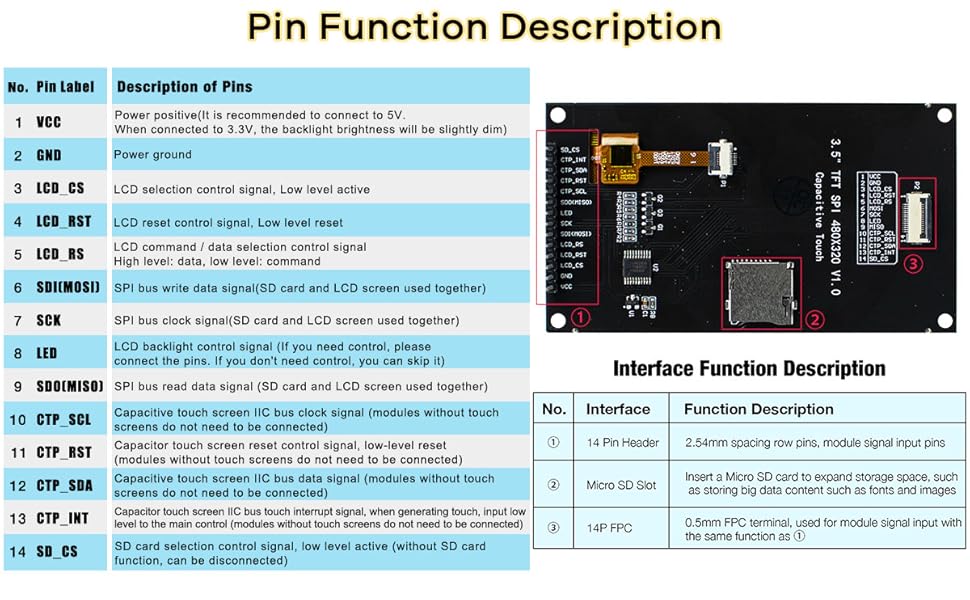
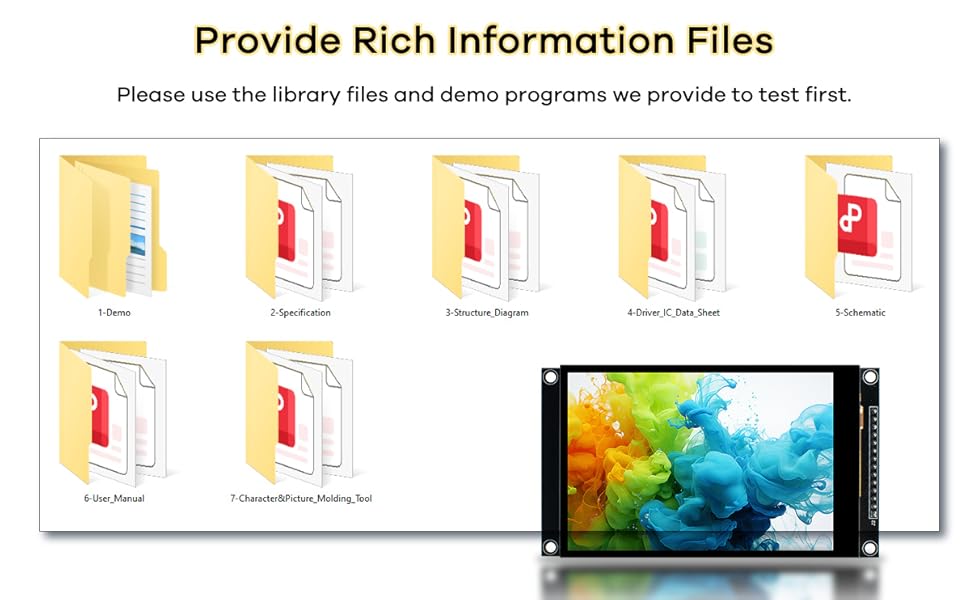
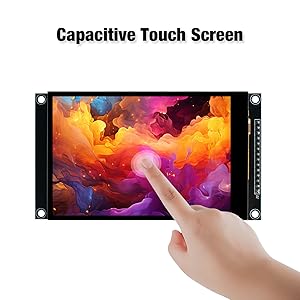
The Hosyond 3.5-inch 320x480 IPS Capacitive Touch Screen LCD Module features a vibrant IPS display with 16.7 million colors and 300cd/m² brightness, driven by the ST7796U chip. It offers a highly sensitive capacitive touch panel, supports 4-wire SPI communication to save I/O pins, and includes an onboard level converter compatible with both 3.3V and 5V MCUs like Arduino R3 and Mega2560. The module also integrates a microSD card slot for expanded storage and comes with extensive sample code and driver support, making it ideal for professional-grade embedded projects.

| ASIN | B0CMD7Y55M |
| Best Sellers Rank | #28,185 in Electronics ( See Top 100 in Electronics ) #738 in Computer Monitors |
| Brand | Hosyond |
| Built-In Media | 1 x 3.5 inch touch screen, FPC cables, Plastic protective box |
| CPU Manufacturer | Raspberry Pi |
| Compatible Devices | Arduino R3/Mega2560, ESP32, STM32 |
| Connectivity Technology | I2C |
| Customer Reviews | 3.9 out of 5 stars 100 Reviews |
| Included Components | 1 x 3.5 inch touch screen, FPC cables, Plastic protective box |
| Item Dimensions L x W x H | 3.85"L x 2.18"W x 0.51"H |
| Item Weight | 3.5 Ounces |
| Manufacturer | Hosyond |
| Mfr Part Number | H029-A |
| Operating System | ESP32 |
| Processor Brand | Raspberry Pi |
| Processor Count | 4 |
| RAM Memory Technology | LPDDR3 |
| Total Usb Ports | 1 |
| UPC | 741421390461 |
| Wireless Communication Standard | 802.11bgn |
| Wireless Compability | 802.11bgn |
B**H
Great display with better packaging and simplified wiring
This version of the Hosyund 4.0in 320x480 display fixes the 2 things I disliked about the original version (red PCB) - the additional header used for accessing the SD card, and using an SD card instead of a microSD card. This board is pin compatible with the old one on header J2 for the display and SPI (pins VCC through SDO(MISO)). I don't use touchscreen normally, so I can't confirm they are the same. Instead of having a separate SPI header for the SD card like the old version, this board adds the microSD chip select pin (SD_CS) to the main header, eliminating the 4 pin header for the SD card. This version uses a microSD card instead of an SD card. This saves a lot of space around the board when packaging it in a project. The microSD card is under the board, on the old version the SD card stuck out about 1/2" outside the edge of the board and took up a lot more space. Like the red board version, the display is clear, bright, and easy to read in bright environments. This display can be tricky to get set up. I use the Bodmer TFT_eSPI library. Search for that, there are videos and documentation available to help you get started. Great display, great price!
S**.
Recommended Drivers Work
This is for the 4" 320x480 capacitive touch display with ST7796s. I first tested out the display itself, and found the TFT_eSPI to work well. For reading the touchscreen, I only really tested position and haven't looked into gestures yet, but I found that both RAK14014-FT6336U and the Arduino-FT6336U libraries worked equally well for what I tested. The RAK library actually used up a bit more program memory, about 240 bytes more, so if your processor is small in that department, might consider that. Here are some tidbits that I needed to learn through experimentation that might help others get running quicker: 1) SPI interface to the display runs well at 80MHz. I used ESP32 DEV, so no problem. 2) On ESP32, use default SPI pins in order to use hardware driver, which is fastest. 3) On I2C interface for touchpad, use default pins for SDA and SCLK. Easiest way to check which pins these are is to print out SDA and SCLK to the serial port. 4) The FT6336U interrupt pin is mostly useful to wake up the processor while in a sleep state. During normal operation, interrupts constantly come in and cannot easily be used to determine when a touch has happened. Need to poll the TD_STATUS register to see if non-zero and not use the interrupt line in normal operation. 5) TFT_eSPI is a very inclusive library, but you will need to alter it unless you have a board and pin setup combo that matches one of the many examples. This is not documented well. I recommend taking the SetupX_Template.h file in the User_Setups folder, configure it according to the comments in the file, save it as a new filename, and then you only need to change a single line in the standard library files from that point onwards, even if this library gets updated in the future. Then you can either copy this custom name file to the User_Setup.h file and overwrite the original. Or, everytime a new library version comes out, just edit the User_Setup_Select.h file to comment out the User_Setup.h and add a line to use the new file you created. Both ways work well. But expect that you will need to do this bit of customization to the library. 6) I2C address for the touchpad is as in the FT6336U library, address 0x38. You can also find example scanner sketches online which will confirm your board's touchpad I2C address. Overall, the display is a great value - nice and bright, large, and with a capacitive touchscreen that pretty much works out of the box without calibration.
S**Y
Nice display panel
Using this with an Arduino Mega 2560. First off, it just works. The display is top notch with black levels nearing OLED levels. The colors are bright and the images are sharp. The documentation is superb. The provided character font is not great. If I could figure out how to load a better font, it would get 5 stars. There is some text in the documentation suggesting it can be done, but I have not found any details on how that is accomplished. For static text, I just use a bitmap with a better font. My perspective is one of an EE with over 50 years of hardware and system software design experience.
L**T
Another poorly documented TFT.
The display looks fully featured, but the included code is old, obsolete, and does not work I will spend a few more hours trying to get it to work, but will likely send it back
I**R
Great 4.0" SPI Display with Responsive Touch and Excellent Connectivity
This 4.0-inch display is a fantastic option, especially if you're looking for something larger than the usual 2.5" to 3.5" screens. The 320x480 resolution provides sharp visuals, and the capacitive touch (FT6336U) is highly responsive and accurate with no calibration needed. Key Highlights: ✅ 4-wire SPI for the ST7796 display and I2C for the FT6336U capacitive touch—a great setup that ensures fast refresh rates and smooth performance. ✅ Use TFT-eSPI library support for video, though some customization is needed. ✅ FT6336U library for touch, which works flawlessly. ✅ 14-line ribbon connector with labeled pins—a fantastic inclusion! My dev board had all the display pins lined up but not the touch, so I had to use the ribbon to connect the touch functionality while still mounting the display. The fact that they included the ribbon cable is a huge plus. ✅ SD card slot (though I haven't tested it). If you're looking for the best 4-wire SPI screen with great refresh rates, this is the one to get. Highly recommended for anyone needing a solid display. Comes with documentation (better than most), but is still confusing. Just follow the advice of the reviews. 4.5 stars (rounded up to 5). Not perfect, but I haven't seen any better SPI displays.
M**W
Works great, not a "Retina display" Beautiful colors and HD for size. Great for microcontrollers.
I haven't tested the touch screen but who cares about that, beautiful display it booted right out of the box with e_spi driver for rp2040. I've included a screenshot of my settings hopefully someone can be helped. Because of its size and resolution it has slight dimness between pixels. I love this display and I hope it lasts. I got this display because Adafruit has discontinued their 320x480 display in this size range. Thanks Hosyond!
F**R
Works part time
Functions on a part time basis. The LCD display and touch sense work occasionally. Not many drivers available for the FT6336U sensing chip. Frequently receive I2C errors and device freezes. Not recommended. Returning.
R**M
Decent screen, bad mounting.
Decent quality IPS screen. Capacitive touch is okay. This display has a different pixel setup than most other IL9341 LCD units (inverted, check pixel order too) and the screens are mounted kinda poorly so they don't sit flush on the board. Not sure I'd buy these over other similar LCD units again.
Trustpilot
Hace 2 meses
Hace 1 mes