We remain fully operational. Our teams are working around the clock to ensure your deliveries continue safely.

Descargar la aplicación


Servicios al cliente
Sobre nosotros
Copyright © 2025 Desertcart Holdings Limited
Descargar la aplicación

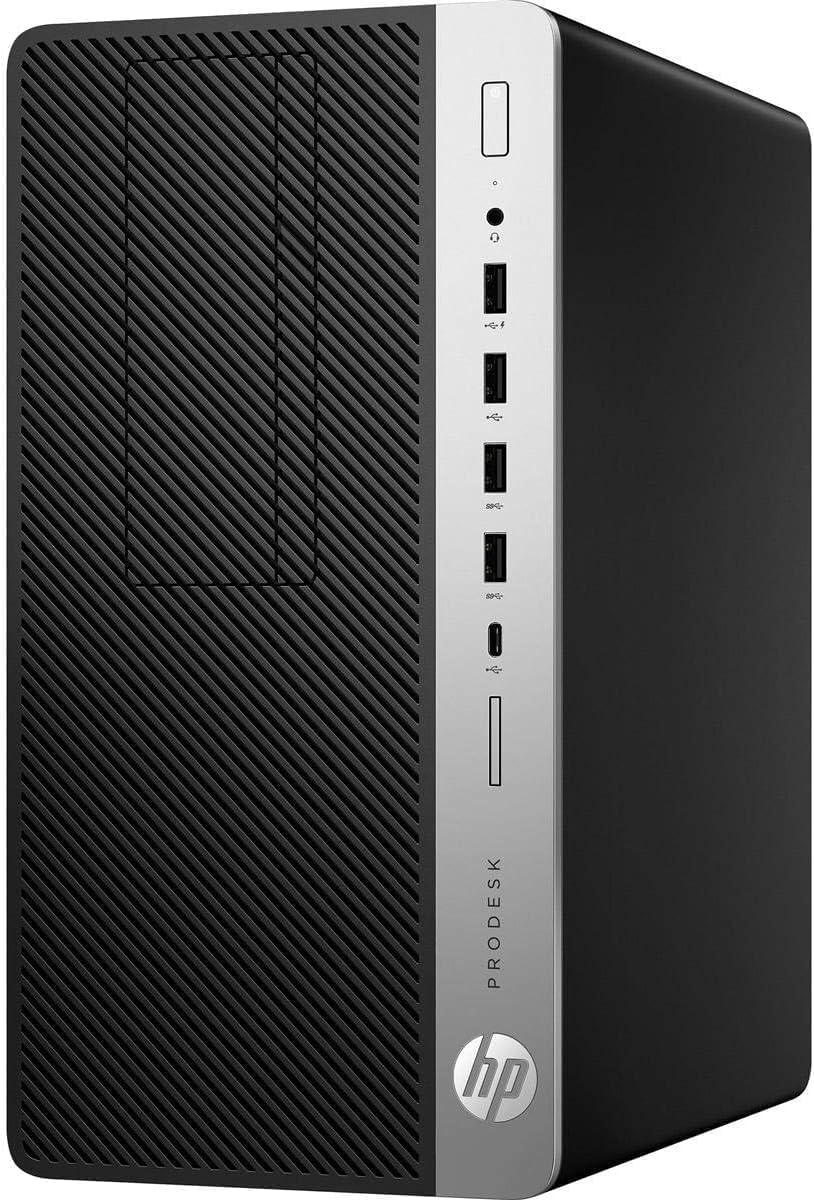
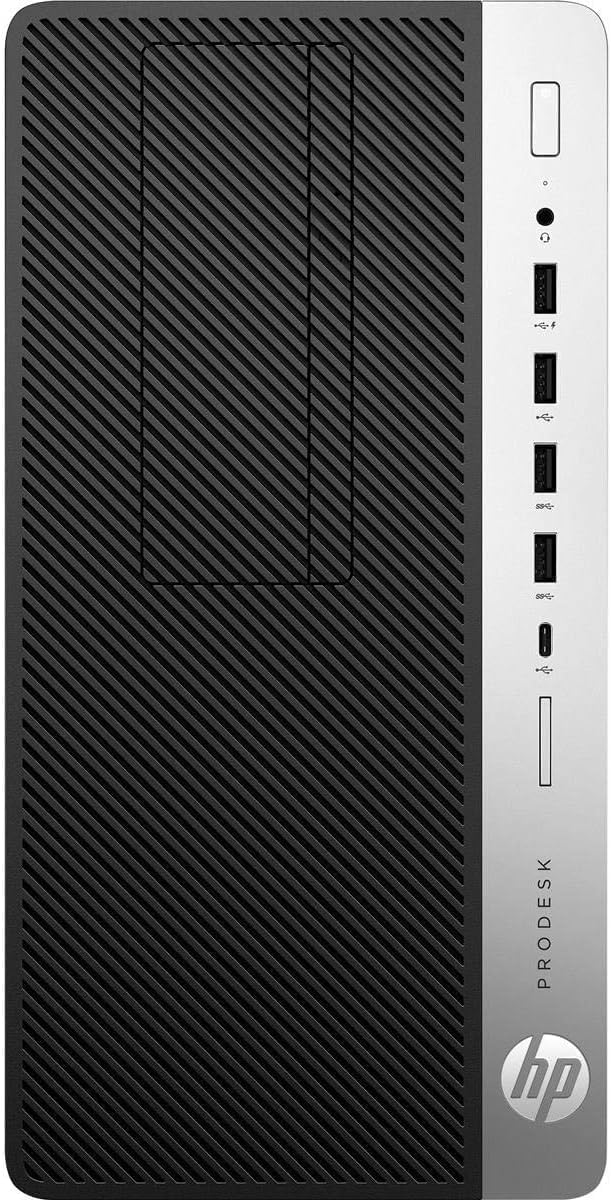
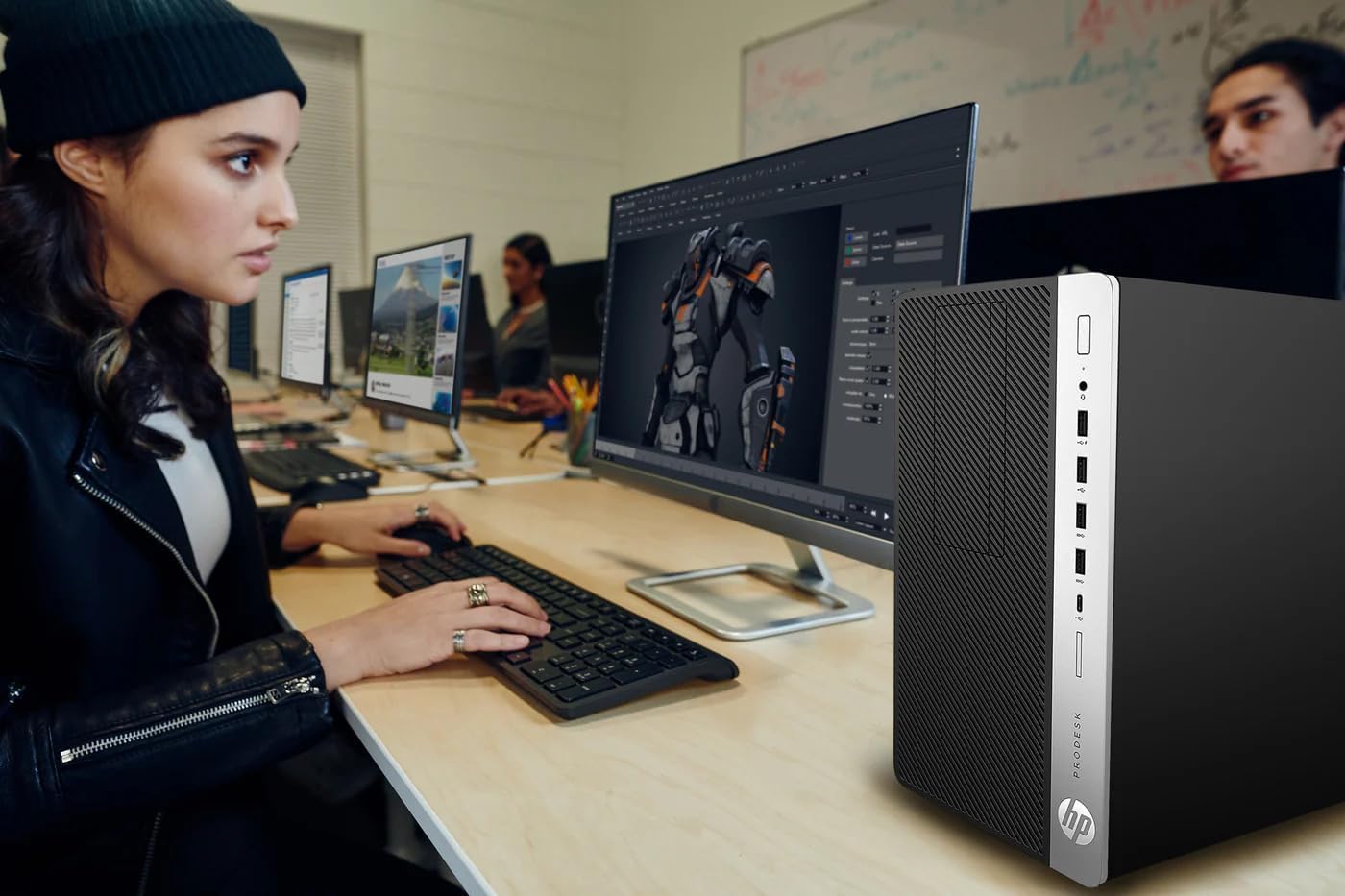
💼 Power your professional edge with speed, space, and style.
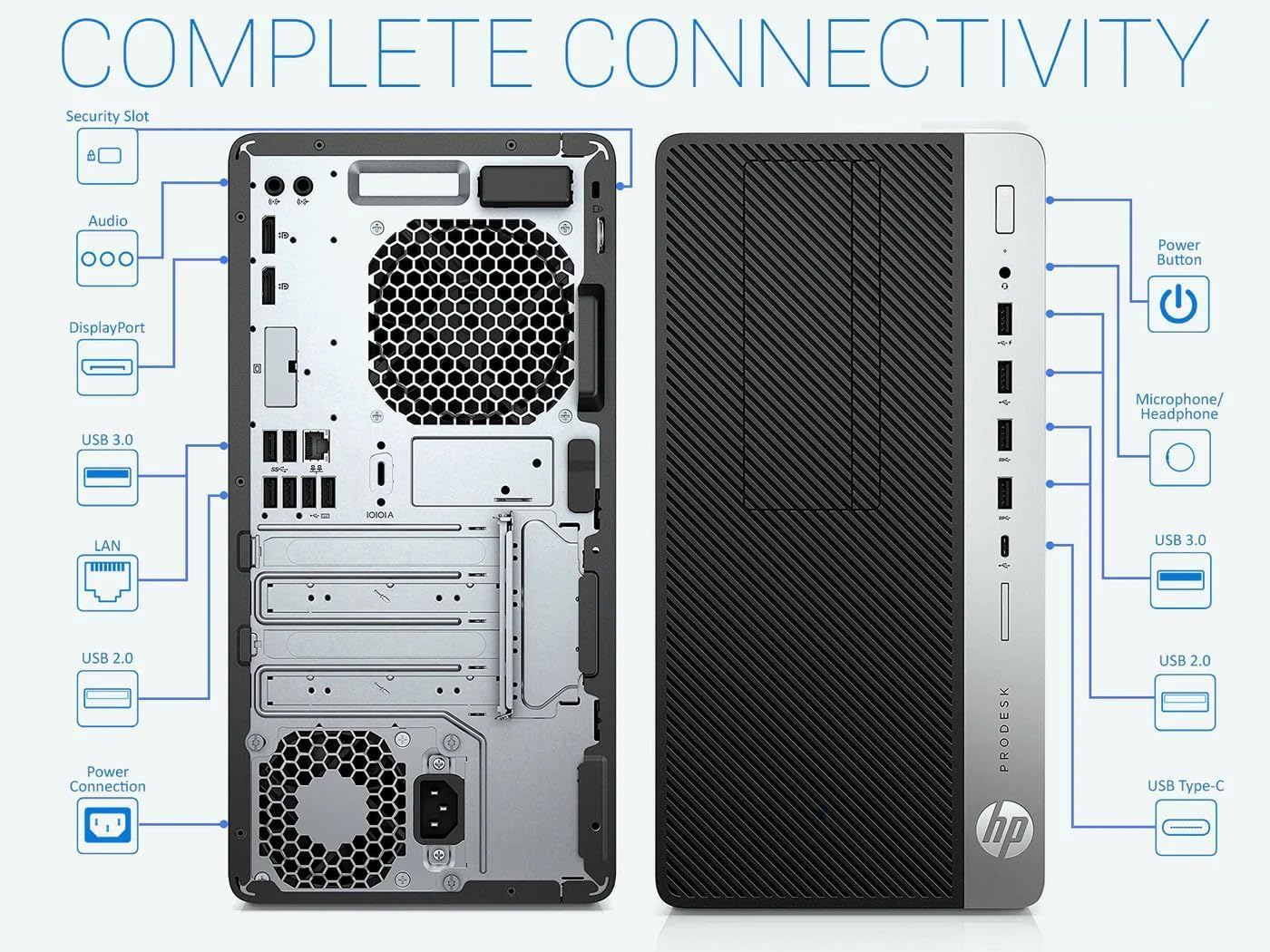
The HP ProDesk 600G4 Tower is a renewed powerhouse desktop featuring a 3.4 GHz 8th Gen Intel i7 Hexa-Core CPU, 32GB DDR4 RAM, and a 500GB SSD for ultra-fast performance. Equipped with Wi-Fi 5G, Bluetooth, and multiple modern ports including USB-C and DisplayPort, it runs Windows 11 Pro to deliver a seamless, professional-grade computing experience ideal for content creators and multitasking managers alike.
| ASIN | B0CH4N1VWK |
| Additional Features | Expandable Storage and Cooling Options |
| Aspect Ratio | 16:9 |
| Best Sellers Rank | #1,947 in Computers & Accessories ( See Top 100 in Computers & Accessories ) #36 in Tower Computers #139 in Renewed Computers & Accessories |
| Brand | HP |
| Built-In Media | DVD |
| CPU Model | Core i7 |
| CPU Model Number | 8700 |
| CPU Model Speed Maximum | 4.6 GHz |
| CPU Speed | 3.4 GHz |
| Cache Memory Installed Size | 8 MB |
| Cache Size | 8 MB |
| Color | Black |
| Compatible Devices | [Various] Keyboard, Mouse, Monitor, Printer, Speaker, Headphone, Smartphone, Projector |
| Connectivity Technology | Bluetooth |
| Cooling Method | Air |
| Customer Reviews | 4.2 out of 5 stars 420 Reviews |
| Display Resolution Maximum | 3840x2160 |
| Display Type | LCD |
| Global Trade Identification Number | 00698869736125 |
| Graphics Card Description | Integrated |
| Graphics Card Interface | Integrated |
| Graphics Card Ram | 128 MB |
| Graphics Coprocessor | Intel HD Graphics 630 |
| Graphics Description | Integrated |
| Graphics Ram Type | Shared |
| Hard Disk Description | SSD |
| Hard Disk Interface | Solid State |
| Hardware Interface | AV Port, DisplayPort, Ethernet, SATA 3.0 Gb/s, USB 2.0, USB 3.0 |
| Human-Interface Input | Keyboard |
| Item Dimensions | 13.3 x 3.9 x 12.1 inches |
| Keyboard Description | QWERTY |
| Keyboard Layout | QWERTY |
| Manufacturer | HP |
| Memory Slots Available | 4 Slots |
| Memory Storage Capacity | 500 GB |
| Model Name | ProDesk |
| Model Number | 600G4 |
| Model Year | 2020 |
| Native Resolution | 3840 x 2160 |
| Number of Component Outputs | 1 |
| Operating System | Windows 11 Pro |
| Optical Storage Device | DVD |
| Personal Computer Design Type | Computer Tower |
| Power Plug Type | Type A - 2 pin (North American) |
| Processor Brand | Intel |
| Processor Count | 6 |
| Processor Series | Core i7 |
| Processor Socket | LGA 1151 |
| Processor Speed | 3.4 GHz |
| RAM Memory Installed | 32 GB |
| RAM Memory Technology | DDR4 |
| RAM Type | DDR4 SDRAM |
| Ram Memory Maximum Size | 64 GB |
| Resolution | 3840 x 2160 |
| Security Features | Basic Windows 11 Pro security features |
| Speaker Type | External Speakers Required |
| Specific Uses For Product | Everyday Use, Personal |
| Specification Met | True |
| Style Name | i7 | 500GB SSD |
| Total Usb Ports | 10 |
| UPC | 698869736125 |
| Video Output | DisplayPort |
| Video Output Interface | DisplayPort |
| Video Processor | Intel |
| Warranty Description | 90 Day Warranty |
| Wireless Compability | 802.11n |
| Wireless Network Technology | Wi-Fi |
| Wireless Technology | Wi-Fi |
T**R
Full sized, impressive, fast HP desktop
This is one of many reconditioned products I have purchased from Amazon. And this desktop computer is outstanding. I did run into a couple of issues setting it up. So let me fill you in. First thing, there are 3 wireless USB adapters that must be plugged into the back of the tower. One for the wireless ability for the tower, one for the mouse and one for the keyboard. I found the wireless adapter for the mouse inside the battery compartment. The next issue I ran into is the keyboard was defective. It took some time for me to figure that problem out. My monitor screen, on whatever website I was on, kept flickering with a yellow cursor box everywhere. It acted like a virus was in the computer. Yet, thanks to Gemini, he helped me diagnose the issue. A defective keyboard really didn't matter to me, I had all the parts I needed to hook up two towers to one keyboard, one mouse and one monitor. The photo on Amazon's description of the rear of the tower is not accurate. I have attached a photo so you can see the rear. Just know that the output for a monitor is a display port. So, I had to order an adapter that converted display port to HDMI. This is a very inexpensive part that works great. My current desktop is Windows 7. I have had this tower since Windows 7 was released. So changing to a Windows 11 tower was frighting to me. Well, let me tell you this. Windows 11 is awesome. Very intuitive and takes some time to get to where want to go. Mainly because it looks nothing like Windows 7. I found the best thing for me was to PIN the most used features along the bottom of the toolbar. The setup was super easy. Although when it wants you to choose a PIN number for Microsoft, that number is the lock code number you enter every time to open your desktop . DON'T FORGET THIS NUMBER! Last thing, this is a full size tower. Not a compact. Full size! It works great, and it is super fast. I hope this information helps. Enjoy, this computer is worth every penny, I absolutely recommend it 👌.
T**R
Great Buy and Windows 11 might be your culprit
I was skeptical buying a refurbished computer and only did so after reading reviews. I was replacing an older HP desktop that would not support Windows 11 and this is a fantastic upgrade! After noticing negative reviews about packing, I was pleasantly surprised at how well my machine was packed. Everything listed online was included and like all the other reviews, the mouse and keyboard are so cheap they probably shouldn't be included...lol. But, I'm sure they work if you are indeed in need of a set. Luckily I only needed the computer because my current devices are pretty rad! Plugged it in and right away pretty much everything worked. The WIFI and Bluetooth dongles came attached and plugged into USB ports...ready to go! Pay attention to the back of the computer because it is slightly different than the pictures but not significant enough to cause problems. Main issue is the computer to a modern display attachment. I used VGA but had a HDMI adapter cord/unit that I could have used also. If you've been using Windows 10, Windows 11 is a snap to figure out. Actually you shouldn't have any problems coming from any of the older Windows systems either...11 is very intuitive. The only negatives were the frustration with not being able to connect my HP laser mf277 printer and the sluggish performance in the morning from waking up from sleep mode. It recognized the printer but could not update the drivers which would allow it to print. Went online and to the HP website and discovered that my printer is discontinued/not supported and found many community support sites with people who found workarounds by downloading and installing drivers from a more recent version of my printer. Also noticed that the Windows 11 updater had two older updates that refused to install. After about a week of this, I got online in a chat session with Microsoft Windows support and I gave them remote control of my computer. They discovered that my Windows needed a repair installment! It was downloaded, installed and everything worked instantly. Whole process took about 10 minutes!! Printer worked, Windows update is completely up to date and the morning lag is gone. Btw, if Windows is indeed the culprit, remote control from Microsoft is probably not necessary. I watched as they just went to their site, download Windows 11 pro (to repair) and it automatically started the installation right after. It's a really fast machine, very quiet and so far I'm pleased.
W**Y
Servicable PC After Upgrades
If you know what you're doing, this seems to be a perfectly serviceable option. Mine booted on arrival (though your mileage may vary, such is the nature of referbs), and came with a very clean Windows install (much appreciated). However, there are several frustrating choices that they made with my system that I did end up having to upgrade immediately. First, the USB WiFi adapter they elected to use is painfully bad, I was regularly disconnecting and reconnecting. It seemed to get a little better when I moved it to a different location, but still very poor. As is, I don't think the adapter even connects to 5GHz networks, which is frustrating at the very least and may render you unable to connect to WiFi at all depending on your local network. The Motherboard has a slot for a NVMe wireless card and they're not super expensive. I would either ditch the included adapter and go that route or use a wired connection. Second, the SSD they included is pretty clearly a "budget" brand, so buyer beware. There doesn't seem to be an issue with the capacity being misreported or anything (it seems to be an actual 1TB SSD), but the reliability of these brands is often suspect. I haven't had it long enough to report any issues, but I intend to upgrade to a more reputable brand as soon as possible. Finally, you'll need to provide your own mounting hardware if you want to add a NVMe SSD or Wireless card, the slots hang off the side of the board and there are no standoffs or screws included. In total, I'm probably going to have sunk an extra $100 into this machine between needing DisplayPort cables (no HDMI, though mine does also have a VGA port, though again, it's not in the listing and your mileage may vary), a Wireless card, more reputable storage, and mounting hardware. That's still not a terrible price, but thought it would be helpful to lay out. This is an okay option if you're looking for a machine to do office work where performance is not a major issue, but I have a hard time imagining that this would be suitable for any intensive tasks. There's no GPU and the CPU was released nearly a decade ago. I went in with my eyes wide open, so I'm not disappointed, but it's important that your expectations are appropriately set. (It does come with a DVD drive, which was neat)
G**N
Great PC
I was looking to finally get rid of my 10 year old windows 10 computer. This computer suits my needs, is easy to set up, and runs great. No problems at all.
E**L
Disappointing first, but great second impression of the HP ProDesk 600G4 Tower Desktop Computer
(12/10/2025) I just received and unboxed the PC renewed by Amazon and at the first glance I have to say that Amazon quality seems to be declining. All sheet metal panels of the PC is covered some kind of cheap self adhesive plastic sheet that is all wrinkled up and full of huge bubbles. Most likely the outside of the PC was scratched up or had some blemishes that needed to be covered up, which is OK, considering it's a used PC, but it is probably dirty, dusty or greasy, as the as plastic sheet will not stick back to the surface where the bubbles are. The looks is not horrible, but very close to it. Very amateur job. It looks like it was done by a 5 year old little girl. I know it's just cosmetics, it doesn't take much to dust and degrease a surface before an application like this to make the PC look nice. The package included a wired keyboard and mouse combo, as advertised. However, the PC was advertised as it has built-in Wi-Fi and Bluetooth capabilities, which is not exactly true. The seller included a USB2.0 Wi-Fi dongle and a USB2.0 Bluetooth dongle, which will occupy two USB ports on the PC. So far, I am giving it 2 stars for the first impression and tomorrow I will fire it up, update it and evaluate the hardware and software. (12/14/2025) OK, so I powered up the box and went through all the updates, installs, migration process and everything went nice and smooth. This machine is flying with the 1TB SSD, the 32GB RAM and the i7-8700 3.2GHz CPU! I hooked up two 24" HP monitors with DP cables. The machine recognized, identified and arranged them correctly immediately! Video and audio are beautiful and work flawlessly. Recognized all the peripherals and external storage immediately. So, setting it up was a breeze and a joy. So far, I can only recommend this machine. I am not sure why the looks had to be ruined with that cheap and ugly self adhesive sheet, but I shoved the box underneath the desk and I am not looking at it. At unboxing, I gave it 2 stars, but now I give it 5 stars for its performance and price range. I hope it will last.
W**E
Great value PC, just proceed with caution!
First of all, this is a refurbished PC. You need to know about PCs if you’re going to order one of these. When I opened the box I heard something metallic rattling around inside the PC’s case. This didn’t worry me as it’s common with refurbished units. The rattle was a PC back slot cover that had come loose, and it was a little tough getting it out from underneath the motherboard. If I hadn’t gotten it out it would have shorted out the computer as soon as I turned it on! Like I said, you have to know about these things. The PC is an HP ProDesk 600G4 tower desktop. Came with 32GB of RAM, a 1TB SSD, DVD burner, a power cord, an adequate (but kinda crappy) keyboard and mouse, and ten various USB ports front and back (including 1 USB-C). CPU is an Intel i7, OS is Windows 11. Please note that the only connection for the monitor is a Display Port, not HDMI. You can buy a DP to HDMI adapter very cheap. The description implied it had both WiFi and Bluetooth built-in but it doesn’t. They threw in a new USB WiFi dongle but it was only 2.4GHz. I purchased a USB Bluetooth dongle for only $14 here on Amazon. Please note that since these are from a refurbished lot your configuration may vary, but it should be close. Booting into Windows 11 was a little tricky because it required an Internet connection and you can’t setup WiFi until Windows boots. I plugged in a wired cable and it booted up fine. The USB WiFi dongle worked fine too, but I replaced it with a 5GHz one (which also worked). I’ve used every version of Windows since 3.0 in 1990 (and DOS before that) and I was a little concerned about using Windows 11, but it’s actually quite good. If you know Windows 10 you’ll adapt to 11 quickly. It is easier to use and more refined. Overall the PC is very fast, has immense storage, and great connectivity. As long as you know a little something about PCs (or know someone who does) buying one of these refurbished ones is a great value.
S**.
Extremey happy with my purchase
Everything was perfect. Worked just like a brand new computer. I was a little apprehensive after reading some reviews, but I had no issues at all. It takes a little time when you start it the first time...just like any computer, answering language and where etc. Then of course checking and installing updates, again like any computer. All super smooth. The wifi and Bluetooth are usb singles but they work well, and if you want higher bandwidth a new, high quality card is very reasonable. Processor, memory, ports, slots, os, etc just as advertised. I had some communication with the seller, before the sale confirming a few things, and 1 queatiin regatding the wifi/bt card i want to add, and they are very responsive and helpful. This was the best deal, i found, in my price range, and it all went perfectly. I would recommend, and buy again myself in a heartbeat. Truly a great outfit. I dont think i will ever buy a new computer again, its refurb for me from now on.
M**A
HP ProDesk G4 refurbished.
Sometimes Amazon mixes reviews. This review is for a Refurbished HP ProDesk G4. There are some pro’s and con’s about this PC. If you know PC’s and can adapt and overcome issues, it is fast. I like the fact that it is upgradable. Pro’s 1. This PC came with 32gb of DDR4 UDIMM memory. 2. There is 4 slots for memory. I added 32gb more (2x16). Yes, it is running 64 gb DDR4. 3. 10 USB 3.1 slots and 1 USB-C slot. 4. 2 PCI express slots 5. 2 PCIe slots 6. It comes with two dongles, one for WiFi and one for Bluetooth. 7. Audio out, and Mic in (I think) 3.5 mm they are both black. 8. It reads my two 4Tb external drives Con’s 1. It only came with 2 Display Ports, 1 male VGA and 1 female VGA ports. WTF? 2. Both Display Ports did not work. I WAS going to put my NVIDIA GeForce 3060, but there was not a 6 pin plug to power the GUI card. 3. I had a cheap GTX745 GPU and that gave me video to setup the PC. 4 I had to buy a 500w power supply with a 6 pin plug for my 3060. $$$ 5. There is a M.2 slot on the motherboard but has to hang OFF the motherboard with no hardware to secure it to the box frame. 6. Same thing for a WiFi card (not included) 7. Not sure why they had a Bluetooth dongle, both the keyboard and mouse are wired. 8. Comes with internal speaker the size of a quarter. Note: DO NOT attempt to play music with it. It was like fingernails on a chalkboard. 9. It did not read my 16Tb external drive. 10. I do not know the max memory it can take or max size hard drives
Trustpilot
Hace 1 día
Hace 1 mes