We remain fully operational. Our teams are working around the clock to ensure your deliveries continue safely.

Descargar la aplicación


Servicios al cliente
Sobre nosotros
Copyright © 2025 Desertcart Holdings Limited
Descargar la aplicación

👁️🗨️ Watch smarter, live safer — your 24/7 peace of mind in one sleek camera!
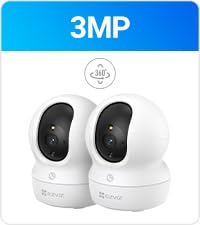
The EZVIZ C6N Indoor Camera delivers 1080p HD video with a 360° field of view, smart IR night vision up to 33 feet, and intelligent auto-tracking for motion detection. It supports up to 256GB local storage with no monthly fees and offers two-way audio plus Alexa and Google voice control compatibility, making it an ideal all-in-one solution for baby monitoring, pet care, and home security.




| ASIN | B096XP8T1T |
| Alert Type | Motion Only |
| Antenna Location | Baby Monitoring, Indoor Security, Pet Monitoring |
| Batteries are Required | No |
| Best Sellers Rank | 791 in Baby Products ( See Top 100 in Baby Products ) 10 in Smart Baby Monitors 22 in Dome Cameras |
| Brand | EZVIZ |
| Colour | 2mp Black |
| Compatible Devices | Smartphone |
| Connectivity Protocol | Wi-Fi |
| Connectivity technology | Wireless |
| Control Method | Voice |
| Controller Type | Amazon Alexa |
| Country of Origin | China |
| Customer Reviews | 4.2 out of 5 stars 4,694 Reviews |
| Effective Still Resolution | 2 MP |
| Effective Video Resolution | 2 |
| Field Of View | 360 Degrees |
| Flash Memory Supported Size Maximum | 256 GB |
| Focus Type | Auto Focus |
| Form Factor | Dome |
| Frame Rate | 最大 15fps、ネットワーク転送中に自己適応 |
| Included Components | C6N Camera |
| Indoor Outdoor Usage | Indoor |
| Indoor/Outdoor usage | Indoor |
| Installation Type | Grand |
| Item Dimensions | 8 x 8 x 11 centimetres |
| Item Weight | 218 Grams |
| Light Source | Infrared |
| Material | Plastic |
| Model Name | C6N |
| Model Number | CS-C6N |
| Model name | C6N |
| Mount Type | Tabletop Mount |
| Network Connectivity Technology | Wireless |
| Night Vision | Night Color |
| Night Vision Range | 10 Metres |
| Number of Channels | 2 |
| Number of Items | 1 |
| Other Special Features of the Product | Night Vision |
| Photo Sensor Technology | CMOS |
| Power source | Corded Electric |
| Rear Webcam Resolution | 2 MP |
| Recommended uses for product | Baby Monitoring, Indoor Security, Pet Monitoring |
| Room Type | Garage, Hallway, Office |
| Special feature | Night Vision |
| Unit Count | 1.0 count |
| Usage | Surveillance |
| Video Capture Format | MP4 |
| Video Capture Resolution | 1080p |
| Viewing Angle | 360 Degrees |
| Voltage | 5 Volts (DC) |
| Water Resistance Level | Not Water Resistant |
| Waterproof Rating | IP67 |
| Wattage | 5 watts |
| Wireless Technology Type | Wi-Fi |
| Zoom Ratio | 8 |
| Zoom Type | Digital Zoom |
P**S
Indoor camera
Good little camera. Easy setup. Easy to disarm if youre in the room. Good value for money. Good motion detection. And clear pictures. Very good allround .
E**Y
Works perfectly
I bought this to help keep an eye on my grandad who has dementia for when he gets up in the middle of the night so that I know to put him back to bed. It's easy to set up and the app is really easy to use. The night vision is brilliant. The motion capture is fantastic and tracks movement really well. Great price for what it is and the quality that you get. My only critique would be that when you first set it up it is extremely loud and I couldn't figure out a way to turn it down. After the initial set up though it is practically silent.
R**R
Great Monitor
As a monitoring camera for the kids room, it is decent, the night mode is also good for the price, it states no monthly cost, but, there is a monthly cost for storage of recorded videos. But other than that, decent camera with a pretty self explanatory App to use it, there has been moments that the camera will freeze, but it isnt often enough to say its not a good product. 9/10.
D**Y
Impressed
I have to admit, I was expecting to test this camera and then move onto the next test unit. At this price point, exceptions must be made. Now, I'll also admit that I only looked at the price and briefly glanced over the specs, so I was pleasantly surprised when I saw the RJ45 network port. One of the problems with WiFi cameras is the WiFi. It's convenient and flexible, but it can be a reliability nightmare. The cabled solution mitigates the issue My main requirement is RTSP as I want to use other DVR apps and have constant monitoring employed. At first, I thought I'd made a mistake, but it turned out that I had just missed a few settings (RTSP has to be enabled per camera) So far, these cameras have proven to be more compatible than my previous, more expensive, cameras. Not only that but they also seem to be more forgiving regarding incoming connections The camera quality is great. There are a few tweaks that can be made to the image but the best is backlighting compensation. It can render a blown-out scene with detail The app isn't bad either. The previous app allowed sharing but it was limited to live view. This app also allows members to view recordings The last thing I'm going to mention for now is the Alexa/Google support. My previous cameras were available in the home apps but the features are super basic and essentially limited to motion alerts. This camera can also display the stream on home assistant devices with screens So far, I'm really impressed
F**S
Clear picture
So easy to set up and use. Lots of useful functions. 100% recommend, you can see a lot of the room and pan around to see more. Live view is nice and clear, I haven't tried capturing pictures as that's not what I need it for. Slight lag, its not as fast as using a video call, but its good enough for me to check on the cats when I'm out. Great value for money. There is a wall/ceiling mount with a sticker for drilling guide so it's easy to mount, I just put this on and it sits under it with no problem on the shelf. It needs to be mounted lower in the room as it can look up but not down, I guess if you are ceiling mounting it its probably ok high up as it can then look down.
B**G
Couldn't get it to connect
Issue connecting it, I use a captaive portal wifi,so I need a browser to login. So I asked the support how I can vet the mac adress as it's not on the box or packaging. But they told me to login into and make sure they device is connect to the same network...I am trying to get the mac address connect.Anyways I managed to connect it to 4g temporarily and get it and then I contact my wifi provider so they can add the mac address so the device can work on a captive portal and then I find out there is issue with the Hz or what every compatibility. The device looks great but sadly I couldn't get to work so 1 star. I have managed to get other devices working when I have a captive portal and have had similar issues but when I contact the wifi provider they cab fix it. So this isn't on the wifi at least
L**E
Good camera with glitches and not PC friendly
What can I say, its a good, compact camera for the money and will really suit all you people who do everything on your phones, but It's has lousy support and options for PC use. This is easy to install and use, if you use via a smart phone. I actually bought this to use on my PC, (I hate smart phones!!) and double checked it offered this option, many don't. You can't actually use this the first time without using a smart phone and QR code provided, the app needs to be installed on the phone, to get it up and running and its easy to do on the phone, even for Luddites like me! Once paired to the app, you can access the camera easily and access all the options; pan & scan, night mode, sound, armed, unarmed etc. The camera does take a micro SD card, (max 256gb) directly under the lens by pushing the lens globe up, there's also a reset button here. The storage options are accessed on the phone under the history option. The camera itself is a good spec for the money and I found the resolution more that adequate for home use and night vision is excellent, I could finally see what my puss gets up to in the nocturnal hours!! Now, regarding use on a PC or Laptop, it's atrocious. I installed the software on my PC no issues, but could I get the camera to connect, (via Wi-Fi) its was practically impossible. There is no detailed instruction supplied with the camera, just a QR code for the manual on the phone. I eventually figured out that there is a tiny passkey, (I needed a magnifying glass to read this) on a label at the base of the camera with the password to pair it to the computer. There is no mention of this even in their online manual. I watched it on a random YouTube video. Once I entered this, the software on my computer found the camera. You only have the option to view the camera on the computer, this is really annoying and I would of not purchased this If I had known. There's no options, pan & scan, sound, menus etc. Another very obvious glitch with this camera on both the phone and PC is the storage and history setting. It seems very random that the SD card works and records when inserted, there is a reset button next to which seems to need pushing when using a card, although the first time I used it I didn't push this and it still worked. I have had occasions, on both the PC & phone when the card has failed to record data while in the camera. Its totally random and genuine glitch. You do have an option to format the card from a the app on the phone but not the PC. I have decided to keep the camera, despite the lack of options when used on a computer and the known glitches. The glitch with the SD card could be an issue if you intend to mount the camera or install in a out of the way position,as you'll need access to it to reset and insert/remove the card. It does come with a trial for cloud storage and options to set up an account, but anyone considering having private surveillance of their house on the cloud must be potty, its for birds!! and wouldn't even have it for free.
E**L
Recommended
I have 3 of these. I find them really good cameras . So easy to set up .( I've had ones where I could not set them up) I would highly recommend this product.
Trustpilot
Hace 4 días
Hace 2 meses