
Descargar la aplicación


Servicios al cliente
Sobre nosotros
Copyright © 2025 Desertcart Holdings Limited
Descargar la aplicación
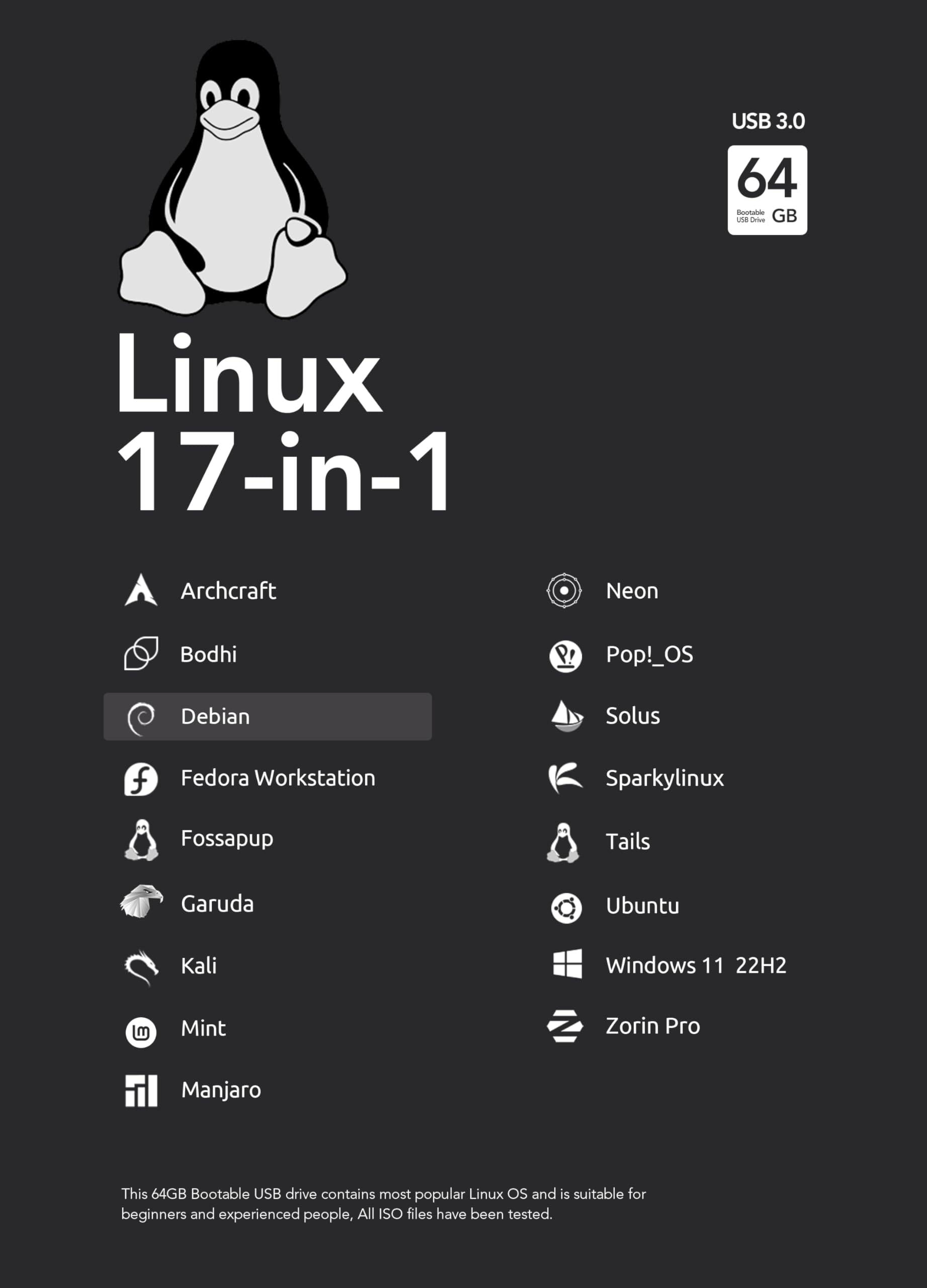
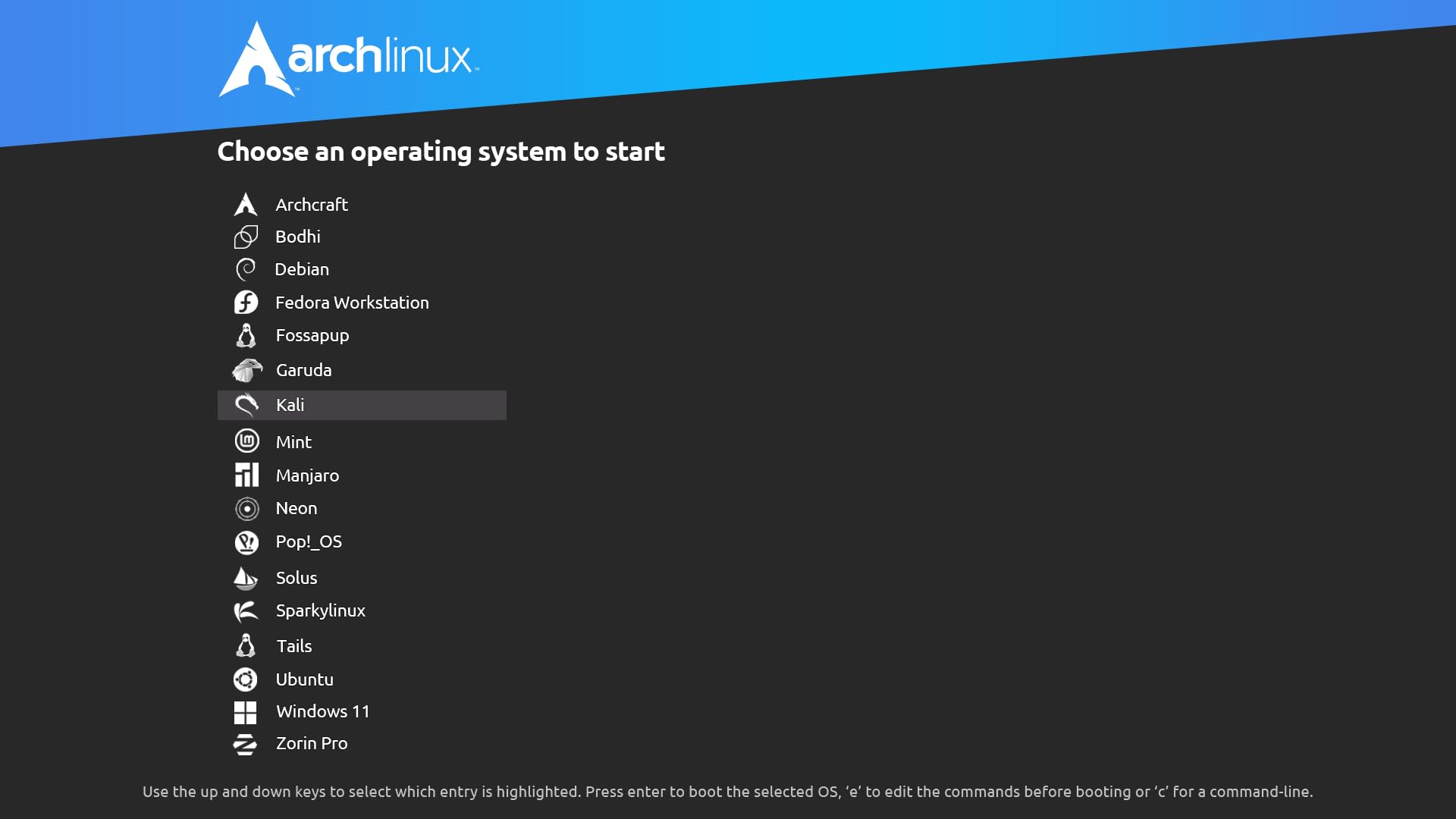


🚀 Carry 19 OSes in your pocket—be the IT guru everyone envies!
This 64GB 19-in-1 Bootable USB Drive leverages USB 3.2 technology to deliver fast 150MB/s read speeds and supports both UEFI and Legacy BIOS modes. Preloaded with the latest versions of 19 Linux distributions plus Windows 11 64-bit, it enables seamless live booting or installation without altering your hard drive. Ideal for professionals and enthusiasts seeking a versatile, portable multi-OS toolkit with beginner-friendly instructions and broad hardware compatibility.
| ASIN | B0BGHXHVM4 |
| Best Sellers Rank | 81,144 in Computers & Accessories ( See Top 100 in Computers & Accessories ) 944 in USB Flash Drives |
| Colour | Black |
| Connectivity technology | USB |
| Flash memory type | USB |
| Guaranteed software updates until | unknown |
| Hardware Connectivity Technology | USB Type A, USB Type C |
| Item model number | 9314077887350 |
| Manufacturer | Calonyction |
| Model name | 9314077887350 |
| Product dimensions | 41D x 18W x 10H millimetres |
| Read speed | 150 Megabytes Per Second |
A**R
Bootable USB drive for Linux & Windows
Wow, Wow just love this USB saves me loads of time and headache as I am 66 yrs old and my memory fails me at times. I have tried a couple of Linux flavors in the past but with this USB, which is well made and excellent, it is so very simple and straight forward. Have just install Pop O.S. on my older mini PC and it looks an excellent and useful flavor. Had only tried mint, which I mainly use and Ubuntu but went back to mint. The real beauty of this USB is that you can try all the flavors on your PC and check them out and if you prefer one in particular you just go ahead and install and it takes minimal effort. Definitely well worth the price WELL DONE TO THE MAKER! and thank you!
С**З
I most definitely recommend this to anyone. The quality of the USB alone is good. Everything is set up accordingly to work as described. You get the test everything in live mode or you may install it. Remember to turn on legacy on your or in your bios. Put in the USB thumb drive then make sure that it is top of the boot list. From there you are good to go. There's only one thing I would add to this if I could. Would be to add Windows XP professional. Outside of that I am very happy and definitely would recommend to anybody I know. It was nice to check out the different Linux distros before deciding which one to install. This takes all the guess work out on setting your parameters. Default for your hard drive format is already done for you upon installation.. so after testing out Kali. I have sales old for Linux mint. For those who left negative comments. Just read over what I wrote and you'll have no problems whatsoever with this. You need to boot from this USB to get to the menu. To me it has implied but the others it's probably not even something there aware of. Anyhow I'm definitely check out what else to sell their house for sure.
S**E
So far, so excellent. I wiped out Windows 10 and installed Zorin Linux and Kali Linux. I love them both and if Windows 11 on my laptop keeps acting up, I will put 1 or 2 other distros of Linux on that one too.
D**.
Initially this seemed like a good purchase. I could use many of the ISOs in live USB mode but when I installed Manjaro Cinnamon the bistro would not update or download any additional software. Then when I tried to install Mint on a different computer the did not appear anywhere and the USB appeared to have deleted all the ISOs, leaving only Ventoy. Very disappointed.
P**A
READ THE WHOLE REVIEW: I bought this to install Linux on an old Windows LENOVO laptop, but was unable to get the laptop to boot from this USB stick. Turns out it was NOT a problem with this product, but a problem with my laptop BIOS. I have subsequently been able to install various flavors of Linux from this USB stick on other Windows boxes without difficulty. Product works very well for testing multiple Linux distributions prior to then installing your preferred distribution. Recommended!
E**D
This is professionally made. Nowadays anyone with a computer and some Linux xkills COULD make this. I've made these multiboot USB sticks. HOWEVER, to go through figuring out which bootloader (grub, isolinux, etc) and use VT boot and get the parameters right without duplicating things and squeeze all the ISOs TAKES A LOT OF TIME. Having done it a couple of times I thought I'd see someone else's work. Consider this a peer review. OMG IT'S PERFECT. ALL THE MENU OPTIONS WORK. ALL the options boot fine. If you're comfortable adding kernel parameters then <ESC> and ^X are your friends. Instead of me tearing my hair out over SO MANY different ways to boot each particular "flavor" of system... (Fedora, Debian, Ubuntu/Pop!_OS, Kali, Tails, etc someone else did it. The $20 I spent saved me probably 3-4 hours of effort. When the exact versions on the stick get obsolete, I can always download new ISOs and just copy them on ... OR... spend another $20 and not have to deal with any of this. Truly this is like "valet parking". Sure, I know how to self-park, and I can walk... but oh so much more classy to pull right up, hand the valet a $20, lock arm in arm with the date, and have a great time. Highly recommended. I've been doing Linux for 20 years, and I've been a iinux consultant, and I've hired some. This is a truly professional well-polished job. I know it seems a simple thing "Menu; boot; run". It's not. Recommend: 10/10 Would buy again: 10/10 Would put reputation on the line and recommend to friends and family: 10/10 Good job, coder! E G Tucson AZ US
Trustpilot
Hace 1 mes
Hace 2 meses