We remain fully operational. Our teams are working around the clock to ensure your deliveries continue safely.

Descargar la aplicación


Servicios al cliente
Sobre nosotros
Copyright © 2025 Desertcart Holdings Limited
Descargar la aplicación


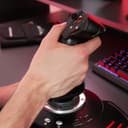


🛩️ Elevate your flight game — precision, comfort, and control in one sleek HOTAS!
The Thrustmaster T.Flight Hotas X is a high-precision, full-size flight simulator joystick featuring 5-axis control, a detachable throttle, and 12 programmable buttons. Designed ergonomically with adjustable resistance and a weighted base for stability, it offers seamless compatibility with PC and PS3. Its exclusive Mapping button allows instant control customization, making it the perfect entry-level HOTAS for immersive and precise flight simulation.




| ASIN | B001CXYMFS |
| Best Sellers Rank | 11,399 in PC & Video Games ( See Top 100 in PC & Video Games ) 35 in PC Joysticks |
| Customer reviews | 4.4 4.4 out of 5 stars (8,231) |
| Is discontinued by manufacturer | No |
| Item model number | 2960703 |
| Language | English, French |
| Product Dimensions | 26.4 x 24.2 x 26.5 cm; 2.16 kg |
| Rated | Unknown |
| Release date | 5 Aug. 2011 |
M**T
Superb "premium budget" flight stick
I used to have a Saitek X52 which was a very good joystick - unfortunately, it was and is quite expensive and I couldn't quite justify spending so much when I got the flight sim bug again recently after a few years. The Hotas X is not quite as solid as the X52, and it doesn't have quite so many buttons and hats, but it is about a third of the price. I love it - the entire design ethos seems to have been "let's build it with a budget, but make it as good as we can". The stick is solid and responsive (with an adjustment wheel underneath). The throttle has a useful midway detent. And unlike some cheaper sticks it has a twist rudder as well. The base is not exactly heavy, but it's wide enough to provide good support. Again - they've stripped out some premium features, but made the basics work as well as you could want. As other reviewers have noted, one downside is the short cable between the two sections if you want the throttle on your left and the stick on your right (especially to match up with Elite Dangerous). It's just about long enough, but you end up with the cable stretched over you which is a little awkward. It seems like it was designed to be used on a desk in front of you, and it's a shame they didn't use a detachable cable like some other designs that you could swap out. I've been using it with DCS World where it works great - I was worried I'd miss the extra buttons and wheels of the X52, but it really does work as a good HOTAS since I rarely have to resort to the keyboard. Buttons-wise, there's a trigger, a second button for the trigger-finger, a hat-stick and two buttons on top of the joystick - together these are good for launching/switching weapons and slewing/locking sensors. The throttle has three big thumb buttons (useful for switching modes/sensors), a little thumb button I use for countermeasures, plus two finger buttons I use as clutch/modifier buttons which essentially triple the number of functions. On the throttle base are two more buttons I use for flap settings. If you can afford a Saitek X52, you probably won't think twice about getting one. But if you're unsure, get the Hotas X - you won't even notice what you're missing.
M**K
Quality Product - Great Price!
Fantastic Product and not only because of it's cheap price. I play Elite:Dangerous mostly and have been doing successfully for over a year with a xbox 360 gamepad. I thought that I wouldn't gain much by getting a joystick for this. I had toyed with the idea but as I was happy and most joysticks are a bit pricey I put it off. Thanks to a link from a fellow gamer I received a link for this item when it was just £20. I am more than satisfied with the purchase. For - The stick, although the PS3 edition, worked perfectly with my PC. I run windows 10 and I literaly plugged the stick in and it worked. Elite:Dangerous even had some basic flight controls pre programmed in but I had to edit a few in the game which can be expected. The build quality of the stick feels solid enough. It has a small alan key in the base that is used if you want to have the 2 sections either attached or seperated, you can fasten it with the inbuilt screws and it won't budge. If you prefer to have the stick and handle seperate that is also an option. I have read somewhere that the cable that connects the 2 isn't long enough but I didn't find that the case. It actually has more cable underneath that just needs pulling out if you want it to go further. The responce time on the stick is instant with no visible lag at all, my gameplay skill has increased a lot with the addition of the stick. I find myself able to make tighter turns and am able to follow enemies in my sight easier. I have no issue staying directly behind other ships now and am out manouvering ships that are supposed to be more agile than mine! There are a large number of buttons on this stick that are fully programable within the game I play so I very rarely have to use the keyboard for anything. Against - The only thing that would improve this stick is an aditional HUD but other than that for the price this is probably the best thing to invest in if you are unsure and want to test using a stick before splashing out larger amounts of money for some of the other sticks!
M**N
Worth buying for Elite Dangerous fans
LIke a lot of people I bought this exclusively for and because of Elite Dangerous, and despite a few teething problems it is so far pretty worth it (in fairness, I bought this when it was £35, not £55 as it is at time of this review). Setup is exceptionally quick under Windows 8.1 (plug it into a USB 2.0 port, Windows installs the drivers automatically... a few seconds to a minute later and you're good to go) but fine tuning to get the best experience can take a bit longer. There are a few minor issues. Some people, myself included, have found the throttle initially works in reverse - just invert the binding for that. Some people, myself again included, have found one or more axes to be insensitive and/or sluggish - in this case it is well worth calibrating the device by going to Control Panel, Devices & Printers, right click on T-Flight HOTAS and select Game Settings. In the window that opens select Properties > Settings > Calibrate and run through the instructions. You should then find the stick responds more effectively and precisely in game. Another slight issue I've had is the units shifting on the surface - during times of vigorous use such as combat (and a few particularly hairy dockings) I've found the stick unit can shift a little, but this will likely depend on surface and during combat in particular I keep the throttle at a single setting so I can free my left hand to steady the stick unit. I've also found the throttle is a slightly odd, clunky shape but I adapted to it very quickly. Overall I'm very happy with it. In ED I used the various combat training scenarios to test and fine tune the stick and throttle and get used to it, and after maybe two hours I'm comfortable and happy with it - and I've already noted a significant improvement in my combat ability compared to pure keyboard use, particularly my use of yaw (the stick twists to yaw quite easily and comfortably, and the throttle has a rocker switch that is equally easy to use) and how frequently I hit the target. This is a well made, well designed and user friendly way of enhancing your game experience. Given the option I would prefer more buttons and a slightly more ergonomic throttle but all things considered it is a good device for the price.
S**4
Great Product
PLEASE NOTE: THIS REVIEW IS MY ACCOUNT WHEN USING THE ITEM WITH A PC ON MICROSOFT FLIGHT SIMULATOR X I herd a lot of people say... "this flight stick has a big null zone" I can honestly say, IT DOESN'T its perfect the overall design of this flight stick and throttle are spot on. The throttle fits in your palm like a shoe fits your foot, its the same story with the joystick, with a nice feel to it and palm rest it's not only great to fly with it feels great also. So for my £35 was it worth is? Without a doubt yes, there are plenty of buttons all at your fingertips the manual is simple and easy to read (you don't even need the manual as all the pre-configured keys are shown on the box. The added feature of the tension on the flight stick is a great idea but doesn't do a great deal (i will explain more later) Feels like cheap plastic but what else do you expect for £35? The best thing about this item is that it costs less than £40 and works as good as the ones that cost £100's PRO's - As said above it feels great in your hands - It works very well - Throttle and joystick can be put together or separated - Low cost - Easy install (just plug into a free USB and load your game... Job Done) - Plenty of wire from the stick to the USB (great if your pc is on the floor) - Plenty of buttons to use as you wish CON's - Wire isn't long enough from the throttle to the joystick (only 12 to 13 inches) - The throttle clicks half way when increasing / decreasing the throttle. this doesn't affect the overall performance of this item. - The tension screw on the bottom of the flight stick doesn't make it as stiff as what i thought but there is a noticeable difference. - No tension setting for the throttle (this would be a nice little extra All in all this is a great piece of kit. If your looking for a low cost, easy to use and great looking flight stick and throttle look no further this will do the job just as good as all the rest, it wont leave you out of pocket ether. That is all i have to say about this item for now, if you have any questions please leave a comment and i will be happy to help.
L**Y
Not a bad set up for the price.
For the price this is an excellent HOTAS set up for a budget user, but keep in mind that it is exactly that, a cheap HOTAS set up. It has plenty of buttons all placed in a way that makes all of them easily accessible, it even has a cool analogue rocker on the throttle which is excellent for strafing in games such as Elite: Dangerous, even if it is a bit awkward to use that whilst at the same time trying to use the buttons on the side of the throttle itself. The throttle itself is also pretty solid. There's no tension adjustment but that would probably be a surprise to see on a set up this cheap, but regardless the throttle moves pretty smoothly. There is however a tension adjustment for the stick which is pretty neat. It's made entirely of plastic as you would expect at this price range, but it feels pretty solid and I never felt it was at risk of breaking so top points for build quality. What I don't like, however, is that although the stick and throttle can be separated the cable that joins them is far too short. I also had a problem with their customer support. I was unfortunate enough to have one that developed a fault which I suspect was the USB cable breaking where it joins to the stick, however their customer service (the manufacturer, not amazon) said they would "investigate what they could do for me" and never got back to me. At that point I bought an x-52 instead. Good stick overall, but just hope you never have to use their customer service.
R**R
An excellent first HOTAS solution at a great price.
I needed a Flight joystick and Throttle for Elite: Dangerous. I wasn't prepared to go for a top class HOTAS at this stage and decided on a lower level. At the price I thought this might be too cheaply made but was not going to lose much if it didn't work out. I was very pleasantly surprised at the quality of the product. Thrustmaster have a very good name and reputation and this HOTAS does not let them down. Build quality is sturdy and the weight is good for stability. Button layout is good and although only12 buttons in all, plus a HAT on the Joystick and a single axis control on the back of the Throttle, there are enough to give a good experience. The only really awkward bit is that the lead between the two parts is not long enough to fit a gaming keyboard in between. However, if you could, the Throttle and Joystick would be too far apart for comfort. I have got around this by using a Logitech G13 Gamepad for additional functionality which I have placed to the left of the Throttle. That allows me to keep hands on with the Joystick at all times in-flight whilst using the G13 for additional in-flight/combat functions. I would recommend this solution to anyone else having problems with trying to use their keyboard with the HOTAS. The G13 certainly fits the bill. All in all I am very pleased with the product and its performance. For anyone wanting to buy a HOTAS for the first time, this provides a very good low cost solution particularly if you already have a gamepad for additional functionality.
M**N
Truly AWESOME Joystick
Totally loving this joystick, works great with the new ELITE game. It comes with a detachable, real-sized and ergonomic throttle control, I have found this to be highly accurate and you can adjust the resistance. The wide hand-rest makes for a comfortable grip during game play and a weighted base helps to keep it stable. And I love the internal memory which allows you to save your programmed settings. PROs Detachable throttle control Direct configuration for immediate takeoff!! (Cool or what) Entirely programmable for PC and (PS3 - I can't test this as I don't have one) Its Plug & Play (Litterally and Ive no issues with any version of Windows from 7 upwards) Extremely easy to use Dual-system control - you can rotate the handle or by tilting High-precision with adjustable resistance - reminds me of my older force feedback pro Wide hand-rest for optimal comfort - I like this having bigger hands Weighted base for greater stability - ok as long as you go crazy lol A PRESET button allows you to switch while playing from one programme to another The internal memory allows you to save your programming even when disconnected The MAPPING button means that all functions can switched around (great if you do things the opposite way to others) 12 buttons and 5 axles entirely programmable Trigger for brakes (civil flight) or for rapid fire (military flight) + multi-directional hat (panoramic view) The functions are pre-configured and are defaulted to the following on PC (Im using PC): Flight Simulator X Microsoft Microsoft Flight Tom Clancy’s H.A.W.X Tom Clancy’s H.A.W.X.2 CONs I haven't found any yet, unless you compare it to FAR more expensive joysticks. But you need to spend a fortune to get better than this one. In the box Joystick I purely bought this for ELITE, as many others before me have done, I reviewed loads of joysticks and reviews, noticed that prices ranged from around £20 to £250+ and to be honest for the price you get more bang for your buck with this than any other. Its well made, fun to use, works really well, and makes game play far more realistic. Is it perfect no, but its damned close. I would buy another one in a heartbeat.
M**N
Great HOTAS for the price - can't see me needing anything more expensive.
I'd been considering getting a HOTAS for Elite Dangerous for quite a while and had been considering getting the (considerably more expensive) Saitek X52 Pro, but I'm glad I went with this instead. I was a little concerned initially that there weren't enough buttons to comfortably map everything I needed, but since ED supports multiple combinations of buttons I could set several of them as shift-style keys and have happily mapped everything I need to the unit. The only thing I use the keyboard for now is typing (which is fair enough I suppose). One quick tip in this area: I'd recommend taking the time to map the controls to your own requirements, because ED's standard mapping for this HOTAS is far from ideal. A quick Google image search will give you a number of useful setups to start you on your way. The unit feels great to use, although to be fair I've not used anything else I can compare it to. It certainly feels significantly better than playing the game with an X360 controller. It took a little bit of getting used to initially, but before long it was like second nature - I wouldn't go back now. Other than mapping the controls, the HOTAS was good to go straight from unboxing. No modification was required to get a good mid-point on the throttle, no spring replacement required in the joystick - all things I understand some people need to do with other competitors. My only concern with this HOTAS is build quality. I'm not concerned that it feels plasticky - for the price, I'd expect nothing more. However, while it feels generally fairly sturdy I often wonder how long it will last. I've been using it a lot for a couple of months now with no problems, but we'll see what happens in the future. Having said that, I'm aware of many reports that the more expensive competitors have build problems all of their own, so keep that in mind.
Trustpilot
Hace 2 semanas
Hace 2 semanas