


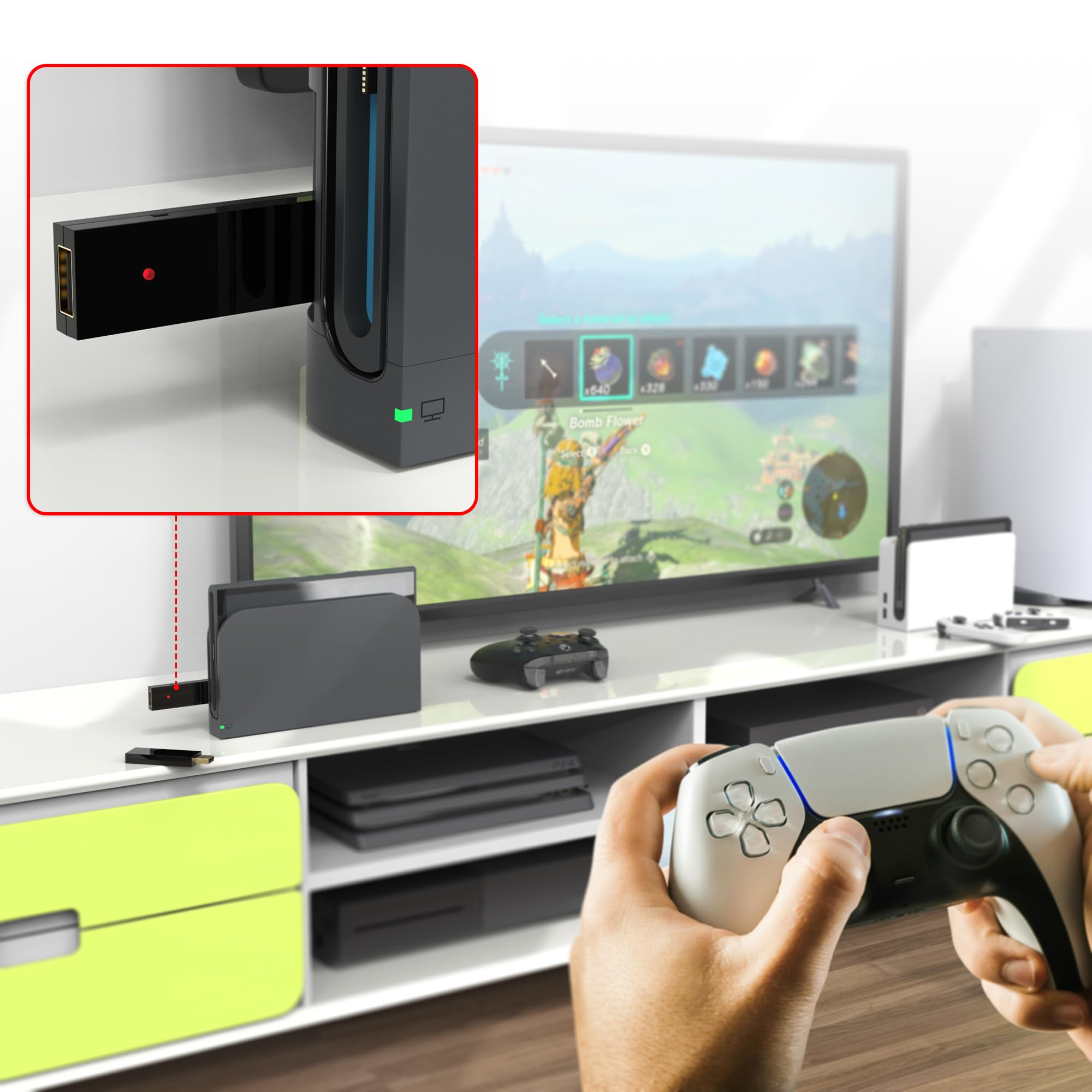


🎯 Level up every game with the ultimate universal controller adapter!
The MAYFLASH Magic-S Ultimate is a compact, high-performance Bluetooth USB adapter that enables seamless wireless and wired controller connectivity across multiple platforms including PS4, PS5, Switch, Xbox Series X/S, Windows, macOS, and Raspberry Pi. It supports a wide range of controllers and arcade sticks, offers turbo and auto-fire modes, 6-axis motion sensing, adjustable rumble feedback, and Bluetooth headset compatibility—making it the go-to solution for pro gamers and enthusiasts seeking versatile, lag-free gameplay.


| ASIN | B0B9MNG72J |
| Best Sellers Rank | #1,517 in Video Games ( See Top 100 in Video Games ) #107 in PlayStation 4 Games, Consoles & Accessories #305 in PlayStation Legacy Systems #797 in PlayStation 5 Consoles, Games & Accessories |
| Customer Reviews | 4.5 4.5 out of 5 stars (3,026) |
| Date First Available | August 15, 2022 |
| Item Weight | 1.41 ounces |
| Item model number | MAGIC-S ULTIMATE |
| Manufacturer | MAYFLASH |
| Product Dimensions | 2.87 x 0.83 x 0.34 inches; 1.41 ounces |
| Type of item | CD-ROM |
S**E
It just works, truly universal adapter across most platforms.
What's not to love? I can use this little dongle to make any arcade sticks that connects via USB to my PS4 or PS5. No need to attach a DualShock 4 or DualSense to the Mayflash sticks; just plug the dongle into the console, then the arcade stick into the dongle. I have personally verified this to work with etokki Omni, Nacan, Mayflash, Mad Catz, and custom sticks with Brook UFB boards on Playstation, Xbox Series X, and PC. It's small, well made, easy to set up, and compatibility is perfect. The color coded toggle button on the side makes it easy to set to the system you are connecting to, nice design choice for them print a small diagram on the dongle itself. Also, zero lag, it just works.
L**E
Use any stick on any system!! Make sure you update it!
Works as it should. I just needed to update the software which was super simple and also available on MacOs. I can now use my Qanba Q8 that was originally made for PC only on my PS5 playing fighting games made for the PS5. Prior to the update, it only worked for PS4 fighters on PS5 but now is all good!!!! I did a lot of research on this and glad I did.
M**A
Works great.
Glad i got it. Using my ps5 controller on my ps4 with a wired data cable. Havent figure out the blue tooth yet. For sure worth the buy.
T**O
It's good! Here's a detailed list of things I found interesting about this device.
It does exactly what it says, and it does it shockingly well! My preferred way to play games in general is with a first-party Xbox One controller (the late model that can do Bluetooth pairing), and this does a great job of translating the inputs of my devices to the PS4, PS3, Switch and PC, the devices I specifically game on. It's a great product that is absolutely worth the money! Just a few things of note before you buy this: 1. This device will NOT let you pair two wireless controllers at once to it, so don't try that. To make your Magic-S Pro forget your device, simply pair a new one to it or pair your controller to another device. If you pair your controller to another device after pairing to the Magic-S Pro, it does not interfere with your controller's new connection. 2. ATTENTION FPS PLAYERS: This device is NOT designed to transmit audio via the headphone port in your controllers. It does not matter how you mix and match devices and consoles or even if you're wired in, your controller's audio jack will NOT work when using this product. 3. I paired one Xbox One controller while plugging in a second one via USB to see if it registers them as separate players/inputs on my consoles and PC. While both devices were being received, it does no such thing. Only one Magic-S Pro per player. A little disappointing, but hard to complain given the price point of this nifty little gadget. (3.a: You CAN, however, use both devices simultaneously to control the same player this way. This works even when mixing different brands. I'm sure that's useful to some mad scientist out there.) 4. The dongle appears to have a slight latency and general input response problem when you distance yourself from the dongle at around 7 feet (2.2m) or more when there is no physical obstruction between the dongle and the controller. Try to shoot for that distance or less if you can help it via USB extensions or good console placement. For best results, use a USB cable. When wired in, this thing is AMAZING. 5. The build quality can feel a bit dodgy sometimes. You definitely won't press it so hard that it shatters, but the plastics don't feel too great when you first get your hands on it. The included USB C to USB A adapter has great build quality though. While intended for an undocked Switch, the adapter still works great on the USB C port on my PC. 6. There is a handy guide sheet inside the package that shows you console specific inputs and how to perform them using otherwise incompatible controllers. If you are a PS4 and Switch user, READ IT and keep it handy. As an example, knowing how to simulate things like DualShock 4's Touch Pad on an Xinput device (does not have a Touch Pad) is essential to fully enjoy this product. 7. Long pressing the sync button for 3 seconds will change console modes. ONLY use this feature if the dongle has trouble automatically determining what console it's plugged into. I found the device has no trouble with that, but it's nice that the feature is there just in case. It's good design! I initially misread it as changing the type of controller it scans for, but that is not the case. 8. Your first sync may or may not fail on your first attempt. I find my Xbox One controller syncs just fine if you enable sync mode on it before the dongle. I suggest the same with Switch Pro controllers. Alright, that's everything. All things considered, definitely worth a buy, especially if you have perfectly good controllers for other systems lying around and don't wanna shell out another $70+ for a new one that only works on the one system. In my use case, I saved myself around $190 on getting new controllers with this thing. Thanks, MayFlash! Happy gaming!
A**N
Great for connecting Mayflash arcade sticks to PS5
The reason I bought this adapter was to use the Mayflash F300 and F500 on the PS5. It works perfectly for that. You just plug the Magic-S Ultimate into the USB port on the Mayflash F300/F500, then hook the arcade stick’s USB cord to the PS5 and you’re good to go. I put it through the paces with KOFXV, Tekken 8, Street Fighter 6, and Melty Blood Type Lumina and everything worked perfectly. Not sure why this method isn’t described in the Magic-S Ultimate manual, but Mayflash did release a YouTube video showing the process. There's also an insert that comes with the arcade sticks themselves to illustrate this setup process. The Magic-S Ultimate is an amazing gadget. It also allows me to play Street Fighter X Tekken, Battle Fantasia, Dengeki Bunko Fighting Climax Ignition, Darkstalkers Ressurection and more on the PS3 while using a PS5 controller. Wow. The PS5 DualSense controller is my all-time favorite controller and now I can use it on the PS5, PS4 and PS3. According to the product’s manual, I should be able to use a Sega Genesis USB controller, but I haven’t gotten that to work. The Genesis controller I have is a Retro-Bit and maybe that model isn’t compatible. It still gets my vote for coolest gaming gadget because it opens up so many ways to play with different controller options. Best of all, it does allow you to use the Mayflash F300 & F500 on PS5. Happy Gaming!
P**O
Perfect PS3 Controller Replacement With PS5 Controller
I bought this so i can use my PS5 controller on my PS3, PS4 and Switch and it works wonders. No input lag, the PS button even works, and even the vibration works. Best of all when the PS3/PS4 tells you to plug the controller directly in to do stuff you don't have to, all you have to do it hit the PS button 2 times and bam it works, no need to get up and plug a cable in. This saves me so much time and money trying to find a decent controller especially for PS3 since its almost impossible to find a brand new controller.
C**E
PS5 CONTROLLER/PS3/Home Button/Vibration
*PS5 (Dualsense) CONTROLLER WORKING ON PS3 WITH HOME BUTTON AND VIBRATION *You will have to turn PS3 on manually from the Console First to have adapter on. You can't turn the PS3 on with controller, but you can shut it down from PS5 controller. Yeah, for several years I've been wanting to get back to playing the PS3. However, almost all third party controllers I've bought/used haven't been that great of an experience. I purchased a PS5 last year and was hoping the PS5 (Dualsense) would work. It did, but was limited. PS home button did not work, and that was a no go for me. Just bought the Magic Pro 2 and it does now work. At least so far, every game I've loaded. So! 5* review. Very Pleased. I've heard the Magic pro (1) may not, (PS5 controller) on PS3, so I recommend the Magic Pro S2. I may be wrong on that, but for a few dollars more, I have the benefit for sure. I've only tried 1 game so far, (Socom 4 Navy Seals) but VIBRATION WORKS as well. I do know that VIBRATION probably don't work on Magic S(1) the S(2) does. At least the game I'm on.....😁 Hope this helps someone, cause I looked quite a few places for this very information, and it wasn't clear.
J**N
for anything
excellet item work great
Trustpilot
Hace 1 mes
Hace 1 mes



