
Descargar la aplicación


Servicios al cliente
Sobre nosotros
Copyright © 2025 Desertcart Holdings Limited
Descargar la aplicación


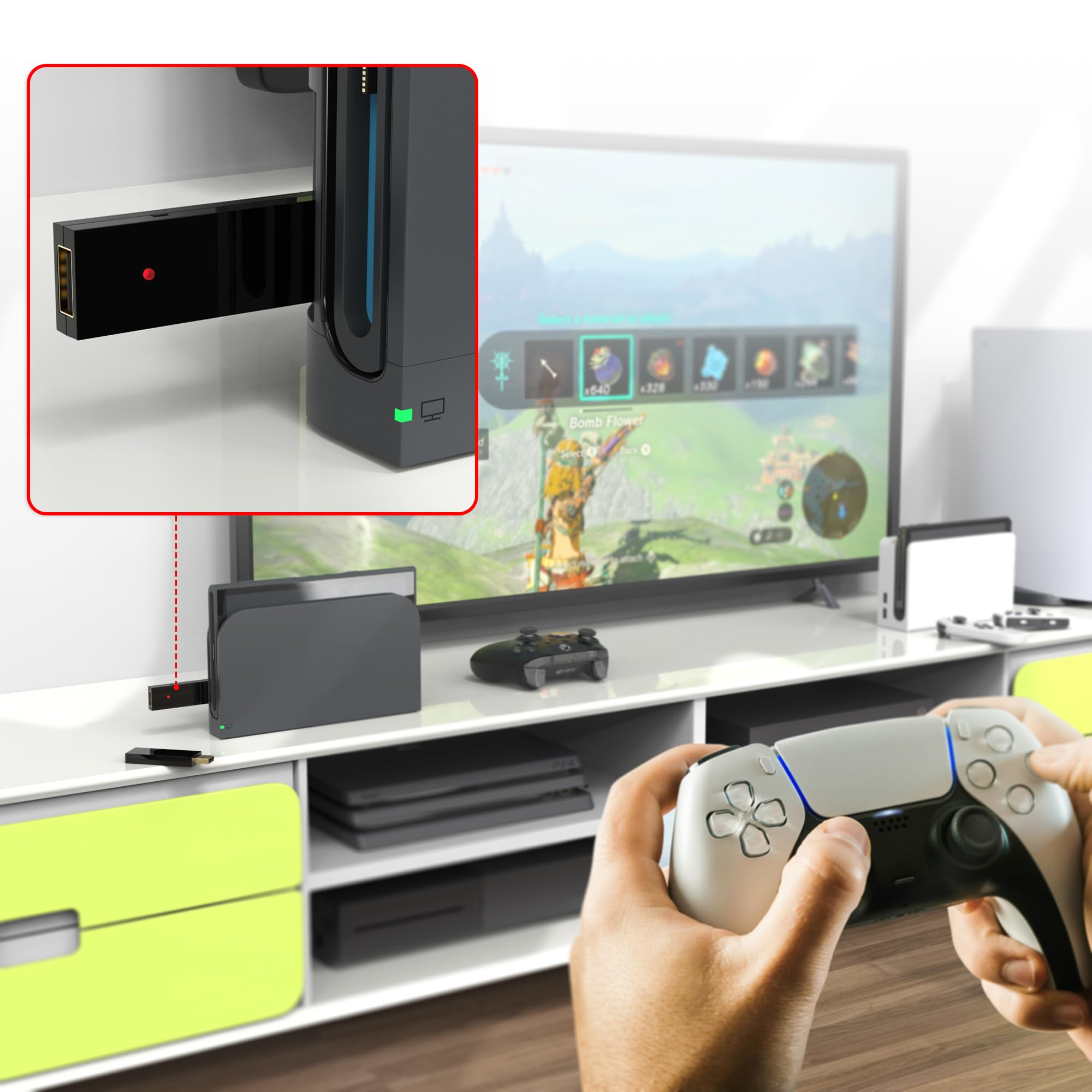
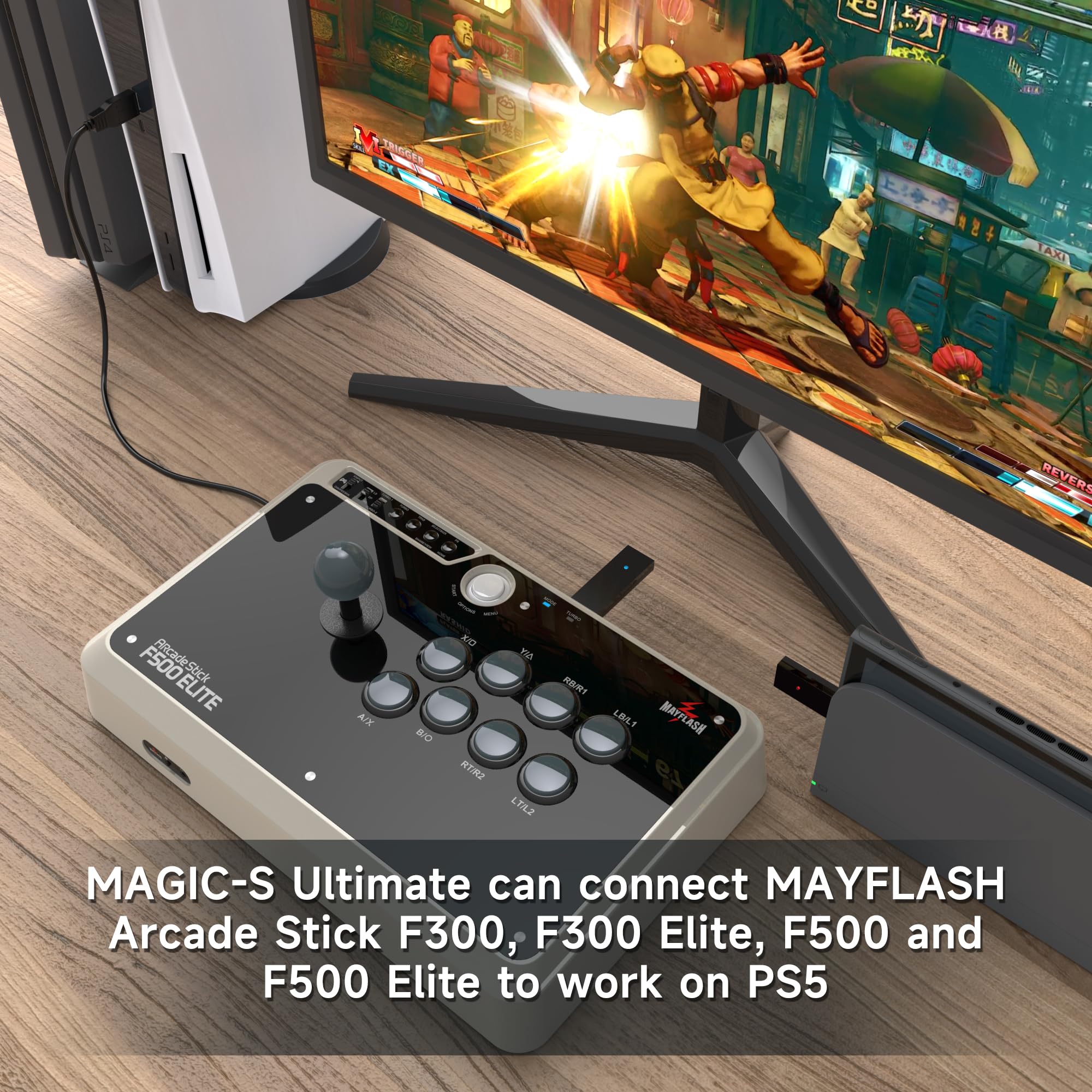

🎯 Unlock Ultimate Controller Freedom — Game Everywhere, Win Everywhere!
The MAYFLASH Magic-S Ultimate is a cutting-edge wireless Bluetooth USB adapter that bridges your favorite controllers—including Xbox Series X/S, PS5, PS4, Switch Pro, and arcade sticks—to multiple platforms like PS4, Switch, Windows, macOS, Raspberry Pi, and more. Featuring zero-latency connectivity, turbo and auto-fire modes, 6-axis motion sensing, and adjustable rumble, it’s the must-have accessory for pro gamers craving seamless cross-platform versatility and immersive gameplay.


| ASIN | B0B9MNG72J |
| Best Sellers Rank | #1,550 in Video Games ( See Top 100 in Video Games ) #109 in PlayStation 4 Games, Consoles & Accessories #216 in PlayStation Legacy Systems #624 in PlayStation 5 Consoles, Games & Accessories |
| Customer Reviews | 4.5 4.5 out of 5 stars (3,060) |
| Date First Available | August 15, 2022 |
| Item Weight | 1.41 ounces |
| Item model number | MAGIC-S ULTIMATE |
| Manufacturer | MAYFLASH |
| Product Dimensions | 2.87 x 0.83 x 0.34 inches; 1.41 ounces |
| Type of item | CD-ROM |
G**E
Perfect for my ps3 with rumble feature with a PS5 controller
Bought this device for my PS3. Easy to connect my PS5 controller to PS3. This device gives the controller a rumble future and the usage of the PS home button. Must buy!
S**E
It just works, truly universal adapter across most platforms.
What's not to love? I can use this little dongle to make any arcade sticks that connects via USB to my PS4 or PS5. No need to attach a DualShock 4 or DualSense to the Mayflash sticks; just plug the dongle into the console, then the arcade stick into the dongle. I have personally verified this to work with etokki Omni, Nacan, Mayflash, Mad Catz, and custom sticks with Brook UFB boards on Playstation, Xbox Series X, and PC. It's small, well made, easy to set up, and compatibility is perfect. The color coded toggle button on the side makes it easy to set to the system you are connecting to, nice design choice for them print a small diagram on the dongle itself. Also, zero lag, it just works.
K**A
Works well
Works well with my PS4 and Ps5 controller Let's me play split screen games with my daughter
T**O
It's good! Here's a detailed list of things I found interesting about this device.
It does exactly what it says, and it does it shockingly well! My preferred way to play games in general is with a first-party Xbox One controller (the late model that can do Bluetooth pairing), and this does a great job of translating the inputs of my devices to the PS4, PS3, Switch and PC, the devices I specifically game on. It's a great product that is absolutely worth the money! Just a few things of note before you buy this: 1. This device will NOT let you pair two wireless controllers at once to it, so don't try that. To make your Magic-S Pro forget your device, simply pair a new one to it or pair your controller to another device. If you pair your controller to another device after pairing to the Magic-S Pro, it does not interfere with your controller's new connection. 2. ATTENTION FPS PLAYERS: This device is NOT designed to transmit audio via the headphone port in your controllers. It does not matter how you mix and match devices and consoles or even if you're wired in, your controller's audio jack will NOT work when using this product. 3. I paired one Xbox One controller while plugging in a second one via USB to see if it registers them as separate players/inputs on my consoles and PC. While both devices were being received, it does no such thing. Only one Magic-S Pro per player. A little disappointing, but hard to complain given the price point of this nifty little gadget. (3.a: You CAN, however, use both devices simultaneously to control the same player this way. This works even when mixing different brands. I'm sure that's useful to some mad scientist out there.) 4. The dongle appears to have a slight latency and general input response problem when you distance yourself from the dongle at around 7 feet (2.2m) or more when there is no physical obstruction between the dongle and the controller. Try to shoot for that distance or less if you can help it via USB extensions or good console placement. For best results, use a USB cable. When wired in, this thing is AMAZING. 5. The build quality can feel a bit dodgy sometimes. You definitely won't press it so hard that it shatters, but the plastics don't feel too great when you first get your hands on it. The included USB C to USB A adapter has great build quality though. While intended for an undocked Switch, the adapter still works great on the USB C port on my PC. 6. There is a handy guide sheet inside the package that shows you console specific inputs and how to perform them using otherwise incompatible controllers. If you are a PS4 and Switch user, READ IT and keep it handy. As an example, knowing how to simulate things like DualShock 4's Touch Pad on an Xinput device (does not have a Touch Pad) is essential to fully enjoy this product. 7. Long pressing the sync button for 3 seconds will change console modes. ONLY use this feature if the dongle has trouble automatically determining what console it's plugged into. I found the device has no trouble with that, but it's nice that the feature is there just in case. It's good design! I initially misread it as changing the type of controller it scans for, but that is not the case. 8. Your first sync may or may not fail on your first attempt. I find my Xbox One controller syncs just fine if you enable sync mode on it before the dongle. I suggest the same with Switch Pro controllers. Alright, that's everything. All things considered, definitely worth a buy, especially if you have perfectly good controllers for other systems lying around and don't wanna shell out another $70+ for a new one that only works on the one system. In my use case, I saved myself around $190 on getting new controllers with this thing. Thanks, MayFlash! Happy gaming!
L**R
Great device
It works perfectly
A**E
Easy and works great
My Xbox Elite Pro 1 controller works great when plugged into the adapter on PS4.
T**T
Work with most of my controllers
I was having issues with lag and distance since my tv is in a different room. Worth the price.
S**N
a little finicky
I finally got it to connect. I had to unplug it and plug it back in a few times. The led was blinking slowly, not solid. Didn't want to connect to the ps4. Once it had a solid led, it still didn't work right away, even though the controller was already paired. I connected the controller to the device with a usb cable and the ps4 finally recognized it. After unplugging it and turning the controller back on, the wireless paired connection (through the magic-pro device) works. I'm using a ps5 dualsense controller. Once it's actually set up, everything works. I think. I haven't tested the gyro, actually, but touch controls work and vibration works despite other reviews stating that vibration won't work with the dualsense. I've found that after waking the ps4 from rest mode, after pairing the controller, you still have to press the ps button for it to be detected by the console. old: Not detected at all by the ps4. Firmware is fully up to date.
T**R
Not too long ago, my old DualShock 3 for my PS3 recently malfunctioned so severe that it was completely inoperable, and eventually just stopped working altogether. Since Sony doesn't make the controller anymore, and used prices in the Warehouse for another one weren't worth it, I decided to bite the bullet and buy this adapter so that I could use one of my other controllers (DualShock 4, Xbox ONE Controller, etc.) on the old console. It was easy as plug and play. Plug the adapter into one of the open USB ports, and instantly it will switch to the correct mode (as indicated by the LED). Either press the button on the side to sync up your controllers wirelessly, or plug them directly into the USB passthrough. Job done. It instantly recognizes and the controller layout is exactly as your muscle memory will expect. Latency is almost next to none, you won't really notice a difference. Some users noted that vibration/rumble did not work. Unless this had since been updated by the time I got my unit, vibration/rumble worked perfectly fine for me. Motion controls may be the only thing that does not carry over, but I have not tested that with my DualShock 4 so I cannot confirm. Device also comes with a USB-C to Female USB adapter, so that it can be used for the Switch in handheld mode. I don't own a Switch myself, but it'll still come in handy for Android tablets/newer iPads! Device also works on PC, PlayStation 4, NeoGeo Mini, and PlayStation Classic. The extra compatibility makes this a more enticing unit over the adapters from 8BitDo and Brook. Very satisfied with this product so far, would absolutely recommend to anyone who wants to move away from their older controllers, or wants a more cost effective alternative to getting a new controller.
R**O
Ps4 ve ps5 cihaza bir çok gamepad bağlamak için.. Ben xbox için sanmıştım.. Buna dikkat ederek alın.. Destek cihazı ve festek kollları bölümünü daha açıklayıcı yazsalat iyi olur.. Ürün sağlam kaliteli.. Yazılım desteği sitesibde güncel.. Satmayı planlıyorum.. İhtiyacı olan kullanır..
B**G
Happy with it. Works immediately when pluck in.
K**R
Fantastic product. Works perfectly
K**E
Mit den Magic-S Utimate USB Wirless Adapter lassen sich alle Kontroller am PC oder Spielekonsolen peer Kabel oder Bluetooth/Wireless verbinden.In der Anleitung oder auf der Rückseite des Adapters/Konverter sind die Geräte,die mit einen Kontroller verbunden werden soll farblich wie PC u. Spielekonsolen elc. gekennzeichnet. Funktionsweise:Den seitlichen Knopf solange drücken bis der Ledfarbton mit den zum verwenden Gerät übereinstimmt u.blinkt.Danach den zu verbindenden Kontroller im Bindunsmodus versetzen,dann noch mal am Adapter auf den seitlichen Knopf drücken bis das Led schnell blinkt. Nach ein paar Sekunden leuchtet das Led dauerhaft jetzt müsste der Kontroller mit dem Gerät verbunden sein. Ich habe immer mit ein Konverter den es nicht mehr zu kaufen gibt (Joystick u. Maus) auf den PS-Konsolen gespielt.Nach langen experimentieren habe ich jetzt die Lösungen gefunden. Diesen Magic-S Ultimate Adapter kombiniert mit Nintendo Joy Con R + L Kontroller u. Redragon Pro M811 Gaming Mous,RGB funktioniert kabelgebunden u. wireless mit den PS-Konsolen. Mit den Magic-S Utimate Adapter ist kein originaler PS-Kontroller oder Hub nötig.Auf der PS5 lasse sich aber nur die PS4 Spiele spielen.
Trustpilot
Hace 3 semanas
Hace 2 meses