
Descargar la aplicación


Servicios al cliente
Sobre nosotros
Copyright © 2025 Desertcart Holdings Limited
Descargar la aplicación
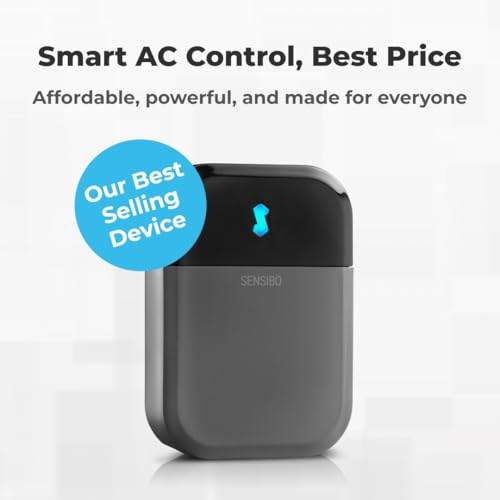
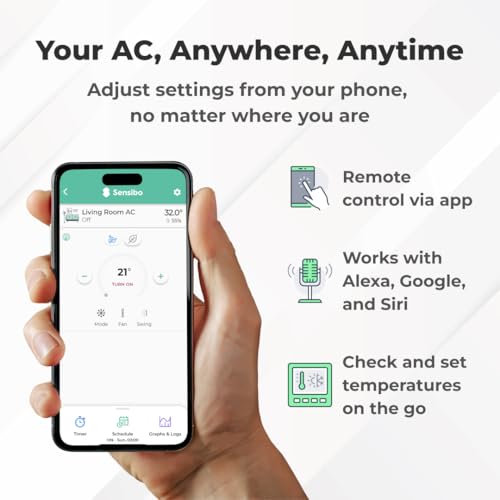
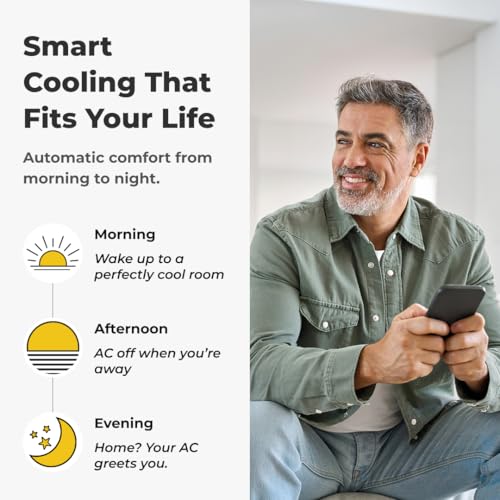
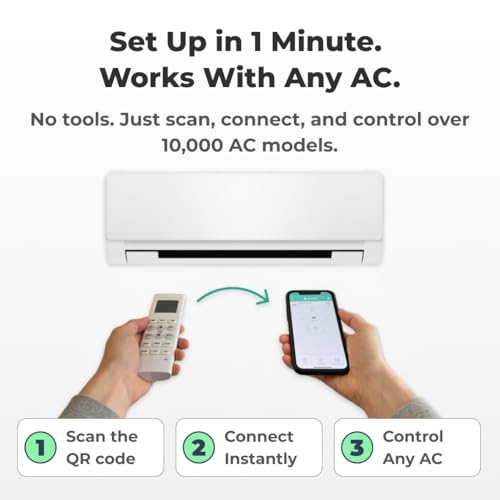
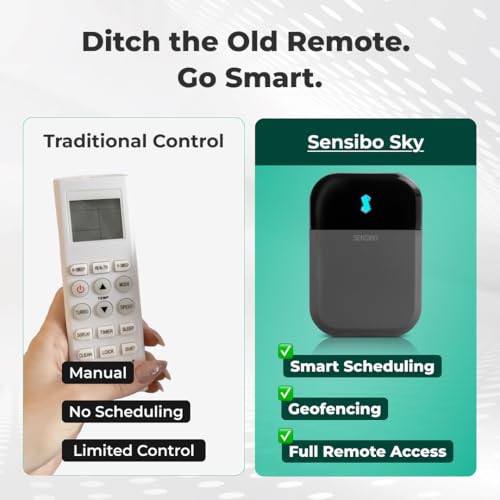


🌬️ Stay cool, save smart — control your comfort like a pro!
Sensibo Sky is a compact, wall-mounted smart controller that upgrades any remote-controlled air conditioner or heat pump into an energy-efficient, WiFi-enabled smart device. Featuring dual temperature and humidity sensors, geofencing, and voice assistant compatibility, it offers effortless DIY installation and up to 40% savings on cooling costs while maintaining optimal comfort remotely via mobile and desktop apps.


| ASIN | B01MU2YSR4 |
| Batteries Included? | No |
| Batteries Required? | No |
| Battery Cell Type | Lithium Ion |
| Best Sellers Rank | #29,480 in Tools & Home Improvement ( See Top 100 in Tools & Home Improvement ) #45 in Home Automation Hubs & Controllers |
| Cable Length | 1 Meters |
| Capacity | 3.2 Kilograms |
| Certification | no |
| Color | Gray |
| Customer Reviews | 4.2 4.2 out of 5 stars (5,896) |
| Date First Available | February 26, 2017 |
| Installation Method | Split System |
| Is Discontinued By Manufacturer | No |
| Item Package Quantity | 1 |
| Item Weight | 2.4 ounces |
| Item model number | SEN-SKY-01 |
| Manufacturer | Sensibo |
| Material | Polycarbonate |
| Mounting Type | Wall Mount |
| Number Of Pieces | 1 |
| Part Number | SENSKY01 |
| Power Source | Corded Electric |
| Special Features | Portable,Eco Friendly,Energy Efficient,Lightweight,Wifi |
| Switch Style | Temperature Switch |
| Voltage | 220 Volts |
S**N
Quick setup with a google quirk.
Quick setup, works like a champ. Actually much smaller than I expected! Mine is on a perpendicular wall, 20 feet away from the unit. IR blasters seem powerful and multi-directional. Note that if you are setting up with google, make your account with a password rather than password-free. If you do it wrong, like I did, you can add a password by using “forgot password “ option on sign in.
M**E
Simple and effective
So I've had this for about 3 years using it with a window air conditioner can't tell you the brand off that my head it works quite well occasionally the IR broadcast doesn't make it to the air conditioner but that's very few and far between and tends to be when adjusting the volume up or down so it might be off by a degree on occasion it's easy to fix just switch it back to Fan adjust up or down so that the app matches the device and then continue using schedules work great climate react Works quite well I have the issue where my window air conditioner will let it get quite hot in my room if it's cooler outside but I'm allergic to cut grass so sometimes I still need the air conditioner on even when it's nice out so the climate react can help prevent it from getting overly hot in the room when it's set to auto on the air conditioner which is a lifesaver sometimes on top of that if you do pay for the subscription there are a lot of very interesting and potentially useful add-ons I personally I don't use it but I have in the past and since I used it and they have added a lot more capability however I'm not sure how many of them would actually function with my air conditioner which is pretty old it's 10 years old or so but basically as long as it has an infrared receiver this device will work with any air conditioner maybe even heating unit. It'll also keep track of how long the device has been on and when the built-in filter to your air conditioner should be checked which is quite nice to just get a notification on the phone because when my air conditioner it's a little orange light that unless you're standing right in front of it you're not going to notice at least I don't. One last thing I don't have a Lexus I can't State how well it works with that however Google Assistant Works quite well the only issue I have is that you can only set it with Google Assistant to heat cool and fan you can't set it to the auto setting and I don't know if that's the restriction from my air conditioner or if it's because of Google but to be honest it's not the end of the world either and if I need to turn it on remotely having it set to cool is fine and then when I get home or when I can pull out my phone or something I can adjust it.
M**N
product works, but company is not truthful
First, the good news: The Sensibo Sky product works pretty well, at least if you own a recently-purchased Mitsubishi mini-split AC system. Since that is the only AC system that I've used the Sensibo Sky with, I can't say how well the Sensibo Sky works with any of the myriad other AC systems that are out there. One other bit of good news: If you send the Sensibo support folks a question, they will respond promptly with good, clear English. Now, the bad news: The Sensibo support folks may respond to your question with complete lies. This puts you, the buyer, in a tenuous situation at best. I have a Mitsubishi minisplit system, with four indoor "head" units. I want to be able to remotely control these units. That is exactly what the Sensibo Sky product (and other products, such as the Cielo Breeze) is designed to do. The Sensibo product consists of two parts: A small indoor device that you near your AC unit, and an app that goes on your phone. When you setup each indoor device, you use your existing AC remote control to "teach" it what kind of AC you have. Once taught, the indoor device will send infrared (IR) signals to your AC system. For example, if you want to turn one of your AC systems on, you open your Sensibo app on your phone, click on whichever AC unit you want to control (you need one Sensibo Sky unit per AC system), then click the "on" button on your app. This sends a signal through the Internet to the relevant Sensibo Sky device, which sends an IR signal to your AC system to turn it on. In the same way, you can set the temperature, fan speed, etc. All this works pretty well, as long as there is no power outage where your AC systems are located. A power outage is one of the most common ways for the Sensibo unit to become out-of-sync with your AC system. If your AC system was on when the power outage happened, the Sensibo app will think your AC system is still on when the power returns. But it won't be. Your AC system will be off. When you look at the Sensibo app on your phone, it will say the system is on. When you click on the app to turn the AC system off, the result can be unpredictable. Before I purchased the Sensibo Sky unit, I asked Sensibo support about this little problem, and they told me that they have solved this problem with a feature that will automatically re-sync the Sensibo unit with your AC. That's not true, and they know it. What the "sync" feature does is it allows you to manually tell the Sensibo app which state your AC is in .... but you have to be physically there, next to your AC system, to know this! After I bought the unit, I saw how the sync feature actually works, and I told the Sensibo Support folks that they had mislead me. I asked them if there was anything that could be done to ensure that the Sensibo Sky unit in sync stays with the AC system. They told me no. Again, this was a lie. The actual truth is that, if you own a modern Mitsubishi mini-split system, you can ensure that the Sensibo system is properly synchronized with your Mitsubishi system simply by sending two consecutive on/off commands via the Sensibo app. For example, suppose the Sensibo app says that your system is on. That might or might not be true -- you have no way of knowing if you are not physically present. You simply use the Sensibo app to click "off" then click "on". If the Mitsubishi system was already off, the first command will be ignored, then the second command will turn the system on again. After I discovered this (via extensive testing that I did), I pointed this out to the Sensibo support folks. They responded that they already knew this to be the case! Why they misled me twice in a row is ... beyond me. If you don't have a modern Mitsubishi mini-split system, the trick I described above might not work for you. It's all dependent on how the remote controls work for your specific system. Now that I know how this product works, I'm quite happy with it. My particular use-case is a vacation rental. Using my Sensibo Sky app, I can remotely turn the AC units on before my renters arrive so that my unit is nice and cool for them when they arrive. And after my renters leave, I can ensure that the AC is turned off so that I don't waste money cooling an empty rental unit. The same thing applies during the winter. The Sensibo company sells a bunch of other features that you need to pay for ($/month), but I am not using any of them, and I never intend to. As long as the Sensibo company stays in business and supports this app, I'll be happy.
F**M
I have 3 heat pumps in my house and 3 of these units. I bought the first one more than a year ago. I have to say, these gadgets are a game changer. I love the fact that I can set each of them to a schedule to maximize energy savings - its like having a programmable wifi thermostat for your heat pump. They are trouble free and once setup is complete (which isn't difficult) they are trouble free. The app is good and solid too, and even though they offer a paid subscription service for extra perks, I've found the basic non paid one more than enough to suit my needs. If you're looking to program your heat pumps on a schedule, and control them at any time with your phone, these devices are Rock Solid
C**S
Paket erhalten, ausgepackt, angeschlossen, läuft. Was soll ich noch mehr dazu sagen? Per App verbunden, WLAN eingerichtet, alles innerhalb einer Minute. Fernbedienung gegen gehalten power gedrückt, fertig. Meine Klima (Tosot) wurde sofort erkannt. Einfach super, nun kann ich von Unterwegs die Klima steuern. Nächster Schritt ist die Einbindung in meine Homematic.
S**I
The product is perfect, save me being worried especially in summer in this part of the region (Middle east summer time) However only one problem, it is expensive if am going to buy one for each unit. However, the installation was easy and i like the product.
X**0
100% worth it super-friendly apps and easy to installed it.Just plug and play, and it is done. You just need to download the apps from the Play Store to start using the controller. Just follow the instructions from the apps, and it will only take 5 minutes to complete the process. So far, I don't even need to choose which brand of air conditioner I am using; it is just automatically configured and can be used immediately after you install it. The item was very small, and Compaq is half the size of my phone. The controller has a lot of functions and features that you can try to use, but in the meantime, I just set a few functions on the apps.One of them was that they had a graph where you could see how much you were using the air conditioning either day, month, or year. I'm thinking of getting another one soon because it is much better than the one I had from a third party, which should be compatible with my air conditioner but somehow gave me a lot of issues with connection and always crashed.
W**N
- Rapid shipping and delivery - Excellent product quality and material - Easy installation process (less than 3 minutes) - Reliable and user friendly app - Compact size and neat design
Trustpilot
Hace 2 días
Hace 2 semanas