🔥 Stay cozy, save smartly — control your comfort from anywhere! 📲
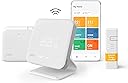
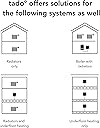
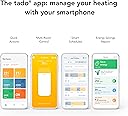
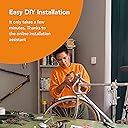
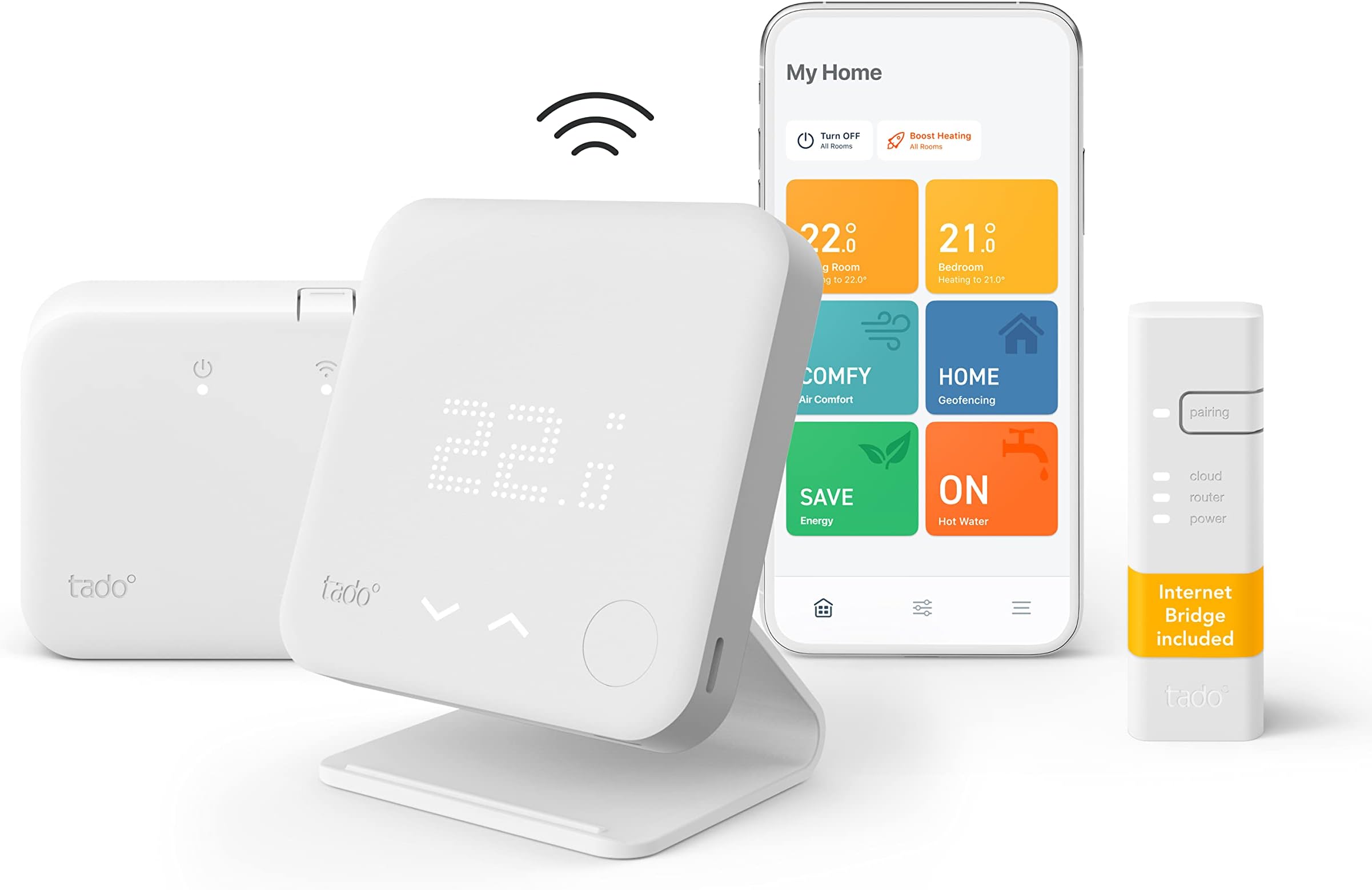
The tado° Wireless Smart Thermostat Starter Kit V3+ offers full remote control over your central heating and hot water via smartphone app or voice assistants. Featuring geofencing, open window detection, and energy-saving schedules, it helps reduce energy waste and costs. Compatible with all major heating systems, it’s designed for easy DIY installation and enhanced home comfort.
| ASIN | B098BKHT3R |
| Additional Features | Geofencing |
| Backlight | Yes |
| Best Sellers Rank | #227,414 in Tools & Home Improvement ( See Top 100 in Tools & Home Improvement ) #660 in Home Thermostats & Accessories |
| Brand Name | Tado |
| Color | White |
| Connectivity Protocol | 868 MHz |
| Connectivity Technology | Wi-Fi |
| Control Method | App, Voice |
| Control Type | Button Control |
| Controller Type | Google Assistant |
| Customer Reviews | 4.3 4.3 out of 5 stars (805) |
| Display Type | LCD or LED |
| Finish Types | matte |
| Included Components | tado° Wireless Temperature Sensor, tado° Wireless Receiver, tado° Internet Bridge, 3 AAA batteries, 2 x 2 wall mounting screws, 2 x 2 wall plugs, 2 sticky pads, 4-wire cable, 4 insulators, 2 bridging wires, 3 terminal connectors, USB power supply, UK power adapter, USB cable, Ethernet cable, 2 labels for wiring, Welcome Guide, Setup Guide, Manual for Professional Installers, 3 x regulatory informa… |
| Item Dimensions D x W x H | 5D x 10W x 15H centimeters |
| Item Type Name | tado° Wireless Smart Thermostat Starter Kit V3+ Incl. |
| Manufacturer | tado |
| Manufacturer Part Number | 104390 |
| Manufacturer Warranty Description | 2 year manufacturer. |
| Material Type | Polycarbonate (PC), ABS plastic |
| Model Name | V3P-SK-WTS01WRP01IB01STAND-AZ-UK-00 |
| Model Number | MED_RXWBC605 |
| Mounting Type | Wall Mount |
| Number of Batteries | 3 AAA batteries required. |
| Power Source | AC/DC |
| Product Style | Starter Kit: Wireless Heating & Hot Water |
| Shape | Square |
| Specific Uses For Product | Boiler |
| Specification Met | CE |
| Temperature Control Type | smart/remote |
| Unit Count | 1 Count |
| Voltage | 24 Volts |
A**H
I’ve installed this today to replace a Google nest e that has had constant connectivity issues and this was so easy to install. All connected first time via the app no issues at all. Took me around 30 minutes. I’ll be adding tado radiator valves to all the radiators as soon as they arrive to give me full control to heat rooms independently. The setup is very straight forward, you install the Tado app on your phone create an account. Then add the thermostat, internet bridge & receiver for the boiler by scanning a QR code from each device, if they don’t scan (one of them didn’t for me) you can just enter the serial number and code from the label. After you ad each device the app guides you through the installation steps. A few things to note: 1. The internet bridge has a very short usb cable (to power it), not been an issue in my setup but if you don’t have a plug or usb socket near to where your plugging it into your internet router or switch you may need a longer one. A lot of routers have usb sockets on so if you do that will make it really easy for you. 2. On my setup it told me to use a separate power plug to power the live & neutral wires for the boiler receiver. This seemed odd but it may have been simply because I had selected the instructions for replacing the Google nest. In my case I just wired these into the live and neutral feed of the boiler. When installing this yourself make sure you have the power supply to the boiler turned off, the app asks you to double check this with an electrical tester too! And if your not sure get an electrician or plumber to install this for you. 3. Some of the functionality requires a subscription, nothing that will stop you using the app or thermostat but if you want your heating to automatically turn off if your away from home and turn on when your back you will need to pay €25 per year. I understand why they do this as there is a cost to host these services but I’ll be integrating this into my smart home setup using Home assistant so will be able to have the same functionally without the tado subscription. You could probably achieve this using ittt too. So far I have only used this for a day but will update this review if I come across any issues but so far compared to my previous Google nest e the Tado thermostat seems much better and more importantly reliable. With the added functionally with the additional Tado radiator valves it should also save me money heating only the rooms I need to at the times I set.
G**B
E' il secondo sistema che installo di Tado e non posso che dirne bene. Facile da installare, bello esteticamente, app fatta bene, affidabile. Ovviamente serve una connessione a internet altrimenti non va una mazza, ma questo è chiaro di solito a chi compra questi sistemi. Unico neo: quando fate un gateway che si collega in WiFi invece che via ethernet????
G**E
The Tado° Smart Thermostat has been a game-changer for managing my home’s temperature. The setup was quick, and the app is intuitive, allowing me to control the heating and cooling from anywhere. I love the smart scheduling feature, which helps optimize energy use and saves money on bills. Integration with Alexa and Apple HomeKit works flawlessly, making it super convenient to adjust the temperature with voice commands. The geofencing feature is also a great addition—it automatically adjusts the temperature when I leave or return home, which is really efficient. The design is sleek and modern, and the stand makes it easy to place wherever needed. Overall, if you’re looking for a smart, energy-saving thermostat that’s easy to use and packed with features, this is a fantastic choice!
G**I
The whole Tado system is truly amazing. The Android app is very stable, well designed and easy to use. System is actually working very well. We were able to reduce our heating bills by roughly 20% compared to the 3 years average for December without giving up any comfort. In fact, the thermal comfort is now a lot better as we can schedule different temperatures for the daytime, sleeping time and while us or kids are away. Thanks to this the house is never too cold and damp or too warm and too dry. I also bought additional radiator thermostats for the entire house and never had to touch it again since I've set it all up. It's fairly easy to install entire system with plenty of "how to" on YouTube and manufacturer's own website. I'm not a plumber or an electrician and I was able to install the controller after watching just one video as it was as easy as moving the cables from the old heating controller to the new one between the identically labelled cable slots. All you have to remember is to switch the fuses off before you start. I have bought it on the Black Friday sale, but I would happily pay the full price as with current gas prices I would get all money back anyway after just one heating season. I think it's the first "smart" gadget I ever bought that is making a real difference to my living comfort. I highly recommend it!
S**0
After a bit of a palaver I now have Tado fully up and running. I had a 30 year old conventional boiler, with a hot water tank in the airing cupboard. 11 radiators, pump and 3-way valve in the airing cupbpoard, along with a very old timing controller and a wired thermostat in the hallway. All the wiring was a bit of a mess and hadn't been changed in 30 years. First off, I bought the Wired Smart Thermostat Kit. This simply replaces the hallway thermostat with a smart one. You install the internet bridge so that the Tado system can work and then the thermosat itself was literally two wires for me; live and switched live. Job done. I could then control my central heating via the app and set complex schedules etc. As the smart thermostat is now doing all the scheduling, you can switch the airing cupboard CH controller to 'Always ON' and let Tado manage it instead. All working, very pleased. A few months later we had our boiler replaced. We now have a nice new Vaillant boiler which is a condensing boiler and can be run as a Combi or in conventional mode - we have ours in conventional mode, i.e. we kept our hot water tank. So the way it worked was essentially the same as the old boiler. The Tado thermostat was still working, no issues. As part of this install, I decided to upgrade to the full Tado wireless system, whereby you are replacing the controller too, i.e. the bit in the airing cupboard. Once you have this, you no longer need the wired thermostat in the hallway either, as it comes with a wireless replacement.....so essentially the wired Tado kit I bought before, is now redundant. Bit of a waste. However, the boiler installer tried to install both the boiler and the Tado controller at the same time and had various problems. To rule out Tado being the issue, we bought a new, but 'dumb' Danfoss controller to use instead and make sure the boiler was working correctly. This highlighted a configuration issue with the boiler which solved all the issues and we were in business. We then switched back to the Tado controller, now having a much better idea of the wiring and a 'known good' setup. Following the Tado instructions via the app actually made this process very easy as we were now moving from a controller which Tado had in its list. The old controller had about 5 pins clearly labelled with L,N,1,2,3,4 and the Tado app showed exactly where these needed to be connected on the new Tado controller. You also have to bridge out the old wired thermostat, i.e. connect the wires together so that its essentially always on and always demanding heat..which is also very easy. The Tado controller then deals with that. So we end up with the Tado smart controller in the airing cupboard and a wireless thermostat where the old wired one was. You CAN still request HW or CH by pressing a button on the controller itself, but you now essentially do everything via the app. The app allows you to create multiple schedules for each heating zone (one in my case) and the hot water. This is far more flexible than the ONCE/TWICE option I had with the old dumb controller and a damn site easier to setup with an app rather than the buttons on the controller itself. I can now create multiple schedules on different days for both the CH and HW, and control it all remotely if needed. Next step will be to add TRV valves to all the radiators and add Tado stats to all of those too. If you are moving from an old controller which is in the Tado list and follow the instructions in the app then it really is a fairly straight forward procedure and most home DIYers should be able to do it. Just take lots of pictures beforehand in case you have wiring issues so that you can always put it back! ...and make sure the live power is off before you do anything! Otherwise, i'm really pleased and think Tado is a really nice solution. Update Jan 2022: I've now added 7 smart thermostat rad valves and split the house into separate rooms. Absolutely brilliant. I can now have bedrooms warm up in the morning and then stay cool for the rest of the day, or have kids rooms a little warmer in the evening, or even my office warm but keep the rest of the house off. Working very well, great to have so much control. Valves were easy to install on Danfoss TRVs using one of the adaptors in the kit. No issues. As others have mentioned, the thermostat is near the radiator so you might get a higher than expected temp reported, but you can compensate for that in the app or you can just set the temp a bit higher. Either way, its not an issue. Expensive but recommended.
Trustpilot
Hace 4 días
Hace 3 semanas