We remain fully operational. Our teams are working around the clock to ensure your deliveries continue safely.

Descargar la aplicación


Servicios al cliente
Sobre nosotros
Copyright © 2025 Desertcart Holdings Limited
Descargar la aplicación
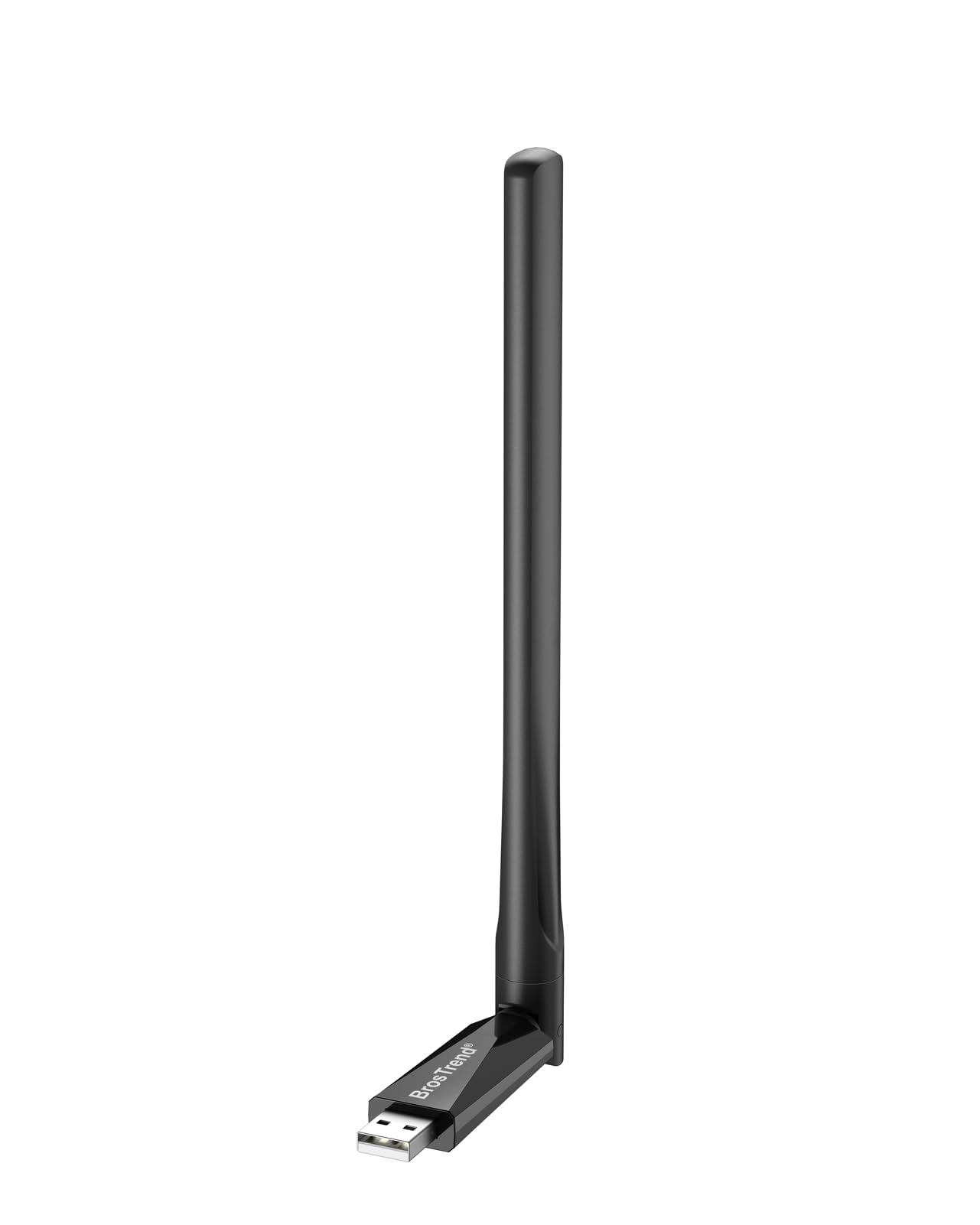
🚀 Upgrade your WiFi game with Linux-ready speed & range!
The BrosTrend 650Mbps USB WiFi Adapter delivers robust dual band wireless connectivity with 5dBi long-range antenna support. Compatible with a wide range of Linux distributions (up to kernel 6.2) and Windows versions, it ensures seamless plug-and-play setup for professionals repurposing older hardware or building versatile multi-OS environments. Featuring advanced WPA3 security and broad router compatibility, this compact adapter is engineered for stable, high-speed internet access on desktops, laptops, and Raspberry Pi devices.


| ASIN | B01GC8XH0S |
| Best Sellers Rank | #101 in USB Computer Network Adapters |
| Brand | BrosTrend |
| Built-In Media | AC650 Linux Compatible USB WiFi Adapter, User Manual |
| Color | Black |
| Compatible Devices | Desktop, Laptop, Computer, PC, Notebook |
| Compatible Operating System Family | Linux, Windows |
| Customer Reviews | 4.3 out of 5 stars 2,084 Reviews |
| Data Link Protocol | IEEE 802.11ac, IEEE 802.11g, IEEE 802.11n |
| Data Transfer Rate | 650 Megabits Per Second |
| Global Trade Identification Number | 00701017579830 |
| Hardware Interface | USB 2.0 |
| Item Dimensions L x W x H | 1.97"L x 0.75"W x 0.28"H |
| Item Weight | 0.01 Pounds |
| Manufacturer | BrosTrend |
| Mfr Part Number | AC5L-Linux-Upgraded |
| Minimum Required Operating System Version | Debian 12.0 Bookworm, Ubuntu 22.04 Jammy Jellyfish |
| Model Number | AC5L-Linux-Upgraded |
| Product Dimensions | 1.97"L x 0.75"W x 0.28"H |
| UPC | 701017579830 |
| Unit Count | 1.0 Count |
| Warranty Description | Register for 2-Year Warranty |
M**E
Gave an old computer a new life
I was very skeptical about this being a plug and play internet solution for my WiFi-less Dell 7040 mini PC running an old copy of Windows 10. It arrived at my house and I literally plugged it in, and my house network popped up. I connected to the internet with zero problems. I was then able to install Zorin OS with no issues whatsoever. It works great! This is worth every penny for those looking to repurpose a computer they already have but are skeptical like I was. I'm completely happy about this product and I would recommend it.
R**Y
Yes, it works with Windows 11 and Debian Linux
I don't usually write product reviews but this BrosTrends wifi adaptor deserves one. I am assembling a new desktop computer to dual boot Win11 and Linux Debian. A new motherboard with a Wifi-7 chip on board. Works great for Win but no drivers available for Linux. Thus the need for a USB wifi adaptor. This is the fourth usb adaptor I purchased. The other three....no Linux drivers. So, I selected this AC5L adaptor because the description said it "works with Linux". If you are considering one of these because of the "works with Linux", go to BrosTrends website to verify that your particular Linux distribution is shown as compatible. Most are but there are some aren't yet compatible. As these drivers make it into more kernels, I believe more and more distributions will work with this adapter. So, I received this late Friday afternoon and began the installation and testing. Win11 setup was easy and it connected to my router. In Linux it was not immediately recognized. After doing all that I knew how to do, I decided to contact their Customer Service. This was about 10:00 pm Friday evening. I expected to get a response Monday or Tuesday. I got a response in about 10 minutes! I followed their instructions, we emailed back and forth a few times and by Saturday noon it was working just like I wanted. BrosTrend Customer Service is the best I have ever worked with. Now, for you guys who bought an 870e Crosshair Hero motherboard and are finding out the wifi-7 onboard will not work with Linux, this adapter is a nice workaround. By the way, my installation is working fine with Secure Boot and Fast Boot enabled. A big THANK YOU to the BrosTrend customer service team that helped me!
Y**S
Plug and play on Linux
This device worked seamlessly out of the box on an older Dell Micro PC running Zorin OS 18, with no configuration required. Installation was truly plug-and-play, and the compatibility with a Linux-based operating system was excellent. Overall, it delivered exactly as advertised and effectively extended the useful life of my desktop system. A solid, reliable product that I would recommend.
L**Y
better have wifi to set it up. No Plug and Play. Drivers needed. Im on Linux Mint UPDATE AT END
UPDATE AT BOTTOM: Only issue i have is that it only folds a certain way so the antenna extends only a certain direction when plugged in ( bends to the right when plugged in, not mulitdirectional) . other than that, AFTER INSTALLING THE DRIVERS, it worked fine. No plug and play, you have to go to the site and download the drivers (meaning you need wifi prior to getting it set up). 100% after that. 4 stars because i went from a tiny edemax usb wifi dongle that was 10 years old. UPDATE: great upgrade from a small usb wifi dongle that i had for almost a decade. i was looking to update as components got better. This antenna will get some nice speeds for my starlink. its just heavy on the usb port and i was having connection issues so i pulled out an old usb dongle with a ribbon cable connection. puts out 200mbs upload handing in the position. im happy. old connector with a new antenna... cant argue. starlink as well so its all comparable. .
M**L
Works great
Great WiFi antenna! Needed this and a larger power supply for my raspberry pi 4. It now works great and connects to the WiFi in a basement.
V**E
Plug n play wifi adaptor for Linux.
Worked out of the box on Linux Mint (feb 2026 install). The antenna does adjust to different positions.
K**R
Worked (Works) well on Linux box -updated
I installed this on a Zima single board computer that is running OpenMediaVault on a Debian distro. I followed the instructions on the included installation guide card that came in the package. The install went without issues and it works great. This solved a backup issue for a wifi connected laptop. So far it is very stable and has a good transfer rate (I have not measured it, but it is on par with expectations for the time it takes.) Update: This suddenly stopped working on my OpenMediaVault installation. I have done everything I can to get it working, including wiping and reinstalling the OMV distro. No luck. I tested it on a windows laptop and it worked great. So, am not sure what the issue is, but I don't think it's the Wifi device. So, just be aware. 2nd Update: I reinstalled the driver (linux.brostrend.com) and got an error. Per the instructions on their troubleshooting page, I ran dpkg --configure -a This corrected the issue and it is working perfectly again. I can only assume an update to my OMV instance caused the issue, not the BrosTrend WiFi adapter.
R**T
Works... but no monitor mode for Windows (Realtek RTL8811CU driver doesn't support it)
I'm planning to return this, since I bought it solely in an attempt to get "monitor mode" for Windows (if you don't know what it is, or you use Linux, you can ignore this review). Getting wifi "monitor mode" support for Windows is nearly impossible: most websites discuss devices that have the support for Linux. It seems the only reliable way is to buy a bunch of products and see if they work, and if not, return them (something I'm not going to try). A couple reviews of this device say it doesn't support monitor mode (with no further details), but others say it does. It seems clear that the device itself does support monitor mode, and it will work with the correct driver on Linux. But not Windows. I bought this one since it specifically mentioned "monitor mode", mentioned Windows support, and uses a chipset that one website says has monitor mode support. Silly me assumed that if the device supports monitor mode, Realtek would have included the support in their drivers. I was wrong. I had to take a star off for the description mentioning monitor mode, mentioning Windows support, but not saying "Don't buy this if you want monitor mode with Windows". First, I tried plug-and-play: no go. My Windows 10 doesn't recognize this. Next, I tried installing the driver from the BrosTrend website. It's a RealTek-signed package, but no go. Wireshark won't recognize monitor mode, WlanHelper errors, and "netsh wlan show wirelesscapabilities" shows "Network monitor mode: Not supported". I even tried a reboot, and tried running netsh with admin privileges, still no go. All that said, if you're just looking for a USB wifi device, as far as I can tell, it should do a great job. UPDATE: About 3 months after returning this, I've finally traced down a problem that caused my computer to lose 3GB of committed memory PER DAY: it was the Realtek driver (RunSwUsb/RunSw/SwUSB). KEEP THIS IN MIND if you use a Realtek driver and later have memory leak issues ("Committed" memory in Task Manager continually growing, perhaps needing to reboot every few days/weeks). I'm not going to lower my star rating, as I attribute this to Realtek (the cause of the problem) and Microsoft (the cause of my frustration, for showing RunSwUsb as such a well-behaved service in Task Manager and Process Explorer, not showing the 40GB+ of committed memory Windows assigned to it).
Trustpilot
Hace 2 semanas
Hace 1 mes