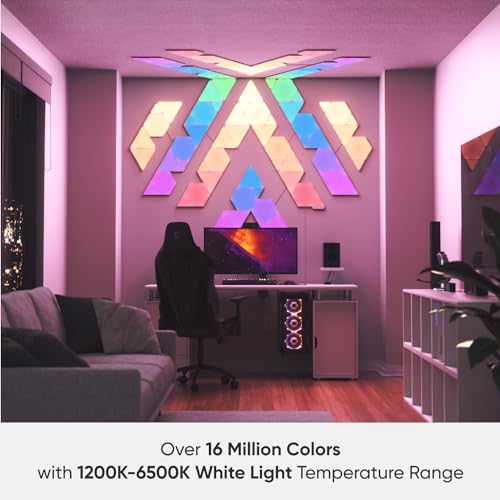

🔺 Light up your space, level up your vibe.
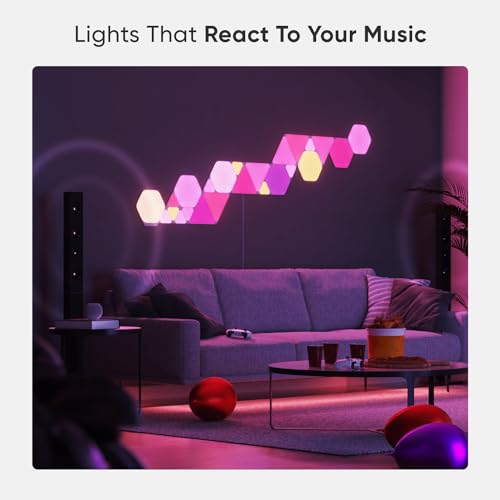
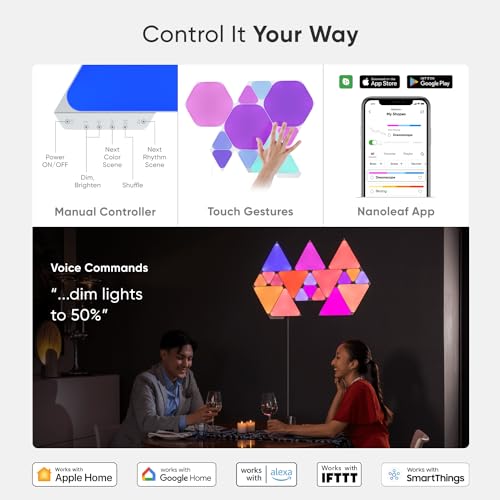
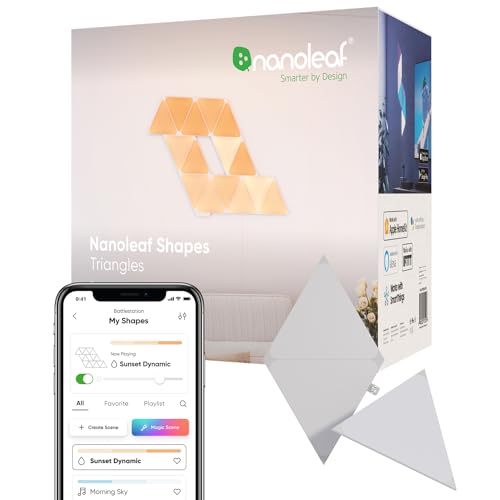
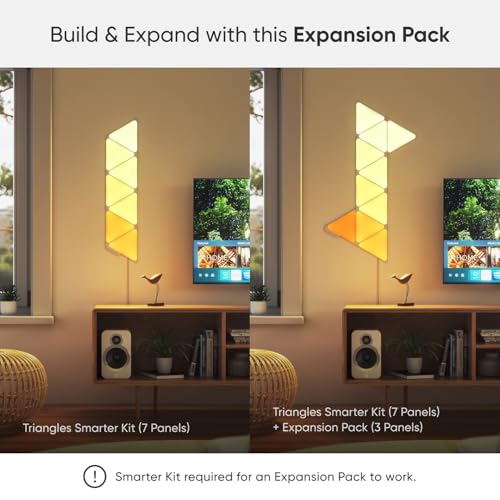
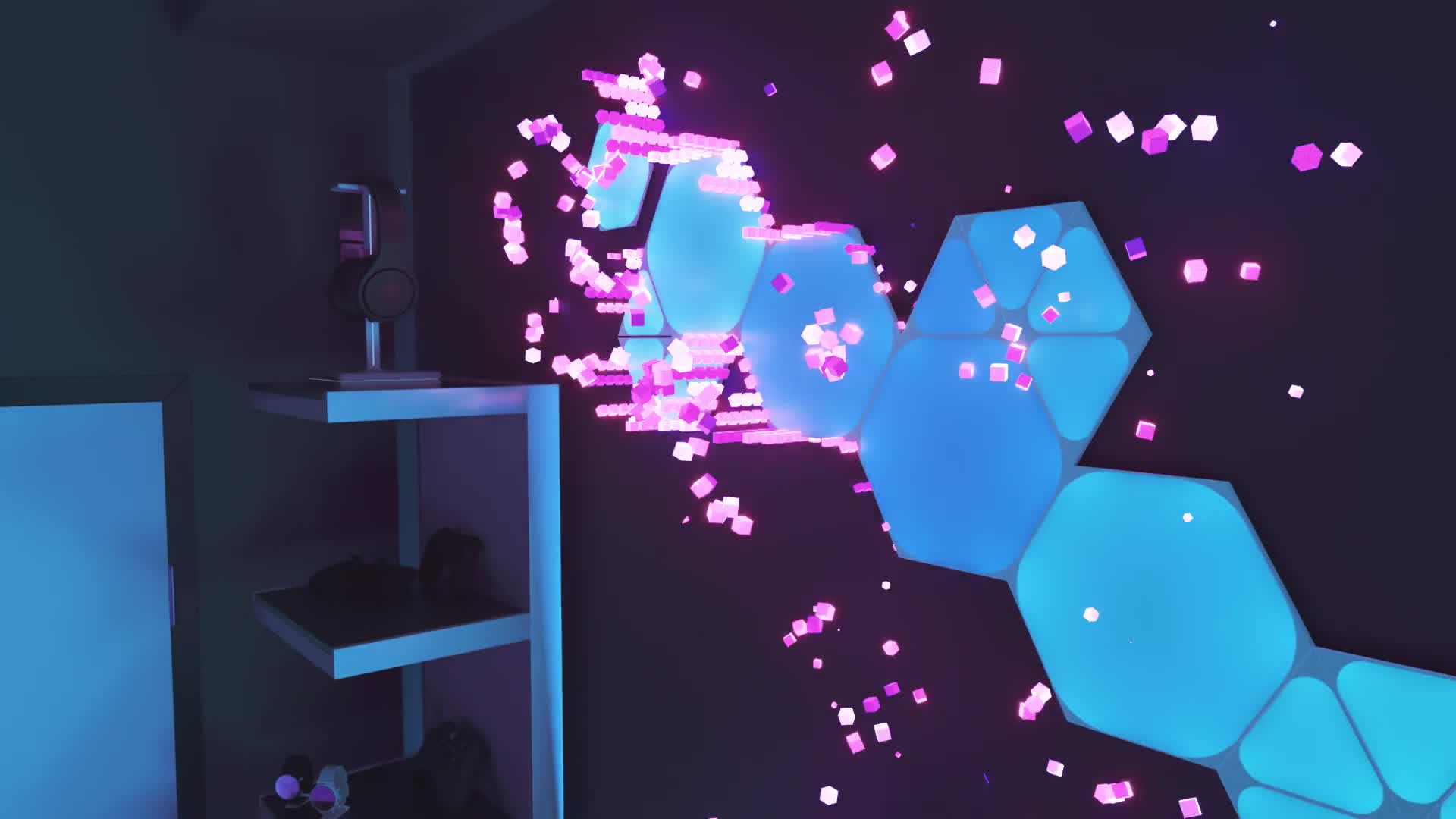
The Nanoleaf Shapes Triangle Expansion Pack adds 3 modular, touch-reactive LED RGBW panels to your existing setup, enabling seamless design growth with Connect+ technology. Compatible with Alexa, Google Assistant, and Apple HomeKit, it offers immersive features like Screen Mirror and Rhythm Module for dynamic, interactive lighting experiences. Perfect for gamers, creatives, and smart home enthusiasts seeking stylish, customizable ambient lighting.


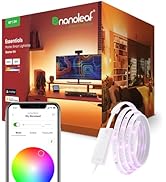


| ASIN | B08K88L4X5 |
| Batteries required | No |
| Best Sellers Rank | 9,742 in Lighting ( See Top 100 in Lighting ) 1,226 in Night Lights |
| Customer Reviews | 4.2 4.2 out of 5 stars (3,389) |
| Date First Available | 15 Oct. 2020 |
| Finish types | Polished |
| Included components | 3 Linkers for connecting panels, 3 Mounting Plates, 3 Nanoleaf Shapes Triangle Light Panels, 4 Double-sided adhesive Mounting Tapes |
| Is assembly required | Yes |
| Item model number | NL47-0001TW-3PK |
| Item weight | 450 Grams |
| Number of pieces | 3 |
| Product Dimensions | 24.9 x 4 x 20.6 cm; 450 g |
| Specific uses | Home |
| Warranty description | 2 years. |
O**E
Best Qaulity, Easy Expansion
Nanoleafs are the best quality for RGB shapes. The additional kit was really easy to setup to my existing setup, just had to clip them on and they synced up instantly - couldn't have been easier. The expansion packs are great value, each triangle is only £10 each which sounds alot but the jump from 9 to 12 feels quite substantial!
A**R
Great for the bedroom
Very good item my 12 year old boy assembled and fixed them to the wall, and he loves them in his room . Nice item !
R**A
Very pleased
Look great and i do really love them, colours can be super bright or can be dimmed for a less intense look. The only difficulties i had was making sure the placement was correct before putting them on the wall because if you want something to be specific theres no way of placing the full pattern against the wall before sticking them down . The only other annoying thing was connecting them to the wifi, it helped turning the lights on and off from the wall then they finally connected. Overall really happy, would recommend.
C**B
Excellent lights but software needs some work!
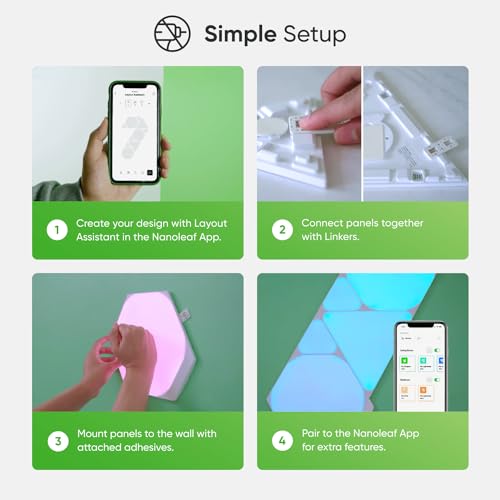
I fitted these panels a little over a week ago now and thought I’d share my thoughts on the install and how I’m finding them. I had high expectations on everything considering the high price of the lights. Fitting them was a breeze, I didn’t really read the instructions and put them up wrong. I initially hung the shapes themselves, left for about 15 minutes then pulled the shapes off and refitted with the connectors in place. They look good on the wall, the cable is fairly hidden behind one of my displays and I had no adhestion issues. My walls are just painted matt white – you should clean the wall beforehand, I didn’t and they seem to be stuck on well. I did try the website that lets you design the layout and found that pretty helpful. I didn’t use the app for this but suspect the augmented reality aspect of it may be helpful. My biggest concern was ensuring they were straight – I eyeballed this and happy with the final result. Once they were hung I powered them on using the physical panel and thought they looked great – I opted for the triangle as the other shape (Octogon?) didn’t look as uniform – I’m glad I went with the triangles as I still think they look good. They sit behind my displays and provide a nice quality of light for video calls, or general background visuals when I’m working. Things start going downhill from here – I installed the Nanoleaf app and found the panels to be constantly non-responsive to the apps requests. I had to reboot the panels a few times and overall found the experience to be poor. There are some nice scenes available which I’ve “starred” or “favourited” with my “go to” being “Be Productive”. The scenes that respond to audio are very poor – it responds but doesn’t make any sort of sense. I tried different music at different volumes from different devices and never felt like any combination worked well so I’ll never use the audio scenes. The initial app setup was a real faff too requiring me to re-install the Home app on my iPhone which I had no intention of using. My biggest complaint with the Nanoleaf is the Alexa integration. We use the Echo devices with many devices in our home and experience the rare issue – the issues with Alexa and Nanoleaf are constant. Some days the Alexa won’t turn the Nanoleaf panels on or off, often it doesn’t recognise the command we ask, we’ve never been able to set a scene with it – only basic colours and brightness and almost all of the time we’ll ask it to do something, it’ll do it but then tell us the Nanoleaf device isn’t responding. I appreciate this could be an Alexa issue as much as it is a Nanoleaf – but I’ve never had issues like this with any other devices. I do also now get scenes showing on the pull-down menu of my iPhone, they work but the brightness is always too high. I like the panels somewhere between 30% and 40% but any time I use a scene from the iPhone (Homekit?) selection the brightness is much higher and uncomfortable. Overall I’m giving these four out of five stars. The lights look good, the light they give off is good, visitors over Christmas commented on how they liked them but the software experience needs some work – it’s really letting the whole experience down. If you can live with some frustration there, I do recommend them.
D**S
Sound and Touch reactive!
Purchased this starter kit as well as a top up pack of 10 for our office. The setup was super simple, and although these are quite pricey, the ease of use based on the app makes it worth the price - they can be configured using the pre made colours, or you can make your own. I don't remember seeing that they are touch and sound reactive too!
M**I
Screen Mirror very patchy (tested on Windows)
I bought these specifically for the Screen Mirror functionality so I'm reviewing them from that point of view. Firstly, the desktop app you are required to download and install crashes a lot, this appears to have been the case for quite a while based on some googling, so chances of it being fixed are pretty low. In order to set up the Screen mirror, you register the lights with your phone, download the desktop app and log into the account you created, enable mirror mode and select the screen mirror type you want. I would imagine everyone will want the same one, the one that has the shapes sample parts of your screen and show those colours. In order to decide which part of the screen to mirror, you grab, scale and rotate the shape to sit over the right part of your screen (see image one where I have positioned it at the center top of my screen). * If you rotate the shape by more than 180 degrees, the app crashes * If you accidentally move the center of the shape outside of the screen, the app crashes. * There were several other crashes for reasons that were unclear. In order to stop this from happening, you need to select a different screen mirror mode, make the adjustments you want and then enable the first mode. There seems to be some weird rotation being applied, so if I put the light panel over the bottom of my screen in the app, it does show the colours on the bottom, but if I put it at the top of my screen it mirrors the colour on the right. Moving it around to test, I found I could get the left and right sides by moving to the left and right sides on the app, but no matter where I put the lights in the app, I could not get the top of my screen. I found the best way to get some kind of sensible result is to change my res down to 1920p and switch off HDR on my monitor. This allowed me to to get the top of my screen, but only if I put my lights off to the left top side of the app. Putting them at the top results in the right side of the screen showing still (see pic 2). Even when working properly (like when sitting at the bottom of the screen), the lights are backwards, if you have red on the left of your screen and blue on the right, the colours are flipped on the lights, so the red is on the right. Unfortunately, even if this all did work properly it would still be a pain to set up each time you wanted to use them. Every time you start your PC, you have to go to the app, go to the screen mirror tab, enable it and select the mode you want again. There did seem to be an option for saving it to an effect, but what that did was save the colours that were showing on the lights right now, so picking it on start up just means you get a static set of lights that are the same as they were when you saved the effect. So yea, really not suitable for the purposes of screen mirroring at all. TL;DR: * Lights are flipped (left side is right side etc and no way to flip in the app) * I was unable to capture the part of the screen I wanted (putting the lights at the top of my screen in the app mirrored the right side of my screen (see pic 1 and 2) * App crashes a lot * You have to manually reinstate the effect each time you start you PC. * May work better if you are using 1920p and no HDR but I'm not sure.
T**R
Good product
I've had a lot of sound reactive lighting over the years and it has consistently been terrible, and I had very low expectations for it here too - but I have been surprised in a good way! The app also has a good library of colour and effect presets. But, even so, these are still very expensive for what they are.
P**N
Best lights
I love my Nanoleaf, made my own pattern and works great. Easy to setup and great if you have Spotify and install link light app.
E**M
A bit pricey, but the best in the market, easy to install, and a joy to play with.. loved it, might buy more to complete a falcon design. My only complaint is that the promo photos of the corner designs are misleading, you will have to buy separate "flexible connectors" to achieve that, as the standard connectors are not bendy.
E**E
Es ist teuer, aber es ist einfach großartig. So gesehen ein gerechtfertigter Preis. Erst die Vorteile, dann die Nachteile :-) Die Lichtfarben, gerade im Gelb-Orange Bereich werden super abgebildet. Auch kaltweiß erreicht eine gute Qualität und Stärke. Die beigefügten Klebepads halten auch auf Rauputz. Hier sollte man jedoch die untersten Shapes in der Wand verdübel, was relativ einfach möglich ist. Die Verbinder halten sehr stabil und mit den ca. 10cm langen Flexverbindern (bestellbar) lassen sich über Eck Konstruktionen abbilden. Viele installierbare Farbschemen und Verläufe stehen zur Verfügung. Der musikabhängige Farbwechsel ist super. Perfekte Party Installation. Ich nutze es als Wandbild, um auch tagsüber eine weisse Wand richtig interessant zu machen. Die Ansteuerung über einen Bildschirm geht nur, wenn das zugehörige Programm unter Windows installiert wird (Microsoft C++). Das funktioniert dann aber auch recht passabel. Eigene Szenen lassen sich recht einfach abbilden. Musikgesteuert, statisch oder mit Überblendefekten. Die Panels sind alle touchfähig, habe da aber noch keine richtige Erfahrung gesammelt. Es funktioniert. Anbindung an Alexia habe ich auch noch nicht ausprobiert. Jetzt das große ABER. Die Einbindung in das WLAN und die zugehörige App sind eine reine Katastrophe. Benutzerfreundlich ist anders. Wichtig ist, den Controller auf den aktuellen Versionsstand upzudaten. Ich hatte glücklicherweise keine Probleme bei der Installation, kenne aber jemand, der hätte das Ganze am liebsten wieder zurückgeschickt. Die Hilfen. die zur Verfügung stehen sind aber wirklich hilfreich und so wurde es dann doch nicht zurückgeschickt. Fazit: Super Hardware, noch viel Luft nach oben bei der Software. Ich bereue keinen einzigen ausgegebenen Euro.
S**U
Nanoleaf’in kalitesi tartışılmaz, sonradan çıkan benzerleri ile kıyaslanmaz. Hexagon’lar ile kullanmak için aldım ve uyumlu. Puzzle gibi ekleniyor. Türkiye’de ne yazıkki satılmıyor ve Amazon sayesinde yurtdışından zahmetsizce kapınıza geliyor. Teslim süresi sipariş esnasında yazandan çok daha önce yapılıyor.
G**G
If you're wondering if they can be mounted on the ceiling, yes they can. Works as it should but you will have to wait for them to update when you first plug them in. I made a video on YT showing the process.
D**S
El Nanoleaf Shapes Triangle Expansion Pack es una excelente manera de llevar tu experiencia de iluminación a un nivel superior. Con 3 triángulos LED adicionales, este paquete de expansión te permite aumentar la complejidad y el atractivo visual de tus configuraciones Nanoleaf existentes. Desde que incorporé el Triangle Expansion Pack a mi configuración Nanoleaf, he quedado asombrado por la forma en que estos triángulos luminosos pueden transformar un espacio. La adición de los triángulos no solo amplía la extensión de la iluminación, sino que también introduce nuevas posibilidades de diseño y creatividad. La instalación y sincronización de los triángulos adicionales con mi configuración existente fue sencilla y fluida. En cuestión de minutos, pude expandir mi diseño luminoso y personalizar los colores y efectos según mis preferencias. La aplicación móvil intuitiva facilita la gestión y el control de los triángulos LED, lo que agrega una capa de personalización y diversión. Uno de los aspectos más impresionantes del Nanoleaf Shapes Triangle Expansion Pack es cómo se integra perfectamente con mi configuración Nanoleaf existente. Los colores y efectos se sincronizan de manera coherente, lo que crea una experiencia visualmente atractiva y fluida en toda la disposición. Dado mi experiencia positiva y la manera en que los triángulos adicionales han mejorado mi configuración Nanoleaf, he otorgado 5 estrellas a este producto. Si bien algunos usuarios podrían considerar el costo de expansión, en mi opinión, la oportunidad de ampliar la creatividad lumínica y llevar la iluminación de mi hogar a un nuevo nivel lo hace totalmente valioso. En resumen, el Nanoleaf Shapes Triangle Expansion Pack es una forma emocionante y estilizada de expandir tus posibilidades de iluminación. Los 3 triángulos LED adicionales no solo añaden dimensión a tu configuración, sino que también permiten una personalización completa y una experiencia visual impresionante. Si deseas ampliar y elevar tu diseño de iluminación, el Nanoleaf Shapes Triangle Expansion Pack es una elección sobresaliente que seguramente te dejará encantado con sus resultados.
Trustpilot
Hace 2 semanas
Hace 3 días



