
Descargar la aplicación


Servicios al cliente
Sobre nosotros
Copyright © 2025 Desertcart Holdings Limited
Descargar la aplicación

💼 Flex your storage game with Toshiba’s sleek 2TB powerhouse!
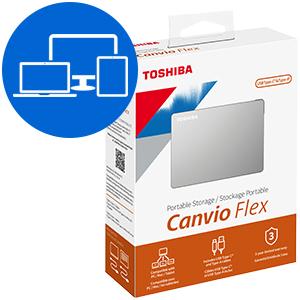
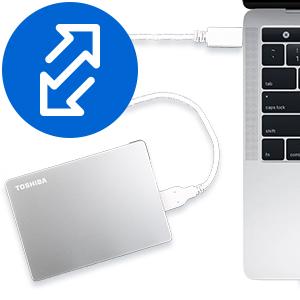
The Toshiba Canvio Flex 2TB Portable External Hard Drive offers versatile, cross-platform storage with exFAT formatting, USB 3.0 and USB-C compatibility, and a stylish, compact aluminum design. Perfect for professionals needing fast, reliable, and flexible data transfer across Mac, PC, and tablets, it delivers up to 5 Gbps speeds and includes both USB-C and USB-A cables for seamless connectivity.








| ASIN | B08JKHPV1V |
| Additional Features | Portable |
| Best Sellers Rank | #21 in External Hard Drives |
| Brand | TOSHIBA |
| Built-In Media | Portable Hard Drive, USB-A Cable, USB-C Cable |
| Cache Memory Installed Size | 2 |
| Color | Silver |
| Compatible Devices | Mac, PC, Tablet |
| Connectivity Technology | USB |
| Customer Package Type | FFP |
| Customer Reviews | 4.5 out of 5 stars 8,222 Reviews |
| Data Transfer Rate | 5 Gigabits Per Second |
| Digital Storage Capacity | 2 TB |
| Enclosure Material | Aluminum/Glass |
| Form Factor | 2.5-inch |
| Hard Disk Description | Mechanical Hard Disk |
| Hard Disk Form Factor | 2.5 Inches |
| Hard Disk Interface | USB 3.0 |
| Hard Disk Rotational Speed | 5400 RPM |
| Hard-Drive Size | 2 TB |
| Hardware Connectivity | USB, USB 3.0, USB Type C |
| Installation Type | External Hard Drive |
| Item Dimensions L x W x Thickness | 4.37"L x 3.15"W x 0.53"Th |
| Item Height | 0.53 inches |
| Item Type Name | Canvio Flex Portable External Hard Drive |
| Item Weight | 0.33 Pounds |
| Manufacturer | Toshiba |
| Media Speed | 120 MB/s |
| Model Name | Canvio Flex |
| Model Number | HDTX120XSCAA |
| Number of Items | 1 |
| Read Speed | 1 Bytes Per Second |
| Specific Uses For Product | Business, Multimedia, Personal |
| UPC | 723844000806 |
| Warranty Description | 3 year limited manufacturer |
B**I
This drive delivers without breaking a sweat
When it comes to portable storage, the Toshiba Canvio Flex 2TB Portable External Hard Drive is like the Swiss Army knife of hard drives—ready for whatever you throw at it. Whether you're rocking a PC, a Mac, or even a tablet, this little silver powerhouse has your back. First off, let’s talk about compatibility. Formatted exFAT right out of the box, the Canvio Flex is designed to play nice with multiple devices. No need for reformatting gymnastics when switching from your MacBook to your Windows laptop, or even your tablet. And yes, it's USB-C ready, but don’t worry if you’re still living in the USB 3.0 world—Toshiba's got you covered with both USB-C and USB-A cables included. The versatility of this drive is seriously impressive. It’s like Toshiba decided that no device should be left behind, so they built a drive that’s ready to work with just about anything. And at 2TB, it’s got more than enough space to store your ever-growing collection of photos, videos, and all those files you keep promising to organize someday. Design-wise, the Canvio Flex keeps it sleek and simple. The silver finish is stylish without being flashy, so it won’t look out of place next to your tech setup, whether you’re in the office or on the go. And since it’s so compact, it’s easy to toss in your bag without weighing you down. In short, the Toshiba Canvio Flex is the ultimate storage solution for those who demand flexibility and reliability. Whether you’re transferring files between devices or just need a dependable backup, this drive delivers without breaking a sweat. It’s like having a trusty sidekick in your digital adventures, always ready to lend a hand—or, in this case, a few terabytes.
M**N
Good hard drive.
It holds a lot of photos, videos, and even documents. The hard drive is solid and is easy to use. I've been able to transfer a lot of content onto it, and it is holding up well. I am pleased with my Toshiba external hard drive!
B**R
Works great!
This is really fast in backing up my laptop. Easy to install and use.
L**A
No complaints, highly reliable
This is not my first time buying from this brand, and as expected, the quality is fantastic. It's a classic, trusted brand for a reason – their products just work well. No complaints, highly reliable.
M**A
Learn about specs before you buy
Love the flexibility this product offers, I'm able to plug it into Phone, iPad, or PC and preserve the quality of the photos. I'm at a point of confusion and a bit of frustration but I'd still recommend this to others as it's portable, convenient and serves its main purpose. Please approach the rest of commentary with the understanding that I'm very new to photo storage and upgraded from Google photos to this toshiba hard drive to preserve my raw photos. I have minimal understanding of hard drive technology and specs. My challenge is.....data transfer takes a lot longer than I anticipated/hoped. It's excruciatingly slow trying to open, view, and organize photos on my iPad. So much so that on an 11 hour flight, I wasn't able to accomplish anything. It's faster with my laptop, which makes sense to this non tech expert. That being said, it's still really pretty slow and laggy when reading it. Transfer of photos from SD card to hard drive took a pretty long time, I did it in 2 phases, maybe 30 gb each time. Would love to figure out the math on what I should expect that transfer to take, maybe my expectations were too high. I don't know anything about specs, I wish I had before I bought and wish I did now. I assumed that if it can STORE 2TB of data, that it should have no problem reading 74 gb worth of items at a fair speed so I can organize them into folders. As I simply view them on my laptop, It also doesn't seem to keep them loaded as I scroll down, and it is an arduous process to group them. Maybe I'm meant to transfer the photos to the computer first and look at them there, and then transfer them back? Is that how to make this work better? I'll be doing some research in my spare time. Biggest complaint - if it is such a difficult task to open up and load all the photos at once in the main folder where they default, can there be an easier way to group them into separate folders to reduce this pain point? Maybe an auto folder based on date, or all photos from 5000-6000 in one. Maybe I'll look into a software that organizes them as this is painful. I don't know if it is possible to organize the photos ahead of time from the SD card before transferring when on the go - or if I should just rethink my process all together. Other context - I've confirmed my laptop processing capabilities are not the issue, it is the specs of the hard drive (confirmed by tech support from laptop team). HP Elitebook, new in last 5 years.
K**R
Compact and Fast
Love this. it's perfectly compact and great for storing my endless catalogs of photography work. operates quickly
K**T
Robust and Flexible, A Dream Come True for Storage Enthusiasts! ★★★★★ (5/5)
Happiness is finding a hard drive that works awesome and looks damn good 2. Below you will know the reasons why the Toshiba Canvio Flex is the best purchase I have ever made for my beautiful CPU. (MBP2020 OS: SONOMA 14.0) There's a lot to appreciate about the Toshiba Canvio Flex 1TB Portable External Hard Drive. Toshiba is a well-established and reputable brand in the world of technology, and with this particular product, they certainly don't disappoint. Design and Portability The Canvio Flex is compact and lightweight, making it incredibly portable. The sleek design also means it looks as good as it performs. It's very easy to carry around, perfect for those who are always on the move. The silver casing feels durable and sturdy, a sure sign of a high-quality product. Compatibility and Flexibility Perhaps the greatest strength of the Canvio Flex is its compatibility. The drive comes with both USB-C and USB 3.0 connectivity, which means it can be easily plugged into virtually any device, whether it's a PC, Mac, or even your smartphone. The transition between devices is seamless, and the flexibility this provides is a huge plus point. Performance When it comes to performance, the Canvio Flex shines. With USB 3.0, data transfer rates are rapid and smooth. The 1TB storage capacity is more than enough for most personal or professional needs. Whether you're storing large files, doing regular backups, or just want a safe place to keep your photos and videos, this drive has got you covered. Setup and Usability The setup is pretty straightforward. It's plug-and-play with no complicated procedures or software installations required. It is preformatted for Windows and Mac, which saves time and effort. The LED light indicator also helps keep track of your data transfers. Reliability One thing I appreciate about Toshiba products is their reliability. Based on my usage so far, the Canvio Flex has lived up to that reputation. With Toshiba's years of expertise in the field of storage technology, I'm confident that this drive will serve me well for a long time. Conclusion The Toshiba Canvio Flex 1TB Portable External Hard Drive offers a wonderful blend of design, compatibility, performance, and ease of use. It's a versatile storage solution that is perfect for a variety of uses. Whether you're a student, a professional, or a casual user, this external hard drive is a product worth considering. At its price point, it offers excellent value for money, making it a smart investment.
J**S
Light weight
Lots of space on it and it is easy to carry around
Trustpilot
Hace 3 semanas
Hace 1 semana