We remain fully operational. Our teams are working around the clock to ensure your deliveries continue safely.

Descargar la aplicación


Servicios al cliente
Sobre nosotros
Copyright © 2025 Desertcart Holdings Limited
Descargar la aplicación
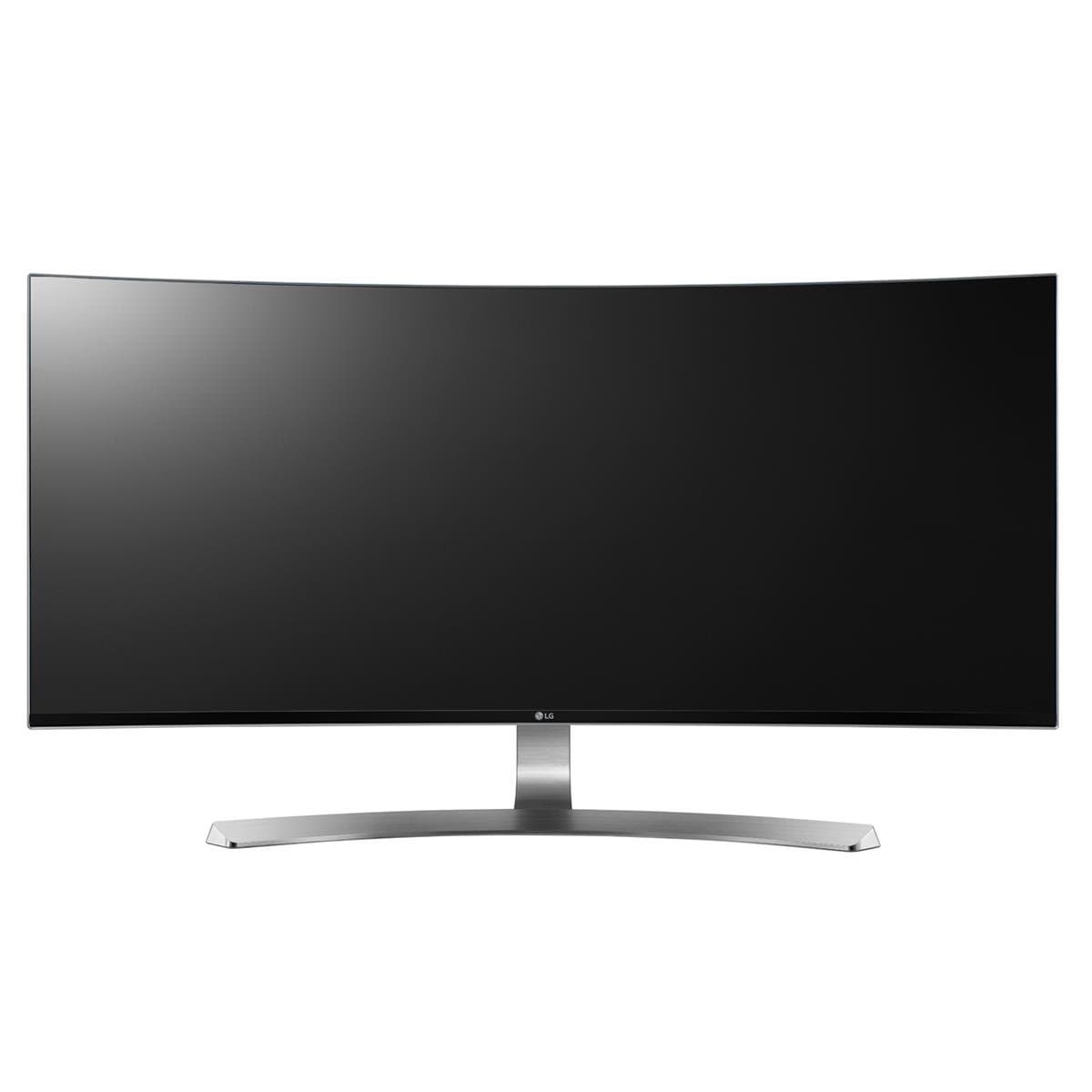


🚀 Elevate your productivity with panoramic power and precision!
The LG 34UC98-W is a 34-inch curved UltraWide QHD IPS monitor featuring a 3440x1440 resolution, dual Thunderbolt 2.0 ports, and over 99% sRGB color accuracy. Designed for professionals, it offers height and tilt adjustments, USB 3.0 quick charge, and advanced screen split capabilities to maximize multitasking and visual clarity.


| ASIN | B019O78DPS |
| Adaptive Sync | FreeSync |
| Additional Features | Curved |
| Aspect Ratio | 21:9 |
| Best Sellers Rank | #799,836 in Electronics ( See Top 100 in Electronics ) #15,100 in Computer Monitors |
| Brand | LG |
| Brightness | 300 cd/m² |
| Built-In Media | monitor, power cord, stand |
| Color | Black |
| Color Gamut | 99 |
| Connectivity Technology | USB |
| Contrast Ratio | 5M:1 |
| Customer Reviews | 4.1 4.1 out of 5 stars (282) |
| Display Resolution Maximum | 3440 x 1440 Pixels |
| Display Technology | Curved |
| Display Type | LED |
| Global Trade Identification Number | 00719192199378 |
| Hardware Connectivity | Thunderbolt, USB, USB 3.0 |
| Has Color Screen | Yes |
| Is Electric | Yes |
| Item Dimensions D x W x H | 9.1"D x 32.2"W x 17.8"H |
| Item Weight | 24.7 Pounds |
| Manufacturer | LG Electronics |
| Model Name | 34UC98-W |
| Model Number | 34UC98 |
| Mounting Type | VESA Compatibility - Mountable: 100 x 100 mm |
| Native Resolution | 3440x1440 |
| Number of Component Outputs | 2 |
| Picture Quality Enhancement Technology | Multiple picture quality enhancement technologies |
| Refresh Rate | 60 Hz |
| Resolution | QHD Ultra Wide 1440p |
| Response Time | 5 Milliseconds |
| Screen Finish | WQHD - Wide Quad High Definition |
| Screen Size | 34 Inches |
| Shape | Rectangular |
| Specific Uses For Product | personal, gaming, business |
| Total Number of HDMI Ports | 2 |
| Total Thunderbolt Ports | 2 |
| Total USB 3.0 Ports | 2 |
| Total Usb Ports | 2 |
| UPC | 719192199378 |
| Viewing Angle | 178 Degrees |
| Warranty Type | Limited Warranty |
G**R
I didn’t have the heart to give this beautiful monitor a 4, but I wish there was an option for a 4.5 due to marketing.
Rather than reiterate all the great things about this monitor, I just want you to be aware of a few things before making an $1100+ investment. First things first, the user manual and OnScreen software is available on the LG website. This is especially helpful if you don’t want to dig up an old external dvd drive to install the software. [...] I installed the OnScreen Control (1.35) on my Mac Mini (OS X EL Captain & Windows 10 using Parallels). The Screen Split (1.23) for Mac OSX isn’t listed on the above site, but you can get it from the support page for the LG 34UC97. [...] However, after installing both, you realize they offer the same functionality. There is a good YouTube video that explains the setup: Setting Up 4-Screen Split – LG UltraWide Monitors | LG USA [...] Once, installed it’s so easy to drag and drop an application into any screen area. ☺ Now on to the marketing… So yes, you can have 4 screens split and theoretically 8, but it’s not because you are maximizing the 5 inputs (2HDMI, 2 Thunderbolt, 1 DisplayPort). Page 25 of the user manual is the only place that clearly indicates that you can’t view the HDMI 1 and HDMI 2 inputs at the same time. After doing quite a bit of reading yesterday, I found that you would need additional hardware to do this for many new monitors that advertise PIP. One of the major reasons, I chose this monitor over the Predator, Samsung, or the new Dell P4317Q were the number and type of inputs. With so many devices using HDMI (multiple computers, laptops, cable TV, gaming consoles, etc.), it would have been nice to be able to view 2 HDMI inputs at the same time. I plan on purchasing a Thunderbolt cable to test the PBP features today. It’s nice that they bundled a DisplayPort cable, but then it dawned on me, that my Mac Mini and Surface 3 use Thunderbolt / mini DisplayPort connections. As far as I know, Macbooks wouldn’t be able to use the full size DisplayPort cable as well. By the way, for those who are worried about using a curved monitor, your eyes adjust after the first 5 minutes. So, as I mentioned earlier, this is an absolutely stunning monitor and you won’t regret the purchase. I just wanted to highlight a few additional details that may help you in making your purchase or using this product.
N**H
The best monitor you can get as of mid 2016
I was in the market for a great display for my profession. I looked around and came down to the three brands that are pioneering the UltraWide monitors; Dell, Samsung, and LG. LG already has 3 or more previous models and seem to have more experience. My biggest concern was the backlight bleed. Dell seems to have TERRIBLE bleed. As LG uses the same panel as Dell, I was set on Samsung... until I realized they had their newest model, 34UC98 on Amazon. I looked around for hours and seems like it has no backlight bleed, if there is, very, very minimal. Even though I was set on Samsung with its VA panel, IPS is more color accurate, so I purchased this LG monitor. Surprisingly, UPS sent it in its original box, which I wasn't too happy because I live at a apartment complex. Anyone could've saw that I ordered a $1,000 computer monitor. Anyways, setting up was very easy. Plug and play with both PC/DisplayPort and Mac/ThunderBolt. First thing is first, the monitor is gorgeous. Even though it is curved, you hardly notice it at all after a few minutes. The monitor is factory color calibrated so the colors are quite accurate, at least I think so. I love everything about this thing... EXCEPT! The backlight bleed. Yes, there's backlight bleed. Bottom two corners have visible bleed. It's only about an inch and a half squared, so it's not a deal breaker. However I am just warning you that there's backlight bleed. I think Samsung is releasing their new Super Curved UltraWide soon, and I heard it's 3000:1 contrast versus this one which is 1000:1 contrast. I'm not sure if they're using VA panel again, but if they can pull off the color accuracy, I will definitely sell this one and get that instead.
C**.
Amazing monitor from LG for both Mac and/or PC users
Not much else to say except that this is a great monitor. I'm coming from a 27" apple cinema display and this is a better monitor in almost every way. It's a perfect level of matte that doesn't destroy the picture, but it means I can finally use my monitor in my room with the windows fully open in sunny Denver Colorado. I could never do this with my cinema display because it's so shiny. The cinema display makes a great mirror though! :) I use this on my MBP (in clam shell mode) via the thunderbolt connection. And then I also use this monitor on my Win10 PC via DisplayPort. Switching is as easy as using the toggle and changing the input, takes a few seconds. The other feature I really like is that USB is passed through the thunderbolt cable so I only need to have the thunderbolt cable plugged in to my Mac and all the USB devices (including my web cam and DAC) plugged in to the back of the monitor get passed through to my Mac automatically without needing a USB cable. So this is a really great monitor for Mac users. If you use DisplayPort, you need to use the separate USB cable to pass USB to your PC. As far as picture quality, I'm not expert at this, but I do software/systems development and the picture quality, brightness, and real estate is really incredible. I run my Mac in HiDPI mode because the native resolution (3440x1440) is too small for my eyes. I've tried to use dual monitors before and I find it too distracting, but this width is perfect for me. It's really great when you're doing work and need another window side-by-side to reference as you work. UPDATE Jan 2017: When I originally wrote this, I had a 2014 15" MBP. I recently bought a 2016 15" MBP, bought a Thunderbolt 2-to-3 USB-C adapter from Apple, and used a normal Thunderbolt cable to hook up the monitor. It works great so far. USB device passthrough also still works (Logitech C920 camera). It also passes through my Schiit USB DAC. I still highly recommend this monitor. It is one of the best monitors you can buy, especially if you want to use it with both a PC and Mac, which I do on a daily basis.
G**I
Needed a wwwwiiiiddddeeee screen display so I can view and edit multiple documents at the same time. This unit is perfect. Also, as I move between offices, the easily removed stand pops off and pops back on quickly. Very nice that the height is easy to adjust and the screen can be tilted both side to side (slightly) and front to back. Have not tried the split-monitor or PIP features. Using it with a MacBook that can only drive a single external screen so using two smaller screens (which would be slightly cheaper) was not an option.
F**D
Top <<<<
J**O
Very amazing monitor does have a bit of backlight bleed when you have a black screen and a dark room but other then that it look fabulous
Z**M
Excellent screen, works well for multi-tasking whether its gaming, editing photos and video or producing music.
J**E
Very wide field of view, able to put in a lot of information! Great product and great price, I love it.
Trustpilot
Hace 3 semanas
Hace 1 día