We remain fully operational. Our teams are working around the clock to ensure your deliveries continue safely.

Descargar la aplicación


Servicios al cliente
Sobre nosotros
Copyright © 2025 Desertcart Holdings Limited
Descargar la aplicación


🎯 Dominate every click with precision, power, and endless possibilities.
The Logitech G604 Lightspeed Wireless Gaming Mouse combines 15 programmable buttons, dual wireless connectivity (LIGHTSPEED and Bluetooth), and the advanced HERO 16K sensor to deliver ultra-precise tracking and up to 240 hours of battery life on a single AA. Designed for gamers and professionals alike, it offers customizable controls, a hyper-fast scroll wheel, and durable build quality, making it a versatile powerhouse for multitasking and immersive gameplay.

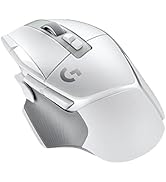

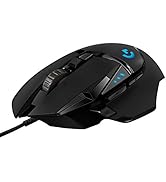

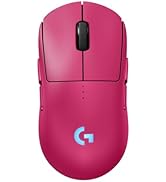


| ASIN | B07QN369XX |
| Additional Features | Dual Connectivity, Programmable Buttons, Wireless |
| Antenna Location | Gaming |
| Are Batteries Included | Yes |
| Are Batteries Required | Yes |
| Battery Average Life | 5 months |
| Best Sellers Rank | #30,670 in Video Games ( See Top 100 in Video Games ) #652 in Mac Accessories #1,010 in PC Gaming Mice |
| Brand | Logitech G |
| Button Quantity | 6 |
| Color | Black |
| Compatible Devices | Laptop |
| Connectivity Technology | Bluetooth |
| Customer Reviews | 4.4 4.4 out of 5 stars (8,561) |
| Enclosure Material | Metal |
| Global Trade Identification Number | 00097855149435 |
| Hand Orientation | Right |
| Hardware Platform | Mac, PC |
| Item Dimensions L x W | 5.11"L x 3.14"W |
| Item Type Name | Gaming Mouse |
| Manufacturer | Logitech |
| Model Name | Logitech G604 Lightspeed Wireless Gaming Mouse |
| Model Number | 910-005622 |
| Mouse Maximum Sensitivity | 25600 Dots per Inch |
| Movement Detection | Optical |
| Number of Batteries | 1 AA batteries required. (included) |
| Operating System | Mac OSX |
| Power Source | Battery Powered |
| Range | 10.0 meters |
| Style Name | Mouse Only |
| Theme | Gaming |
| UPC | 097855149435 |
| Unit Count | 1.0 Count |
| Warranty Description | Manufacturer’s warranty can be requested from customer service. Click here to make a request to customer service. https://www.amazon.com/gp/help/customer/display.html/ref=help_search_1-1?nodeId=201596310&referral=AIHR2K9UHOKTQ_A2XM37FWGO4HN72 |
J**M
Excellent quality, versatility, and price. Too bad it's been discontinued.
Best mouse I've owned, and very sad it's been discontinued. An upgrade from the G602. Pros: - Six side buttons and two additional buttons by the left click. - Side scroll on the scroll wheel. - Scroll wheel unlock allows the scroll wheel to free-spin for rapidly scrolling long pages. - Bluetooth/Lightspeed quick toggle allows quick swap between devices. - Quality materials make the mouse feel comfortable to hold, and the scroll wheel has a very satisfying weight to it. - All keys are fully reprogrammable (aside from scroll wheel unlock and lightspeed/Bluetooth toggle). By downloading the Logitech program you can reprogram all mouse functions, including left/right click and scroll up/down/left/right. You can use the program to automatically switch between key bind profiles depending on which app you are using or you can set (up to 3 I believe) profiles on the mouse itself, which will be usable on any device you connect the mouse to. You can set one key to switch between profiles, as well as set a "G-Shift" key that toggles all key binds while you have that key pressed. This allows a huge amount of key bind customization. - I do not play games competitively, but I have never had issues with input lag. I use the lightspeed dongle for my gaming PC, and the Bluetooth connectivity for anything else (I believe you can have 3 devices paired at a time, though I'm not positive as I only have 1 other device I connect regularly). That said I have used the Bluetooth connection for gaming on many occasions and I personally don't notice any input lag. - The mouse runs on 1 AA battery, and in my experience will run on that battery for slightly less than a year. - Pocket for the lightspeed dongle and on/off switch allows you to easily pack up the mouse and toss it in a travel back for transport without worrying about losing anything or draining the battery. - I bought this mouse for $65, and I would have paid much more for it. Cons: - The Logitech G-Hub program (and its predecessor before it) can be really annoying to use, and sometimes fail to correctly switch your profile to the correct program-specific setup, leaving you without your key binds in-game. Never had any problems with profiles saved to the mouse though, so manual profile toggle still works great. - The use of AA instead of a rechargeable battery may not be preferable to some. I find it convenient, but perhaps it is more wasteful of resources. I tend to get slightly under a year of use out of 1 battery. Additional Info: - After ~3.5 years of use the right click stopped working. By this time the mouse was discontinued and there were no other mice like it that I could find, so I bought a new chip and took the mouse apart to replace the old one. The chip cost me $14 on eBay and the repair was simple (though there are many screws and parts, so take pictures and watch a video online first). It seems you can replace almost all of the parts for fairly cheap. - The grip on the thumb rest came up from the plastic underneath it after a couple years, and I had to glue it back down. - Other than that, the quality materials have held up well, and the only sign of wear has been a slight sheen that has appeared on the left/right click buttons and some scratches on the shiny strip down the middle. - This mouse (and the G602 before it) has made my life significantly easier from allowing me extra key binds for gaming to quickly navigating the web. Well worth the cost.
R**T
Great MMO Mouse
Really like this mouse a lot it is my first MMO Mouse I ever owned and I am enjoying using this mouse. I was going to buy a standard 12 side button mouse but I felt like it was to much after borrowing my friend corsair mouse for a week bc I kept losing my positioning and it got confusing after a while using it bc the small buttons and no true center button so I went ahead and got this guy. Experience: I usually play FFXIV and ESO and it works great and love this mouse to death as it makes everything whole lot easier for those games and takes load off to be able to move more and have additional buttons to click but if you want this mouse to use for fps I couldn't give a good opinion/review other then you can make it work. I have use only 3 buttons generally for these types of games (melee, lethal and non lethal grenades actions) and had a fine time though but I can see potential of more uses though. Cons: If I had to give it a cons it would be its weight it is a heavier mouse so if that's a game changer I wouldn't recommend getting it especially for fps but I can say you will get used to it within a week and get stronger fore arms :p. The second thing would be I wish the software had mouse buttons instead of assigning button macros to the mouse like F1-F12, etc (Keyboard Buttons) I would of liked to be able to see Mouse button 1-10 that were for the mouse only buttons and not the keyboard that i seen in some wired mouses have. If anything this is a great for first timer looking for a Wireless/Bluetooth MMO Mouse that is simple to use or helpful to be able to work your way up to a 12 button mouse if you want to test the waters. I Honestly like this mouse and I did my research to get this and I don't regret it great product. Notes/Ideas: This is just a suggestion but for a future product idea for the company I would go for a 9 sided button version of this with texture (Mabey a slide adjustable like the wired corsair mouse). I think this would be a great idea for new mmo players looking for a mmo mouse that seems easy to use/press, I think 9 would be perfect number as it is less confusing for players to locate the buttons as they only need to know where the middle button is to know/remember where they are on the mouse and also not to miss click. Honestly these mouse buttons feel perfect already as they are size just right to click and know your position but I believe it can fit another row of 3 buttons at the bottom without a problem and help give more options for players to use while not worrying about a miss click or lose position of what button is which.
P**G
I like that the product was an improved version of my ageing G602. I decided to buy from this seller as it was offering a very attractive price. However, due to the lunar new year holidays. The shipping process took longer than expected, but the seller was kind enough to explain the circumstances and offered their sincere apologies. In general, I will buy again from this kind seller.
A**M
Very practical and useful for engineers
N**G
If you are looking for a mouse that is feature-rich then this is the one for you. I started to use G602 which is the older version of this mouse. The 6 extra programable keys are so useful for programmers/designers who heavily use keyboard commands. It will make your work a lot faster and easier.
J**Z
Tengo aprox unos 6 meses de que adquirí el mouse, hasta ahora ha cumplido con todo lo que promete, se siente cómodo al usarse, se adapta bien a la forma de mano y los dedos descansan bien en la superficie del mouse, los botones se sienten cómodos al usarse no se requiere mucha fuerza para oprimirlos, hace muy bien su trabajo al asignarse los botones para diferentes programas y juegos, en mi caso ha sido muy útil pues uso programas como Maya, Autocad, Illustrator, Premiere Pro, Studio One entre otros, también hago juego seguido y para juegos como Arma 3 va de maravilla aunque se adapta perfecto a cualquier juego y te ahorra movimientos exagerados para cosas básicas. Había leído comentarios en fotos y reviews sobre una posible falla en los botones, a mi hasta ahora no me ha dado doble click ni ha presentado ningún tipo de problema, si eso cambia en el futuro modificaré mi review. Lo recomiendo ampliamente por su precio que no es tan descabellado vale bastante la pena para los que hacen de todo un poco.
S**R
This is the best mouse I have ever used. I normally use the G402 for gaming. That one is light and precise. But this G605 blows it out of the water in terms of precision and smoothness. Plus it is wireless, using a AA battery is less hassle than re-charging the mouse again and again. The side buttons are excellent for most games, FPS including, quick reload, crouch, prone, grenade, melee everything is at your finger tips. I primarily got it for editing. Its wonderful for editing on premiere. Only slight problem is, the mouse is very heavy. That is something the user has to get used to...
Trustpilot
Hace 2 meses
Hace 1 mes