We remain fully operational. Our teams are working around the clock to ensure your deliveries continue safely.

Descargar la aplicación


Servicios al cliente
Sobre nosotros
Copyright © 2025 Desertcart Holdings Limited
Descargar la aplicación


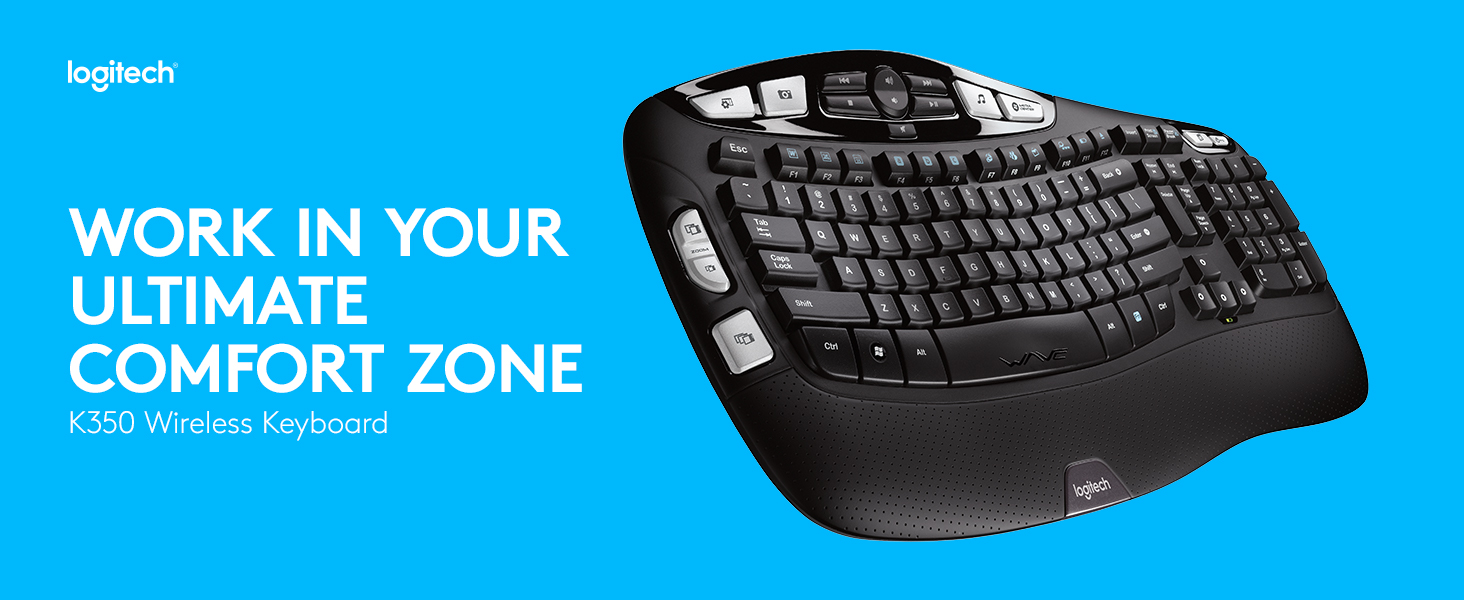
⌨️ Elevate your workspace with comfort and wireless freedom — type like a pro, feel like a boss.
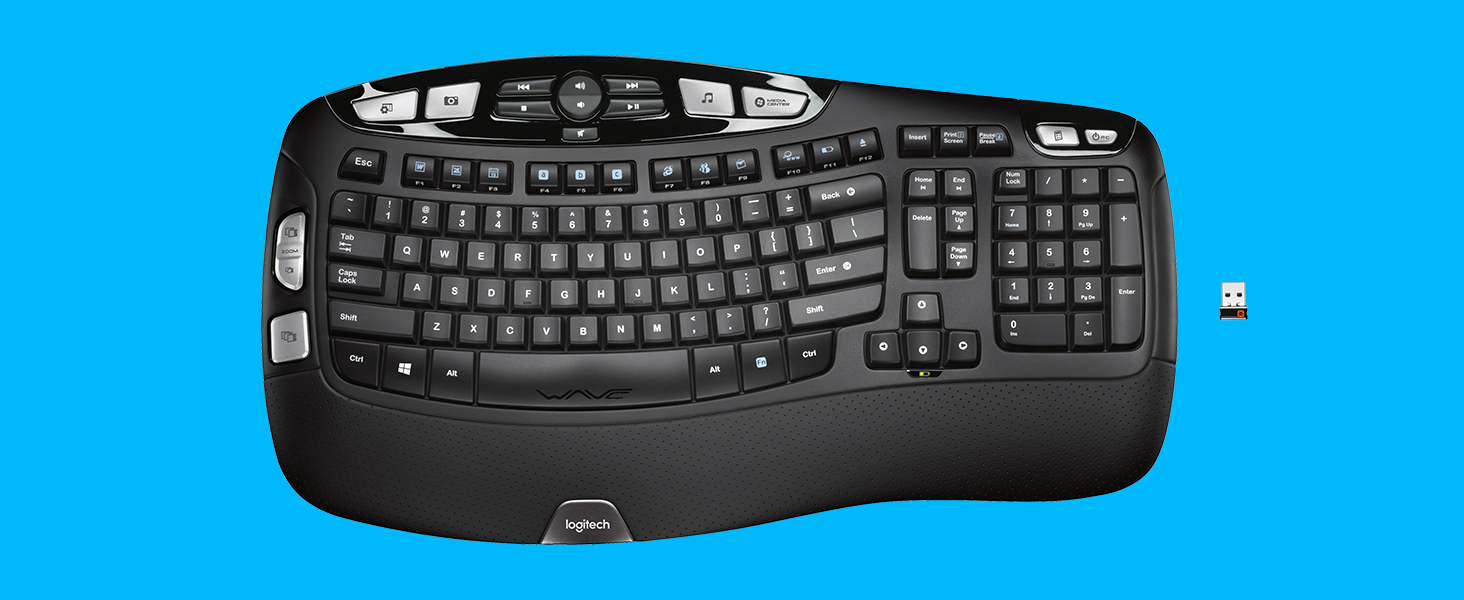
The Logitech K350 Wireless Wave Keyboard features a scientifically designed curved layout that promotes natural hand positioning and reduces wrist strain. Equipped with a cushioned palm rest and a robust 3-year battery life, it ensures comfort and reliability for heavy users. Its Unifying receiver allows seamless wireless connection to multiple devices via a single USB dongle, eliminating clutter and connection issues. Ideal for professionals seeking ergonomic excellence and long-lasting performance in a sleek black design.


| ASIN | B002MMY4WY |
| Antenna Location | Office |
| Are Batteries Required | Yes |
| Best Sellers Rank | #1,116 in Computer Keyboards |
| Brand | Logitech |
| Built-In Media | Keyboard, 2 AA batteries (pre-installed), Logitech Unifying receiver, Receiver extender cable, User documentation |
| Color | Black |
| Compatible Devices | Laptop, Personal Computer |
| Connectivity Technology | EOL |
| Customer Reviews | 4.6 4.6 out of 5 stars (26,150) |
| Global Trade Identification Number | 00097855060877 |
| Hand Orientation | Ambidextrous |
| Item Type Name | Keyboard |
| Item Weight | 1 Kilograms |
| Keyboard Backlighting Color Support | Single Color |
| Keyboard Description | Wireless, Wave-shaped keyframe, Cushioned palm rest, Programmable F-keys, Connects via Logitech Unifying receiver |
| Keyboard Layout | QWERTY |
| Manufacturer | Logitech |
| Number of Batteries | 1 AA batteries required. (included) |
| Number of Keys | 120 |
| Operating System | Windows XP |
| Other Special Features of the Product | EOL |
| Power Source | Battery Powered |
| UPC | 097855060877 |
| Unit Count | 1.0 Count |
| Warranty Description | EOL - No Manufacturer Warranty |
S**S
Surprisingly excellent product
Surprisingly excellent product This keyboard, along with the Logitech Anywhere Mouse MX, replaced my years-old wireless Microsoft laser mouse and keyboard. I decided to part with those trusty components for three reasons: the wireless connection pod was taking up too much room on my desk and out of date with newer technology (occasionally loosing the connection and needing to be re-synced); the keyboard was worn and starting to break down; the old-style perfectly horizontal arrangement of keys was becoming uncomfortable. I am very particular about my mouse and keyboard. I use them for hours at a time each day and I am left-handed. Historically, I found Logitech mice and keyboards to be uncomfortable and very much built for right-handed users. The K350 and Anywhere Mouse are (for the most part) functional for right and left-handed people. I like many features of these two products and recommend them highly: 1.Very good build quality 2.USB connector is super small and very powerful. Mine is plugged into the back of my laptop dock in the bottom slot with zero line-of-sight to the mouse and keyboard.. yet they function perfectly. 3.Very responsive... no lag at all. 4.Unifying software works perfectly - two devices using one USB receiver. To use the USB receiver with more than one device, you will need to download the "Unifying" software driver from Logitech. It took less than 5 minutes to download and install. So far, I have not found that program to be bloated with unnecessary features and settings like so many other supposedly required hardware applications. 5.Simple simple simple installation. I have low expectations about how XP is going to accept new devices. Plug it in; turn it on and its ready to go. Installing the keyboard/mouse software is optional but useful for managing the voluminous hardware features (more on this below). 6.The keyboard shape and key arrangement is very comfortable and easy to adapt to in a short amount of time. 7.The feel of the keys is solid and the bounce-back is perfectly tuned. 8.Good documentation and online help. 9.The mouse is available in Amazon's Frustration Free packaging. Totally recyclable with marginal use of packing materials. Wish the keyboard was available this way too. Things I would change: 1.The keyboard is loaded with programmable convenience keys, resulting in a large footprint. I use 3 or 4 of these keys so the volume of them is overkill for me; maybe not the case for other users. With fewer convenience keys the footprint could be reduced. 2.Keyboard not available in Frustration Free packaging. 3.Price is a bit high... but not unreasonably so for hardware that gets used every day for several years. A couple of words on the Anywhere Mouse MX: This mouse is designed to work on any surface, including clear glass.. and sure enough it does. Like the keyboard, it has a snappy response with no lag. The mouse footprint is a bit small for my taste and has a couple of convenience keys on the left edge specifically for right-handed users. These keys don't really get in the way of my left hand, and the shape is comfortable.. however, Logitech just can't seem to get away from designing their mouse products assuming that everyone is right-handed. Overall though, it will be a satisfactory replacement for the totally design-neutral Microsoft mouse. I have shopped with Amazon for years and am a completely satisfied customer. Communication about orders is comprehensive; delivery is nearly always as promised; easy returns; phone support is usually quite responsive (though you may need to ask for a supervisor on the rare occasion when the Service Rep. is unable to provide a satisfactory solution). I highly recommend these two products - and Amazon as a vendor.
T**O
I've used Wave keyboards for over a decade. Pretty close to perfect!
I've owned a lot of keyboards, and once I got on these Wave keyboards about 10 years ago, I've never switched off of them. I like the play/feedback I get off of this new model of the Wave keyboard. Even better than the play/feedback with my older models, which I did like. There's a good feel of 'confirmation' in the keys when you strike them. But yet not over-bearing confirmation, like those old-school spring-loaded 1980's IBM keyboards threw off. That big padded perforated section perfectly places your heels to negate any strain on your wrists (that might lead to Carpal Tunnel Syndrome). Your hands always feel pretty close to "at rest." That section wipes clean very easily, too. The big silver buttons can be reprogrammed to do whatever you want. If you load up the Logitech SetPoint software that you download from their website. I use them to open specific folders that I often access. I reprogrammed the Sleep button to be a Restart button. And you don't HAVE to use the Logitech software unless you want that programming feature, basically. Otherwise it's a plug and play keyboard ... that functions perfectly even at the BIOS setting level. I also like that the audio/video controls at the center top don't require any set-up. When I strike up/down volume or mute, they work with any application I run. I have zero reception/distance/obstruction problems in keeping the USB receiver plugged directly to the back of my desktop, down on the floor, facing a wall, next to my desk. To be fair, the very first one I owned, again bought ten years ago, did have a bit of a problem in that regard. At that time the Wave keyboard shipped with an entirely different USB receiver, a larger one that looked a lot like a flash drive; I had to bring it closer to my desktop with a USB extension cable. Two ordinary AA batteries will keep this keyboard running for several years. And there's a little indicator that lights up when it's time to change them out. Too bad there aren't any indicator lights for CapsLock or NumLock, like old-school. (How many obscured passwords have I typed in incorrectly over the years not realizing I had accidentally turned on caps aiming for the tab key!) The one thing I REALLY don't like about them is that the white paint on the keys tends to wear off too easily. I've owned about four of these Wave keyboards over a decade and they all do it. This keyboard comes with a five-year warranty, so from now on I am sending in an email to Logitech asking for a new key whenever one wears off. Also I prefer the old-school Logitech logo. The font on this new logo looks, to me, sort of over-baked, so over-modern as to be a bit gaudy. Oh, well. I am sure Logitech paid some marketing firm millions of dollars to create it, so I guess it's my shortcoming. LOL. And it would be cool if it had a backlit option, like those gamer keyboards, since I work a lot late at night. I guess you can't have it all. This Wave keyboard has been one of the top-selling keyboards in the marketplace since its introduction so long ago. That kind of says it all.
L**E
I've driven several of these for probably a decade at this point. I've tried a linear mechanical keyboard for a while but, in the end, I came back to my love: the Logitech K350. What makes the keyboard for me are two factors: the big delete button (and generally, the layout of these keys) and the media controls + calculator shortcut. The big delete button just makes it so much easier to reach for it and not fat-finger the Insert button (which can be catastrophic if you don't realize you pressed it). That said, it makes said "Insert" button out of the way, so, you really need to go out of the way yourself to hit. So, accidental writing over your text is rock bottom. This also make the "Home" and "End" buttons really conveniently placed and, not to forget, the Page Up and Page Down. I've always been a big fan of the media controls. I think that the volume rocker, previous track, next track, stop and play/pause combo works great and the placement at the top is great. They work out of the box with Foobar2000. I've never been able to grown a habit of using the other programmable keys except the handy Calculator button. Latency-wise, this is probably the lowest-latency wireless keyboard ever made. I remember a Linus Tech Tips video from a few years back that they calculated, by far, the lowest wireless latency out of something like 12 other cheap wireless keyboards. So, that makes this keyboard a great gaming keyboard that's not a mechanical keyboard. However, the only downside I have for the keyboard is its dongle: the Unifying Receiver. The problem is that there's a known issue with it and USB3 where it causes interference which then makes the keyboard drop inputs. I've seen this happen particularly when a lot of data is being trasnfered around the USB ports. An easy fix is to get a short USB extension cable or, if you have USB2 front USB only, to plug it there. So, it's 2024 and Logitech finally decided to drop this long-lived keyboard. If you see a warehouse deal or a sub-50$CAD / 35$USD used K350, go for it. Seriously. I've even snatched an extra keyboard in case any of my two others ones go kaput. It's just THAT good.
V**U
After 8 weeks of intense working with my new keyboard (Logitech K350) I am very satisfied by performances. Pro: ergonomic layout, "Calculator" key, multimedia keys, silent keys. Con: small "Enter" key, don't have a "=" key on the numpad, "Home / End" keys layout, no LED confirmation of pressed "Caps Lock" / "Num Lock"
U**R
Very nice and works very good
S**M
Over the years, this is the third Logitech K350 Wave keyboard. Arrived quickly, works fine, pretty much the same as the previous version of this I had - with one important exception. Frustratingly, the photo listed showed the US keyboard layout, which is what I wanted, what arrived is the UK keyboard layout which I am not used to using. Had I known this, I would have been able to purchase the UK version elsewhere for significantly less!
I**A
Es la segunda vez que lo compro, un producto de excelente calidad y buen precio, lo volvería a comprar cuando necesite
Trustpilot
Hace 1 mes
Hace 2 semanas